TL; DR
- iOS 27 is now available for iPhone 11 and newer, including the iPhone SE (2nd generation).
- The update brings a redesigned Liquid Glass interface, major Siri AI upgrades, new Visual Intelligence features and improvements across Photos, Messages, Mail, Safari and more.
- Apple has also added Split View-style features for the iPhone Duo, new parental controls, faster performance and several smaller quality-of-life changes.
- Some Apple Intelligence features require newer iPhones, while certain features are limited by region or language.
- Some AI features have daily usage limits, with expanded access available through iCloud+.
Apple has released iOS 27, bringing one of the company’s largest iPhone software updates in years. The update expands the Liquid Glass design introduced with iOS 26 while adding a major overhaul of Siri, more AI tools, new photography features and performance improvements for older iPhones. Here’s how to install iOS 27 and what’s new.
How to Install iOS 27

Open Settings > General > Software Update on your iPhone and tap Update Now when iOS 27 appears.
Make sure the iPhone is connected to Wi-Fi and has at least 50% battery or is connected to a charger. It’s also a good idea to back up your iPhone before installing the update. The update can take several gigabytes of storage, so make sure you have enough free space before starting.
ALSO READ: Apple’s India Prices Are Pulling Further Away From the US
iPhone Models Supported
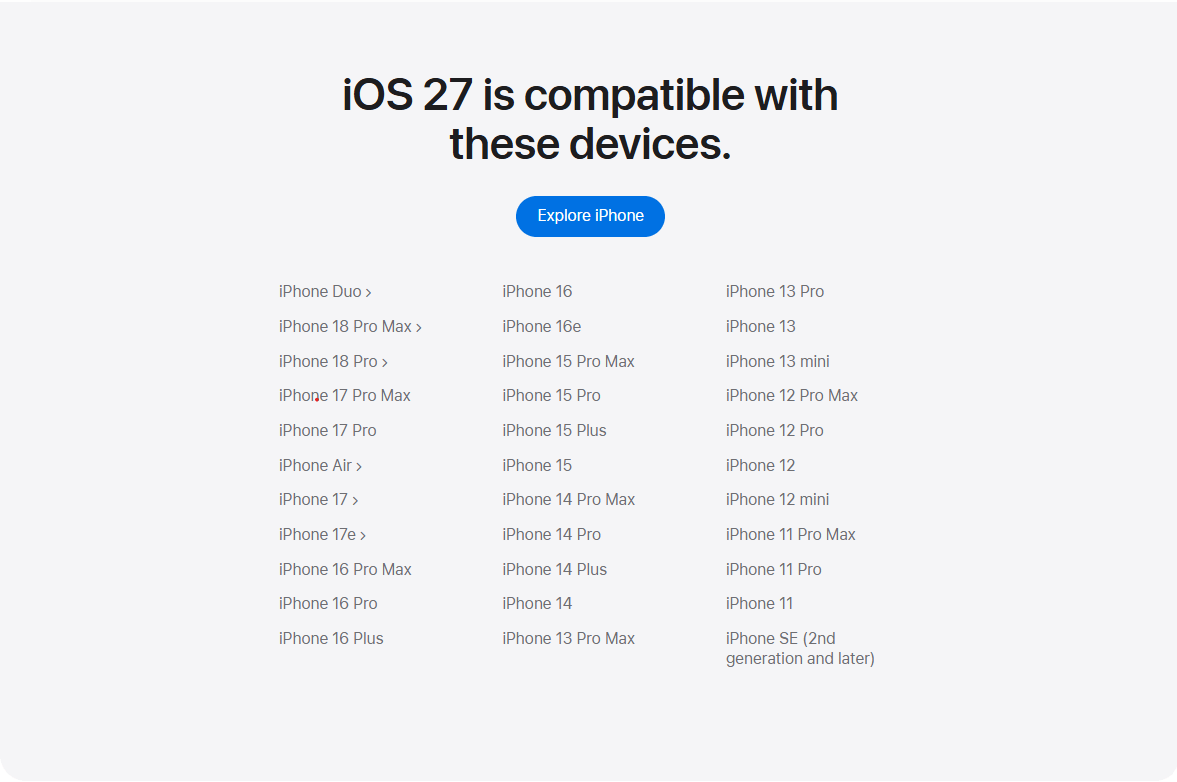
iOS 27 supports every iPhone that can run iOS 26, including the iPhone 11 series and iPhone SE (2nd generation).
Apple Intelligence and the new Siri AI features require an iPhone 15 Pro or newer, while some features require an iPhone 17 Pro or iPhone Air. Availability also varies by language and region.
Liquid Glass Gets More Control

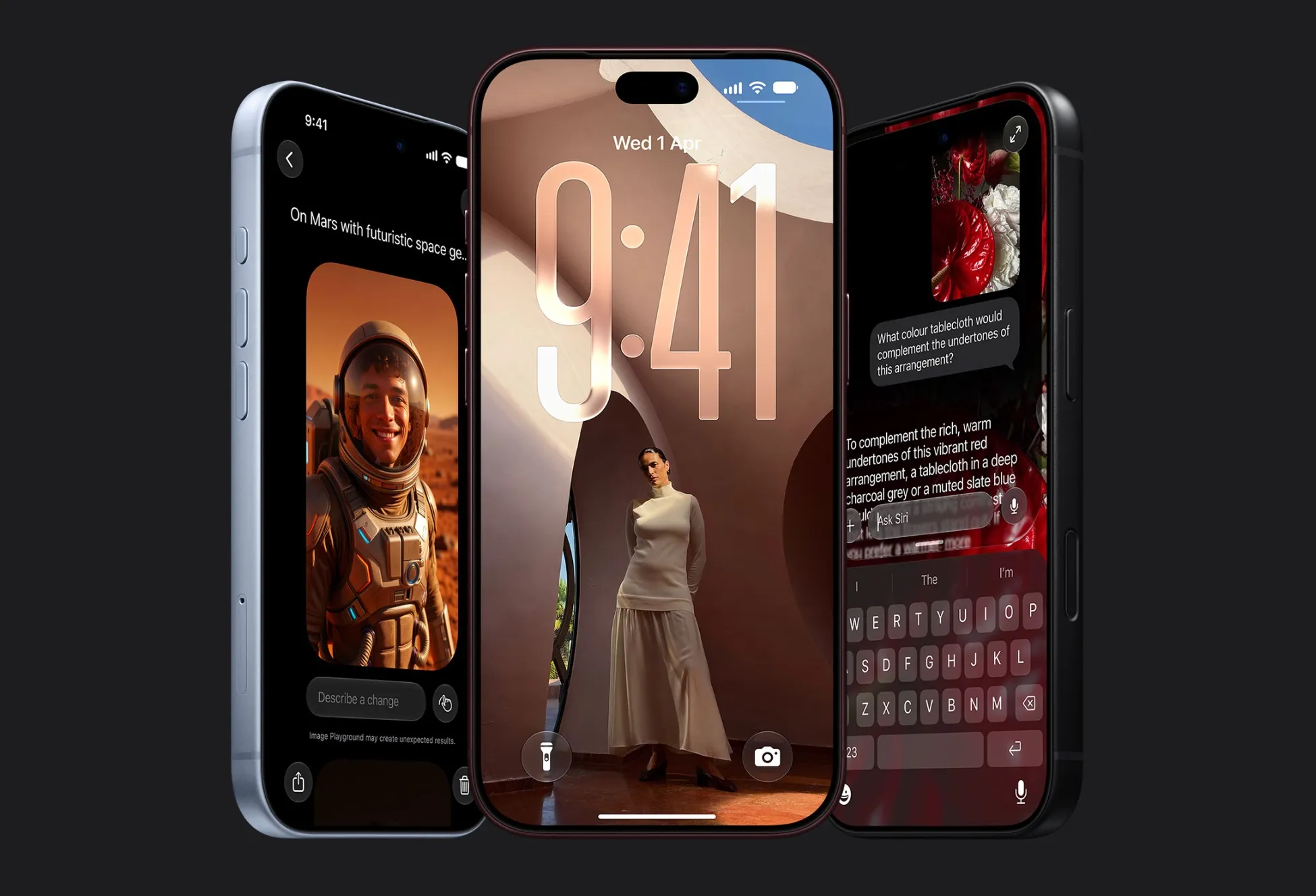
Apple has added more customization to the Liquid Glass interface. A new opacity slider lets you choose between a more transparent appearance and a more opaque, tinted look.
Apple has also adjusted the rendering of menu and navigation bars with stronger contrast, darker edges and brighter highlights. App icons get additional Liquid Glass layers, while the Lock Screen gains several new options.

Photos can be automatically expanded with generative fill to fit the Lock Screen, and Image Playground can create wallpapers specifically for it. There’s also a smaller clock layout that takes up less space, while the Home Screen now supports extra-large widgets that can fill an entire page.
ALSO READ: Apple Launches iPhone 18 Pro and iPhone 18 Pro Max With Variable Aperture and A20 Pro
Siri AI

The biggest change in iOS 27 is Siri. Apple has rebuilt the assistant around its new Apple Intelligence models, giving it access to information across apps and the ability to perform actions.
Siri can search through Mail, Messages, Notes, Reminders, Calendar and Photos to find personal information. You can ask questions such as where a restaurant was recommended or what was discussed in an earlier conversation.

It can also answer general questions using web search, understand what’s currently displayed on your screen and perform actions inside supported apps. Developers can use Apple’s App Actions system to let Siri interact with third-party apps.
Apple has replaced the previous Spotlight interface with Search or Ask, which combines search and Siri functionality. A standalone Siri app also lets users start and revisit conversations across Apple devices.

Write with Siri can draft, rewrite, proofread and shorten text, while a new on-device dictation model improves spelling, punctuation and capitalization.
The new Siri AI is initially limited to English, and Apple says it isn’t available in the EU or China at launch.
Apple’s foundation models were developed with technology from its collaboration with Google, while Apple Intelligence processing now also uses Google Cloud infrastructure alongside Apple’s own data centers.
AI Photo Tools

Photos gets three AI editing tools. Clean Up has improved object removal, while Extend expands the edges of an image using generative fill. Reframe can use spatial information and AI to alter a photo’s perspective.
You can also save individual video frames as photos, add keywords and one-to-five-star ratings, and filter your library using those ratings.

Shared iCloud albums now support full-resolution contributions from Android and Windows users, while albums can be set to expire after 30 days. Apple has also added new utility folders for photos captured by you and identity documents.
Safari and Shortcuts
Safari can now automatically organize tabs, bookmarks and Reading List items by topic. Resume Browsing makes it easier to return to recently closed topics or pages open on other devices.
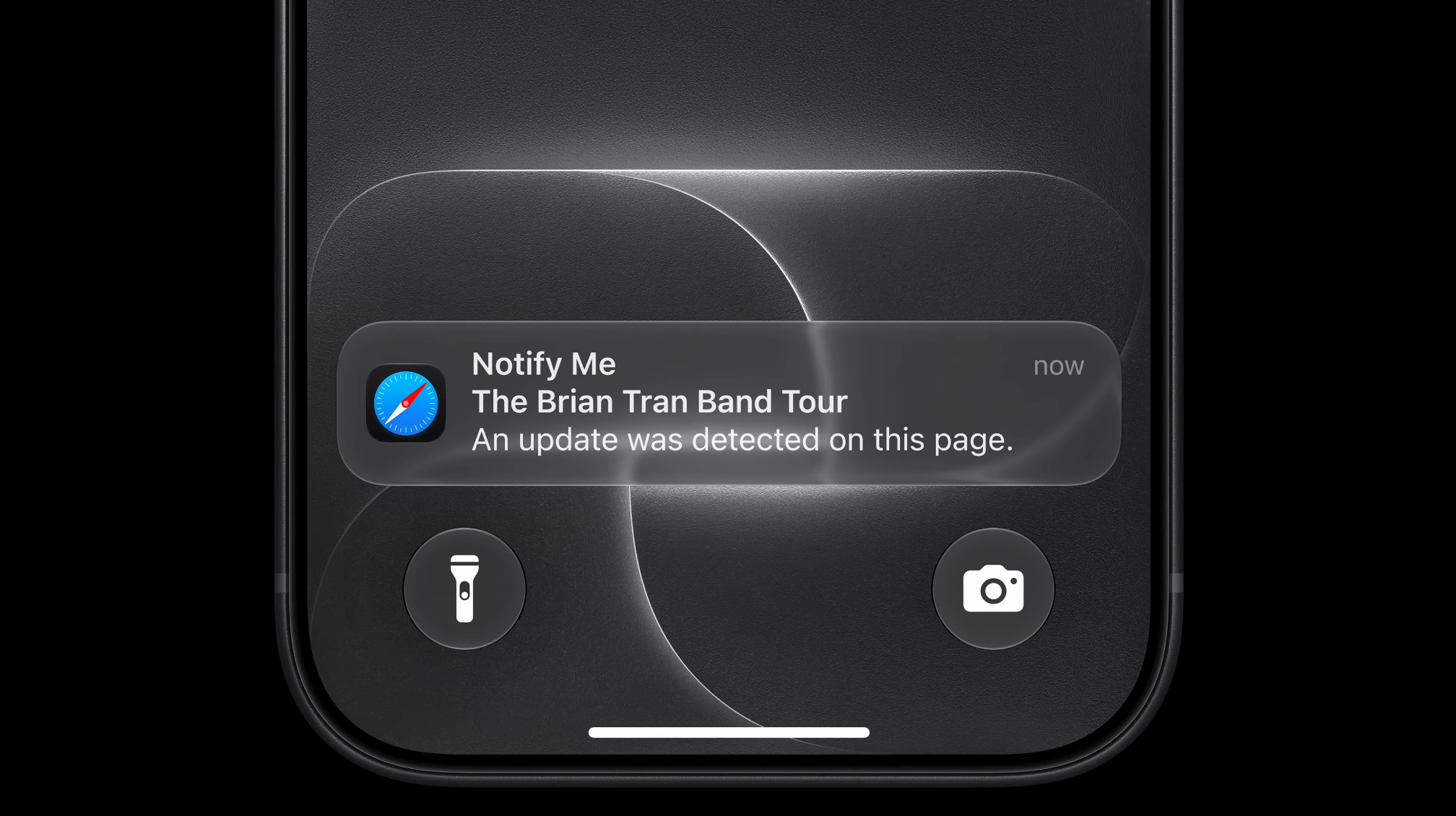
A new Notify Me feature can monitor webpages for changes, with checking intervals ranging from hourly to monthly. Safari also gets performance and battery-efficiency improvements.
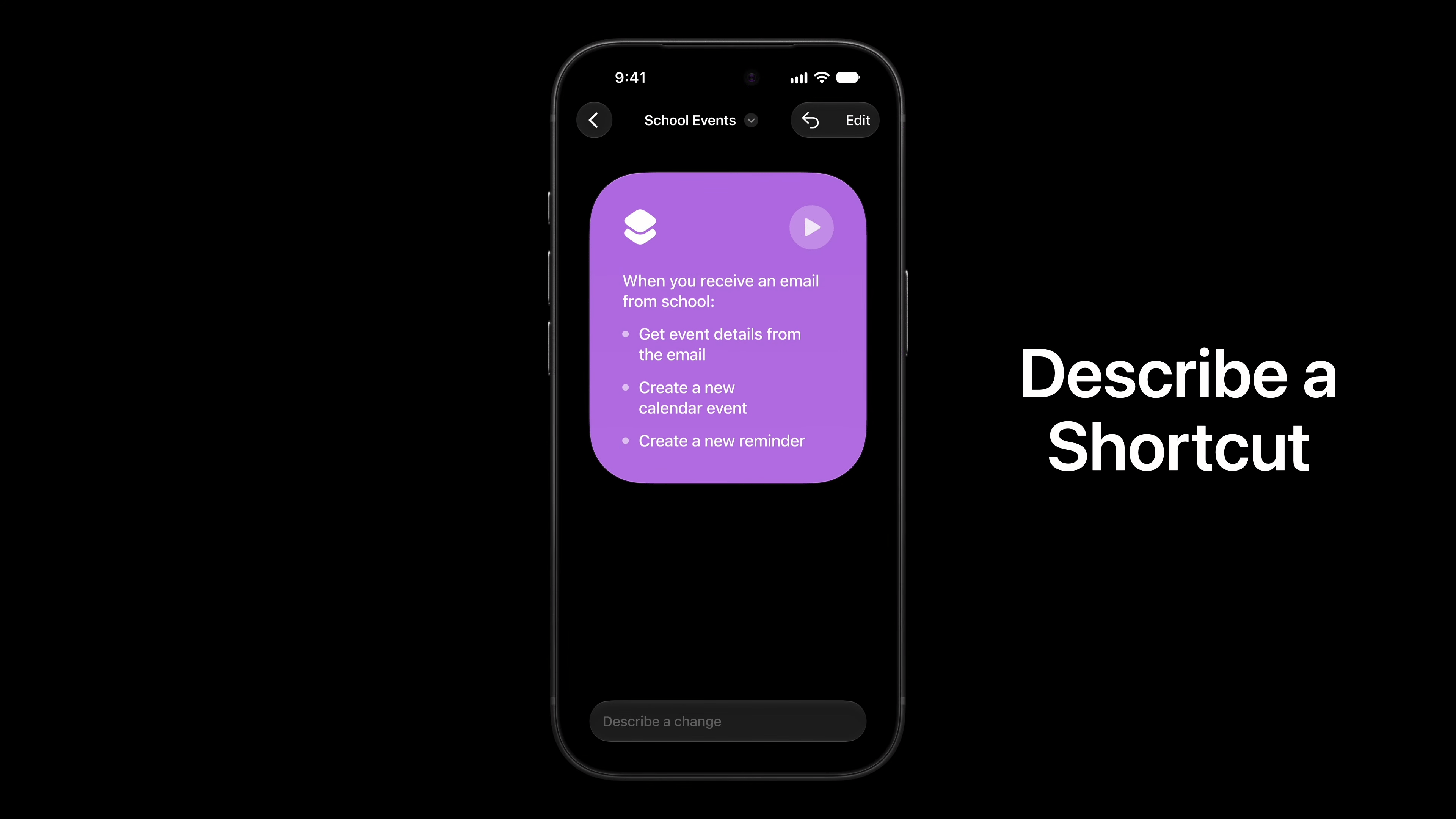
Shortcuts can now be created and edited using natural language. You can describe what you want an automation to do, then refine it through additional prompts or switch to manual editing.
ALSO READ: Apple Raises iPhone Air, iPhone 17 and iPhone 17e Prices Globally, iPhone 16 Also Gets Costlier
Apple Apps Get Major Updates

Apple Music gets redesigned artist pages and improved AutoMix transitions. Weather gains a new Highlights section and separate temperature, precipitation and wind views.
Health gets a redesigned Browse section, new perimenopause and menopause tracking, faster data synchronization and improved route and treadmill distance tracking. GymKit now works with iPhone without requiring an Apple Watch. Weather app also gets a redesign.


The Passwords app can automatically update weak or compromised passwords. Calendar can create events from natural-language descriptions and make smarter changes to recurring events, while Reminders gets natural-language creation and new editing tools.
The Phone app gets Call Context, which can surface relevant information such as a flight confirmation code when calling a business.
FaceTime, AirPods and CarPlay
FaceTime gets improved call quality, while newer iPhones support Dual Capture for using the front and rear cameras simultaneously. Live Captions also gains Traditional Chinese support.
AirPods with an H2 chip get Custom EQ, redesigned settings and Siri AI support. AirPods Pro 3 can also use an Apple Watch for Precision Finding.

CarPlay gets support for video browsing while parked, AirPlay to compatible car displays, Siri AI, a persistent mini-player, new wallpapers and EV route data sharing. Apps can also use a standardized voice-control interface.
Performance and Other Changes

Apple says iOS 27 improves performance across the system, including up to 30% faster app launches on an iPhone 11 Pro Max in its testing.
Other improvements include faster photo loading, quicker Camera launches in Low Power Mode, faster keyboard and emoji loading, up to 80% faster AirDrop discovery and transfers, improved Bluetooth power management and smoother scrolling throughout the interface.

There are also new parental controls covering app access, websites, contacts, screen-time allowances and daily schedules. Parents get a redesigned Screen Time dashboard with more controls.
Smaller changes include independent alarm volume, new Journal writing prompts, iPhone Handoff support on select carriers, tap-to-redeem Apple Gift Cards, expanded Camera Control customization and new HealthKit data types.
iOS 27 is now available as a free software update for supported iPhones, with feature availability depending on the device, language and region.

You can follow Smartprix on Twitter, Facebook, Instagram, and Google News. Visit smartprix.com for the latest tech and auto news, reviews, and guides.