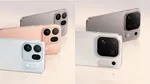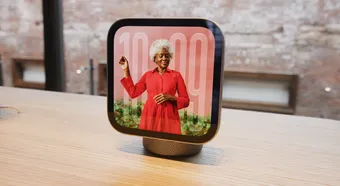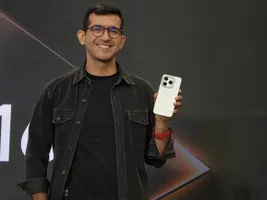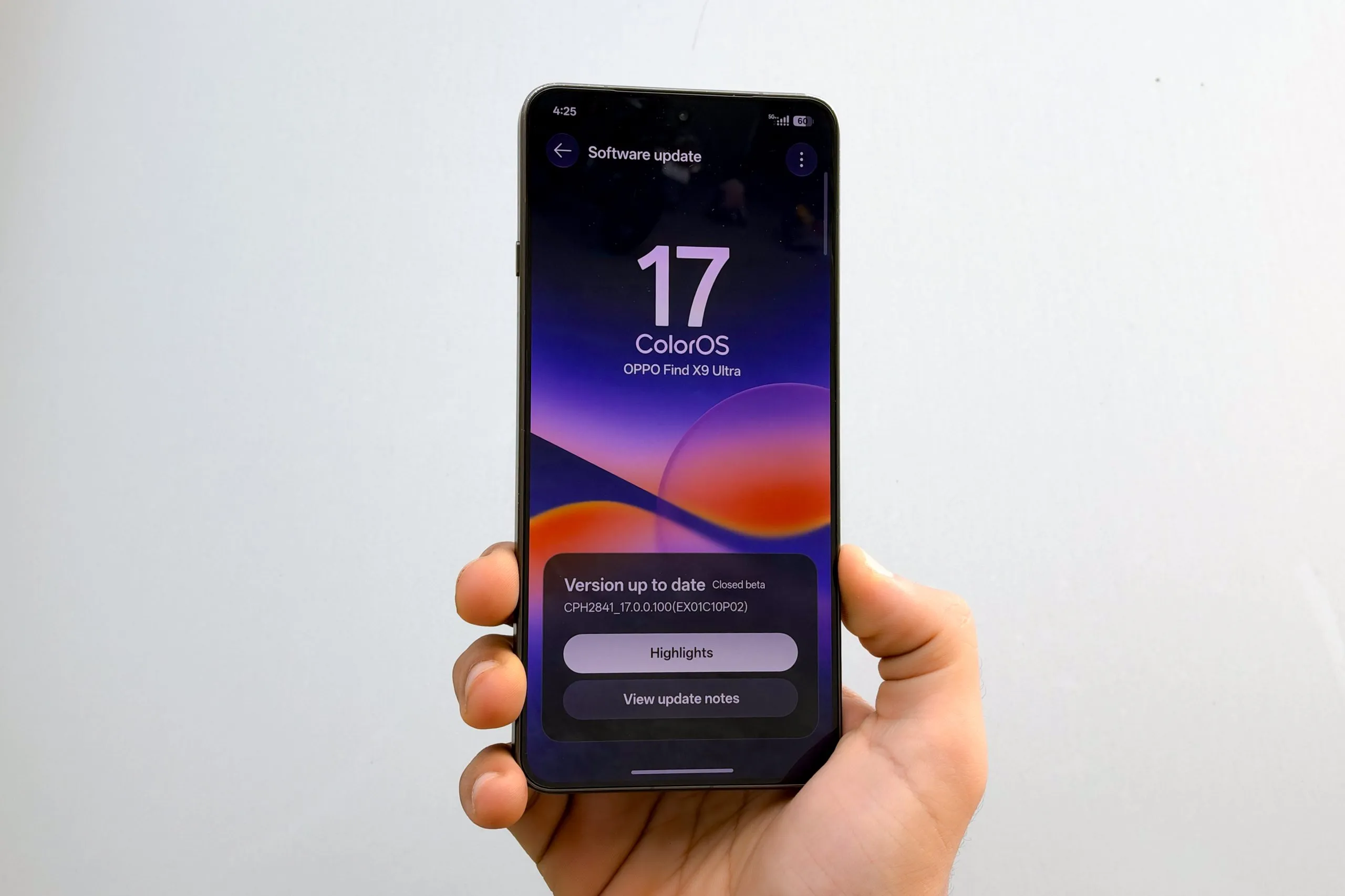
ColorOS 17 just hit open beta in India. The update adds a Living Clock lock screen, a translucent Luminous look, and an AI Agent Mode that sorts photos and files on the device. OPPO says app launch stability is up by 55% and the system frees up 18% more RAM for apps. I’ve broken down every new feature, which phones get the beta, and how ColorOS 17 stacks up against other Android skins.
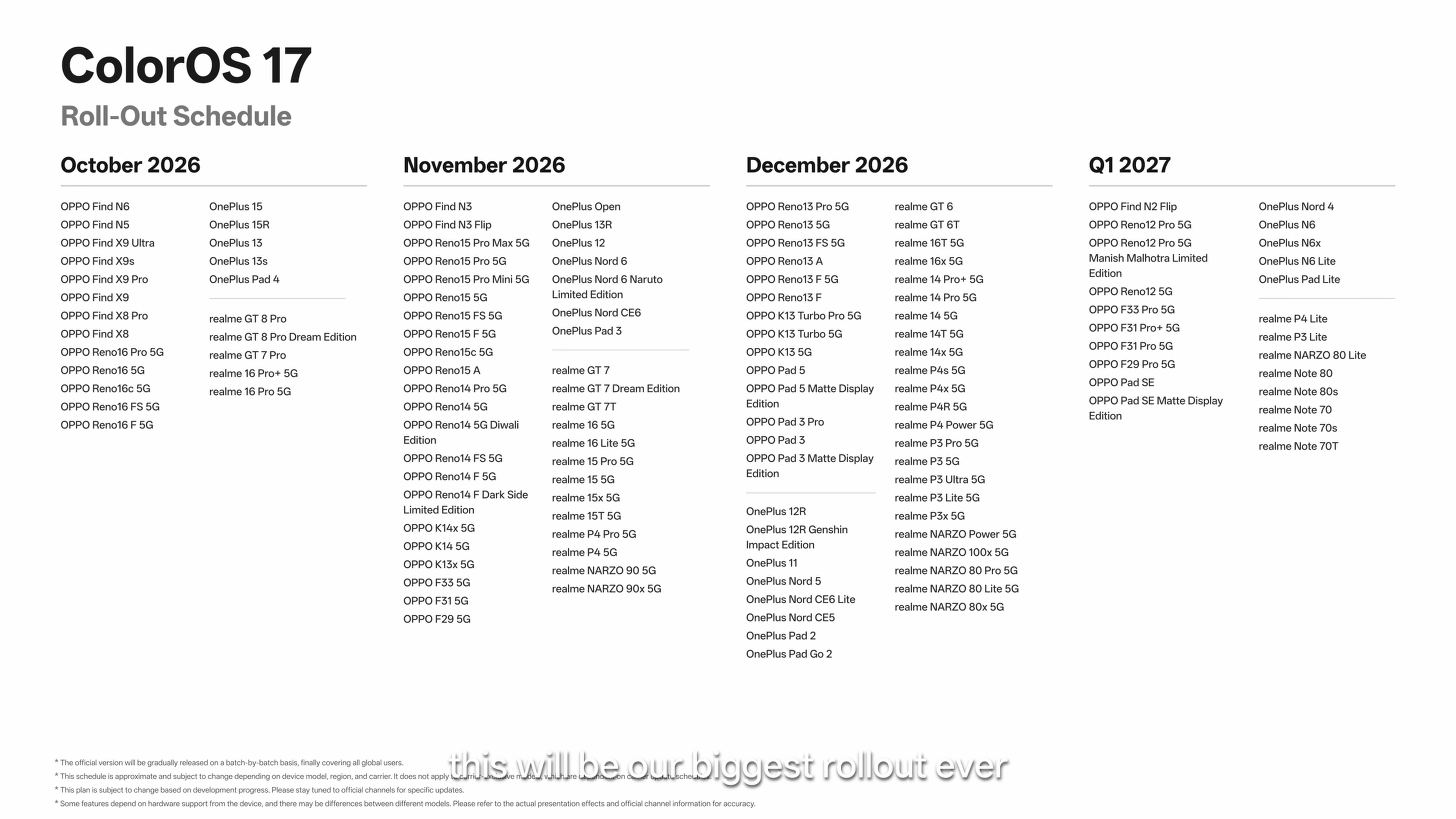
Which phones are eligible for the ColorOS 17 beta?
| Brand | Eligible Devices |
| OPPO | Find X9 series, Find X8 series, Reno 15 Pro, Reno 15 Pro Mini |
| OnePlus | 15, 15R, 13, 13s, 13R (Indian units) |
| realme | GT 8 Pro, GT 7 Pro, GT 7, GT 7T |
Only the Find X10 series gets ColorOS 17 out of the box. For everyone else, go to Settings > Software update, tap the three-dot menu, and install the update once it’s available.
Hands-on: what it’s actually like to use
I’ve been using the ColorOS 17 open beta ahead of its wider rollout in India. I put the Living Clock, Fluid Cloud, and the new AI Agent Mode through my daily routine, not just a demo. Everything below is from my own hands-on use.
ColorOS 17 lock screen: Living Clock and Mountain Way theme
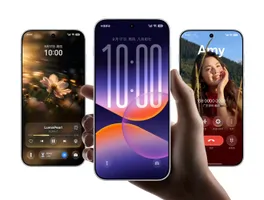
The lock screen is where ColorOS 17 changes most. OPPO calls it the Living Clock. You can resize it and move it anywhere you want; just long-press and drag. The font and animation stay smooth as you switch between always-on display, lock screen, and home screen. Moving the clock also changes how your home screen icons animate; they group and bounce in different directions based on the clock’s position.

As notifications come in, the clock shrinks a bit with each one, not all at once. You can stack or list your notifications. Lock screen shortcuts bounce more when you tap them and use the same translucent look found throughout the system.
On the lock screen, when notifications expand, the large clock no longer shrinks all at once. It adjusts its length incrementally based on how many notifications there are. You also get more control over the layout, with options to stack (overlap) or list.

Lock Screen Shortcuts
The lock screen shortcuts also have new animations. They are now bouncier when activated and use the same translucent visual treatment seen throughout ColorOS 17.
Mountain Way Theme
The Mountain Way theme brings dynamic weather to the lock screen. It changes based on the current environment. On a sunny day, the scene is bright with sunlight. At night, it shifts darker.


Rain and snow render dynamically, and the effects can interact with the clock itself as raindrops land and trickle down the face. The clock carries the new translucent treatment with soft highlights, letting background light and color through without hurting readability.
Other Lock Screen Refinements
Lock screen widgets sit more cleanly alongside the Living Clock. The overall material language is more translucent, with soft edge highlights that match the rest of the system.

Home screen: floating navigation and Flexible Feedback
OPPO has also made several changes to the home screen. Pinch out on a notification badge and a ripple moves through nearby icons. Most tabs and menus now let you swipe to switch or select, and icons deform in real time as your finger moves. Tap an icon, and you get a slight squash and haptic feedback. OPPO calls this Flexible Feedback.
Icon Entry and Living Clock Integration
The Living Clock acts as a visual anchor for the unlock animation. Change its position, and the icons enter the home screen accordingly. The staggered grouping and stronger bounce make the transition smoother and more natural.
Flexible Feedback on the Home Screen
Pinching out with two fingers to clear notification badges creates a ripple that spreads through the surrounding icons.
Swipe-to-switch and Swipe-to-select with Flexible Feedback
Most tabs and menus support swipe-to-switch and swipe-to-select with real-time feedback. Dragging produces subtle deformation that follows the finger, with rebound determined by direction and distance. Tap any button, and it responds with a slight squash, often with a crisp haptic.
Floating Navigation and Consistency
The bottom navigation bar is now floating in many places. The same treatment extends deeper into system apps, the theme store, and the app market. Materials, corners, and capsule-shaped buttons feel more unified across the home screen and first-party interfaces.


All apps, including Photos, Clock, Phone, Phone Manager, Browser, Calculator, Settings, Notes, Calendar, Documents, and Files, have a redesigned interface with the new floating navigation bar and flexible feedback.


Fluid Cloud and the Redesigned Media Player
ColorOS 17’s biggest visual changes are in Fluid Cloud and the media player. Fluid Cloud’s live activity cards are now more transparent, with edge highlights and a soft glow when you tap. You’ll see this on alarms, calls, and OPPO Share notifications. The media player’s progress bar adds a chasing-light effect that follows the track and your finger as you drag. Pause or switch tracks and you get a soft ripple.
Luminous Effect on Fluid Cloud
Fluid Cloud carries the new light treatment for all live activities. All the cards are now more transparent than before, with a subtle highlight defining the edges so background color and light show through while readability stays high.

The same light response appears on alarms, calls, OPPO Share notifications, and more. It also adds a soft glow when you tap or interact with any card in the Fluid Cloud.
Media Player Card
Expand a music card, and the progress bar shows a chasing-light effect that moves as the track plays. Drag the bar, and the light follows your finger. Pause or switch tracks and the card emits a soft ripple.
Tap, and the light glows exactly where your finger lands. Toggle something and the light spreads outward. The media player card on ColorOS 17 is the most beautiful one I’ve seen yet.
Lock Screen Media Player Changes
The lock screen media player gets the same Luminous Effect treatment as the Fluid Cloud, plus a new full-screen album art view. Tap the Live Capsule on the lock screen to expand the media player.

It works with music apps across the board, using the album art from a song, album, or playlist. ColorOS applies a blur at the top and bottom to fill the screen while keeping the artwork visible, with a soft glow around the media player card. It looks great and makes the lock screen feel more immersive when you’re listening to music.
Expanded App Support
Live Alerts now cover a much wider set of apps, including X, Zomato, Google Translate, Toing, Swiggy, Snapchat, Rapido, Photos, Netflix, Google Maps, Instamart, Edits, Chrome, ChatGPT, BookMyShow, and Blinkit, among others. It is perhaps the most complete Live Activities-style implementation on Android right now.

Control Center and Notifications
The control center and notifications have also been reworked to match the ColorOS 17 theme, with a brighter look and smoother animations.

Transparency and Light Response
Pull down the Control Center, and the background dims first before the panel appears. Notification cards and Control Center buttons are more transparent than before, with soft edge highlights. Background colors and light show through. Tapping produces the touch-following light effect.
Flexible Feedback
Swiping between the notification panel and Control Center adapts to how fast and hard you swipe. Swipe quickly, and the movement is snappier. Swipe slowly, and it eases to a stop. The section nearest your finger moves first, with others following in sequence.
Control Center Gets a New Media Player
The Control Center icons are now more rounded, matching the softer design language across ColorOS 17. The media player has also received a redesign, with a more immersive album art view and the Luminous Effect adding a subtle glow to the seek bar.

Luminous Effect Across the System
The entire interface uses a softer, more translucent material language. Textures, lighting, and forms balance content clarity with layered transparency. Many elements carry a sharp highlight at the top, a soft reflection at the bottom, and a subtle shadow at the base.

The background color shows through with a mild blur, especially in light mode. Solid buttons stay clean and readable. Colored ones pick up a glossy finish while remaining soft. The same treatment appears on progress bars, the lock screen password screen, and many controls.
Flexible Feedback Across the System
Buttons and controls respond with more elasticity. Navigation bars and Control Center elements show subtle rebound. When you open, close, or switch screens, movement timing matches the speed and intensity of the gesture.
A quick flick at a button, gesture, or control produces more bounce. A slower drag stays more restrained. Drag floating buttons, and they respond based on your finger’s direction. The overall feel is more tactile across the system.
System Animations and Transitions
OPPO has refined app opening and closing, landscape rotation, and small-window effects. Landscape apps rotate more naturally, and a floating window can rotate along with the system when minimized.

In-app transitions add depth-of-field blur in more first-party scenarios. Opening an app from a shortcut can morph the icon into full screen from where you flicked it. Animations feel more consistent across the interface.
Luminous Rendering Engine
The visual changes run on the Luminous Rendering Engine. It uses a new unified rendering approach that reduces redundant work. In key scenarios, OPPO says RAM usage for rendering drops by up to 25% and rendering load falls by up to 30% compared with the previous version.
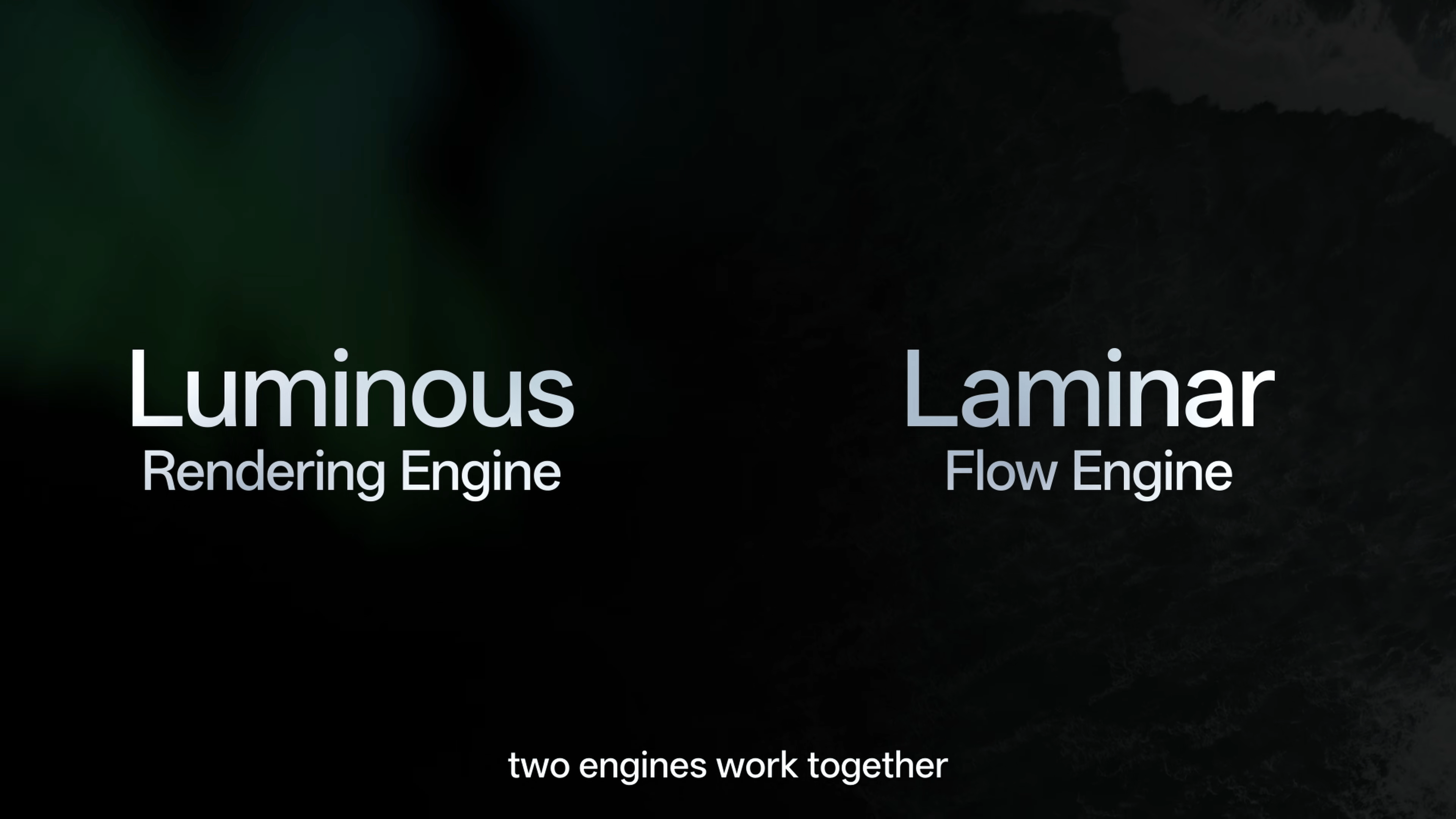
Laminar Flow Engine
The Laminar Flow Engine coordinates workloads and manages RAM. It coordinates foreground and background work more efficiently as you move between tasks.
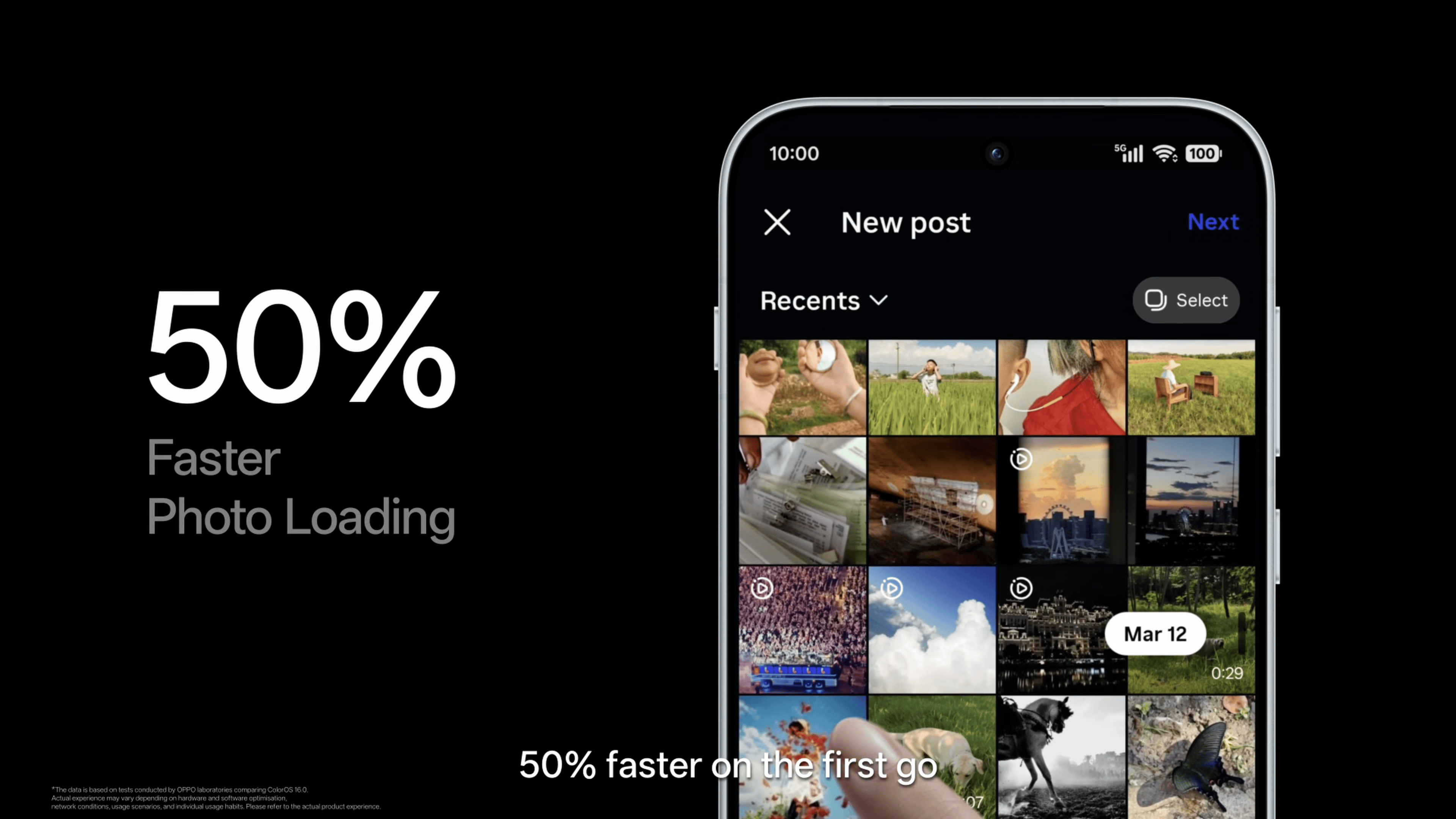
OPPO says app launch stability improves by up to 55%, Gallery thumbnails load up to 50% faster when first displayed, and the system can keep over 25% more apps running in the background during multitasking.
In OPPO’s long-term testing, devices retained over 90% of their original smoothness even when storage was nearly full. The system also stays smooth under heavy background loads while learning usage habits to improve retention.
More Memory for Apps
OPPO has also reduced the amount of memory reserved for the ColorOS system by up to 18%. This leaves more RAM available for the apps and features you actually use. According to OPPO, the change improves overall performance by around 15%.
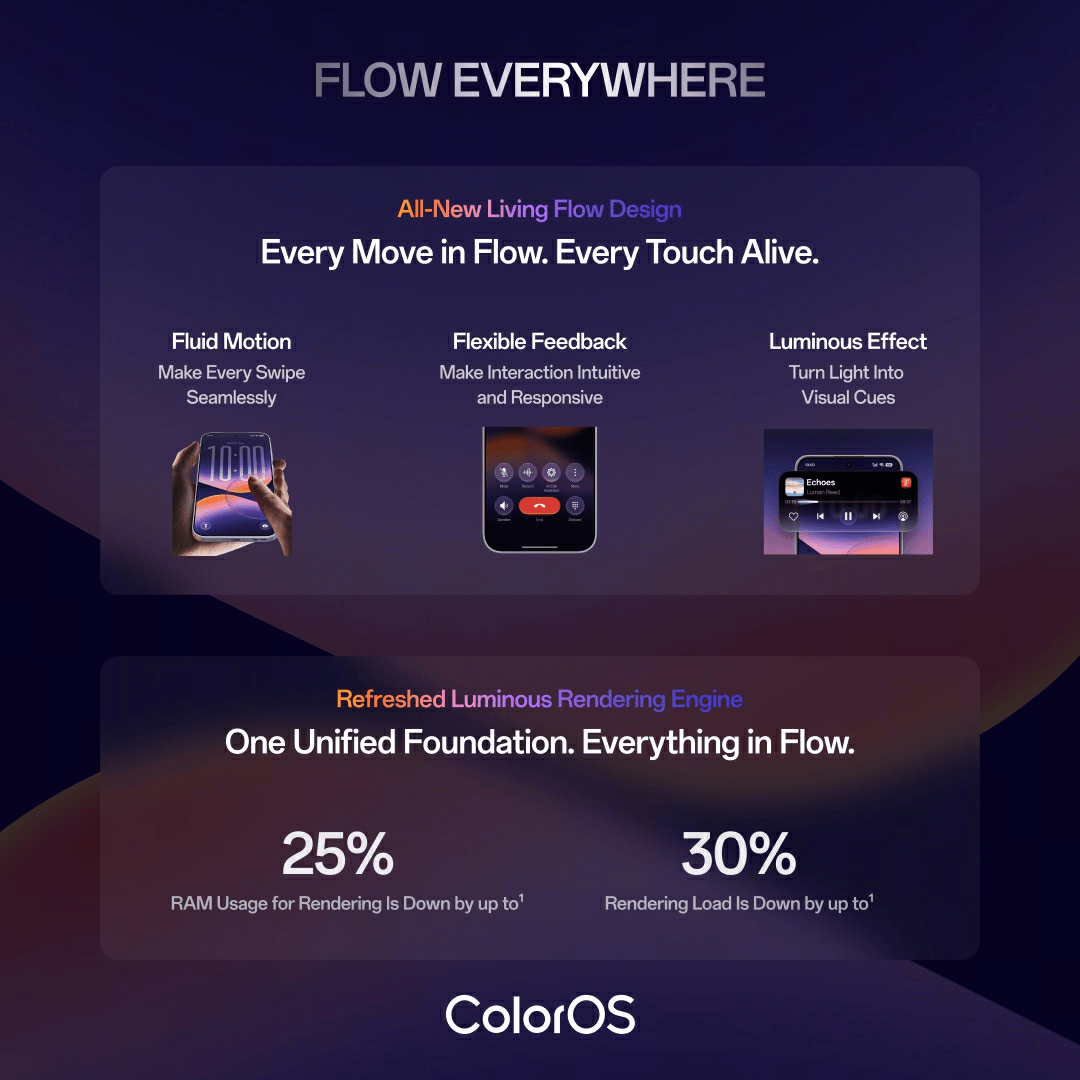
The Luminous Rendering Engine and Laminar Flow Engine work together as a dual-engine architecture. Luminous handles the visual side of the experience, while Laminar focuses on managing system resources. The aim is to keep animations smooth while apps load, run in the background, and switch between tasks.
AI Features: Mind Pilot, Agent Mode, and AI Photo Agent
ColorOS isn’t just about design and smoothness. It’s also packed with useful AI features. This year, OPPO’s taking it to the next level by integrating AI agents directly into the system.
OPPO says its AI strategy rests on three foundations: on-device computing for faster, more private processing; PersonaX to help AI understand users and their context; and an AI matrix that coordinates the tools needed to complete tasks.
AI Mind Pilot with Agent Mode
AI Mind Pilot already brings together models including Gemini, Perplexity, and ChatGPT and connects them with your personal knowledge base in AI Mind Space. You can cross-check responses and draw on stored information.

The new Agent Mode works directly with files and photos on the phone. You can ask it to organize photos by destination or person, rename and sort files based on content, or turn scattered information into structured output.

For files, it can gather relevant documents into one folder, rename them by content and date, then generate a travel itinerary or a webpage from the local files. For photos, it can find shots from a journey, create albums, locate a specific photo from a description, and edit it into a cover image.

Agent Mode can also take a task through multiple steps. For example, you can ask it to sort hundreds of travel photos into categories such as portraits, food, and scenery, or organize a messy Downloads folder by renaming files based on their contents. If you’re planning a trip, it can refer to local tickets and reservations to create a guidebook tailored to your itinerary. It can also turn an initial brainstorm into a finished presentation.
On-device models handle local understanding and indexing, so you don’t need to send original files out to organize and rename. If a task needs an external service, the system first asks for explicit authorization. It supports ChatGPT and Manus, with some free usage provided. You can also connect your own accounts.

AI Photo Agent
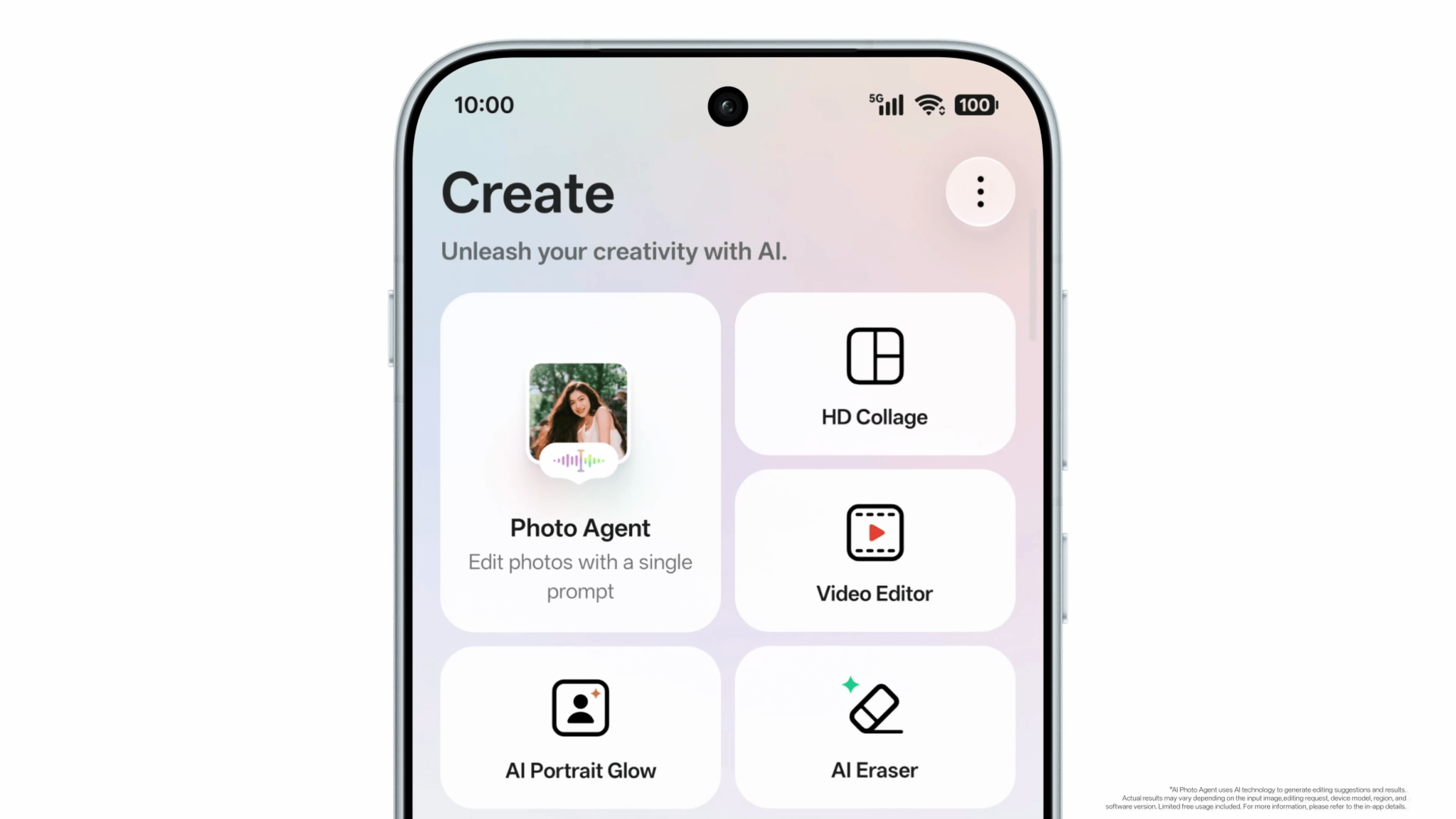
AI Photo Agent simplifies advanced editing with specialized models for image quality, object editing, portrait retouching, lighting and shadows, color, and recomposition.
Edit Advice can analyze the photo and offer tailored one-tap presets. The suggested presets are incredible, and I can also adjust their intensity to my liking.
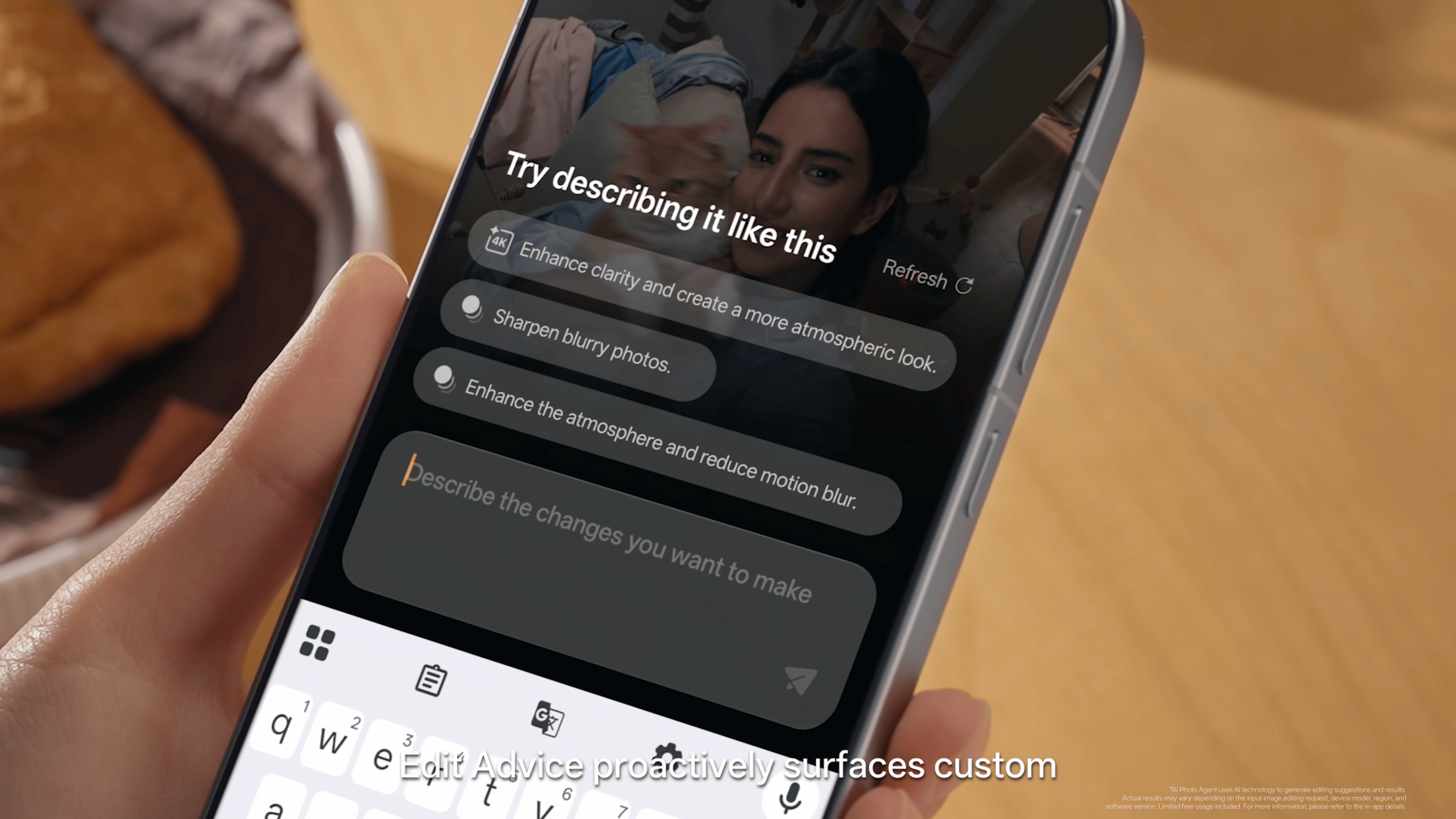
Style Match is my favorite. It takes a reference image and recreates its lighting, mood, color, and portrait styling, then lets you fine-tune it. You can also describe your changes in natural language using Prompt Edit.


One particularly useful detail is how Style Match handles lighting. It can analyze an image’s depth and recreate effects like cinematic light falling on a subject’s hair. You can then use a slider to control the intensity, making the result more dramatic or keeping it subtle.

AI Photo Agent currently supports static images and is rolling out gradually, with monthly limits that vary by region. You reach it from the Edit screen or the Create section in Photos.
AI Mind Suggest
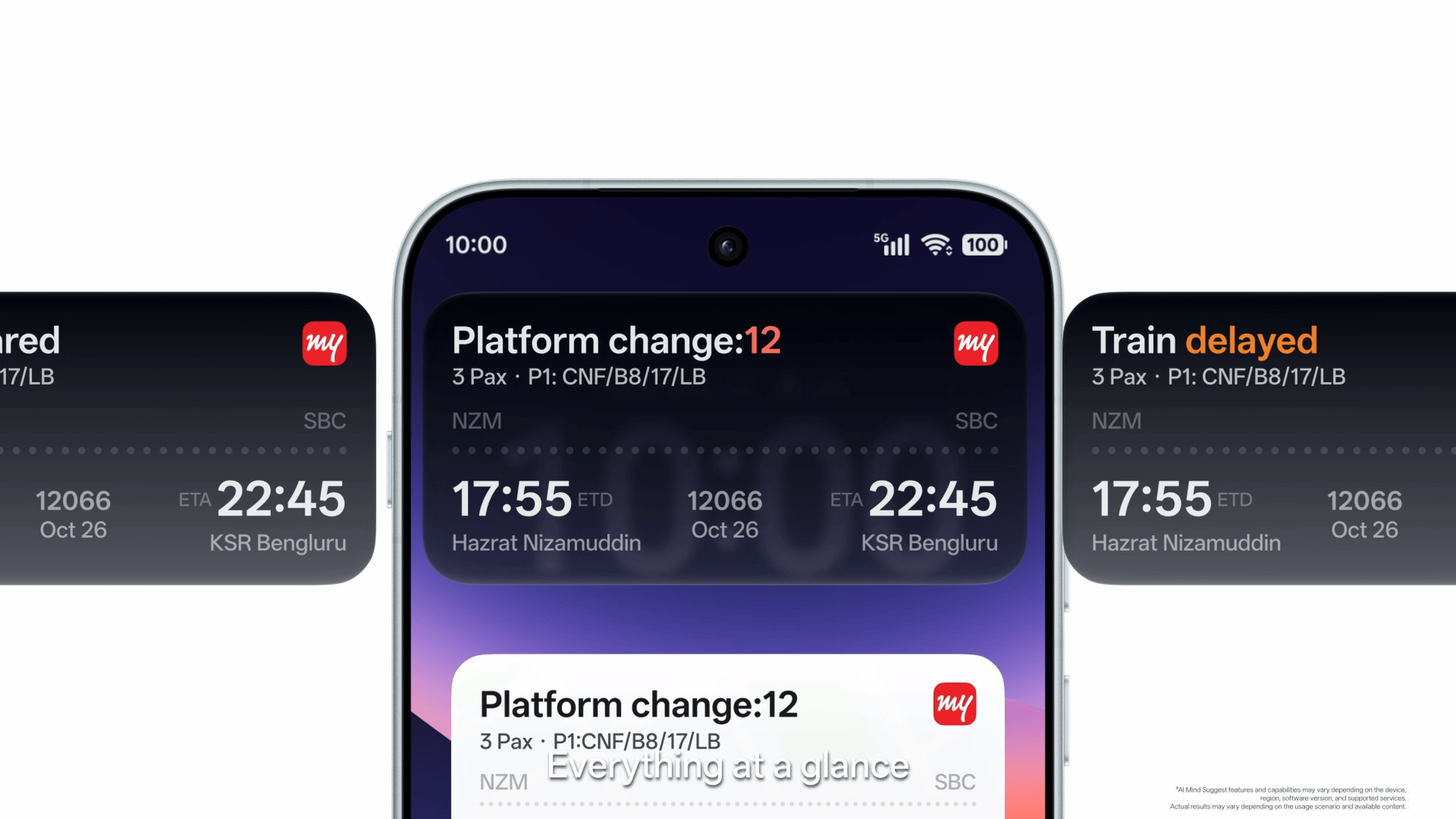
AI Mind Suggest is another one of my favorite AI features. It surfaces relevant information and services at the right moment. For train and flight journeys, it can show upcoming trips, departure reminders, countdowns, live updates, and disruption alerts.
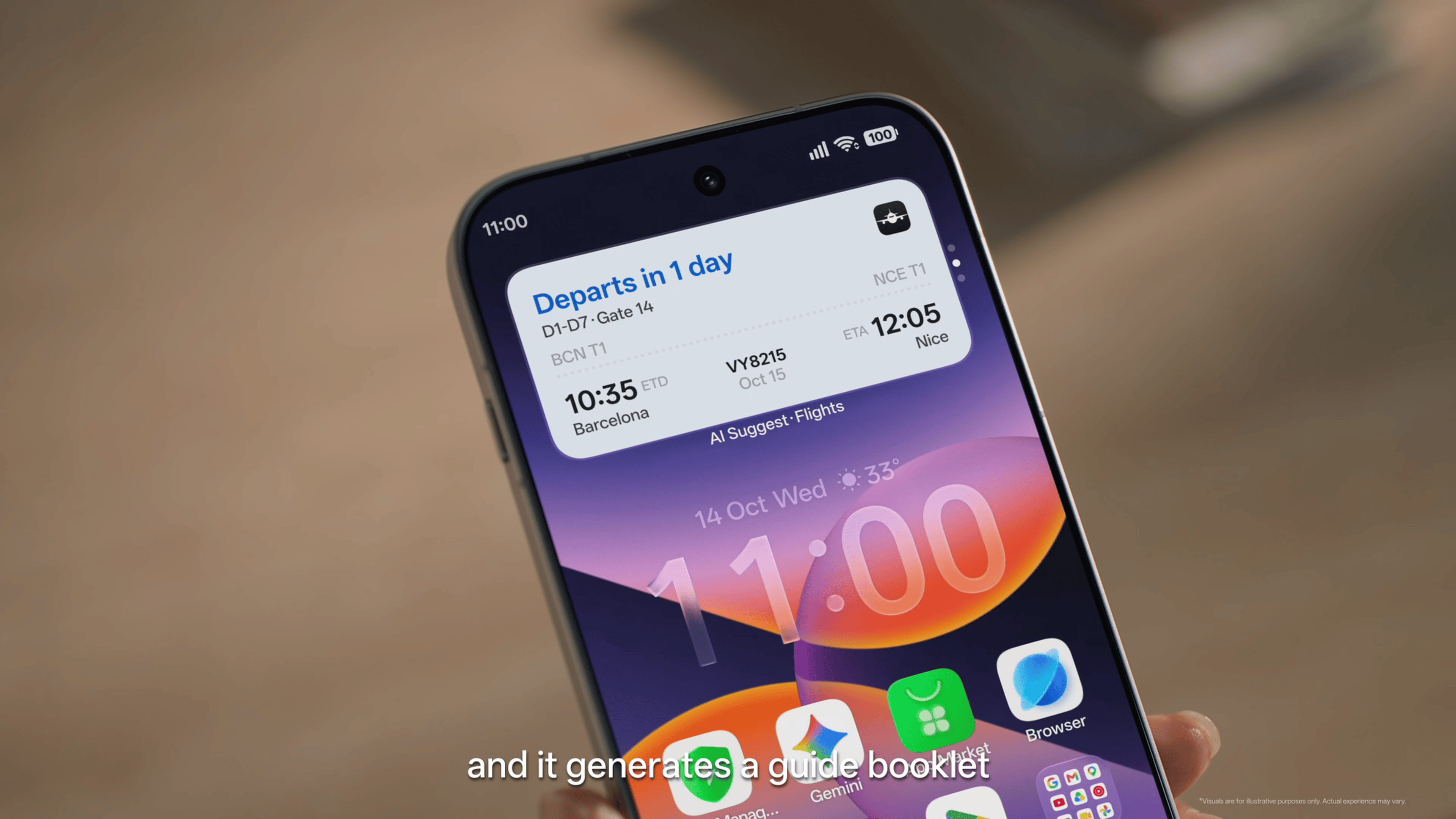
The MakeMyTrip Train Card brings schedules, countdowns, live updates, and quick PNR access to the home screen. Spotify recommendations are also supported. Add the widget from the Home screen Widgets menu, then long-press it to open settings.
AI Mind Space
AI Mind Space is the personal information and knowledge hub. Press the Snap Key or swipe with three fingers to save on-screen content, then review and manage it in the app.

It supports Long-doc Capture so you can save long-form articles without multiple screenshots, with intelligent summaries. You can also save links to YouTube and TikTok videos and open them directly.
Smart Collections organize related memories into richer summaries that can include text, images, tables, and maps. For travel, AI Mind Space can gather everything you’ve saved about a destination into one collection, show relevant locations on a map, and help you plan your days using your saved information.
AI Live Interpreter with OPPO Earbuds
AI Live Interpreter, paired with supported earbuds, handles real-time translation for face-to-face conversations. When the other person speaks, the translation comes through your earbuds while the full conversation appears on the phone screen.
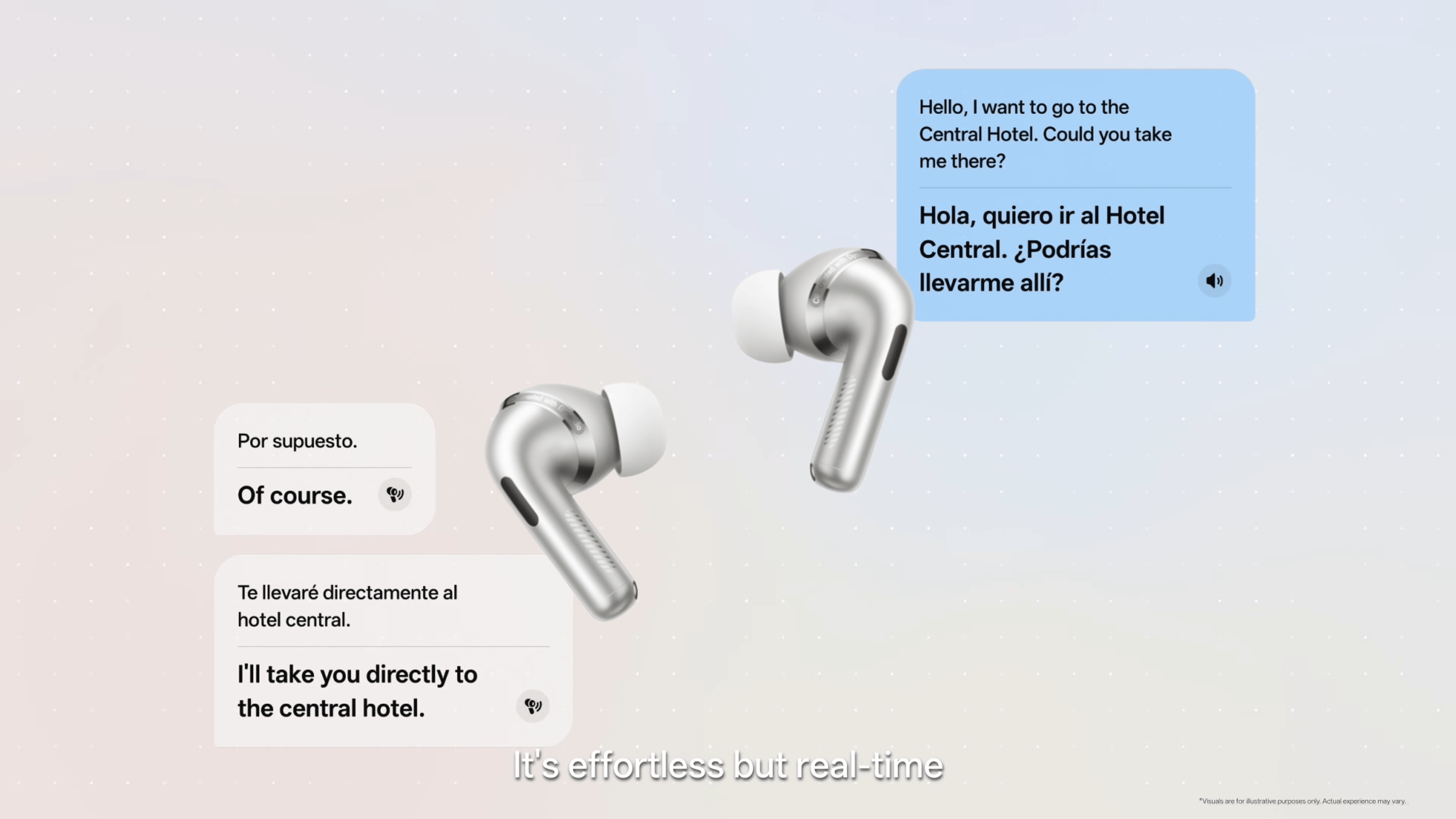
You do not need to pass the phone back and forth. It is available when OPPO Enco X4 or OnePlus Buds Pro 4 earbuds are paired with select OPPO or OnePlus phones running ColorOS 17.
OSee: point-and-identify camera AI
OSee is a standalone app that uses visual AI to recognize what you point your camera at and show relevant information on the screen. It can identify plants and animals, scan documents, recognize QR codes and links, and translate restaurant menus when you’re traveling.
One feature I particularly like is its food analysis. Point the camera at a dish, and OSee breaks down its ingredients, highlights potential allergens, and gives you an overview of its nutritional profile.


As someone who likes tracking what I eat and how it fits into my daily calorie and macro targets, this could be genuinely useful. Instead of manually searching for a dish or guessing its ingredients, I can get a quick nutritional overview by pointing my phone at the food.
The estimates may not always be exact, especially for homemade dishes with unknown quantities of oil or ingredients, but this information is a handy starting point.

It can also recognize payment QR codes and trigger relevant actions, scan physical documents in high definition, and translate restaurant menus when you’re traveling.
AI Call Guard: on-device scam detection
AI Call Guard adds system-level anti-fraud protection using on-device AI. It identifies potential scam risks, including AI face swapping and voice cloning. Synthetic Voice Recognition looks for signs of an AI-generated voice during a call.
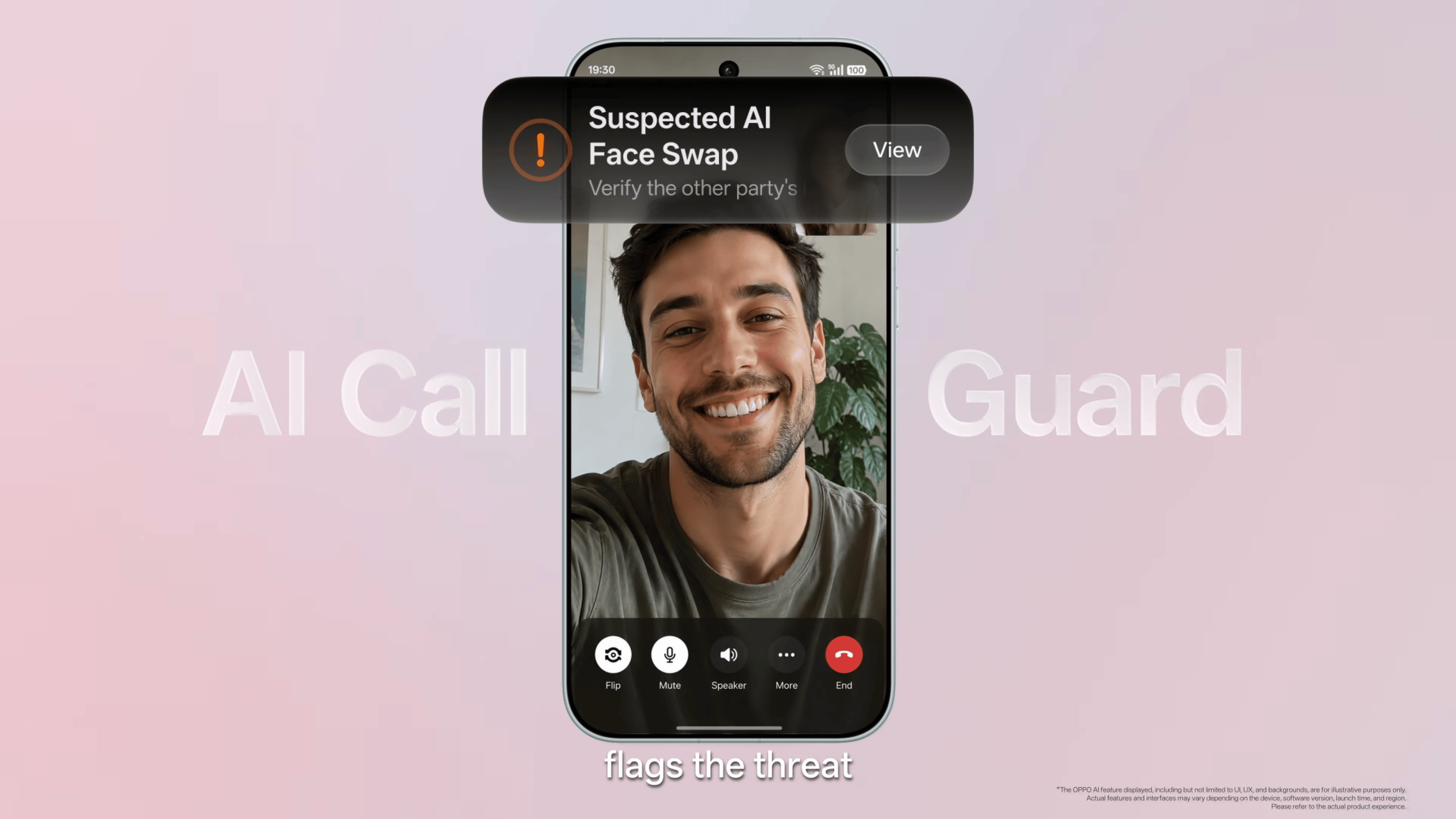
AI Face Swap Detection analyzes video calls in real time. Both raise timely alerts. It is available in India. Enable it in the Phone app under the three-dot menu, then Settings, or through Phone Manager under Scam protection
Privacy: Private Computing Cloud Transparency Report
Key AI features run through Private Computing Cloud. ColorOS 17 adds an on-device Transparency Report that logs which AI services were used and when. You can view and export it in Settings > OPPO AI > Private Computing Cloud Transparency Report. OPPO says these features use post-quantum security for data transmission.
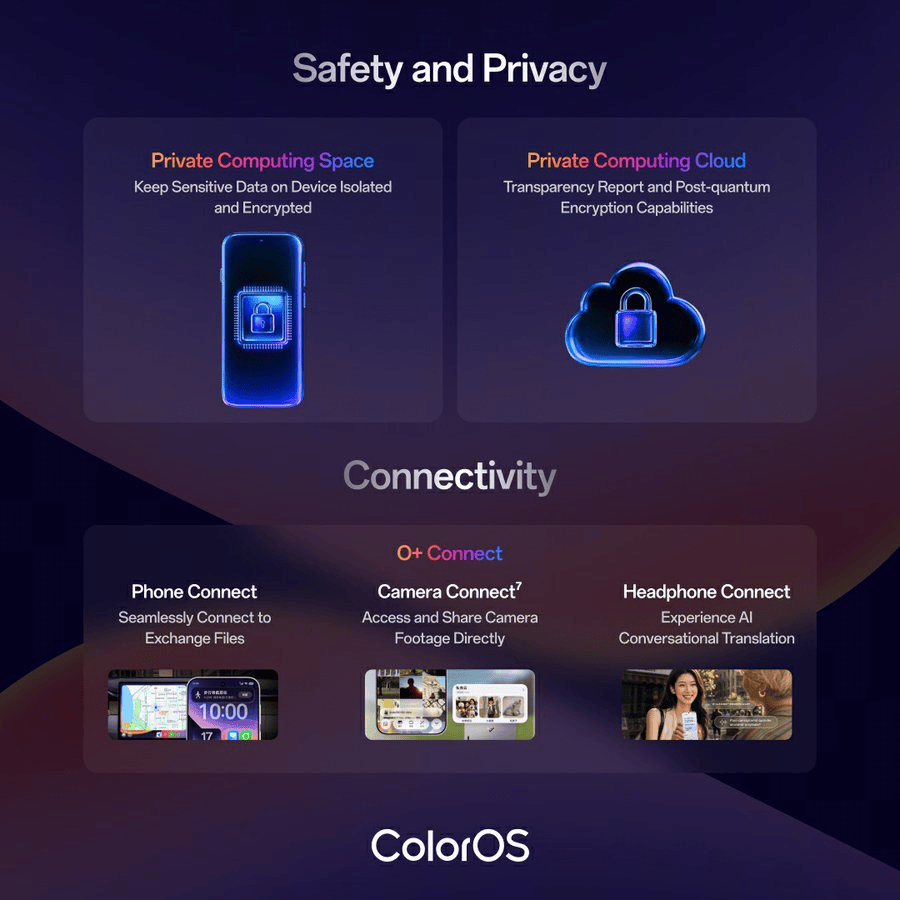
You can view or export it at any time and verify authenticity. Data transmission also gains post-quantum security measures. Check the report under Settings > OPPO AI > Private Computing Cloud Transparency Report.
Open Beta and India Rollout
The open beta is already open in India. Eligible OPPO phones include the Find X9 series, Find X8 series, Reno 15 Pro, and Reno 15 Pro Mini. OnePlus includes the 15, 15R, 13, 13s, and 13R (Indian units). realme covers the GT 8 Pro, GT 7 Pro, GT 7, and GT 7T.
Apply through Settings > Software update > three-dot menu > Beta program. You will have to take a quiz—the Find X10 series ships with ColorOS 17 out of the box.
Final Thoughts
After using it for some time, I think ColorOS 17 is one of the best software experiences you can get on any smartphone, not just Android. This is my favorite software skin to date.
OPPO has seriously nailed the experience, whether it comes to customization, AI, smoothness, or design and elegance. The performance and battery life are excellent, too. I don’t think any smartphone has a better software experience right now.
Pros
- Beautiful new translucent design with fluid animations
- Living Clock and dynamic Mountain Way lock screen theme
- Excellent haptic feedback and smoother system interactions
- Fluid Cloud and media player look better than ever
- AI Agent Mode can organize photos and files directly on the device
- AI Photo Agent offers useful editing tools, including Style Match and Prompt Edit
- AI Mind Space makes it easier to save, organize, and revisit information
- OSee’s food analysis can help track calories and identify potential allergens
- Improved app launch stability, faster Gallery thumbnails, and better background app retention
- Up to 18% less RAM reserved for the system, leaving more memory for apps
- Useful features such as AI Live Interpreter and AI Call Guard
Cons
- AI Photo Agent currently supports only static images
- AI features have regional availability limits and usage restrictions
- OSee’s nutritional estimates may not always be accurate

Frequently Asked Questions
Which phones are getting the ColorOS 17 beta?
OPPO: Find X9 series, Find X8 series, Reno 15 Pro, and Reno 15 Pro Mini; OnePlus: 15, 15R, 13, 13s, and 13R (Indian units); and realme: GT 8 Pro, GT 7 Pro, GT 7, and GT 7T. The Find X10 series ships with ColorOS 17 pre-installed. The stable update will be rolled out to these devices by the end of this month, followed by other scheduled devices.
Is AI Call Guard available in India?
Yes. Enable it from the Phone app’s three-dot menu under Settings > Scam protection, or through Phone Manager.
How much faster is ColorOS 17 than the previous version?
OPPO states app launch stability improves up to 55%, Gallery thumbnails load up to 50% faster, and up to 25% more background apps stay active during multitasking figures from OPPO’s own testing.
What is AI Mind Pilot’s Agent Mode?
A feature that works directly with on-device files and photos. It can sort photos by person or location, rename and organize files by content, and turn scattered documents or photos into a finished itinerary, webpage, or presentation.
Which earbuds support AI Live Interpreter?
OPPO Enco X4 or OnePlus Buds Pro 4, paired with select OPPO or OnePlus phones running ColorOS 17.
You can follow Smartprix on Twitter, Facebook, Instagram, and Google News. Visit smartprix.com for the latest tech and auto news, reviews, and guides.