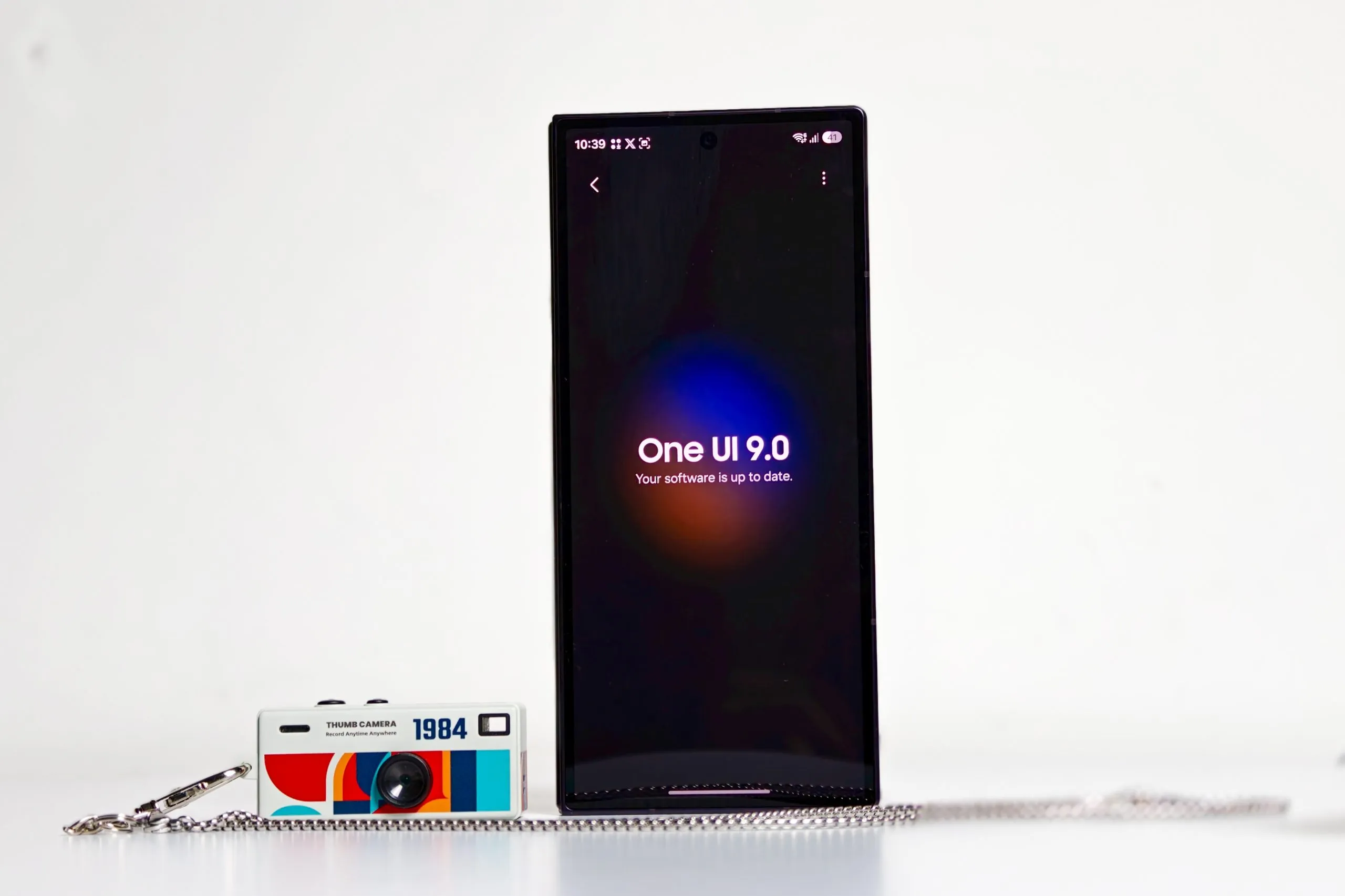
Samsung’s Android 17-based One UI 9 is officially here, first shipping on the Galaxy Z Fold8 Ultra, Z Fold8, and Z Flip8, with the wider S26 series still working through beta. I’ve been running it on my Z Fold8 Ultra for about a week now, and there’s a lot to like, plus a familiar list of things Samsung still hasn’t gotten around to fixing.
What’s New in One UI 9
1. Redesigned sliders and media controls

Samsung has made the display brightness and volume sliders noticeably thicker, filling out their full pill shape for better touch accuracy. The lock screen and Quick Panel media player widgets have also been redone, with colorful waveform animations that sync to the album art, and some media controls now appear as circular buttons instead of being grouped inside a rounded rectangular container.
2. Customizable Quick Panel

The Quick Panel finally lets you separate controls that used to be bundled together. Volume and mute now sit on their own sliders instead of one combined control, same for brightness and dark mode. You can also resize the media player down to a small square if you don’t want it taking up the whole panel. Combined with the ability to freely resize and rearrange toggles, this is the most customizable the Quick Panel has ever been.
3. Good Lock gets a three-finger screenshot gesture
Good Lock’s home up gesture module adds a three-finger screenshot shortcut this generation, a feature people have been requesting for a while.
4. Network Restrictions
Buried in Advanced Settings, you now get dedicated toggles to restrict browsers and restrict games from accessing the internet. It’s a useful privacy and focus tool, letting you cut off specific categories of apps from the network without touching mobile data settings entirely.
5. Unified calling

Samsung has merged calling apps into a single unified section inside the Phone app. Call logs from Google Meet, WhatsApp, Viber, Line, and other calling-capable apps now show up in the default One UI contacts app. You can hide it if you don’t like it.
6. Advanced Protection Mode and Memory Tagging Extension
Android 17 brings a new Advanced Protection Mode for a locked-down security posture. One UI 9 is also expected to expose Memory Tagging Extension (MTE) support through a simple toggle in Samsung’s Auto Blocker app, rather than requiring Developer Options.
MTE tags memory blocks and can detect unauthorized access, memory corruption, and exploit attempts in real time, though Samsung warns it may cost a bit of performance and needs a reboot to activate. Since it depends on ARMv9 hardware, it’ll likely stay limited to newer Galaxy devices.
7. Background Audio Hardening controls
Android 17’s Background Audio Hardening, a security measure around apps accessing audio in the background, only had a basic on/off switch in early One UI 9 builds. The stable release expands this into more granular controls.
8. Brute-force lockout system
One of the more talked-about security additions is a new escalating lockout for failed unlock attempts. Starting from the fifth incorrect attempt, the phone begins imposing waiting periods, one minute, five, fifteen, half an hour, and so on, up to a 24-hour lockout by the twelfth attempt.
9. Parental Controls get their own section

Parental Controls has moved out of the Digital Wellbeing menu and into its own dedicated section in Settings, making it easier to find without digging through wellbeing tools you may not otherwise use.
10. Location indicator gets its own color

Android’s privacy indicators get a new blue icon specifically for location data use, separate from the green indicator used for camera and microphone access, since the green dot had become something people stopped noticing.
11. Settings menu cleanup
Samsung has quietly removed the descriptive text under most Settings cards and menus, on the assumption that users no longer need the explanatory blurbs. The cards themselves are unchanged, just leaner.
12. Wallpaper-aware lock screen setup

When setting a lock screen wallpaper, the image now automatically positions itself so key parts don’t overlap with the clock and widgets, and dragging the image lets the top portion fill in naturally.
13. Home screen search customization
You can now choose whether your home screen search bar runs Google Search, Samsung’s own Finder, or both together, instead of being locked into Samsung’s default. The default is Google Search.

14. iPhone-to-Galaxy Smart Switch improvements
Samsung has revamped its Smart Switch tool specifically for people migrating from an iPhone, making the whole transfer process noticeably smoother than in previous generations.
15. Gemini Intelligence (coming later)

Samsung’s bigger AI push, referred to as Gemini Intelligence, isn’t part of the beta and is confirmed to be tied to the new foldables specifically, likely because of the hardware requirements. This is separate from the existing Galaxy AI features like Now Brief and Circle to Search, which continue to be refined rather than replaced.
One UI 9 Rollout, Beta, and Supported Devices

One UI 9 beta opened on May 12, 2026, for the Galaxy S26 series in the US, UK, Poland, Germany, South Korea, and India. The stable version only actually shipped on July 22, 2026, and only on three devices: the Galaxy Z Fold8 Ultra (review), Z Fold8 (review), and Z Flip8, all brand new hardware launched alongside the update itself. Everything else, including the S26 series that’s been in beta for over two months, is still waiting on the stable release.
Samsung has confirmed a wide list of eligible devices for One UI 9, spanning the S23 series onward, several Z Fold and Z Flip generations back to the Fold5 and Flip5, most of the A-series from the A54 up, the Tab S9 series and newer, and select F, M, and XCover devices.
That’s a long list, but based on how Samsung has staggered rollouts in the past, expect the S26 and S25 series to get it first, working down through the S24 and S23 series, with A-series and tablets following well after that, likely stretching into September 2026 and beyond by region.
And this is really the core complaint: by the time One UI 9 finishes rolling out to the entire eligible list, Samsung will almost certainly already be deep into beta testing for One UI 9.5, or whatever the next iteration ends up being called. This has been the pattern since One UI 7.
Samsung ships the new version on its newest flagship first, drags the rest of the eligible lineup through a rollout that takes the better part of six to nine months, and starts previewing the next version before the current one has even reached half its supported devices. It’s not a One UI 9 problem specifically, it’s become a structural one, and it’s genuinely one of the more frustrating parts of owning a Samsung device.

You can follow Smartprix on Twitter, Facebook, Instagram, and Google News. Visit smartprix.com for the latest tech and auto news, reviews, and guides.