TL; DR
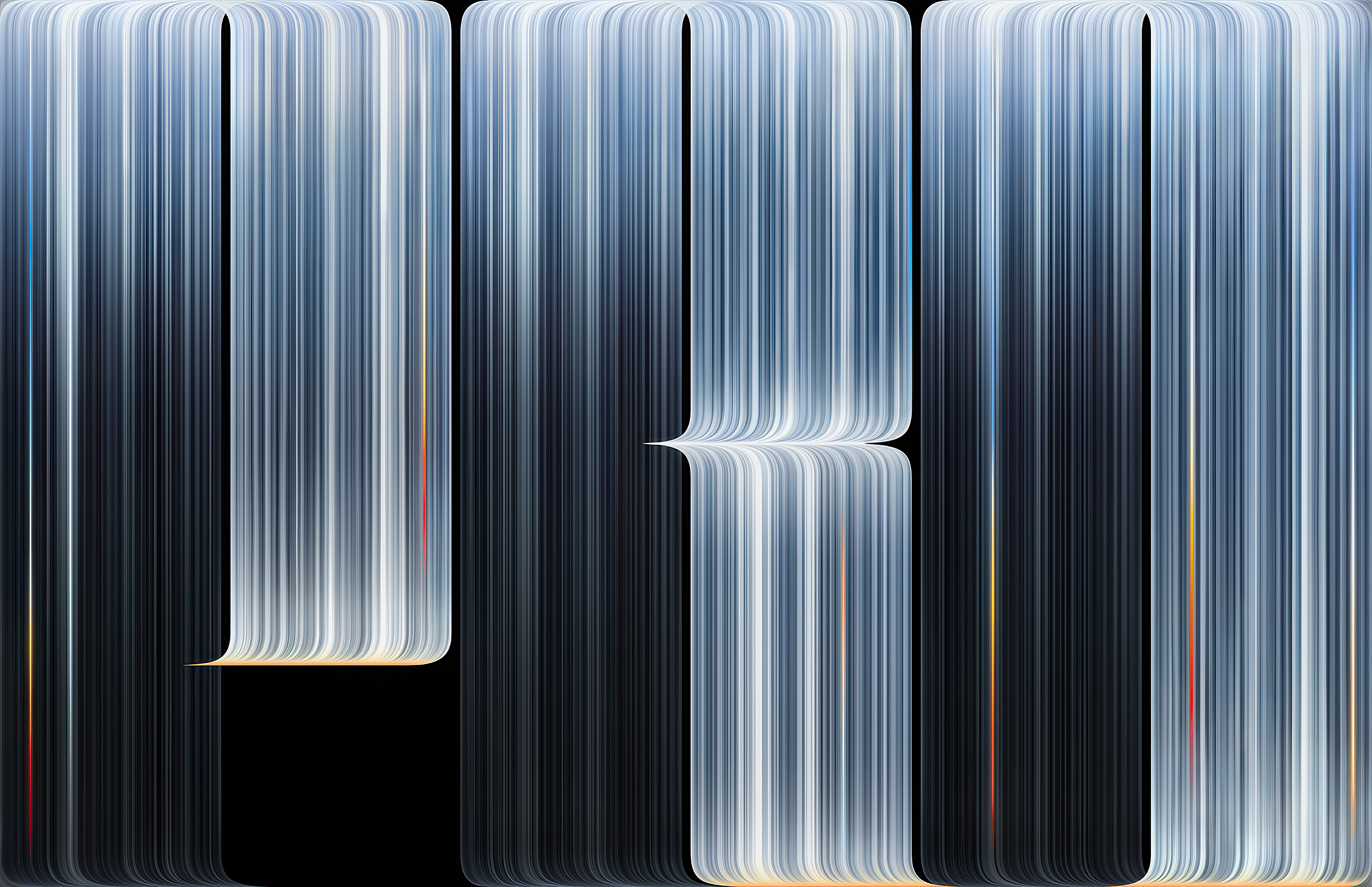
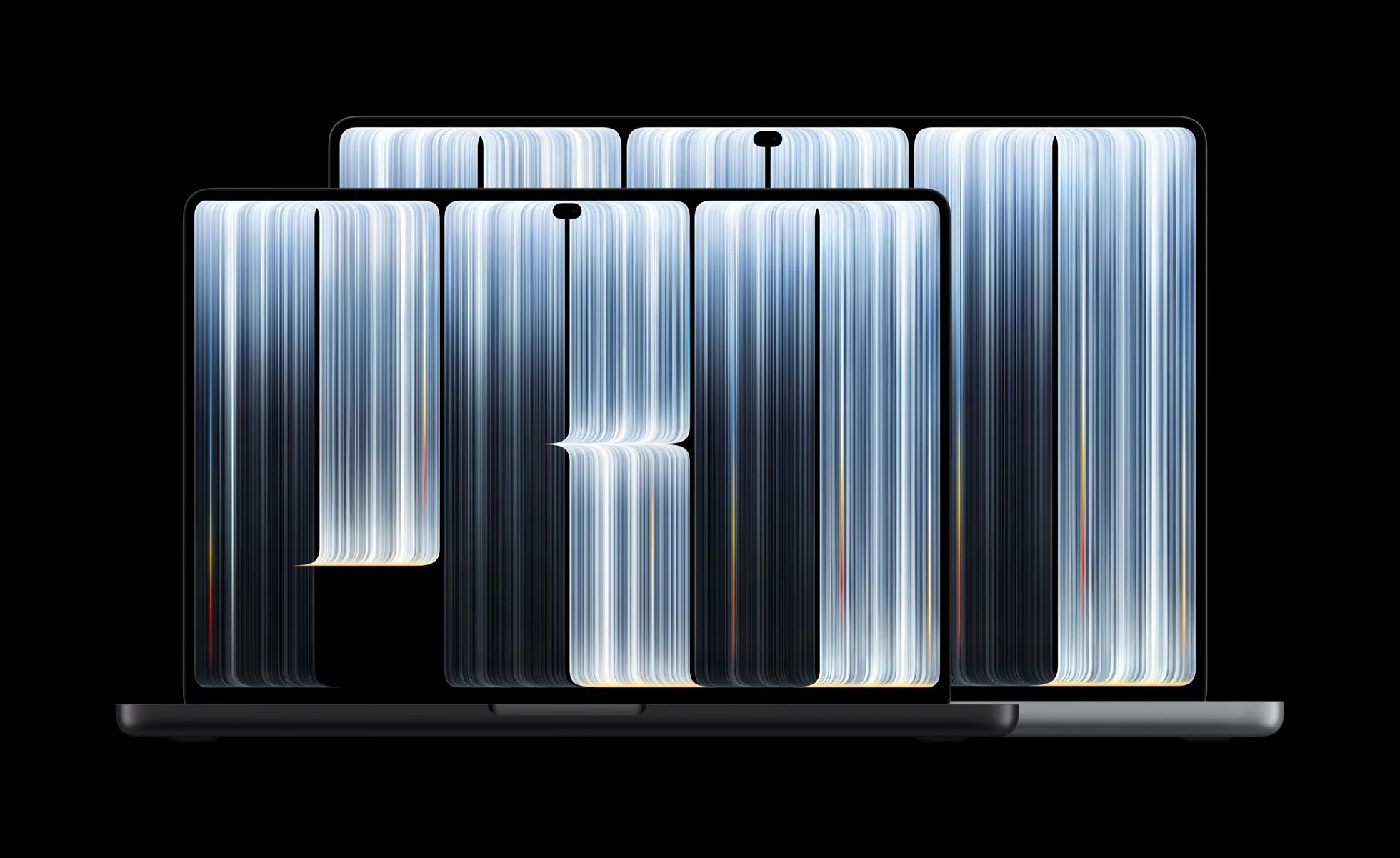
- The new MacBook Pro with PROLED XDR features a black wallpaper with oversized “PRO” lettering made from fine, silver-blue vertical light streaks.
- Apple hasn’t released a standalone full-resolution download, but high-resolution versions extracted from its official assets are already available.
- Basic Apple Guy and iClarified have published upscaled versions for the 16-inch MacBook Pro and Studio Display.
Apple’s new MacBook Pro with PROLED XDR Display comes with a fresh default wallpaper featuring large “PRO” lettering against a pure black background. Dense vertical bands of silver-blue light form the letters, with thin streaks of orange, yellow, and red running along their edges. The design replaces the previous MacBook Pro wallpaper, which had been in use for nearly four years.
Apple hasn’t published a standalone full-resolution file for general download. The wallpaper appears in product renders and the company’s 3D models, while early hands-on photos show it on the actual machines. Until Apple includes the image in a macOS update or releases it separately, third-party sites have extracted and prepared usable versions from these official assets.
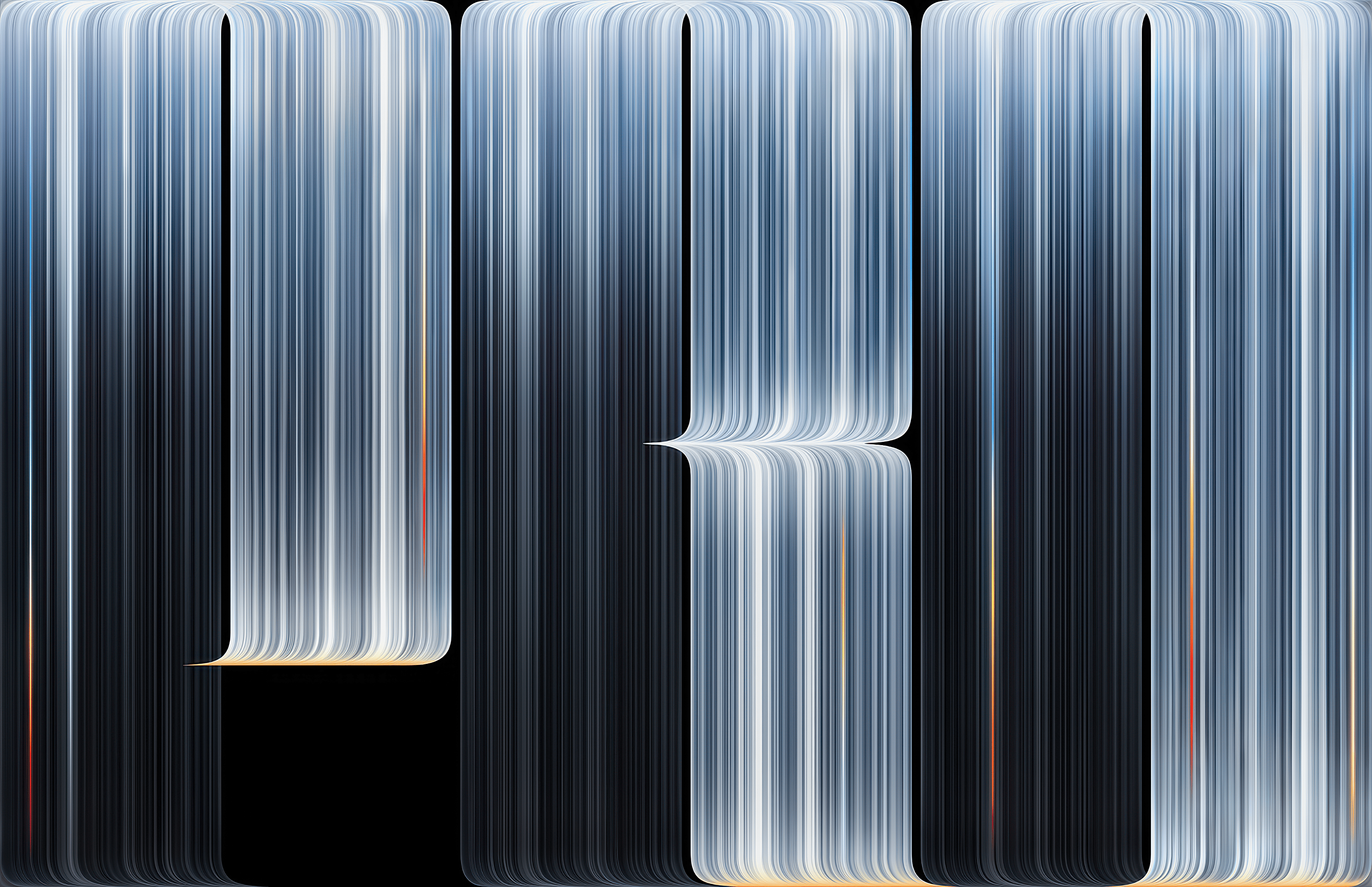
The files are static PNG images and don’t switch between light and dark modes. To use one, download the image, open System Settings on your Mac, go to Wallpaper, and add the file.

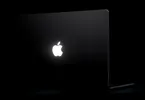
The new MacBook Pro is Apple’s first laptop with a touchscreen and its first with a tandem OLED display, which the company calls PROLED XDR. The panel reaches 2,000 nits peak brightness for both HDR and SDR content and carries a 10,000,000:1 contrast ratio. The machines also bring back a glowing Apple logo on the lid and run M5 Pro or M5 Max chips. Pre-orders opened on October 28 and the first units arrive on November 6.
ALSO READ: Apple Finally Builds a Touchscreen MacBook Pro: Price, Specs and What Changed
FAQs
Where can I download the new MacBook Pro wallpaper?
High-resolution version of the new MacBook Pro wallpaper are available to download here.
Does the new MacBook Pro wallpaper support light and dark modes?
No. The available files are static PNG images and don’t automatically change between light and dark modes.
How do I set the new MacBook Pro wallpaper on my Mac?
Download the image, open System Settings, select Wallpaper, and add the downloaded file.

You can follow Smartprix on Twitter, Facebook, Instagram, and Google News. Visit smartprix.com for the latest tech and auto news, reviews, and guides.