


TL; DR
- Instagram announced Edits for Mac on November 5, 2026, as a free download.
- It needs an Apple Silicon Mac, and there is no Windows version yet.
- Features include multi-track editing, color tools, direct posting, and AI agent connections.
Editing a long video is one of the most dreaded chores creators hate but still have to pull through. Even so, video creators and professionals these days worry less about shooting than about editing. Their quotes and delivery timelines are often based on how long it will take to edit the footage the way the client wants.
Everything is technically possible but physically and emotionally draining. Instagram seems to agree, and its latest move basically addresses this problem and solves it to a good extent.
Also Read: OnePlus 16 Could Actually Launch in India, Price Tipped at ₹1.3 Lakh
What Is Instagram’s Edits for Mac, and Who Can Use It?
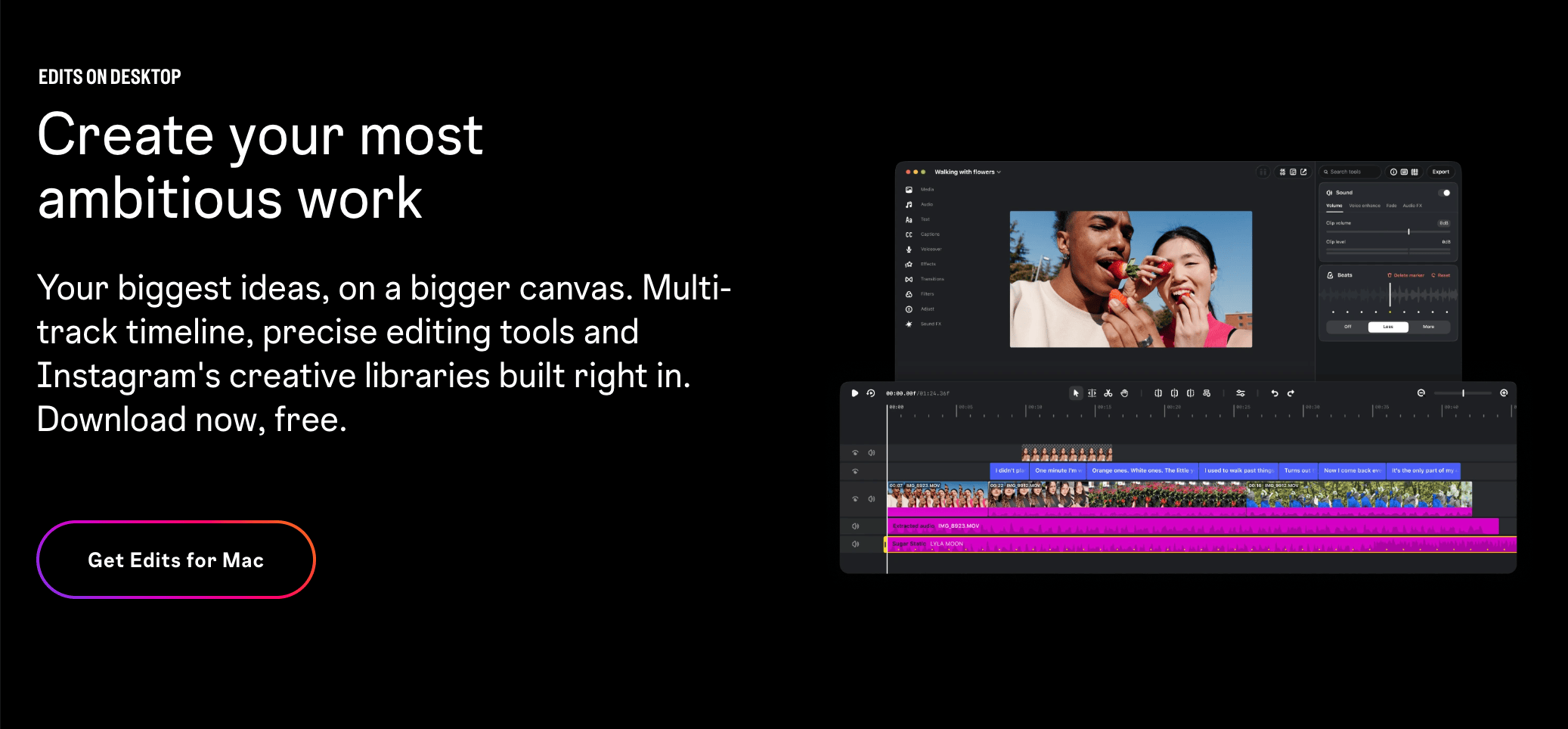
On 5 November, Instagram announced Edits for Mac, bringing its video editor to the desktop for the first time. You can download the app from the Edits website. To run it, you need an Apple Silicon Mac (M1 or later). Sign in with your Instagram account, edit the required video, and sync it to post; that’s pretty much it.
Unfortunately, there’s no Windows version at launch. From my vantage point, Instagram might have worked with Apple to optimize and fine-tune the app for its hardware, particularly the M-series chips.
Also Read: vivo X500 Series Teased for India Alongside Watch GT 2 and ZEISS Telephoto Extender
After all, it’s much easier to work with a streamlined lineup of chips and desktops than to optimize an app for the countless chipsets, manufacturers, and hardware configurations found across Windows laptops.
What I really appreciate is that the app runs on an almost six-year-old M1 chip. The release puts Edits in direct competition with ByteDance’s CapCut (though it’s not officially available in India), which has run on Windows and Mac since 2021.

Also Read: Where Did Your X Likes Go? How to Find Liked Posts on iPhone, Android and the Web
| Detail | Edits for Mac |
| Announced | 5 November 2026 |
| Platform | macOS only; no Windows version at launch |
| Chip requirement | Apple silicon, M1 or later |
| Price | Free download from the Edits website |
| Account | Instagram sign-in for syncing and publishing |
| Export | Up to 4K, vertical or horizontal, no watermark |
Also Read: OPPO Expands Tap-to-Share Support to vivo, Xiaomi, and HONOR Phones With ColorOS 17
What Can Edits for Mac Do?
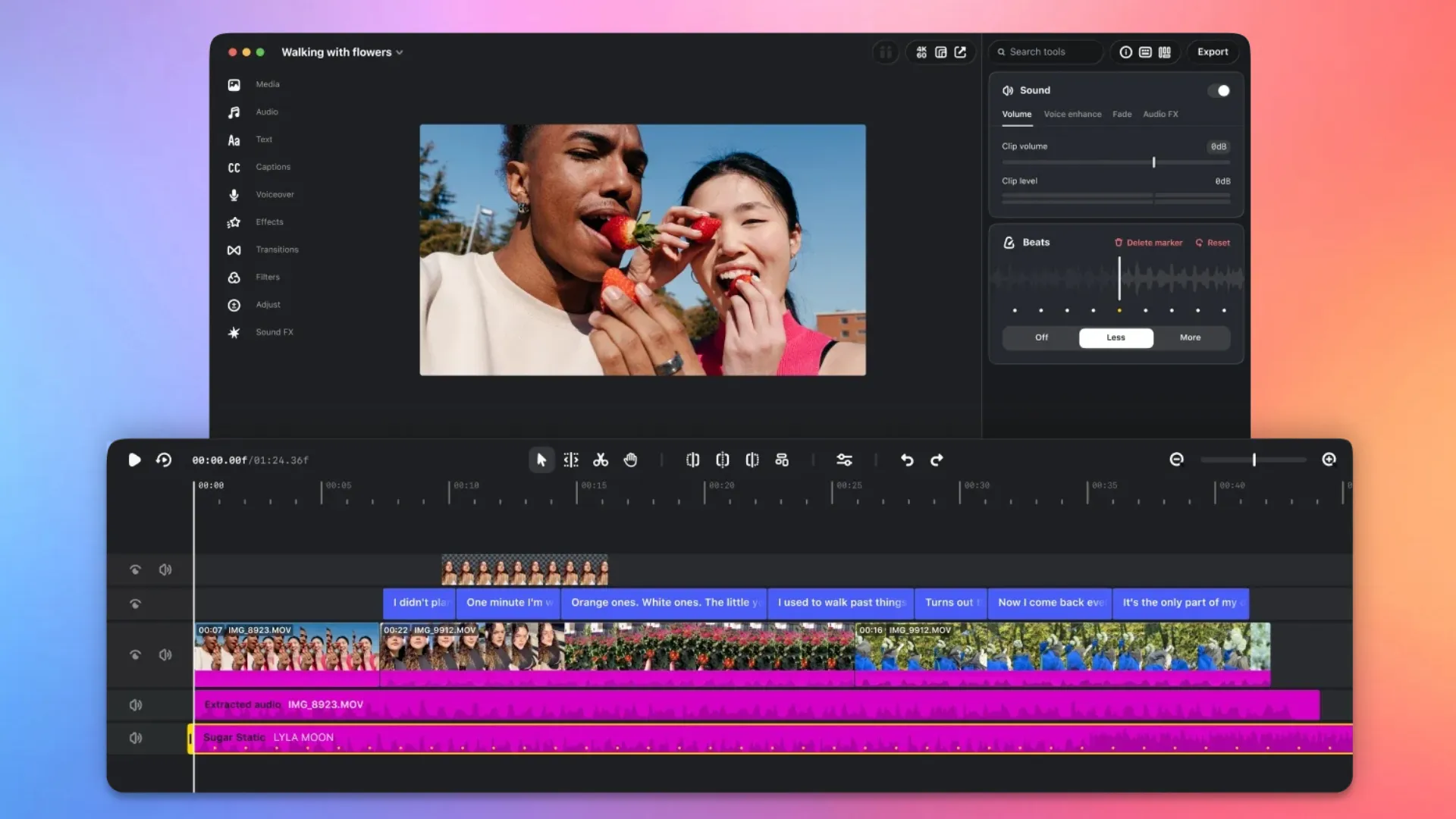
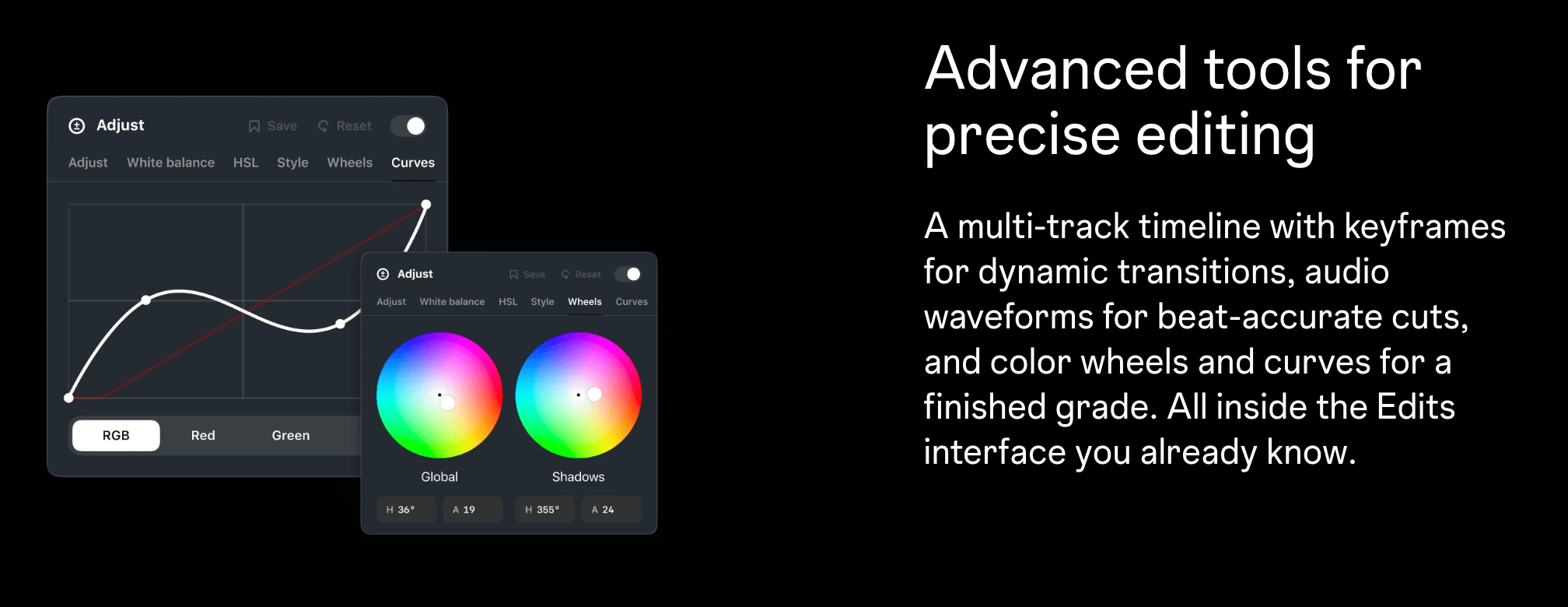
The Edits editor interface offers a multi-track timeline, keyframes for transitions, audio waveforms for cutting on the beat, along with custom keyboard shortcuts you can import from other editors. For color, you get wheels, log conversions, along with tone curves, and, most importantly, your own LUTs.
Creators can also import fonts, add captions in multiple languages, and pull in licensed, royalty-free audio. Assets and text styles saved on mobile sync across.

Also Read: ColorOS 17 November Rollout Schedule: Exact Dates for OPPO, OnePlus and realme Devices
As mentioned earlier, you can post straight from the editor with tags and location, including Trial Reels, Instagram’s way of testing a video on non-followers first.
What remains buried under the main headline, though, is that the app also connects AI agents through the Model Context Protocol, a standard that lets agents plug into apps. In other words, you can get your videos edited by an AI agent using the Edits app on Mac.

You can follow Smartprix on Twitter, Facebook, Instagram, and Google News. Visit smartprix.com for the latest tech and auto news, reviews, and guides.