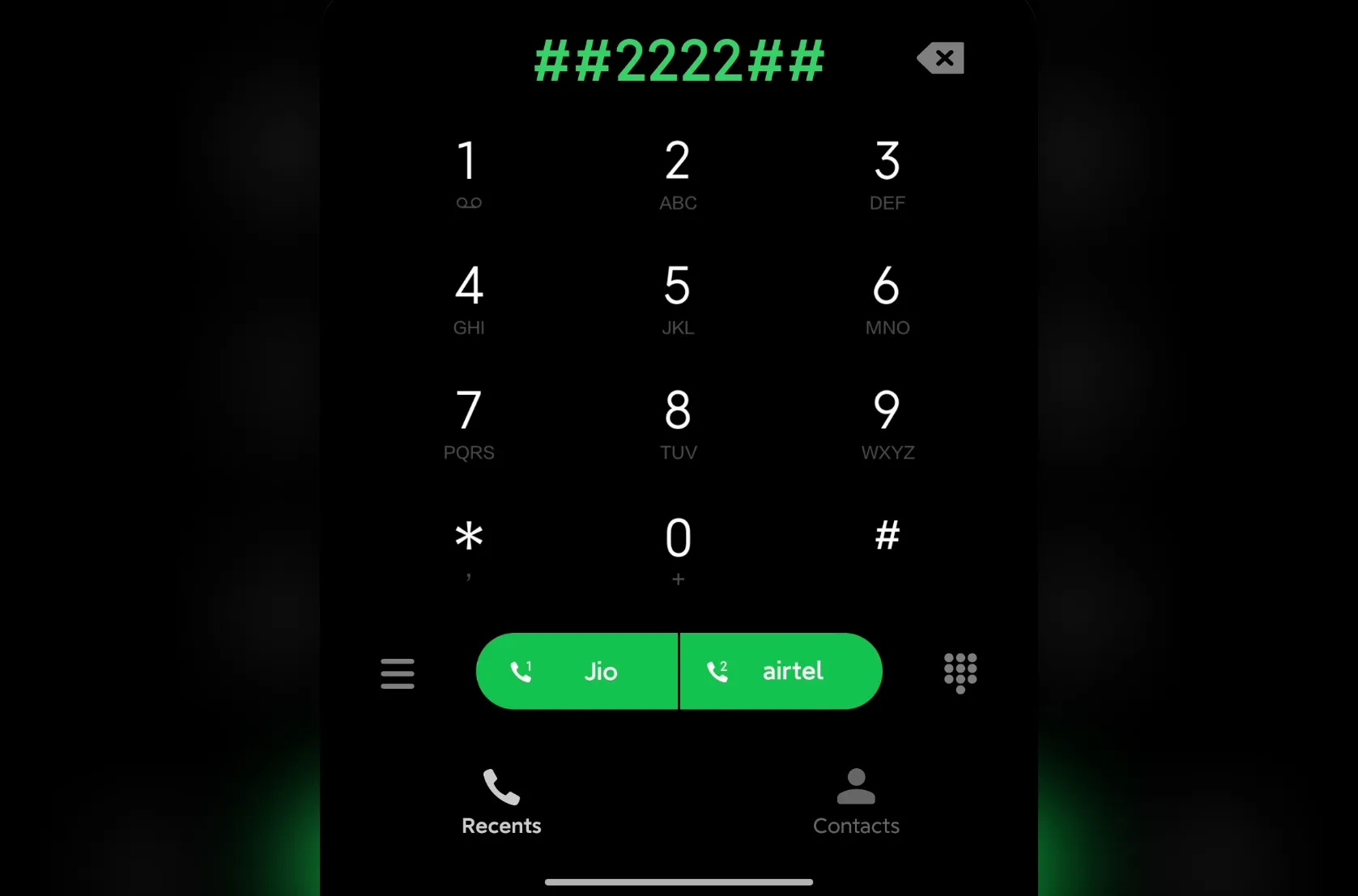
The dialer app on your Android phone is not just for dialing numbers and making phone calls but also for unlocking or accessing some hidden features using USSD or MMI codes. While most of these codes are irrelevant for the average user, they can come in handy at times, such as when troubleshooting an issue with your smartphone.
These codes usually start with a “*” or a “#,” differentiating them from phone numbers. There are codes for accessing software and hardware information, carrier details, and more. In this post, we will see a variety of secret codes, including those specific to certain smartphone manufacturers or carriers, so there’s something for everyone. So, let’s explore these secret codes and I’m sure you’ll find at least a few useful ones here.
What are USSD and MMI Codes?
USSD and MMI codes are the secret codes in question. These are two broad classifications, divided based on their usage and functions.
USSD Codes
USSD or Unstructured Supplementary Service Data codes are used to get information about your SIM card and are usually facilitated by your mobile operator. You must have used these codes at least once to view your phone number, and your prepaid plan history, or verify the validity of your plan.
Since USSD codes are tied to your mobile operator or carrier, these won’t work unless you have an active SIM card inserted into your device. USSD codes can also be used to activate or cancel services, but not all carriers might offer this feature.
CHECK OUT: Best Tablets Under 25000 in India (May 2024)
MMI Codes
MMI or Man-Machine Interface codes have a whole different purpose. Although these codes are identical to USSD codes, as in they start and end with a series of asterisks and hashes. In short, MMI codes can help you get information about your smartphone’s software and hardware, as well as access certain hidden features.
You can access things like your phone’s MAC address, software version, IMEI number, SAR value, info menu, camera settings, Bluetooth version, and more using MMI codes. As for hidden features, certain MMI codes help you test the display, speakers, cameras, and other hardware of your smartphone.
And yeah, since MMI codes are not dependent on your carrier, they can be used, independently, without the need for an active SIM card.
MMI Codes List
Here is a list of MMI codes to access the hardware and software information on your smartphone, test the hardware and software, and more. We have also included codes specific to certain smartphone manufacturers or OEMs.
MMI Codes for Hardware and Software Information
| Function | Code |
| View camera info (Select devices only) | ##34971539## |
| View PDA software version | ##1234## |
| View software version and update info | ##44336## |
| View Bluetooth address | ##232337#*# |
| Access Rlz Debug UI (Select devices only) | ##759## |
| Check & copy phone’s IMEI | *#06# |
| View Google Play Services info or Firebase Cloud Messaging diagnostics (Select devices only) | ##426## |
| View software and hardware info | #12580369# |
| View MAC address | ##232338## |
| View RAM version | ##3264## |
| Info menu (Select devices only) | ##4636## |
| Info menu (Select devices only) | #0# |
| View FTA software version (Select devices only) | ##1111## |
| Show Specific Absorption Rate (SAR) value | *#07# |
| View hardware version | ##2222## |
| Backup all media | ##273282255663282*## |
| RF (Radio Frequency) band selection | *#2263## |
| View touchscreen version | ##2663## |
MMI Codes for Testing Device Hardware and Software
| Function | Code |
| Brightness and vibration test | ##0842## |
| Wi-Fi or WLAN test | ##232339## or ##526## |
| Full GPS test | ##1575## |
| Clock test | #0782*# |
| Proximity sensor test | ##0588## |
| Enter test mode | ##197328640## |
| LCD display test | ##0*## |
| Audio test | ##0289## or ##0673## |
| Field test | ##7262626## |
| GPS quick test | ##1472365## |
| Light sensor test | ##0589## |
| Bluetooth test | ##232331## |
| Touchscreen test | ##2664## |
ALSO SEE: Red Cars Price List in India 2024
MMI Codes for Device Configuration
| Function | Code |
| Access Diagnostics Settings | *#9090# |
| Access HSDPA/HSUPA Settings | *#301279# |
| Access USB Logging Settings | *#872564# |
| Control USB 12C Mode | #0782*# |
MMI Codes for Developer Use
| Function | Code |
| Enter System Dump Mode | *#9900# |
| Access EPST Menu | ##778 (+green/call button) |
| Enter RIL Dump Mode | *#745# |
| Enter Debug Dump Mode | *#746# |
MMI Codes for Specific Manufacturers
1. Samsung
| Function | Code |
| Quick test menu | *#7353# |
| Firmware details | *#2663# |
| Access diagnostics | #0# |
| Service mode | *#2683662# |
| Network details and serving cell info | *#011# |
| Battery status | *#0228# |
| Software version/Model details | *#1234# |
| USB Settings | *#0808# |
| Loopback Test menu | *#0283# |
| Advanced debugging tools | *#9090# |
| Camera firmware details | *#34971539# |
| SysDump | *#9900# |
2. Realme/OPPO/OnePlus
| Function | Code |
| Feedback menu | *#800# |
| Engineer mode | *#888# |
| Software version (Realme) | *#6776# |
| Encrypted IMEI (OnePlus) | *#66# |
| Software version (OnePlus) | #1234# |
| Wipes internal memory (OnePlus) | ##2947322243## |
3. Xiaomi/Redmi/POCO
| Function | Code |
| About Phone | ##0000## |
| Check IMEI Info | *#06# |
| Charging and Battery Info | ##6485## |
| Do Testing | ##4636## |
| Open Calendar | ##225## |
| Access Test Menu | ##64663## |
| Open FCM Diagnostics | ##426## |
USSD Codes
Here is a list of USSD codes to view and manage your SIM card information. We have also included codes specific to certain carriers.
USSD Codes for SIM Card Management
| Function | Code |
| Open call forwarding information and menu | *#67# |
| Unlock SIM card’s PIN or PUK (Personal Unblock Key) | 05*# |
| Access Google Talk Monitoring service | ##8255## |
| Turn off or deactivate call waiting | #43# |
| Turn on or activate call waiting | *43# |
| Reset call time | *#22558463# |
| Turn off or deactivate caller ID | #31# |
| Turn on or activate caller ID | *31# |
| Show SMS message center number | 50057672# |
ALSO SEE: Wireless Headphones Under 2000 in India 2024
USSD Codes for Specific Carriers
Airtel
| Function | USSD Code |
| Balance Check | *123# |
| Offers Check | *121# |
| SMS Plan Check | 1211# |
| Unlimited Packs Check | 1211# |
Jio
| Function | USSD Code |
| Data/Voice/SMS Balance Check | *333# |
| Mobile Number Check | *1# |
Vi (Vodafone-Idea)
| Function | USSD Code |
| Balance Check | *121# |
| Data Balance | *125# |
| SMS Balance | *131# |
| Offers Check | *122# |
| Number Check | *111# |
So next time you’re exploring your phone’s dialer or calculator, keep these secret codes in mind—they might just come in handy!
You can follow Smartprix on Twitter, Facebook, Instagram, and Google News. Visit smartprix.com for the latest tech and auto news, reviews, and guides.