TL; DR
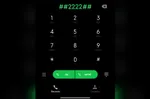
- Open the dialer app on your phone, and dial *#*#677776#*#*.
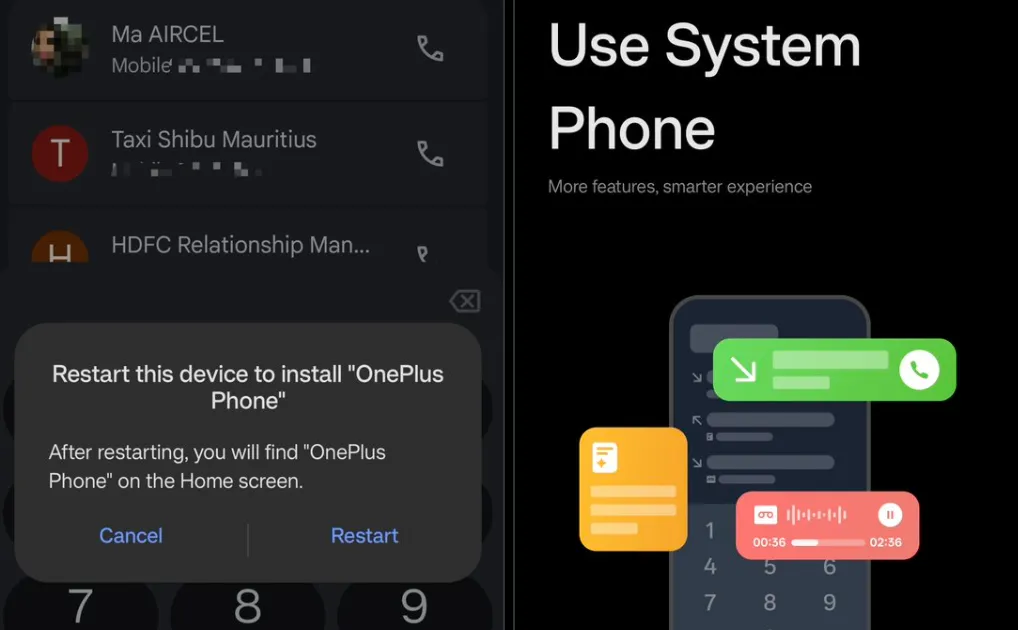
- This will prompt you to install the OnePlus Phone app.
- The OnePlus Phone app doesn’t support discreet call recording as per user reports.
OnePlus phones sold in some regions come with Google’s Phone app instead of the company’s own dialer, even though the rest of the software is based on OxygenOS (or ColorOS). If you’ve been using a OnePlus phone with Google Dialer, there’s now a simple workaround that can bring back the native OnePlus Phone app.
A user on X, Starcommander, has shared a hidden dialer code that can enable the first-party dialer on devices where it comes preinstalled but remains disabled.
How to Enable the OnePlus Phone App
The code is *#*#677776#*#*. Enter it directly into the stock Phone app’s dialer, just like you would enter a service code. Instead of placing a call, the phone should show a prompt to install OnePlus Phone.
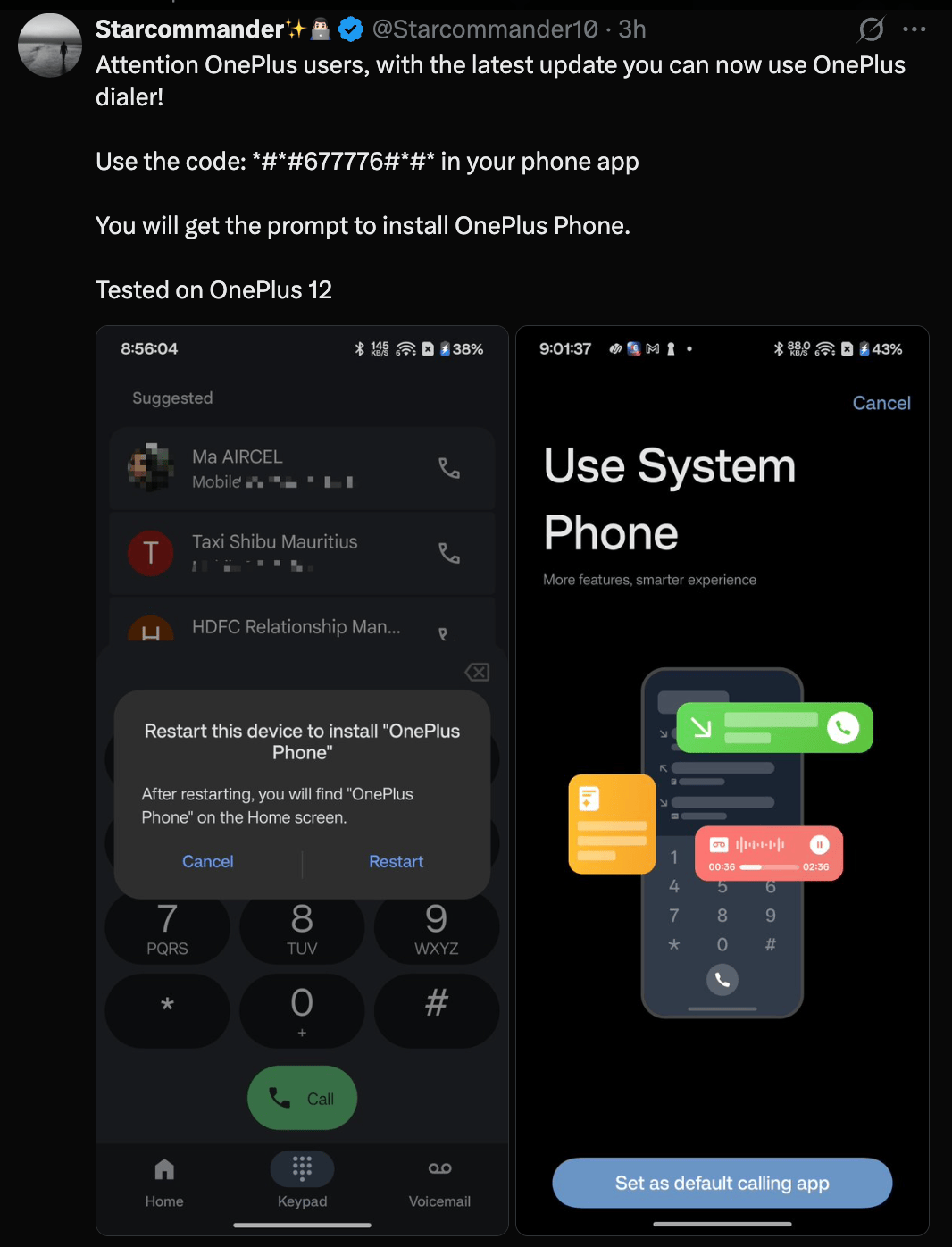
Accept the prompt and restart the phone. The OnePlus Phone app should then appear on the home screen, after which you can set it as the default dialer.
The native app brings back the OnePlus-style calling interface, along with features such as call recording and a design that fits more closely with the rest of the OxygenOS and ColorOS experience.
The original post confirms the trick working on the OnePlus 12, while users in the replies have reported that it also works on the OnePlus 13 and 13R. Make sure you’re on the August security update.
There is one limitation, though. Users who have tried the native dialer report that the “This call is being recorded” announcement still plays when recording a call, with no apparent option to disable it.
So you get the native dialer and its recording features, but not complete control over how call recording behaves. For discreet call recording, you might want to stick to ODialer.
Should You Try It?
If you have a OnePlus 12 or OnePlus 13 and prefer the native dialer, this is a fairly straightforward way to enable it. It doesn’t require root access, an unlocked bootloader, or downloading an unknown APK. The app is already part of the software package and the code simply exposes it.
Still, it’s a strange situation for OnePlus to put users through in the first place. The native dialer already exists on the phone, yet users have to find a hidden code online to enable it. A proper option to switch between the Google and OnePlus dialers would make far more sense.

You can follow Smartprix on Twitter, Facebook, Instagram, and Google News. Visit smartprix.com for the latest tech and auto news, reviews, and guides.