TL;DR
- The topic of concern is Enhanced Visual Search, a feature of the Photos app that helps search for any landmark or point of interest.
- Moreover, the Enhanced Visual Search looks like an expansion of the Photos app’s Visual Look Up (the option to search through pictures) feature.
- What’s being criticized, however, is the fact that iOS enables the feature by default, not giving users a chance to think about it from the get-go.
Apple, on one of its most popular billboards, wrote that, “What happens on your iPhone, stays on your iPhone.” However, a recent finding has forced all iPhone users to think twice about it. Enhanced Visual Search, a feature that lets you search for landmarks or points of interest in your photos gallery, is the topic of discussion.
Although the feature intends to analyze users’ photos and help them search for the important ones (thereby improving the search experience), it seems to be raising concerns about privacy and consent.
Also Read: Dimensity 9500 to Copy 8 Elite’s 2+6 CPU Architecture with 4.0 GHz Clock Speed
Don’t Confuse Enhanced Visual Search With Visual Intelligence: Both Are Different
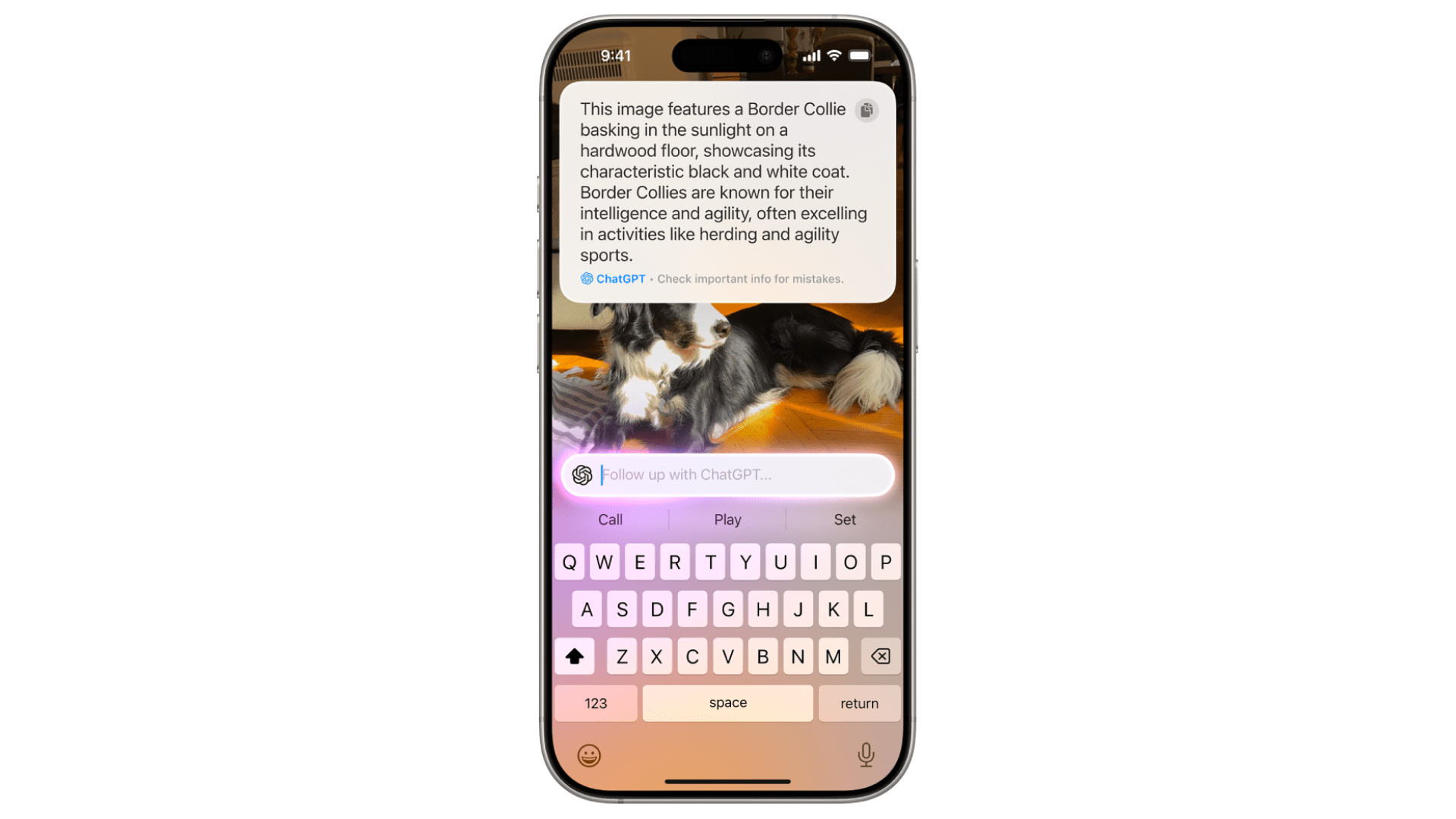
We saw some people confuse the Enhanced Visual Search feature with Visual Intelligence (the new visual look-up feature released with iOS 18.2), but both are different. While Visual Intelligence fetches more information about a particular object or subject in the picture (when users invoke the feature), the topic of concern is Enhanced Visual Search, a feature of the Photos app that helps search for any landmark or point of interest.
A report by Phone Arena mentions that the feature has been added to iPhones (and other Apple devices) with the iOS 18 update released in September 2024. As highlighted by Jeff Johnson in a blog post, “This new feature has mostly gone unmentioned in the Apple news media,” The developer also mentions how he could only find two relevant documents on the company’s website, one of which directly mentions the about the feature and the other talks about how data is processed.
Also Read: Xiaomi 16 Leak Hints at Big Camera Upgrade
What Exactly Is Enhanced Visual Search And How Does It Work?
First, let’s look at what Apple says. “Your device privately matches places in your photos to a global index Apple maintains on our servers.” In simpler words, the feature allows iOS to analyze and identify places in your Photos library for landmarks (or other places of importance) and add them to a global index maintained by the company.
For instance, if you swipe on a picture of the Taj Mahal in your gallery and tap on the “Look Up Landmark” button, the feature will tell you about the place and where it is. Moreover, the Enhanced Visual Search looks like an expansion of the Photos app’s Visual Look Up (the option to search through pictures) feature.
The process begins on the device, wherein the foundation model goes through the images and finds regions of interest (ROI), the vector form of which is encrypted and shared with Apple’s servers. The data is compared on the servers with other photos, and the matching results are shown to the user.
Also Read: Xiaomi’s announced 1+3+8 update policy for China, but what about India?
How To Turn Off Ehnhaced Visual Search?

What’s being criticized, however, is the fact that iOS enables the feature by default, not giving users a chance to think about it from the get-go. We cross-checked the information on an iPhone 16 and found that the feature is indeed on by default. What’s good is that Apple has given a toggle to disable the Enhanced Visual Search.
Simply head to Settings > Photos and scroll down to find and turn off the Enhanced Visual Search feature. Similarly, you can turn off the feature on a Mac (running macOS 15) in the Photos app’s settings menu.
Should Enhanced Visual Search Be Enabled By Default Or Rather Be An Optional Feature?
Apple, in the documentation regarding the feature, mentions that “We apply homomorphic encryption and differential privacy, and use an OHTTP relay that hides IP address. This prevents Apple from learning about the information in your photos.” The fact that the company already has a privacy note in place is commendable.
However, the criticism concerns how people aren’t unaware of how the feature works and that it is on by default. Nonetheless, if you don’t want to contemplate sharing the data with Apple’s servers in an encrypted form, simply disable the feature.
Also Read: iOS 18: Here’s When The Remaining Apple Intelligence Features Could Arrive
You can follow Smartprix on Twitter, Facebook, Instagram, and Google News. Visit smartprix.com for the latest tech and auto news, reviews, and guides.