How to install Whatsapp on Jio Phone and Jio Phone 2

Main Image
  • Like
  • Comment
  • Share

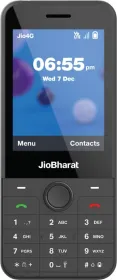
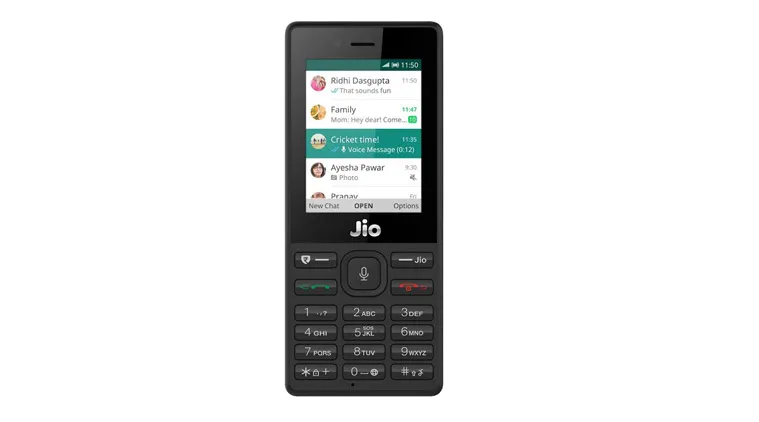
Reliance Jio recently enabled WhatsApp on its JioPhone line of mobiles. The telecom company, which is a subsidiary of larger Reliance Industries, had announced the addition of such features, like the WhatsApp on the JioPhone platform back in July this year. Up until now, Reliance Jio has introduced two JioPhones.

To assist the users, Reliance Retail has created a dedicated helpline number 1991 for answering queries related to Whatsapp on both of its smart feature phones.

The “Whatsapp on Jio Phones” feature was launched on September 10, 2018 and the upgrading process will be completed on all Jio phones by September 20, 2018, the company said.

Reliance Jio Infocomm director Akash Ambani said in a statement, that “During this movement of connecting the unconnected, many partners came forward to strengthen the cause. One such partner who has really stood by us from the beginning is Facebook and its ecosystem. The result of one such partnership is out for the world to see today…Jio wants to thank the Facebook and WhatsApp team for making this happen.”

The company further added that WhatsApp worked on its chat app to make it compatible with Jio Phones and “give people a simple, reliable, and secure way to communicate with friends and family”

Read More: Oppo A7X with 6.3 inch display, waterdrop notch, 4,230mAh battery launched 

Install Whatsapp on Jio Phones in two simple steps

Read More: Gboard is working on a smarter search button 

1. To download WhatsApp on JioPhone and JioPhone 2, go to JioPhone app store, and browse for Whatsapp application. Follow this by clicking on the download button to install the app.


 2. To use Whatsapp on JioPhones, the user must verify their phone numbers with the chat app. The user will be able to conduct one-to-one as well as group chats after the installation and verification process have been completed.


Related Articles

ImagemacOS 27 Golden Gate Public Beta Available Now: Should You Install It?

Right alongside iOS 27, Apple has pushed out the public beta for macOS 27 Golden Gate, and if you’ve been curious about what Siri AI looks like on a Mac, this is the easiest way to find out without a developer account. This follows three developer betas, and it brings the same Siri overhaul as …

ImageYou can now install YouTube on JioPhone and Jiophone 2

Whatsapp was made available on both JioPhones, earlier this month. Almost a week later, YouTube has gone live on the two feature phone launched by Reliance mobile manufacturing wing. YouTube’s KaiOS compatible version is now available for download on Jio Store for JioPhone and JioPhone 2. Read More: How to install Whatsapp on Jio Phone and Jio …

ImageJioPhone Next launches with optimized Android and India-specific features

Jio and Google formed a strategic partnership last year. Finally, that partnership has reaped its first fruit in the form of JioPhone Next. This Jio and Google co-developed phone comes with an extremely optimized version of the Android operating system. It is built for India and thus has several features tailored for the local audience …

ImageWhatsApp Usernames Are Here: You Can Now Chat Without Sharing Your Phone Number

You can now connect on WhatsApp without giving out your phone number, a feature privacy advocates have wanted for years. WhatsApp started rolling out optional usernames yesterday. This move separates your identity from your SIM card, similar to what Signal did with usernames in 2024. WhatsApp is rolling out usernames in phases over the next …

ImageOppo Reno 16 and Reno 16C India launch confirmed for July 2: Design, Specs, Leaked Pricing, and More

Oppo has always focused on design with the Reno line, putting looks and feel ahead of specs. With the Reno 16 series, Oppo keeps its signature style but now adds serious durability. On paper, these phones beat most mid-premium rivals when it comes to toughness. The Reno 16 and Reno 16C come with IP66, IP68, …

Discuss

Be the first to leave a comment.