

TL;DR
- WhatsApp now lets you message people worldwide without sharing your phone number, thanks to the new username feature.
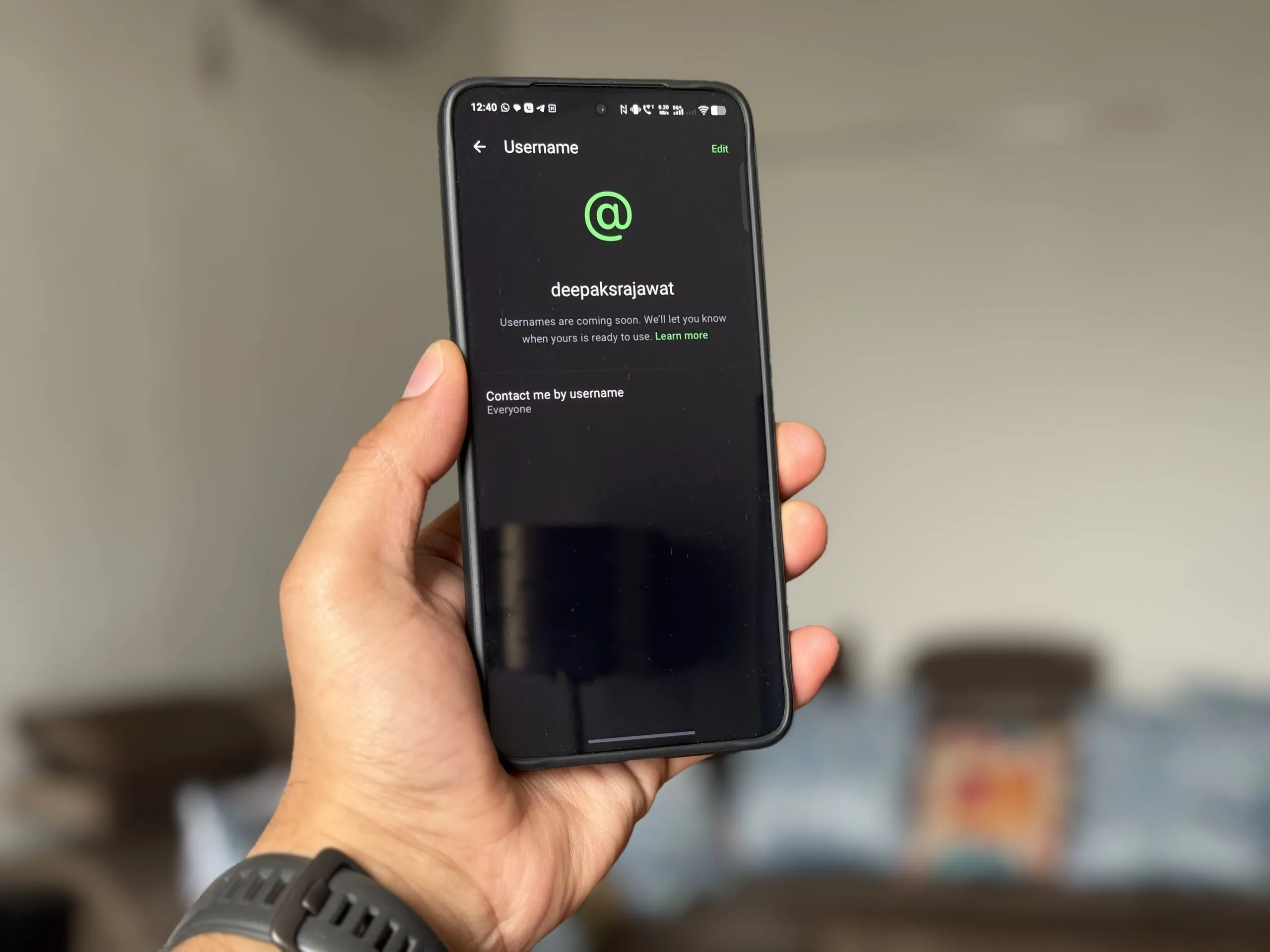
- You can reserve your username starting Monday, June 29, 2026. Go to Settings > Account > Username to pick a handle up to 35 characters.
- Add a 4-digit Username Key for extra privacy. WhatsApp will gradually hide your phone number from other users as the rollout continues.
You can now connect on WhatsApp without giving out your phone number, a feature privacy advocates have wanted for years. WhatsApp started rolling out optional usernames yesterday. This move separates your identity from your SIM card, similar to what Signal did with usernames in 2024.
WhatsApp is rolling out usernames in phases over the next few months. Your phone number will stay hidden from other users, but you still need it to sign up. There is no public username directory or algorithmic suggestions. WhatsApp will reserve usernames for public figures to stop impersonation.
How WhatsApp usernames work
Share your username instead of your phone number when someone wants to contact you. Add a four-digit Username Key for extra security if you want.
- Pick a username up to 35 characters. Change, remove, or update it anytime.
- WhatsApp can generate a 4-digit Username Key for extra verification. If you enable it, people need your key to message you.
- WhatsApp does not list usernames anywhere. Only people who know your exact username can contact you, which helps reduce spam.
- Well-known public figures and celebrities are being preemptively reserved on WhatsApp to prevent impersonation.
- You still need a phone number to create a WhatsApp account, and WhatsApp keeps it on file. Once usernames are available everywhere, other users will not see your number.


WhatsApp started rolling out usernames worldwide on Monday, June 29, 2026. Update your app and go to Settings > Account > Username to reserve your username now. Over the next few months, WhatsApp will hide phone numbers from view as the feature becomes fully available.
WhatsApp says this is a privacy upgrade, and it does fix a real problem. Until now, you had to share your phone number with anyone you wanted to chat with. That stopped many people from connecting in places like online marketplaces, big group chats, or when meeting a new coworker.
But experts are cautious about overstating the win. Carisa Veliz, a professor at Oxford University and author of Privacy is Power, told the BBC that while the feature is good, “remember WhatsApp is not a privacy-friendly app overall. It collects much metadata about users for marketing purposes.”
WhatsApp still collects metadata about who you message, when, and your location. End-to-end encryption protects your message content, but not this other data. WhatsApp uses metadata for advertising. Usernames hide your number from strangers, but Meta still tracks your activity.
SignSignal added usernames in 2024, setting the standard for messaging apps moving away from phone numbers. WhatsApp is catching up, but this change matters because WhatsApp has three billion users.

Kunal Shah’s first product moment?
Meta named Kunal Shah, founder of Indian fintech CRED, as the new head of WhatsApp last week, replacing Will Cathcart. The username feature was already in development before Shah took over, but its launch is the first big product news under his leadership. With over 500 million users in India, WhatsApp’s new leadership may speed up features that fit the country’s privacy and convenience needs.
ALSO READ: Qualcomm Confirms Snapdragon Summit 2026 Dates, Event Set for September in Hawaii
How to reserve your WhatsApp username right now
- Update WhatsApp to the latest version on Android or iOS.
- Open Settings.
- Go to Account.
- Tap Username.
- Choose a handle up to 35 characters.
- Optionally set a Username Key (a 4-digit code you can share alongside your username for added security).
If you do not see the username option yet, check again in a few days as WhatsApp rolls out the feature. The reservation window gives everyone a fair shot at claiming the name they want before usernames go live worldwide and duplicates become more likely.
WhatsApp usernames let you use the app without giving out your phone number. WhatsApp rolled this out carefully, with no public directory, optional access keys, and protection for celebrity names. The privacy boost is real, even though Meta still collects other data. For three billion users who never had a choice before, this is a real improvement.

WhatsApp Username FAQ
When can I get a WhatsApp username?
Reservations began on Monday, June 29, 2026. Full rollout will happen over the coming months. Update your app and check Settings > Account > Username to see if it’s available for you.
Do I still need a phone number to use WhatsApp?
Yes. A phone number is required to create a WhatsApp account. Usernames only change how you connect with other people; your number will eventually be hidden from other users.
Can someone find me by my username?
No. There is no public username directory. Someone must know your exact username to message you for the first time.
What is a WhatsApp Username Key?
It’s an optional four-digit code you can share with your username. When enabled, the other person must enter that code before they can send you a message, adding an extra layer of control.
Can I change my WhatsApp username later?
Yes. You can change, remove, or update your username at any time from the Settings menu.
Will this stop Meta from collecting my data?
No. While message content stays end-to-end encrypted, Meta still collects metadata such as who you message and when, including for advertising. Usernames protect your phone number from other users, not from WhatsApp itself.
You can follow Smartprix on Twitter, Facebook, Instagram, and Google News. Visit smartprix.com for the latest tech and auto news, reviews, and guides.