WhatsApp Is Testing A Shortcut For Replying To Video Notes (Android), Media Upload Notifications Also In The Works (iOS)

Main Image
  • Like
  • Comment
  • Share

The Meta-owned instant messaging platform WhatsApp is rolling out a new feature for instantly replying to video messages. Last year, the app rolled out the video notes feature, allowing users to share and receive short videos. The feature was similar to audio notes, except that users could share quick video messages without recording a video through the camera and sending it.

Now, the platform is making it easier to respond to video messages with the help of an on-screen shortcut.

ALSO SEE: 6.6 inch Mobile Phones Price List in India 2024

The New Shortcut Lets Users Respond To Video Notes Immediately
The Meta-owned instant messaging platform WhatsApp is rolling out a new feature for instantly replying to video messages. Last year, the app rolled out the video notes feature, allowing users to share and receive short videos. The feature was similar to audio notes, except that users could share quick video messages without recording a video through the camera and sending it. 

Now, the platform is making it easier to respond to video messages with the help of an on-screen shortcut.

The New Shortcut Lets Users Respond To Video Notes Immediately

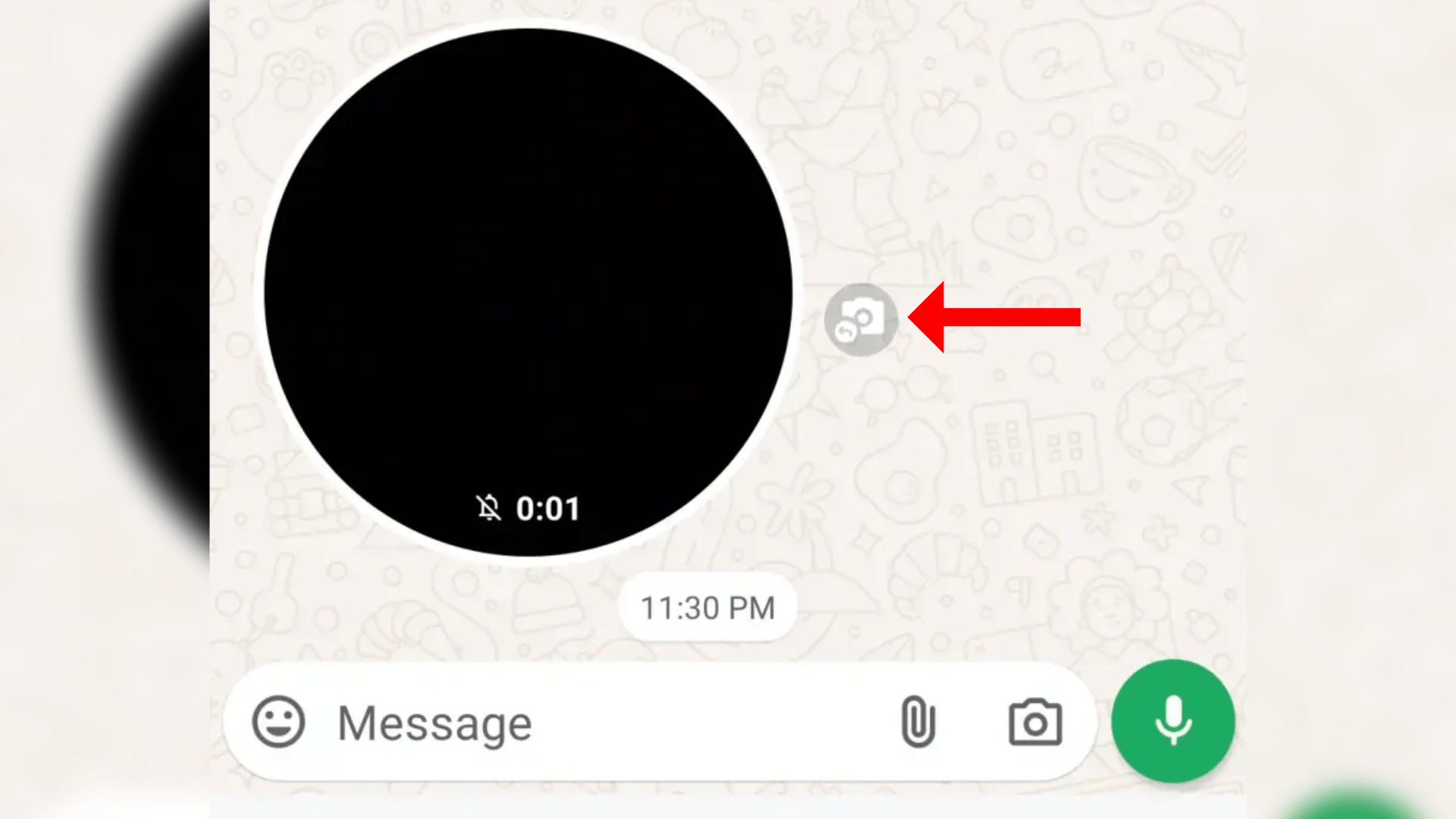
According to a report by WABetaInfo, WhatsApp is working on a new shortcut that appears next to the video message in users' chats. The shortcut helps users respond to specific video messages with a tap, eliminating the need to manually enable video note recording.
Via WABetaInfo

According to a report by WABetaInfo, WhatsApp is working on a new shortcut that appears next to the video message in users’ chats. The shortcut helps users respond to specific video messages with a tap, eliminating the need to manually enable video note recording. “Thanks to this feature, replying to video messages is now much quicker and more convenient,’ mentions the report.

Marked by the red arrow in the screenshot attached above, the video notes shortcut allows users to record a response immediately, letting them gather all their thoughts and comments simultaneously. Currently, the feature is available to some Android beta testers on WhatsApp. However, it is expected to roll out soon as part of a stable update via the Google Play Store.

ALSO SEE: Intel Core i7 Laptops Under 50000

New Media Upload Notification On iOS
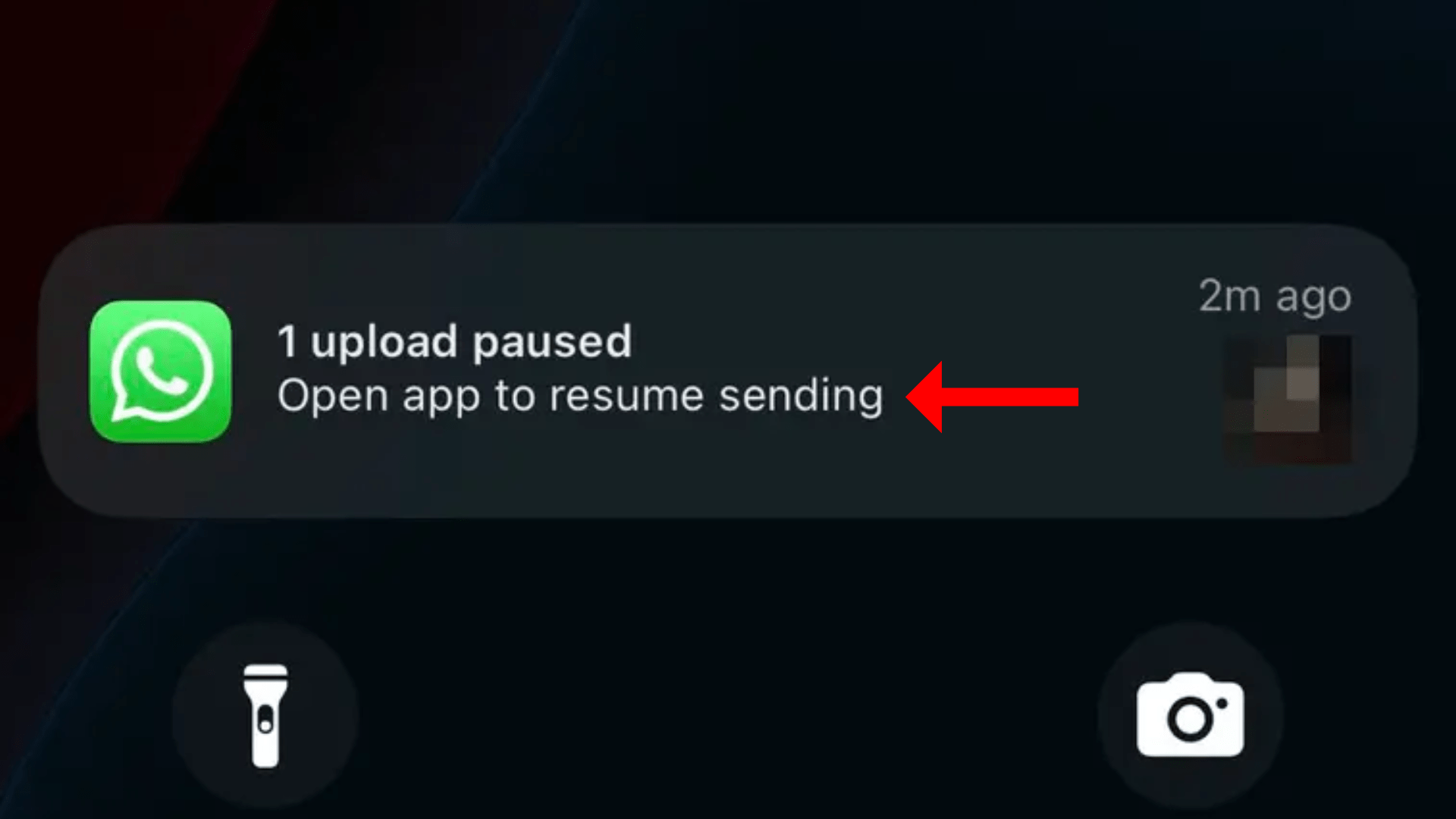
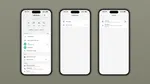
WhatsApp media files upload notification
Via WABetaInfo

Alongside the new video notes shortcut, WhatsApp is also working on a new notification (on the lock screen) feature that informs users about the progress of media uploads. The feature shows when an upload is paused and which media file is currently uploading. If an update pauses due to connectivity issues, the notification informs users by saying, “1 upload paused, open the app to resume sending.” The feature ensures that users don’t miss sending some media files.

This could solve a prevalent issue on WhatsApp, wherein sending multiple files isn’t always successful. At least the feature will inform users about the failure to upload files and ask them to take the required action. Moreover, the feature is designed to inform users about their media uploads on the lock screen without opening the app. However, the report also highlights how the background app refresh feature should be enabled so that users can see the media file upload notifications.

ALSO SEE: Automatic Cars Under ₹15 Lakh

The feature is currently available for iOS beta testers. However, it could roll out to more users in the near future.

You can follow Smartprix on TwitterFacebookInstagram, and Google News. Visit smartprix.com for the latest tech and auto newsreviews, and guides.
Shikhar MehrotraShikhar Mehrotra
Shikhar Mehrotra is a seasoned technology writer and reviewer with over five years of experience covering consumer tech across India and global markets. At Smartprix, he has authored more than 1,700 articles, including news stories, features, comparisons, and product reviews spanning automobiles, smartphones, chipsets, wearables, laptops, home appliances, and operating systems. Shikhar has reviewed flagship devices such as the iPhone 16, Galaxy S25+, and Sennheiser HD 505 Open-Ear headphones. He also contributes regularly to Smartprix’s growing automotive section.

With a deep understanding of both iOS and Android ecosystems, Shikhar specializes in daily tech news, how-to explainers, product comparisons, and in-depth reviews. His DSLR photography in product reviews is recognized as among the best on the team.

Before joining Smartprix, Shikhar wrote for leading publications including Forbes Advisor India, Republic World, and ScreenRant. He holds a Bachelor of Arts in Journalism and Mass Communication from Amity University, Lucknow.

Related Articles

ImageLocked Out of Google? Your Face Can Now Get You Back In

Getting locked out of your Google account is a massive headache, especially when traditional recovery methods like an old phone number or a forgotten backup email fail. To fix this, Google is rolling out a modern alternative: using a quick selfie video as your ultimate backup password. Also Read: OPPO Find X10 Leak Reveals iPhone 17 …

ImageSend WhatsApp Messages Without Saving Contacts: Here’s How

WhatsApp has become a default texting app for most smartphone users worldwide. It is also one of the quickest and easiest ways of sending or receiving text messages, photos, videos, or documents without limiting geographical boundaries. It works cross-platform on iOS, Android, and web browsers. Many of us conveniently access it via WhatsApp on a …

Image30+ Best Google Docs Keyboard Shortcuts for Windows and MacBooks

Google Docs is one online tool that most working professionals and students use every other day. The simplicity and streamlined approach tagged with Google Docs make this online word processor an incredible productivity tool. The other significant factor responsible for the popularity of Google Docs is its free availability for every Google account holder. Google …

ImageWhatsApp Is Testing Notification Bubbles on Android

WhatsApp is now testing notification bubbles for Android users in its latest beta release. The new feature brings floating chat bubbles that stay on screen and let users reply to messages without fully opening the app. How It Works Once available, incoming messages from personal chats or groups can appear as small circular bubbles on …

ImageWhatsApp Starts Rolling Out Redesigned Group Info Page on iOS

WhatsApp is rolling out a redesigned group info interface for iPhone users, bringing a cleaner layout that makes it easier to find members, shared media, and group settings. The feature was spotted by WABetaInfo in the latest WhatsApp beta for iOS available through TestFlight, and follows a similar redesign that recently arrived on Android. Three …

Discuss

Be the first to leave a comment.