


Quick Verdict
The vivo X300 FE takes a clear step forward from the X200 FE with several upgrades. You get a Snapdragon 8 Gen 5, LTPO display, wireless charging, and improved camera tuning with a wider aperture on the main sensor. The addition of teleconverter support and Creative Mode also expands what the camera system can do.
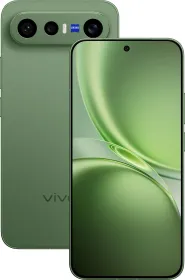
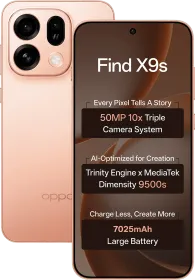
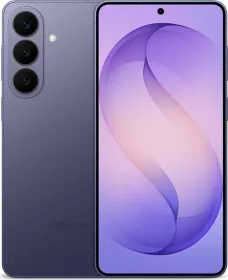
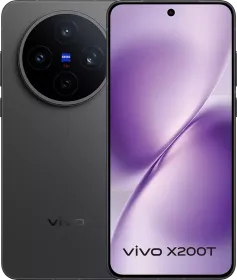
At the same time, the price jump changes the positioning. It now sits closer to full flagships like the OPPO Find X9, vivo X300, Xiaomi 17, iPhone 17, and Galaxy S26. The ultra-wide camera is underwhelming, AI processing can be aggressive in photos, and USB 2.0 is a bit disappointing.
Buy it if:
- You want a compact flagship with strong camera performance, especially telephoto
- You prefer Snapdragon performance with stable thermals and good gaming experience
- You want long software support with OriginOS 6 and 5 + 7 update
- You plan to use features like the ZEISS teleconverter or Creative Mode
Skip it if:
- You want a more balanced camera system with a stronger ultra-wide
- You want cleaner image processing with less AI involvement
- You can the vivo X300 at a similar price
The vivo X300 FE arrives as the successor to the vivo X200 FE, and the idea is familiar at first glance. A compact flagship that tries to balance size with serious hardware. This time, the positioning feels slightly different. The standard vivo X300 is also compact, which puts the FE in a tighter spot.
What changes here is the approach. The X300 FE borrows heavily from the X300 instead of sitting clearly below it. You get an LTPO panel instead of LTPS, ultrasonic scanner, wireless charging, a Snapdragon chipset replacing MediaTek, and a wider aperture on the main camera.

The X200 FE launched around ₹59,999, and the X300 FE now starts at ₹79,999. That jump reflects rising component costs, especially memory, but it still changes how the device fits in the market.
In this review, I’ll go through how all of this holds up in real use. Performance, thermals, cameras, battery life, and day-to-day usage all come into play to see where the X300 FE actually stands.
HOW I TESTED
| Reviewed By: Mehtab Ansari, smartphones, cameras, and consumer tech (2+ years reviewing experience, 60+ products tested) Test Unit: Review unit of the vivo X300 FE, tested without any input from vivo. Duration and Environment: Used the X300 FE for around 1 week in India across indoor, outdoor, and travel scenarios, including hot weather conditions. Tests: Daily usage included calls, camera testing across focal lengths, social media, messaging, video streaming, navigation, and gaming (BGMI, Genshin Impact). I tested battery drain, charging speeds, thermals, and display visibility too. Competitors: vivo X300, OPPO Find X9, Find X9s, Xiaomi 17, iPhone 17, Samsung Galaxy S26 |
vivo X300 FE Price & Availability
The vivo X300 FE is available in the following configurations in India:
- 12 GB RAM + 256 GB storage: ₹79,999
- 12 GB RAM + 512 GB storage: ₹89,999
Accessories:
- Teleconverter Case: ₹3,999
- Teleconverter: ₹15,999
- Phone + Kit: ₹99,997
- Combo: ₹95,997
The device comes in Urban Olive, Lilac Purple, and Noir Black.
Pros
- Compact flagship form factor with premium build
- Snapdragon 8 Gen 5 delivers strong performance
- LTPO AMOLED with 120 Hz and high brightness
- 50 MP 3X telephoto takes good portraits
- 50 MP autofocus selfie camera
- Good battery life with 90W fast charging
- Wireless charging support
- OriginOS 6 with 5 + 7 updates
- AI filters with Creative mode
Cons
- Noticeable price increase over previous generation
- Ultra-wide camera is 8MP
- USB 2.0
- Thermal behavior needs better control under load
- AI processing is aggressive
vivo X300 FE Specifications
- Display: 6.31-inch LTPO AMOLED, 1216 x 2640, 120 Hz, 461 ppi, HDR10+, 2160 Hz PWM, 5000 nits peak
- Processor: Qualcomm Snapdragon 8 Gen 5 (3 nm), octa-core (2x 3.8 GHz Oryon V3 Phoenix L + 6x 3.32 GHz Oryon V3 Phoenix M), Adreno 829 GPU
- RAM & Storage: 12 GB LPDDR5X Ultra + 256 GB / 512 GB UFS 4.1
- Battery: 6,500 mAh Si/C, 90W wired, 40W wireless
- Cameras:
- Main: 50 MP IMX921, 1/1.56-inch, 23mm, f/1.6, OIS, AF, 12cm MFD, 4K120/60/30, 8K30
- Ultra Wide: 8 MP OV08F10, 1/4-inch, 15mm, f/2.2, fixed focus, 1080p30
- Telephoto: 50 MP IMX882, 1/1.95-inch, 73mm, f/2.65, OIS, AF, 65cm MFD, 4K60/30
- Selfie: 50 MP Samsung JN1, 1/2.76-inch, 20mm, f/2.0, AF, 4K60/30
- SIM: Dual Nano-SIM, eSIM support
- Audio: Stereo speakers
- Connectivity: Wi-Fi 7, Bluetooth 5.4, NFC, USB Type-C 2.0, IR blaster
- Build: Glass front, aluminum frame, glass back
- Dimensions & Weight: 150.8 x 71.8 x 8.2 mm, 190g
- IP Rating: IP68 + IP69
- Software: OriginOS 6 based on Android 16, 5 OS updates + 7 years security
vivo X300 FE Review: Unboxing
The X300 FE comes in a standard premium X-series box with a clean layout.

Inside the box:
- 90W charger
- USB Type-A to Type-C cable
- Color-matched protective case
- SIM ejector tool
- Documentation and warranty card
- Pre-applied screen protector
Everything you need is included, so the phone is ready to use straight out of the box.
vivo X300 FE Review: Design and Build

Starting with the design on the vivo X300 FE, you get this camera visor style layout at the back. The module has the triple cameras, ZEISS branding, and the flash, all placed cleanly inside that visor. It looks neat and well arranged.

The phone weighs 190 grams, which is slightly higher than the previous generation. You now have wireless charging and a new design, so the slightly added weight makes sense in hand. Thickness is 8.2 mm, which keeps it comfortable to hold.

Build quality is premium. You get a glass front, aluminum frame, and glass back. The finish feels solid and dense, and the device sits well in the hand during daily use.
On the right side, you have the power button and volume rockers. The feedback is clicky and consistent. At the bottom, there is the USB Type-C 2.0 port, loudspeaker, and the primary microphone. This should have been USB 3.1 considering the segment. The top side has the secondary microphone, secondary speaker, and an IR blaster.


You get dual nano SIM support along with eSIM this time, which adds flexibility. The device also carries IP68 and IP69 ratings for water and dust resistance.
Color options include Urban Olive, Lilac Purple, and Noir Black. I have the Urban Olive shade with me, and it’s a darker green tone that looks beautiful. The in-hand feel is comfortable. The size remains compact, and the weight distribution feels balanced. The device overall feels solid and well built.
vivo X300 FE Review: Display

The X300 FE uses a 6.31-inch LTPO AMOLED panel with a resolution of 1216 x 2640 and a 120 Hz adaptive refresh rate. This is very similar to what you get on the vivo X300.
The LTPO panel allows dynamic refresh rate switching between 1 Hz and 120 Hz. By default, apps like Twitter, Google Docs, Nekogram, YouTube Music, and others run at 60 Hz or 90 Hz. You have to manually force 120 Hz for a smoother experience.

Peak brightness goes up to 5000 nits peak and 1800 nits in high brightness mode. Outdoor visibility remains strong even under direct sunlight. HDR10+ is supported, and colors look vibrant and well balanced. Dolby Vision is not available.
You get 2160 Hz PWM dimming, which helps reduce strain during long usage. There is Night Eye Protection Mode, Custom Brightness 2.0, and additional eye care features built in. The panel can go very dim as well, and there is an extra dim mode for night usage.

The display is flat, which helps with usability and reduces accidental touches. Bezels are slim and even on three sides but there’s a chin at the bottom. That said, it’s not noticeable in everyday use.
LTPO also enables a full screen always-on display without time limits, and OriginOS 6 makes good use of that. Overall, the display on the vivo X300 FE is really good and consistent across brightness, smoothness, and comfort in daily use.
vivo X300 FE Review: Speakers and Haptics
The X300 FE comes with a stereo speaker setup with top and bottom output. Loudness is good for a compact device, and audio stays clear across different volume levels. The sound tuning is just decent though.
Haptics are similar to the vivo X300. The feedback is tight and precise and OriginOS integrates it well across several system interactions like sliders, navigation, and other UI elements. It’s not the best in the segment, but it’s still good overall.
vivo X300 FE Review: Software

The vivo X300 FE runs OriginOS 6 based on Android 16, and this is the same experience you get on the X300. The interface looks more modern, animations are smooth, and the overall layout feels more refined compared to Funtouch OS.
You get a redesigned control centre with both split and merged layouts. The system includes full screen always-on display, lock screen customization with widgets and Text Vibe (editable lock screen word art), Origin Island, flip cards with tilt animations, and the updated vivo Sans font.
Animations use dual rendering with smoother transitions and better blur effects. App switching is fluid, and general navigation feels responsive. Multitasking works well with split screen, floating windows, and the sidebar.

There is cross-device integration through Office Kit. You can cast your screen, transfer files, and remotely control the phone using a Windows or Mac system. This adds practical value for productivity.
Some system apps like vAppStore and Browser remain pre-installed and send notifications until manually restricted. Lock screen poster notifications also appear from time to time.
The update policy for the X300 FE is strong. You get 5 years of OS updates and 7 years of security updates, which is really appreciated.
AI Features
OriginOS brings a lot of AI features to the table. In the Albums app, you get AI Erase, AI UHD, AI Image Expander, and color enhancement tools. Reflection removal is included within AI Erase and works well in most cases.

In Notes and DocMaster, AI can summarize text, rewrite content in different tones, extract key points, and format documents. DocMaster also supports opening files, extracting information, and converting files.

The Recorder app supports AI transcription and auto summaries. It works well for meetings and interviews with good accuracy.

Inside the camera, AI Visual adds multiple styles like Morning Glow, Clear Sky, Evening Glow, Twilight, Snowy Town, Desert, Island, Spring, Summer, Autumn, Winter, Cyber, Animation, Oil Blend, and Fireworks. These styles take a few seconds to process and can be changed later in the gallery.
Overall, OriginOS 6 runs smooth and comes with a lot of features, including a bunch of AI tools. The design and font consistency could be better, and there’s still room for more customization.
vivo X300 FE Review: Biometrics

Unlike the vivo X200 FE, the X300 FE comes with an ultrasonic in-display fingerprint scanner. This time it’s placed in a much better position where your thumb naturally rests, not too low like before. Registration is very quick, and unlocking is fast and accurate in daily use. You also get options to customize the fingerprint animation and icon style.
Face unlock is also available, though it’s 2D. It works fast in good lighting and is fine for quick access, but the fingerprint scanner is still the better option. You can also customize the face unlock animation if needed.
vivo X300 FE Review: Performance

The vivo X300 FE is powered by the Snapdragon 8 Gen 5, paired with 12 GB LPDDR5X RAM and 256 GB or 512 GB UFS 4.1 storage. This is an upgrade over the previous generation, which used a Dimensity 9300+ chipset with UFS 3.1 storage.
The chipset uses 2x 3.8 GHz Oryon V3 Phoenix L cores and 6x 3.32 GHz Oryon V3 Phoenix M cores, along with the Adreno 829 GPU. Performance in daily use is fast and responsive across apps, multitasking, and general usage.
| Benchmark Test | vivo X300 FE (Snapdragon 8 Gen 5) | OnePlus 15R (Snapdragon 8 Gen 5) |
| AnTuTu v11 | 2659452 | 2787284 |
| AnTuTu Storage Test | Score: 175289; Sequential Read: 4313 MB/s; Sequential Write: 3235 MB/s | Score: 148,599; Sequential Read: 3779 MB/s; Sequential Write: 3088 MB/s |
| Geekbench 6 (CPU) | Single-Core: 2692; Multi-Core: 8425 | Single-Core: 2818; Multi-Core: 9178 |
| Geekbench 6 (GPU – OpenCL) | 15696 | 17665 |
| Geekbench 6 (GPU – Vulkan) | 20071 | 20709 |
| 3DMark Wild Life Extreme Test | Score: 3180; Average FPS: 19.05 | Score: 4918; Average FPS: 29.45 |
| 3DMark Wild Life Extreme Stress Test | Best Loop: 2646; Lowest Loop: 1929; Stability: 72.9% | Best Loop: 5026; Lowest Loop: 3252; Stability: 64.7% |


Thermal handling is improved. The device uses a 4005 mm² vapor chamber along with liquid cooling and graphite layers. Heat control during regular usage is fine, though it can get hotter sometimes.
Gaming
Gaming performance is strong with the Snapdragon platform. In BGMI, the device supports up to 90 FPS. Gameplay is smooth and stable, with temperatures around 42°C during longer sessions. The absence of 120 FPS support could be addressed with future updates.
In Genshin Impact, the device runs around 53 to 54 FPS. Temperatures can reach around 47°C during gameplay, which is a bit above normal.
The gaming experience also includes features like bypass charging and a dedicated gaming menu accessible from the side.
Overall performance is reliable across daily tasks and gaming. The improvements in chipset, storage, and cooling all contribute to a stable experience.
vivo X300 FE Review: Cameras

The vivo X300 FE brings a triple camera setup that looks familiar on paper, though the changes come through aperture, tuning, and the overall camera system experience.
The main camera gets a wider aperture this time, which directly impacts light intake and overall image quality. Alongside that, vivo adds a large number of shooting modes, filters, and AI tools that also change how images look.
Main Camera
The main camera aperture has been bumped from f/1.9 to f/1.6, so it lets in more light. That helps in both daylight and low light. In daylight, photos come out sharp with good contrast and enough details. Colors lean a bit vibrant by default, and the shots look ready to share.


HDR works well in most scenes, but it can go too overboard sometimes (you’ll have to lower the brightness). Bright light sources like neon signs can occasionally create a slight glow too. You also get a 12cm minimum focus distance, which lets you get closer to subjects.
When you zoom into photos, you can notice some AI processing. Fine details look oversharpened, and textures get enhanced. If you don’t like this style, you might have to use the Humanistic Mode.
RAW Lighting mode reduces the level of AI processing applied to images. Photos come out flatter with lower contrast and less sharpening, which helps preserve more natural detail. This gives you a cleaner base if you plan to edit the image later.
HDR and Night Mode are not available in this mode, so exposure depends entirely on the scene. It works best in controlled lighting where you want a more natural output.
In low light, the camera does a good job for this sensor size. It keeps noise under control and holds onto detail fairly well. The phone also switches to auto night mode in certain indoor scenes. Night Mode itself allows longer exposures, whether you’re shooting handheld or using a tripod.


Ultra-Wide Camera
The ultra-wide camera uses an 8 MP OV08F10 sensor with a 15 mm field of view. It captures a wide perspective and works fine for landscapes and group shots in daylight. Colors are almost always inconsistent with the main camera though.


Detail levels remain limited due to the smaller sensor size and fixed focus lens. Edges soften, and close subjects lack clarity since there is no autofocus. In low light, images show more smoothing and reduced detail.
Humanistic Mode
Humanistic Mode focuses on delivering a more natural and camera-like output. It reduces AI involvement and changes the color science to look more realistic. This mode works well for street photography and portraits in good lighting.
You can shoot at focal lengths like 24mm, 35mm, 50mm, 85mm, and 100mm. HDR and Night Mode are not active here, so it performs best in daylight or evenly lit scenes. There is also a virtual aperture option, which allows you to control depth rendering.


Telephoto Camera
The telephoto camera uses the Sony IMX882 sensor with 3X optical zoom at 73 mm. In daylight, images at 3X look sharp with good contrast and depth. You can crop in up to around 6X while maintaining usable detail.


Beyond 6X, AI processing becomes more visible. At 7X and 10X, detail reconstruction takes over, and textures can look artificial when examined closely. The minimum focusing distance of 65cm means there is no telemacro support here.


Low light performance remains usable, with noise reduction keeping images clean. Detail drops slightly in darker scenes, though overall output stays acceptable.


Portraits
Portrait mode supports multiple focal lengths including 23mm, 35mm, 50mm, 85mm, and 100mm. ZEISS portrait styles include Biotar, B-speed, Sonnar, Planar, Cinematic, and Distagon, each offering a different depth and background rendering style.


Portrait images have good subject separation and depth. Edge detection handles most scenes well, though fine details like hair can be inconsistent in complex backgrounds. Skin tones can be inconsistent, with smoothing applied. There are instances where a slight white cast appears on skin.


The camera includes multiple color profiles such as Vivid (default), Texture, Zeiss Natural, Black & White, and more. Texture gives a more balanced look, while Vivid increases saturation. Zeiss Natural aims for more accurate colors.
You can also adjust sharpness, contrast, and tone manually within the camera. vivo also finally allows you to change color profiles after capturing the image. This allows you to experiment with different looks even after taking the shot.
Selfie Camera
The front camera uses a 50 MP Samsung JN1 sensor with autofocus and a 20 mm focal length. The wide field of view allows more people to fit into the frame, which is useful for group selfies.


Autofocus helps maintain sharpness even when the subject distance changes. This is useful for both photos and videos, especially when showing objects to the camera.


Image quality is good with enough detail and natural tones. Low light performance is also impressive with controlled noise.
Video
The main camera supports 8K at 30 FPS and 4K at 120 FPS, along with 4K at 60 FPS. The telephoto camera supports 4K at 60 FPS, while the ultra-wide is limited to 1080p at 30 FPS. The front camera supports 4K at 60 FPS.
Video output from the main camera carries good detail and dynamic range. Selfie camera footage is good with pleasing colors and detail. Stabilization could’ve been better. Log video recording is not available on the X300 FE, but you do have the Pro video mode for more control.
Creative Mode and AI Filters
The new Creative Mode brings a large set of AIGC filters along with scene recognition. The phone scans the scene and suggests filters on its own. You can pick from categories like travel, landscape, nightscapes, twilight, spring, summer, autumn, winter, island, mist, ink art, pastel, spotlight, phoenix, frozen, moonlight, animation, cyber, top lighting, side lighting, and back lighting.


You can also shoot portraits inside Creative Mode with two options: Realistic and Gradient. There’s a composition correction button and an automatic remove people feature. Super macro mode is also available here using the main camera.


Processing takes a few seconds and needs an internet connection. You can also process up to 10 images at once. These filters change the overall look quite a bit, and in many cases, you will notice a drop in details.
Teleconverter Support

The X300 FE supports a ZEISS 200 mm teleconverter with 2.35X additional optical zoom. It attaches through a dedicated case and works through a separate mode in the camera app.


With the ZEISS Telephoto Extender Accessories Set, you get the teleconverter case and the lens mounting adapter. Separately, there’s also the ZEISS Telephoto Extender G2 box, and inside that you get the 200 mm extender lens along with two lens caps.


You can shoot from 200 mm up to 5400 mm equivalent zoom. Image quality remains strongest at 200 mm, while higher zoom levels rely more on AI processing. It supports photo and video recording up to 4K at 60 FPS.


With the lens attached, you get better zoom performance not just in terms of detail, but also depth, background blur, and compression. This lens can be helpful for shooting at sports events, concerts, and wildlife.


There are additional modes like Speed Mode and Snapshot Mode too, but Snapshot locks shooting at 200 mm. The teleconverter costs ₹15,999, and the case costs ₹3,999.


vivo X300 FE Review: Battery Life and Charging

The vivo X300 FE packs a 6,500 mAh battery, which is fairly large for a phone of this size. With mixed usage that includes social media, camera, messaging, and some gaming, the device delivers around 8 to 9 hours of screen-on time.
For charging, there’s a 90W wired solution. The phone reaches a full charge in under an hour. You need to enable fast charging manually in settings to get the maximum speed.

Wireless charging is supported at up to 40W, along with reverse wireless and reverse wired charging. vivo does not sell a 40W wireless charger separately, so you will rely on third-party options which will charge at a slower speed.
Review Verdict: Should You Buy the vivo X300 FE?
The vivo X300 FE brings a solid set of upgrades over the previous generation. The move to the Snapdragon 8 Gen 5 improves performance and efficiency, the LTPO display and ultrasonic fingerprint scanner add a flagship touch, and features like wireless charging and teleconverter support expand the overall experience.
The camera system delivers strong results in most conditions, with the main and telephoto cameras standing out. Software remains feature-rich with OriginOS 6 and long-term update support. The compact form factor continues to be one of its biggest strengths.
The price shift changes how the device sits in the market. It now competes directly with devices like the OPPO Find X9, the upcoming Find X9s, vivo X300, Xiaomi 17, iPhone 17, and Galaxy S26.
If camera performance and compact size are priorities, the X300 FE makes a strong case. The telephoto capability, selfie camera, and overall tuning give it an edge in imaging across this segment.
If the vivo X300 is available at a similar price, that becomes the better pick. In situations where that is not an option, the X300 FE is still a well-rounded choice you can go for.

Smartprix ⭐ Rating: 8.5/10
- Design and Build: 8.5/10
- Display: 8.7/10
- Speakers: 7.5/10
- Software: 8.5/10
- Haptics: 7.8/10
- Biometrics: 9/10
- Performance: 8/10
- Cameras: 8/10
- Battery Life & Charging: 8.5/10
First reviewed in May 2026.






What Battery chemistry used in X300FE battery Lithium ion or silicon battery ?
Lithium ion is mentioned on Official SPecs