Synology DSM 7.0 and C2 platform expansion: Learn How to Download Synology’s DSM 7.0 OS Right Now

Main Image
  • Like
  • Comment
  • Share

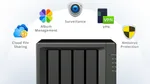
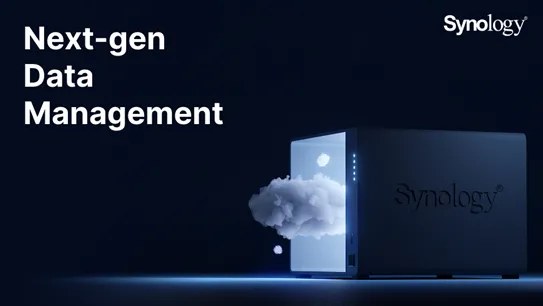
Synology has announced release of its DiskStation Manager 7.0 (DSM 7.0) and expansion of C2 platform with new services called C2 Password, C2 Transfer, and C2 Backup. Synology’s DSM 7.0 is an operating system for NAS brings several upgrades including visual overhaul, new Active Insight, a large-scale device monitoring and diagnostics solution, Hybrid Share, and more advanced features. The new DSM OS has received major improvements in the form of Secure SignIn with a new two-factor authentication system for enhanced security.

Synology DSM 7.0 availability

Synology will start the global rollout process from June 29 onwards. For early birds, the company has released DSM 7.0 Release Candidate (RC) version for testing. If you don’t want to wait for the official release date, you can install the update on your NAS and to check out new features and improvements over DSM 6.0.

DSM Online Demo

 How to install Synology DSM 7.0?

If you wish to try out DSM 7.0 RC version before the final release on June 29 follow the following step.

  • Visit Synology Download Center to download Image file.
  • Select your NAS model using the drop-down menus.
  • Change the OS Version from “DSM 6.0” to “DSM 7.0.”
  • Click on Download.
  • Enter your NAS login credentials.
  • Go to Control Panel > Update & Restore > Manual DSM Update.
  • Click Browse and select the downloaded DSM 7.0 update file.
  • Click OK to update DSM.

The NAS automatically complete the installation process and will reboot.

Note: Kindly refrain from installing the DSM 7.0 RC on your primary NAS.

Smartprix StaffSmartprix Staff
The SM Staff team consists of tech-savvy writers and editors adept at simplifying complex tech into easily understandable information.


Related Articles

ImageQualcomm’s Next Flagship Chip Gets AI-Powered Upscaling To Rival Nvidia’s DLSS

As Qualcomm prepares for its Snapdragon Summit later this month, it has begun announcing key technologies ahead of it. The latest reveal is about something new that improves the overall graphics performance on its chipsets, particularly for handling AI workloads.  Also Read: Apple’s First Foldable iPhone Could Bring MagSafe to a 4.5mm-Thick Body What’s Actually …

ImageHere’s the complete list of Synology NAS that are eligible for the DSM 7.0 update

It’s been a while since Synology rolled out its DiskStation Manager 7.0 (DSM 7.0) OS update. The new release arrives with dozens of interesting features including an attractive user interface, improved storage technology, performance enhancements, diagnostic solutions, among various other things.Synology is spinning the DSM 7.0 updates to its NAS portfolio launched in the …

ImageSynology DiskStation DS920+ Review: A Feature-rich NAS For Every Need!

The Synology DiskStation DS920+ is one of the most popular mainstream NAS available in India. The successor to DS918+ was long overdue and Synology has certainly done justice by delivering much-needed internal upgrades. The new and powerful NAS asserts itself as a smart, scalable, and local alternative to several cloud services. Before we dive into …

ImageSamsung Galaxy Watch 9 Review: The Little Watch That Does a Lot Right

Samsung has launched the Galaxy Watch 9 as its latest standard Wear OS smartwatch, with a familiar design, a new Snapdragon Wear Elite processor, and several additions to Samsung Health. It starts at ₹37,999 in India for the 40mm Bluetooth model, with a 44mm version and LTE variants also available. The Watch 9 runs Wear …

ImageSonos 27 Update Brings ChatGPT and Custom AI To Your Speakers

Sonos wants to put its 2024 software problems behind it. With Sonos 27, the company is shifting from a closed system to an open platform. Sonos is also rolling out two new flagship products: the Beam Ultra soundbar and Ace Ultra headphones. The Sonos Play portable speaker will launch in India on September 8th. An …

Discuss

Be the first to leave a comment.