Quick Verdict
The Galaxy Z Flip 8 is the most polished Flip yet, earning that reputation through refinement rather than reinvention. The improved hinge, a genuinely less visible crease, and a cover screen that now runs real apps make this the first Flip that feels like a complete phone, not a compact novelty.
Day-to-day performance is smooth, software support stretches an impressive seven years, and the FlexCam selfie setup on the cover display is genuinely one of my favorite things about using this phone. However, the battery hasn’t grown since last year, charging speeds still lag behind the rest of the flagship market, and the IP rating still lags well behind Samsung’s own book-style foldable.
Buy it if:
- You want the most pocketable flagship phone available
- The cover screen running full apps genuinely excites you
- You plan to keep this phone for several years
- Selfies and quick photos matter more than ultrawide versatility
Skip it if:
- All-day battery life without a midday top-up matters to you
- Fast charging is a non-negotiable for your routine
- You need a rugged IP rating for peace of mind
- Sustained gaming performance is a priority
The Galaxy Z Flip lineup has always been Samsung’s answer to a simple question: what if a flagship phone could disappear into your pocket? More than the raw specifications, it’s the actual flip-phone experience that counts. With the Galaxy Z Flip 8, that pitch gets even more convincing. For starters, the hinge feels more refined, the crease is genuinely less intrusive, and the cover screen finally behaves like a real second display instead of a glorified widget panel.
Under the hood, though, the India-spec Flip 8 runs on Samsung’s in-house Exynos 2600 rather than the Snapdragon chip global buyers get. I’ve spent my review period folding, unfolding, gaming, shooting selfies from the cover screen, and running this phone through benchmarks, and here’s whether the compact form factor is worth the trade-offs this year.

HOW I TESTED
| Reviewed By: Shikhar Mehrotra (Consumer Tech, Auto, and AI Expert with 6+ years of experience) Test Unit: Samsung provided the review unit of the Galaxy Z Flip 8, with no involvement in the editorial process. Duration and Environment: I used the device over a relatively short but intensive review period, alongside a Galaxy S26 and a Galaxy Z Flip 6 for direct comparison. The unit tested was the Pink variant with 12GB RAM and 256GB storage. Tests: Daily usage including calls, social media, cover-screen app usage, split-screen multitasking, camera testing across lighting conditions, and gaming performance in BGMI. I also ran synthetic benchmarks (AnTuTu, Geekbench 6, Geekbench 7, 3DMark Wildlife Extreme and Stress Test) and conducted battery drain tests under both moderate and heavy usage. Competitors: Motorola Razr 60 Ultra (by form factor) |
Samsung Galaxy Z Flip 8: Price & Availability
The Samsung Galaxy Z Flip 8 is available in India in two storage configurations.
The phone is available via Samsung.com, Samsung Experience Stores, and major retail and e-commerce partners across India. Color options include Pink, Graphite, Cream, and Mint, with Mint available as an online exclusive.
Pros
- Genuinely disappears into a pocket when folded
- Hinge feels sturdy through the entire range of motion
- Crease noticeably less visible than older Flips
- Cover screen now runs real apps, not widgets
- Selfies from the cover display are genuinely excellent
- Software feels fast and stutter-free day to day
- Seven years of updates means this phone lasts
- AI features are genuinely useful, not gimmicky
- Folding snap is oddly satisfying every single time
Cons
- Battery life hasn’t improved much
- Charging takes noticeably longer than rivals
- Splashes are fine, but don’t trust it near a pool
- Gaming performance drops off in longer sessions
- Cover screen keyboard still needs refinement
Galaxy Z Flip 8 Review: Tech Specs
| Specification | Details |
| Cover Display | 4.1-inch Super AMOLED, 342 ppi, up to 120Hz refresh rate, 3,000 nits peak brightness, Corning Gorilla Glass Victus 2, FlexWindow UI with full app support |
| Inner Display | 6.9-inch Dynamic AMOLED 2X, 1–120Hz LTPO refresh rate, 3,000 nits peak brightness, tall aspect ratio, visible crease |
| Processor (India Variant) | Samsung Exynos 2600 (2nm) • CPU: 10-core (1x 3.80GHz prime + 3x 3.25GHz performance + 6x 2.75GHz efficiency) • GPU: Xclipse 960 (985MHz, hardware ray tracing, AI upscaling) • Dedicated NPU |
| RAM & Storage | 12GB LPDDR5X RAM, 256GB / 512GB UFS 4.X storage |
| Main Camera | 50MP, f/1.8, 1/1.57-inch sensor, Optical Image Stabilization (OIS) |
| Ultrawide Camera | 12MP, f/2.2, 123° field of view (no autofocus) |
| Front Camera | 10MP, f/2.2 (no autofocus) |
| Video Recording | Up to 4K@60fps; features Horizontal Lock, Auto Framing, My FanCam |
| Battery & Charging | 4,300mAh cell, 25W wired charging, 15W wireless charging (no native Qi2 magnetic charging) |
| Build & Durability | Textured aluminum frame, Corning Gorilla Glass Victus 2 (front cover & back panel), improved hinge mechanism, IP48 rating |
| Biometrics | Side-mounted fingerprint sensor (integrated into power button) |
| Software | One UI 9 based on Android 17, 7 years of major OS and security updates |
| Dimensions & Weight | 8 grams lighter than Z Flip 7; 0.4mm thinner unfolded, 0.6mm thinner folded |
| Colors | Pink, Graphite, Cream, Mint (Online Exclusive) |
| Price (India) | • 12GB + 256GB: ₹1,19,999 • 12GB + 512GB: ₹1,34,999 |
Galaxy Z Flip 8 Review: Design & Build
Despite being a clamshell foldable with a moving part, nothing about the Flip 8 feels flimsy, and that’s a huge compliment to its build quality.

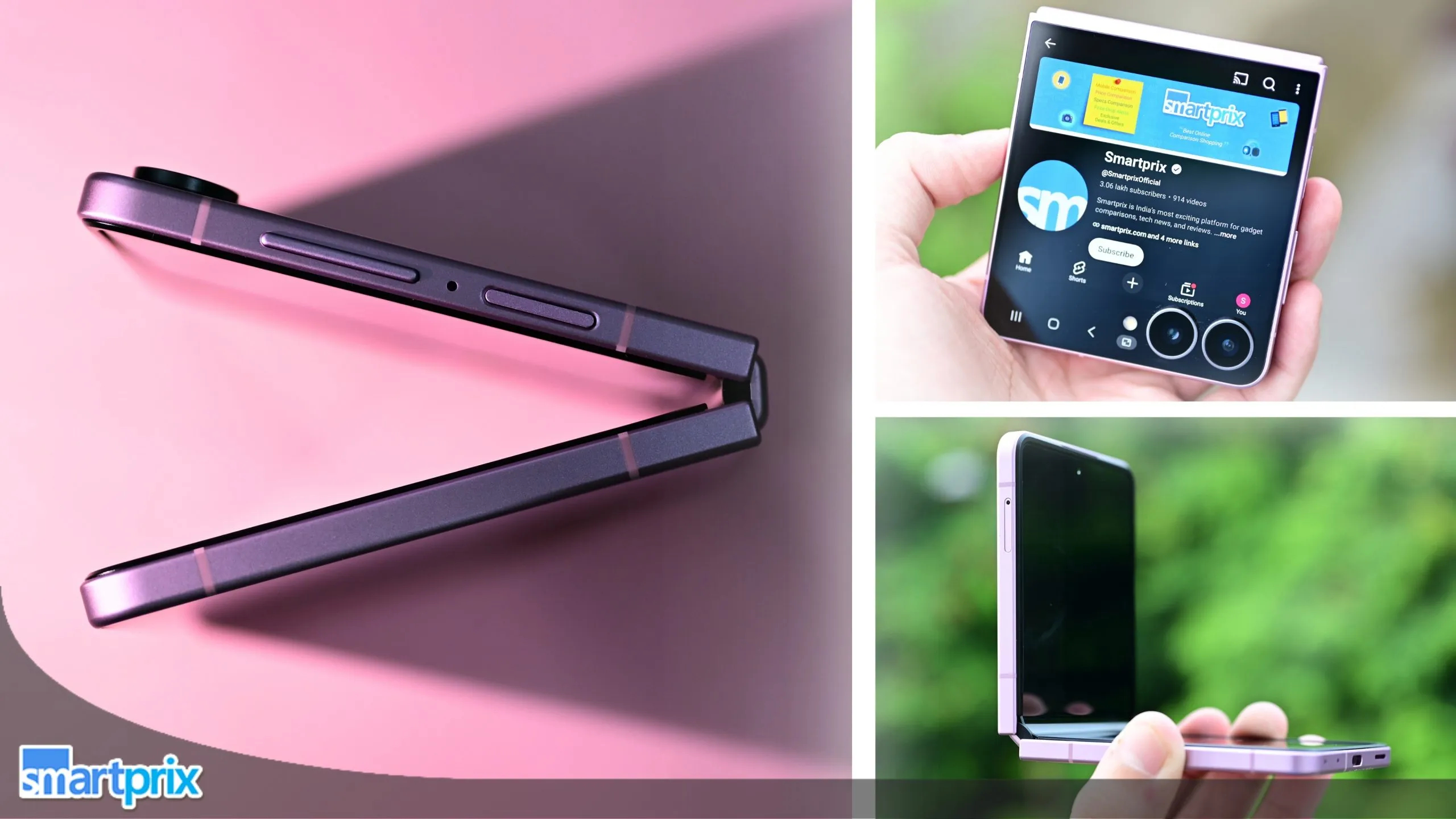
Even though the flip phone doesn’t get the new Flex Titanium hinge technology, it features an improved mechanism that facilitates fluid movement throughout its entire range of motion.
The hinge also holds the display more firmly at different angles, especially in FlexCam modes. There’s a slight amount of flex at every angle you set the phone to, but that doesn’t change the fact that the Flip 8 holds its folding angles quite well.

On the surface, the improved hinge contributes toward a thinner profile (0.4mm when unfolded and 0.6mm when folded) and lighter overall weight (eight grams lighter than the Flip 7).
To be completely honest, the crease is still there. It’s visible from certain angles. You can even feel the subtle groove when you swipe your finger past the middle of the screen, and it might get even deeper with regular usage. However, Samsung has done an excellent job of improving its visibility. I got the chance to use the Flip 8 beside a new Flip 6 for a few minutes, and the difference is significant.

So, Samsung has actually spent some time and effort improving the core component of the flip phone that improves the overall experience.
Folding and unfolding the phone feels smooth, without any roughness or resistance. In fact, the satisfying snap at the end when you’re folding the phone is something I got addicted to; it’s too satisfying.
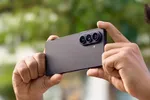
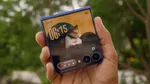
When folded, the Flip 8 is the most compact flagship smartphone you can buy.

It essentially halves its form factor and disappears into pockets with ease. When you want a full-sized screen, you can unfold the handset and get things done. It’s this versatility that I’d get the Flip 8 for, not peak performance, not the cameras, but the simplicity of folding the phone and sitting confidently with it.
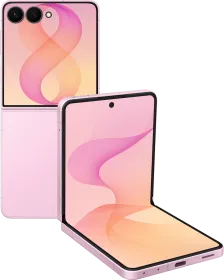
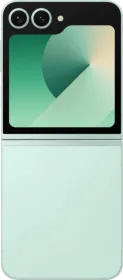
Design-wise, Samsung retains the distinct visual cues that define the Flip lineup (and worked for the Flip 7). To kick things off, you get the same FlexWindow cover display that runs from one edge to another, encapsulating the circular camera housings.

It also features Corning Gorilla Glass Victus 2 to protect against daily scratches and scuffs. In fact, it has thinner bezels than the main display.
The frame is textured aluminum, which adds a subtle grip while also feeling premium to touch, and features newly chamfered (slightly tapered) edges. However, I’d still recommend getting a case with the $1.2 lakh smartphone.

When folded, the top frame houses an aluminum hinge cover with the brand’s name etched on it. The right rail houses the power button (which doubles as the fingerprint sensor), along with the volume rockers (which smartly change orientation based on whether you’re using the cover screen or the inner screen).
At the bottom are the microphones, the USB-C port, and the speaker vent, while the left upper rail houses the SIM tray. The back panel, like the cover screen, also features Corning Gorilla Glass Victus 2, but in a textured matte version that doesn’t pick up fingerprints and smudges as easily.

The IP rating on the Flip 8 is an area where Samsung could still improve. The Flip 8, like the rest of the Fold 8 series, has an IP48 dust and water resistance rating. In other words, the phone resists only dust particles larger than 1mm in diameter (not smaller ones), with immersion resistance up to 1.5 meters for 30 minutes. Google’s book-style foldable has shipped with an IP68 rating for two years now.
Anyway, the Flip 8 is available in four finishes: Pink (the one I received for this review), Graphite, Cream, and Mint (the online exclusive color). After reviewing a lot of boring gray and white phones, I really like the vibrant Pink finish, the contrast between the frame and back panel, and how the default theme complements it.

Overall, the Galaxy Z Flip 8 feels refined, sturdy, and more polished than its predecessors. The improved hinge, thinner design, and less noticeable crease make everyday use more enjoyable. Its compact folded form remains its biggest strength, making it easy to carry and use. Aside from the lack of a stronger IP rating, the Flip 8 gets the fundamentals of a foldable right.
Galaxy Z Flip 8 Review: Displays
Cover Screen
If you’re getting the Galaxy Z Flip 8, you’re getting it for its cover display, and Samsung knows it. The overall screen size remains the same as the Flip 7: 4.1 inches.

However, the company has improved the peak brightness (from 2,600 nits to 3,000 nits). As a result, the Flip 8 maintains excellent visibility, especially in direct sunlight.
While the automatic brightness algorithm is too aggressive for my eyes, I usually keep the brightness slider between 10% and 15% when indoors, and even 40 to 50% suffices outdoors, unless the sun is right over my head.

It’s a Samsung Super AMOLED panel that produces punchy colors, has an excellent contrast ratio, and supports up to 120Hz of refresh rate.
Before I move on to the best part, here’s some deliberate nitpicking. The cover display has a 342 ppi pixel density, which is much lower than the inner screen (~400 ppi), and it doesn’t feature an LTPO panel. In fact, the Motorola Razr 60 Ultra, released in April 2025, features a much sharper (417 ppi) cover screen.

It also sports an LTPO panel, which is much more battery efficient and smoother. Will regular users notice this? Probably not. Did I find it concerning? Yes, a bit.
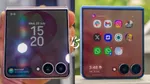
The best part about the cover display on the Flip phone is that Samsung finally treats it like a smaller smartphone screen rather than a bigger smartwatch display. While the cover screen has been limited to a widget-based UI in the past, the FlexWindow cover screen moves away from that and starts behaving like an actual extension of the inner screen.

It supports standard wallpaper, widgets, and customization options, plus full-fledged UI navigation gestures, and lets you access the quick settings and notifications section.
By default, the app drawer contains Samsung’s first-party apps, but if you swipe up and reach the bottom of the drawer, you’ll come across a button that reads “Add apps. Tap the button, and One UI will automatically route you to the Galaxy Store to download the MultiStar app.

Once installed, the app lets you add nearly every app installed on your phone that is available on the main screen to the cover screen, including video games, Google Maps, Gemini, Photos, Instagram, and WhatsApp.
However, that’s not all. You can also choose between three aspect ratios for an app running on the exterior display.

First is the full-screen experience, wherein the app covers the entire cover display (including the area around the camera sensors). Second is a square-shaped window that leaves some screen real estate at the bottom (about the height of the camera sensor) and displays the app in the rest.
The third is a 16:9 or portrait mode, which letterboxes an app to mimic a standard phone’s ratio.

While I appreciate the idea, some execution bits could use more work. For instance, no matter what layout you select, the keyboard appears from the bottom of the screen and covers a little less than three-fourths of the display, hiding essential on-screen details (even in portrait or square modes).
Second, the UI doesn’t remember your preference and resets the aspect ratio every time you return to the home screen or switch apps. So, while quick-action apps excel here, data-heavy apps still struggle with scaling.

Overall, the Flip 8’s cover display is a major step forward in functionality and usability. Its brighter, smoother panel is excellent outdoors, while the full app support makes it genuinely useful. However, scaling issues and the oversized keyboard keep some apps from feeling fully optimized.
Inner Display
The main display on the Flip 8 features a 6.9-inch Samsung Dynamic AMOLED 2X panel that supports 3,000 nits of peak brightness (up from 2,600 nits on the Flip 7) and a true 1-120Hz refresh rate (thanks to LTPO technology).

It’s a Samsung display, so the colors are quite vibrant yet soothing on the eye. It is even sharper than the outer display, and the difference might be apparent to those with a keen eye.
Now, there are three key things to talk about here, all of which aren’t exactly pros of this display, but rather the basic nature or characteristic. First, the inner display retains the notoriously tall, narrow aspect ratio, which is suitable for social media scrolling but makes typing on a cramped keyboard challenging.

Further, watching regular 16:9 content leaves gigantic horizontal bars on the left and the right.
Second, to protect the softer foldable display, Samsung has intentionally left thicker and raised bezels. It doesn’t bother me much, but it’s just there. Third, and perhaps the most important thing: crease.

The Inner display has a crease, which doesn’t obstruct what you’re viewing 80% of the time. For the remaining 20%, a light source directly above or behind you can highlight the internal groove through imperfect reflection.
If it’s not as good as a regular flagship, the inner screen is right next to it, I’d say. Finally, the display’s rich, inky blacks and punchy HDR colors are perfectly complemented by a stereo speaker setup. The speakers deliver a remarkably balanced 50:50 audio split with surprisingly full, loud sound.

Galaxy Z Flip 8 Review: Performance
Unlike the global variant that runs on the Snapdragon 8 Elite Gen 5 for Galaxy SoC, the one on sale in India runs on the Exynos 2600 (2nm) chipset. For those catching up, it’s Samsung’s latest in-house chip. I also tested it on the baseline Galaxy S26 earlier this year, which gives me plenty of reference points.

CPU + GPU + NPU
The Exynos 2600 features a 10-core CPU with a 3.80GHz prime core, three 3.25GHz performance cores, and six 2.75GHz efficient cores. It also sports the Xclipse 960 GPU, based on AMD’s RDNA 4-derived technology. With a peak clock speed of 985MHz, the GPU supports hardware ray tracing and AI upscaling. Finally, the device includes an NPU for on-device generative AI features.
Samsung has paired the chipset with 12GB of LPDDR5X RAM and up to 512GB of UFS 4.X storage (among the fastest available on smartphones in 2026), retaining the flagship standards the phone should have, given the price it demands.

I am relieved the company didn’t cut corners on the RAM, given how bad the global memory crisis is right now. The last few gigabytes really help the phone maintain healthy headroom for opening more apps or running the ones already active more efficiently.
Day-To-Day Performance
That said, day-to-day performance is quite smooth. Whether you’re scrolling through a social media app, drafting emails, or using WhatsApp with one of the earlier apps (in the split-screen view on the inner screen), the phone didn’t struggle. Apps load almost instantly and remain in the background for when you want them. The UI transitions feel smooth, and applying and saving edits does too.

I encountered almost no lag or stuttering during my review period (it was relatively short, though). The cover screen, like the inner screen, handles all supported apps and tasks smoothly. Even the boot times are quite short. Moreover, I didn’t notice anything that degraded my daily experience with the handset.
Synthetic Benchmarks
| Benchmark | Samsung Galaxy Z Flip 8 (Exynos 2600) | Samsung Galaxy S26 (Exynos 2600) | Samsung Galaxy Z Flip 7 (Exynos 2500) |
| AnTuTu v11.1.0 Score | 2,341,950 | Average over 3 tests: 2,667,878Highest: 2,985,906 | AnTuTu V10: 1,943,890 |
| Storage (Score, Sequential Read Speed, Write Speed) | Score: 142,916; Sequential Read: 3877.6 MB/s; Sequential Write: 3,303.4 MB/s | Score: 158,355; Sequential Read: 4158.0 MB/s; Sequential Write: 3053.1 MB/s | Score: 192,206 (on an older version); Sequential Read: 3258.7 MB/s; Sequential Write: 2002.3 MB/s |
| Geekbench 6 CPU (Single-Core, Multi-Core) | Single-core: 2,878; Multi-core: 10,138 | Average single-core: 3,061; multi-core: 10,064.8Highest | Single-Core: 2,350; multi-core: 7,828 |
| Geekbench 6 GPU (OpenCL, Vulkan) | OpenCL: 24,659; Vulkan: 27,034 | OpenCL: 25,104; Vulkan: 27,627 | OpenCL: 18,386; Vulkan: 19,614 |
| Geekbench 7 CPU | Single-core: 2,630; Multi-core: 7,554 | – | – |
| 3DMark Wildlife Extreme (Score, Avg FPS) | Score: 5,614; Avg FPS: 33.68 | Score: 6,526; Avg FPS: 39.08 | – |
| 3DMark Wildlife Extreme Stress Test (Best Loop, Lowest Loop, Stability) | Best Loop: 6,397; Lowest Loop: 2,608; Stability: 40.8% | Best Loop: 5,335; Lowest Loop: 3,604; Stability: 67.6% | Best Loop: 4,542; Lowest Loop: 2,104; Stability: 46.3% |
If you haven’t already noticed, there’s a trend in the synthetic benchmark scores mentioned above. The Flip 8, with a smaller, more compact chassis (where the hinge also takes up space), consistently trails the Galaxy S26, even though they run on the same chipset. Because of the form factor difference, the S26 dissipates heat better (evenly across the back plate) than the Flip 8 (concentrated in the top half of the phone).

This is why the Galaxy S26 has a stability of 67.4% compared with the Flip 8’s 40.8% in the 3DMark Wildlife Extreme Stress Test. In simpler terms, the Flip 8 does quite well at the start of a heavy task or in short bursts. But under sustained workloads, the form factor’s thermal limits keep it from maintaining performance. When compared with the Flip 7, though, you’ll see a clear improvement across the board.
Gaming Performance
In the limited time I had with the Flip 8, I could only play Battlegrounds Mobile India (BGMI), and the performance was acceptable but not exceptional. What’s good is that the game supports up to 120 fps (Ultra Extreme) in the Super Smooth (lowest) and Smooth (second-lowest) graphics settings. Also, only with HDR settings can you set the frame rate to 90 fps (or Extreme+). The top-most Ultra HDR setting is only available with 40 fps (Ultra).

However, the problem isn’t the availability of a higher frame rate; it’s that the Exynos 2600 chip tends to drop it after the first 10 to 15 minutes of gameplay. For the first few minutes, the device consistently maintains above 115 fps, but when the CPU temperature rises, the frame rate drops further. Again, Samsung isn’t marketing this as a gaming device, and despite that, the numbers are fairly respectable.
Galaxy Z Flip 8 Review: Software
All the new foldables from Samsung, including the Flip 8, Fold 8, and Fold 8 Ultra, were the first devices to ship with an Android 17-based UI build for regular users (not beta testers).

The skin atop Android, One UI 9, is one of the most refined, customizable, and feature-loaded ones you’ll find on a smartphone in 2026. However, it has its own pros and cons, which we’ll discuss in this section.
The first and the most important bit, especially for long-term users, is that the flip phone will get seven years of operating system and security updates. If the CPU actually supports it, you should be able to install the latest Android operating system in 2033. That said, One UI 9 includes several refinements.

For instance, the Quick Settings menu now includes resizable brightness and volume sliders. The notifications section introduces a dynamic, wavy progress bar for managing active background playback.
Taking advantage of the tall 22:9 inner-screen aspect ratio, split-screen lets you use two apps in two halves of the phone (top and bottom).

You also get plenty of cover screen optimizations, something that I’ve already covered in detail. And yes, launching an app on the cover screen and unfolding the phone instantly transfers the app to the main display.
There’s also a quick-access sidebar that includes features like AI Select, Now Brief, Creative Studio, Interpreter, Notes, and Gallery.

However, out of the box, the phone comes with more apps that you’d probably appreciate. There are two apps for viewing your pictures and videos (Samsung Gallery and Google Photos), two for browsing the internet (Samsung Browser and Chrome), and so on. My unit also came with Facebook and Instagram pre-installed.
As a habit, Samsung keeps on adding new features to its already expansive suite of Galaxy AI features. On the Flip 8, you get Now Nudge (along with Now Brief), a feature that detects date, time, and location references and provides context-aware suggestions.

Then there’s the My FanCam feature for videos, which locks onto a single subject in a multi-person video recording and creates a new video from it.
You can also enable/disable Auto Framing, which determines the subject’s position and automatically adjusts zoom levels to keep the subject in frame. The feature works well most of the time. Once you’re done recording videos, you can also use the built-in audio eraser to isolate dialogue and phase out the wind or background noise.

You can even access Gemini Advanced Workspace abilities from the cover screen, which helped me get a summary of the last few emails every morning.
Along with other features like native AirDrop integration (which works 8 out of 10 times), the new Creative Studio app that debuted earlier this year, the Audio Eraser integration in live playback via YouTube, and the Gemini app pre-installed (powering features like Circle to Search), the Flip 8 is one of the most AI-rich phones in 2026.

Galaxy Z Flip 8 Review: Cameras
The dual rear-facing cameras on the Flip 7: 50MP (f/1.8, 1/1.57”, OIS) primary and 12MP (f/2.2, 123°) ultrawide. To be fair, the primary camera does most of the heavy lifting here.

The 10MP (f/2.2) selfie camera is perhaps the weakest link, both due to lack of higher resolution and autofocus. So any photographic improvements this generation gets come entirely from the upgraded ProVisual Engine and the improved NPU on the chipset.
Primary Camera
In broad daylight, the main camera delivers the characteristic Samsung punch with high contrast, slightly saturated greens and blues, and remarkably natural skin tones. In fact, the camera also does an excellent job preserving textures and grain on a surface instead of flattening everything out.

Portraits come out decent as well, with natural and pleasing background separation, especially at 2x. It tends to struggle a bit in low-light conditions. While the processing adds a lot of vibrance and exposure, the focus isn’t as sharp as in daylight. There’s noticeable noise in pictures as well.


My favorite bit with this camera setup was capturing selfies with the 50MP camera. I mostly opened the camera on the cover screen and played around with the available settings, including portrait mode, 0.5x mode, and video, which resulted in some of the best pictures I’ve taken on this smartphone.

Ultrawide Camera
The 12MP ultrawide remains the system’s weak link. While it handles architectural and landscape daylight shots cleanly, dynamic range is noticeably narrower than the main sensor. At night, details drop off a cliff, and colors appear to be washed out. The continued lack of autofocus on the ultrawide is something that Samsung should improve with the next-generation Flip.


Selfie Camera
The selfie camera is quite average in my opinion. The pictures it captures have noticeably less detail, lack the natural highlights, and appear to be lagging behind in processing as well, as the colors produced aren’t the same as the primary camera.


Video Performance
Regarding video, the device goes up to 4K at 60 fps on the primary camera. A notable software addition this year is Horizontal Lock, which keeps footage perfectly level during camcorder-style, one-handed shooting using the hinge. Even without it, features like auto framing and My FanCam add flair to an otherwise standard camera system.

Galaxy Z Flip 8 Review: Battery Life & Charging
Like its cameras, the Flip 8 also borrows its 4,300 mAh battery from the Flip 7.

In my experience, the battery returned around 5-6 hours of screen-on time with moderate to heavy usage, touching the lower limit when running benchmarks, capturing pictures, and playing games. However, for average day-to-day usage, it should return around 6-7 hours.
Light usage extracts around 7+ hours of screen-on time with light usage.

While that isn’t the best battery life on a smartphone that commands such a premium price, you’re basically compromising around 2-3 hours of screen-on time for the portable, pocketable, and foldable form factor.
One UI 9 also offers plenty of battery settings, including dedicated Power Saving mode, the option to limit background app usage, a battery protection mode that prevents the battery from being at 100% for longer, and a toggle to enable fast charging.

The charging situation remains the Flip 8’s most glaring flaw. The 25W wired and 15W wireless limits are objectively slow by modern flagship standards. A full 0-100% charge takes roughly 1 hour and 40 minutes. Furthermore, native Qi2 magnetic charging is absent; achieving magnetic alignment still requires a specialized third-party case.
Review Verdict: Should You Buy the Samsung Galaxy Flip 8?

Smartprix ⭐ Rating: 8.0/10
The Galaxy Z Flip 8 is the most complete Flip phone Samsung has built. The hinge feels genuinely more refined, the crease has taken a real step back in visibility, and the FlexWindow cover screen has finally graduated from a widget panel into something that runs actual apps. I found myself using the cover display constantly, whether for quick replies, checking Maps, or shooting selfies with the main camera, and that alone makes this generation feel meaningfully different from the Flip 7.
But some familiar compromises are still here. The battery remains the same, and charging remains stuck at speeds that feel dated next to the rest of the 2026 flagship market. The IP48 rating is a genuine miss when Samsung’s own book-style foldable has carried IP68 for two years running, and sustained gaming performance drops off faster than the compact chassis can dissipate heat.
If the appeal of a phone that folds in half and disappears into your pocket outweighs a battery that needs a midday top-up, the Flip 8 is the best version of that experience Samsung has made. The cover screen experience will genuinely satisfy the enthusiast in you. It will work well as a primary phone, as long as you use it carefully. However, it’s not for heavy users, gamers, or people who’re prone to dropping their phones.
Last reviewed in August 2026.