Quick Verdict
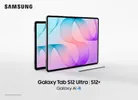
The Galaxy Tab S12+ is the closest Android has come to a laptop in slate form. Fit its magnetic keyboard, switch DeX on, and the whole contraption lets you write, research, and juggle windows without feeling short-changed. A glossy, reflective screen and middling stamina keep it shy of perfect, and the bill demands commitment.
Buy it if:
- You want a gorgeous AMOLED screen for consuming or creating content.
- You want a stylus for taking notes or signing documents.
- You want to buy a tablet with a first-party keyboard accessory that works excellently.
Skip it if:
- You mostly work under bright lights with no shade.
- You want the longest battery life money can buy.
- You’re looking for something in a budget.
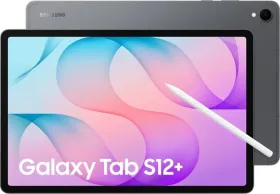
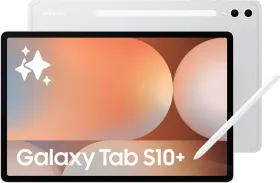
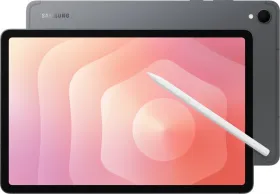
Premium tablets in India have a short guest list this October, and most of them wear a half-cut fruit logo. Samsung strolls in with the Galaxy Tab S12+, a 12.6-inch slab that chases the dream netbooks promised us back in the day: a proper laptop stand-in without the heft.
It brings an AMOLED screen, a pen in the box, DeX windowing, and an optional Pro Keyboard that snaps on with real conviction. It also brings a starting price of ₹1,29,999, which will make your wallet clear its throat. I spent almost a month with the 5G model to see whether this gizmo earns its seat at that table.

HOW I TESTED
| Reviewed By: Shikhar Mehrotra (Consumer Tech, Auto, and AI Expert with 6+ years of experience, 100+ reviews) Test Unit: Samsung provided the review unit of the Galaxy Tab S12+ (5G, 12GB + 256GB, Gray) along with the Pro Keyboard, with no involvement in the editorial process. Duration and Environment: I used the tablet for almost a month across home, cafes, parks, movie theaters, and everyday commuting in Northern India, on a 5G SIM and on Wi-Fi alone. I used it in landscape for roughly 95% of that time. Tests: Daily usage including writing, research, email, and messaging in Samsung DeX with the Pro Keyboard, and note-taking in Samsung Notes with the S Pen. I streamed HDR content on Netflix and YouTube, checked display visibility indoors and outdoors, played BGMI sessions on Erangel, and ran synthetic benchmarks (AnTuTu v12, Geekbench 7 CPU and GPU, a storage test, and the 3DMark Wild Life Extreme Stress Test). I Competitors: Apple iPad Air (13-inch, M4) |
Samsung Galaxy Tab S12+ Price & Availability
The Samsung Galaxy Tab S12+ is available in India in four configurations, all with 12GB of RAM:
- Wi-Fi, 256GB storage: ₹1,29,999
- Wi-Fi, 512GB storage: ₹1,49,999
- 5G, 256GB storage: ₹1,44,999
- 5G, 512GB storage: ₹1,64,999
Color options include Gray and Silver. The S Pen comes in the box, but the Pro Keyboard is sold separately at ₹24,999 (MRP ₹28,499).
Pros
- Slim aluminum body that feels properly premium
- Survives splashes and dust on cafe tables
- S Pen included, with no charging or pairing
- Keyboard snaps on and works like a laptop
- Weighs little even with the keyboard attached
- Screen stays vivid at low brightness
- Speakers fill a room without extra help
- Stays responsive with several apps open
- DeX windows make real multitasking possible
Cons
- Awkward to hold one-handed for long
- Pro Keyboard adds roughly ₹25,000 to the bill
- Reflections show up in almost every room
- Battery life trails the iPad Air
- Charger is missing from the box
Samsung Galaxy Tab S12+: Tech Specifications
| Specification | Samsung Galaxy Tab S12+ |
| Display | 12.6-inch Dynamic AMOLED 2X, 2800 x 1752 pixels (WQXGA+), 16:10, about 262ppi |
| Refresh Rate | 120Hz |
| Brightness | 1,600 nits (peak), 1,000 nits (high brightness mode), Seamless Vision Booster |
| Processor | MediaTek Dimensity 9500 (3nm); octa-core: 1 x 4.21GHz C1-Ultra, 3 x 3.5GHz C1-Premium, 4 x 2.7GHz C1-Pro |
| GPU | Arm Mali-G1 Ultra MC12 |
| RAM and Storage | 12GB LPDDR5X; 256GB or 512GB |
| Expandable Storage | microSD card slot, up to 2TB |
| Cooling | 3D vapor chamber |
| Operating System | Android 17 with One UI 9; up to 7 OS upgrades; security updates until September 30, 2033 |
| Rear Camera | 13MP, autofocus, LED flash (no ultrawide) |
| Front Camera | 12MP ultrawide |
| Video | 4K at 60fps |
| Battery | 10,600mAh (typical) |
| Charging | Super Fast Charging 2.0 over USB PD (20W to 45W); about 95 minutes to full with a 45W adapter (sold separately) |
| Audio | Four speakers with 4-channel spatial audio |
| S Pen | Included; hexagonal body, IP68, no Bluetooth, up to 4,096 pressure levels, attaches magnetically to the top edge |
| Biometrics | In-display fingerprint scanner |
| Connectivity | Wi-Fi 6E, Bluetooth 6.0, USB 3.2 Gen 1 (USB-C), 5G with Nano-SIM and eSIM (5G model), no NFC |
| Durability | IP68 (up to 1.5m of fresh water for 30 minutes) and dust-tight |
| Pro Keyboard (sold separately) | Aluminum body, metal hinge, POGO pin connection, 65° to 120° stand, large trackpad (8,968 mm²), 610g; no battery or pairing needed |
| Dimensions and Weight | 187.8 x 289.5 x 5.3mm; 553g (Wi-Fi), 555g (5G); about 1.165kg with the Pro Keyboard (5G) |
| Build | Aluminum |
| Colors (India) | Gray, Silver |
| In the Box | Tablet, S Pen, USB-C cable, ejection pin, quick start guide (no charger) |
| Price (India) | Wi-Fi: ₹1,29,999 (256GB), ₹1,49,999 (512GB); 5G: ₹1,44,999 (256GB), ₹1,64,999 (512GB) |
| Availability (India) | On sale from October 7, 2026 |
Samsung Tab S12+ Review: Design & Build
About fifteen years ago, Samsung launched the first Galaxy Note, complete with a stylus and a screen so big it practically coined the word “phablet.” I kept thinking about that while living with the Galaxy Tab S12+ for almost a month.

Samsung’s old gamble on big screens and styluses has quietly paid off. Now, that idea fits in a backpack and takes up about as much space as a compact laptop.
For this review, I received the Tab S12+ (5G, 12GB + 256GB) in Gray. It traveled with me from home to cafes, parks, movie theaters, and pretty much everywhere my day took me. Let’s start with the chassis. Its all-aluminum frame gives it a cool, premium feel and immediately sets it apart from the usual mid-range tablet experience.

At 5.3mm thick and 555g, the 5G model is among the slimmer and lighter 12.6-inch tablets around. Despite its thin profile, the build feels reassuringly sturdy.
Like its predecessor, the Tab S12+ also carries an IP68 rating, a clear advantage over the iPad Air. That means it can handle dust and the occasional clumsy splash on a cafe table, or even an accidental dunk in a shallow bucket or kitchen sink. I’d still keep it away from beaches and pools.

While I have no complaints about how slim the Tab S12+ is, its 12.6-inch display does make it a little difficult to hold with one hand, especially when reading or watching videos. You’ll often reach for a case or stand to prop it up. Holding it one-handed for anything longer than a few minutes can get tiring.
One thing I particularly like is that the front camera sits along the tablet’s longer edge. Since I used the Tab S12+ in landscape orientation for about 95% of my time with it, the camera was pretty much where I needed it for video calls.

In landscape mode, the fingerprint scanner on the right edge is well placed and easy to reach, provided you’re right-handed. It isn’t the fastest under-display scanner I’ve used, but it gets the job done reliably.
The USB-C port and two speaker grilles are also on the right, while the volume rocker and power button sit along the top edge. The left edge houses a secondary microphone and two more speaker grilles.

At the bottom, you’ll find two slots for attaching the keyboard case, along with three pogo-pin connectors.
S Pen
Now, you might be wondering, where does the S Pen go? It attaches to the top-right edge of the tablet when you’re facing the screen, sitting right above the SIM tray on the 5G model. As always, the S Pen has a hexagonal body and comes with its own IP68 rating, so light rain and accidental splashes shouldn’t be a problem.

The best part? There’s no charging or pairing to worry about. Samsung has dropped Bluetooth connectivity entirely, so you can just pick it up and start scribbling without worrying about battery levels or setup. The trade-off is that you lose some familiar conveniences, including Air Actions and the remote shutter ability.
The stylus does have a button, though, that lets you access a few handy shortcuts. You can use it for rectangle selection on an empty screen or select text while reading. Just press the button and drag the stylus across the area you want.

In supported apps, the button can also switch between a pen and an eraser or bring up a quick menu for selecting input tools.
With pressure sensitivity of up to 4,096 levels, you can press harder to produce darker brush or pencil strokes. Other features, including palm rejection, shape correction by holding your strokes, and writing on screenshots, are useful additions.

Pro Keyboard
Tablets have been trying to take on laptops for a while. In the early days, that meant pairing them with Bluetooth keyboards that simply sat beside the tablet on a flat surface. Eventually, manufacturers started making first-party keyboards and folio cases for their devices.
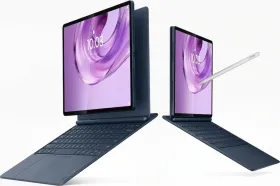
Thankfully, the Tab S12+ gets one too: Samsung’s Pro Keyboard.

It does cost around ₹25,000 extra on top of the tablet, which is no small amount. But after using it, I’d say the overall experience goes a long way toward justifying that price. The way it connects to the tablet, in particular, is refreshingly seamless.
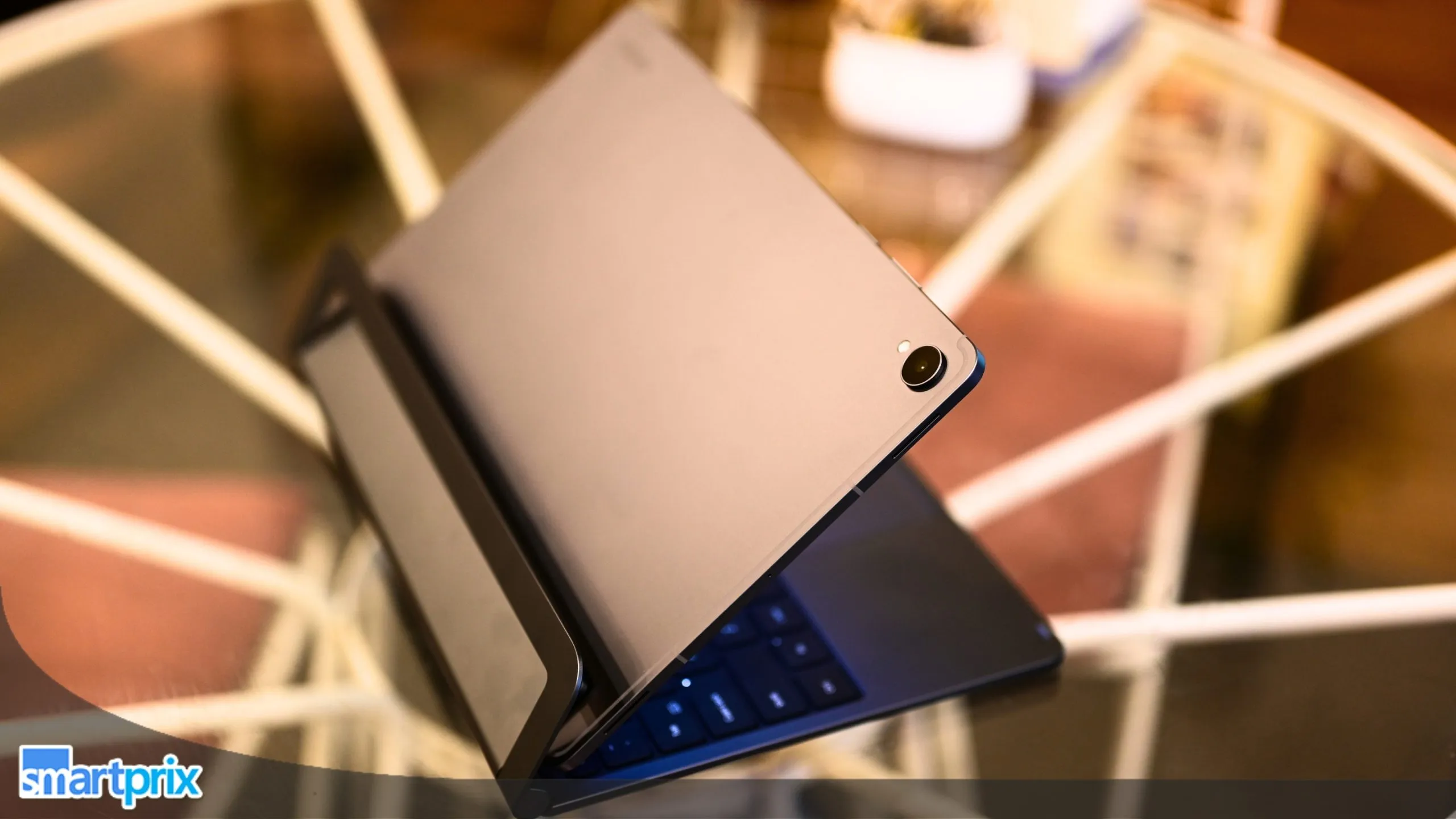
As mentioned earlier, the keyboard attaches to the tablet using strong magnets and three pogo pins positioned toward the bottom center. Simply bring the tablet close to the keyboard’s connectors, and it snaps into place with some seriously impressive magnetic force.

In fact, once attached, you can lift the entire setup by holding the keyboard alone. That might sound like a party trick, but it says a lot about how securely the two fit together. It feels less like a tablet with a keyboard dangling off it and more like a proper laptop.
Samsung has taken the same no-fuss approach it used with the S Pen. The Pro Keyboard has no battery of its own; it draws power and transfers data through the pogo pins. That means no Bluetooth pairing, no charging routine, and no occasional syncing headaches. Just attach it and get to work.

What immediately struck me was how little the keyboard feels like a separate accessory. It shares the tablet’s aluminum finish and comes with a sturdy metallic hinge. The entire setup feels robust and well put together, which matters when you’re likely to open and close it a dozen times a day.
The hinge deserves a special mention, too. It holds the tablet firmly in place and lets you adjust the viewing angle from 65 to 120 degrees, much like a regular laptop.

There is one small catch, though. Unless you extend the hinge fully, the rear support stand sits at an angle, making the tablet lean back a little. At its maximum extension, however, the hinge and stand work together to create a much more stable setup on a flat surface.
The keys themselves use a familiar chiclet-style layout, much like what you’d find on hundreds of laptops. They offer plenty of travel and a soft feel, making longer writing sessions easier on your fingers.

Having used a 13-inch MacBook for years, I didn’t need much time to get used to the slightly smaller layout. My biggest complaint? There’s no backlighting. That means late-night typing requires either a good memory for key placement or a reasonably well-lit room.
The trackpad is responsive enough for everyday use, although its clicks aren’t quite as satisfying as those on higher-end Windows laptops or a MacBook. I also wish its sensitivity were a little higher, especially since I’m used to a Mac and regularly use a mouse.

Still, it gets the job done, even if it doesn’t quite match the experience of a good laptop trackpad.
Put the tablet and keyboard together, and the entire setup weighs around 1.165kg. That puts it firmly in lightweight-laptop territory, making the Tab S12+ and Pro Keyboard combination a fairly convincing laptop alternative.

Samsung Galaxy Tab S12+ Review: Display & Audio
Out of the box, the Tab S12+ comes with a 12.6-inch Dynamic AMOLED 2X display, with a resolution of 2800 × 1752 pixels, a maximum refresh rate of 120Hz, and a claimed peak brightness of 1,600 nits.
Even the bezels are a bit thinner than what we’ve typically seen on tablets over the last three or four years, giving it a more contemporary look.

The 12.6-inch screen is roughly in the same territory as my MacBook Air, and that extra screen real estate gives you plenty of room to multitask.
You can keep YouTube running while opening Gmail and Google Docs side by side in split-screen mode, without either app feeling cramped. It’s a genuinely useful amount of space when you’re switching between watching something, replying to emails, and getting some actual work done.

The AMOLED panel also delivers deep blacks and excellent contrast, which makes pretty much everything you watch look better. Netflix and YouTube are a treat on this screen, especially when you’re watching HDR-mastered content.
Highlights pop and shadows retain plenty of detail. In fact, I’d say this is one of those rare large tablet displays that can hold its own against the gorgeous screens on smaller smartphones.

I spent most of my productivity hours indoors, with brightness set to around 10–20%, and used it at roughly 40–50% when working outdoors, such as at cafes. Given the display’s size, keeping brightness in check also makes sense if you want to preserve battery life.
Thankfully, visibility and contrast remain good even at these lower brightness levels.

The 120Hz refresh rate is another welcome addition. Scrolling through menus, browsing articles, or simply navigating the interface feels buttery smooth, and once you get used to it, going back to a slower display can feel frustrating.
My only real gripe with the display is the absence of anti-reflective or low-reflection coating. As a result, light sources reflect off the screen in almost every environment. Whether I’m sitting on my bed or using the tablet with its keyboard case at a cafe, I often adjust the hinge or change the screen angle to get rid of reflections.

The problem is particularly noticeable indoors, where I usually keep brightness fairly low.
Moving on to audio, Samsung has managed to fit four speakers into its slim chassis and also uses audio processing to turn two-channel content into four-channel sound, helping create a wider soundstage.

In everyday use, these are genuinely some of the best tablet speakers I’ve heard in a device this slim. With Dolby Atmos enabled, the sound is crisp, spacious, and loud enough to fill a small room.
Whether I was listening to music, watching movies, or catching up on web shows, I rarely felt the need to reach for an external speaker.

Samsung Galaxy Tab S12+ Review: Performance
Inside is MediaTek’s Dimensity 9500 (3nm). If the name sounds familiar, that’s because we’ve already seen this chipset in smartphones like the Vivo X300 Pro and Oppo Find X9 last year.
Despite its age, it still packs plenty of punch. You get 1 x 4.21 GHz C1 Ultra prime core, 3 x 3.50 GHz C1-Premium cores, and 4 x 2.70 GHz C1-Pro performance cores. That’s a pretty capable combination, especially for a tablet.

It also includes the Arm Mali-G1 Ultra MC12 GPU for high-frame-rate gaming and the NPU 990 for on-device AI performance. The system-on-a-chip is paired with 12GB of LPDDR5X RAM and either 256GB or 512GB of UFS 4.0 storage.
Day-To-Day Performance
Both memory standards complement the chipset nicely, keeping things snappy and smooth across everyday tasks, multitasking, and demanding workloads. In general, the tablet is responsive and handles multiple apps at once without a single complaint.

Even in tablet mode, I could keep Chrome open next to YouTube, the Play Store, or Settings, or park two Chrome tabs side by side, and nothing choked. Switching between windows felt immediate, with no noticeable stutter or reload delays.
Finally, a 3D vapor chamber helps the tablet stay cool during long sessions. And this isn’t just a spec-sheet addition. In practice, the chamber does a solid job of keeping surface temperatures in check, even when several apps are running at once.
That’s good news if you plan to game, edit, or multitask for extended periods. Storage deserves a short, practical word. Every configuration includes 12GB of RAM, leaving plenty of room for multitasking.
Synthetic Benchmarks
| Benchmark | Tab S12+ (Dimensity 9500) |
| AnTuTu v12 Score | 3,530,468 |
| Storage (Score, Sequential Read Speed, Write Speed) | Score: 84,494; Sequential Read: 3,820 MB/s; Sequential Write: 2,188.7 MB/s |
| Geekbench 7 CPU (Single-Core, Multi-Core) | Single-Core: 2,706; Multi-Core: 9,223 |
| Geekbench 7 GPU (OpenCL, Vulkan) | OpenCL: 15,626; Vulkan: 19,534 |
| 3DMark Wildlife Extreme Stress Test (Best Loop, Lowest Loop, Stability) | Best Loop: 7,208; Lowest Loop: 4,360; Stability: 60.5% |


Gaming Performance
I even installed BGMI on the tablet and enjoyed a couple of Erangel sessions on a big screen. I did face some difficulty controlling the device. However, the maximum graphics settings and frame rate remained Smooth + Extreme+ (90 fps).
In practice, the device averages around 86 to 88 fps, which is quite great. From Balanced onward, the frame rate is limited to Extreme (60 fps) till HDR. The Ultra HDR graphics settings limits the frame rate to 40 fps.


During my three weeks of mixed use, research tabs, note-taking, light photo edits, and the occasional 1080p stream, the Tab S12+ rarely showed any hesitation. For the light productivity work that filled my three weeks, the Tab S12+ stayed responsive, and that is the verdict that matters for most people who will read this.
If you plan to hoard offline downloads, scanned notes, or video projects, that slot makes the cheaper variant easier to live with. Students and travelers who mostly stream and write will rarely miss the extra space.

Samsung Galaxy Tab S12+ Review: Software
Out of its rather slim box, the Galaxy Tab S12+ ships with One UI 9 on top of Google’s Android 17. Like its smartphones, the company also promises seven major OS upgrades with security updates until September 30, 2033. In my experience, One UI 9 gets the basics right.
Split-screen supports up to three apps at once, which Samsung pitches as a lecture, an AI assistant, and a notes app side by side.

Floating windows can sit on top of that arrangement when you need a quick calculator or a chat window. However, if I had to pick the single feature that decides whether you will love this tablet, it would be Samsung DeX.
Samsung DeX
I’m glued to a laptop screen for about 8 to 10 hours a day, writing articles, editing photos, and reading more than I write, and the windowed system on Mac or Windows desktops helps me maximize my productivity. And that’s exactly what the Samsung DeX mode lets me do.

DeX runs on the tablet’s own screen, no monitor required, and it complements the keyboard and the trackpad in a way that makes the combination a near-replacement for a regular laptop workflow.
On the screen, you get a taskbar at the bottom, resizable windows, split-screen, and separate desktops that let you handle multiple workflows at once.

Samsung says you can run up to four workspaces, with up to five apps open in each, so a writing desktop can live apart from a messaging one. My editorial routine of Google Docs, Chrome research tabs, Gmail, and WhatsApp slotted into those windows without a fight.
Most of the time, I opened Chrome and Google Docs side by side.

The keyboard has a dedicated DeX key so that you can enter and exit the mode quickly. Then there are three Favorite Hot Keys (F1 to F3) that launch apps of your choice once you hold them for three seconds to save. A few times, the app I tried to resize crashed, and I had to reopen it.
Overall, it let me get real work done. DeX also stretches onto an external display or TV when you want a bigger canvas.

Galaxy AI And Bundled Apps
Note Assist summarizes and structures your notes inside Samsung Notes. Creative Studio turns S Pen sketches into finished artwork. Now Brief collects personalized content cards, and Now Nudge offers suggestions based on what is on your screen.

On the AI front, Samsung lists Bixby, Gemini, and Perplexity as assistants, and the keyboard’s AI key can switch between them with Alt plus the key. A six-month Google AI Pro trial rounds out the list.
Samsung Galaxy Tab S12+ Review: Cameras
No one uses a tablet’s cameras to capture a monument or a lovely nature portrait, and that’s probably why tablet makers don’t bother equipping them with a portrait sensor or a high-resolution primary sensor.

The Tab S12+ is a similar story, but that works because it’s a tablet.
Samsung has put a 13MP autofocus camera with an LED flash on the back. The TabS10+’s ultrawide camera is gone. However, on the front, you get a 12MP ultrawide camera (similar to the Tab S10+), and both of them are quite basic.


What stands out is that front camera’s ultrawide field of view. You can fit a group into a video conferencing frame or take a group selfie if you feel the urge to do that on a tablet. The edges look a bit off when the view widens. I mean a lack of detail, noise, and slight distortion at the edges.
However, the result is fine for calls, where our faces sit near the center anyway. The rear camera is basically fine for what a tablet camera should do: scanning documents and capturing a whiteboard or blackboard.

That makes it a handy companion for students and for anyone who sits through meetings that end with a photo of a whiteboard. Samsung also lists 4K recording at 60 fps; however, it doesn’t feature optical image stabilization.
Samsung Galaxy Tab S12+ Review: Battery Life & Charging
Given its AMOLED screen and powerful chipset, the Tab S12+ needs a sufficiently large battery to keep everything running. Fortunately, Samsung has managed to fit a generous 10,600mAh cell into its slim chassis.

The company claims up to 21 hours of video playback, although my experience with the work I actually do looks slightly different. So, here’s what I found.
On Wi-Fi, I got roughly 7 to 8 hours of screen-on time with my daily productivity workflow, which included Google Docs, Chrome, Gmail, WhatsApp, YouTube, and occasional gaming.

I mostly used the device to run two apps side by side in Samsung’s DeX Mode. For context, the iPad Air, despite not having an OLED screen, managed around 9 to 10 hours with a similar workflow, based on my brief time with the device. That’s a noticeable difference, but that’s the trade-off of a gorgeous OLED display.
These numbers came with a mix of indoor usage at around 15–20% brightness and outdoor usage at roughly 40–50%. Idle battery drain remained around 5–6% overnight, which I find perfectly acceptable for a tablet of this size.

When I switched to using a SIM card, screen-on time dropped slightly to around 6 to 7 hours. That’s not a massive hit, nor is it something I’d lose sleep over. Naturally, pushing a large AMOLED display harder will bring those numbers down, especially when you’re watching videos or playing games at higher brightness.
So, I wouldn’t hold this against Samsung, but it’s worth keeping in mind if you’re planning to rely on the tablet for an entire day of work or a long train journey without access to a charger.

Charging is rated at up to 45W, which Samsung calls Super Fast Charging 2.0, over USB PD. Paired with a third-party 60W PD and PPS charger, I took the tablet from empty to full in around 90 to 95 minutes. That’s reasonably quick for a battery this large, even if it isn’t particularly groundbreaking.
One thing worth mentioning is that Samsung doesn’t include a charger in the box. You only get the tablet, the S Pen, and a USB-C cable.
Review Verdict: Should You Buy the Samsung Galaxy Tab S12+?
After nearly four weeks, I am convinced Samsung’s old wager on big screens and styluses has matured into something genuinely useful. With the Pro Keyboard and DeX, the Tab S12+ handled my writing, research, and messaging without much fuss, while the AMOLED panel and four speakers made every web show a treat. The S Pen turned Samsung Notes into the closest thing to paper I have used on glass, and IP68 protection means a cafe table no longer feels like a minefield.
It is not flawless. Reflections remain a constant irritant without an anti-reflective coating, and my 7 to 8 hours of Wi-Fi use trails the 9 to 10 I got from the iPad Air. The keyboard stand wobbles unless fully extended, resizing a window in DeX crashed an app, and the cameras are best left to paperwork and video calls.
Starting at ₹1,29,999, the Tab S12+ costs about 43% more than the Tab S10+, while the Pro Keyboard adds another ₹25,000. After a year of memory-driven price hikes across consumer tech, I find that jump easier to forgive, given the gorgeous display, capable chip, and a stylus that rivals sell separately.
For the price, anyone looking for a primary productivity device might be better served by a full-fledged laptop. But the Tab S12+ fits my routine as a reliable secondary device that goes everywhere my laptop cannot. It’s become my go-to for YouTube and Netflix, has replaced my trusty six-subject spiral notebook, and is the device I reach for on quick trips when traveling light matters, especially since I can decide whether I want to carry the keyboard or not.
If you juggle several workflows at college or in an office, or simply want a stunning screen you can toss in a bag, the Tab S12+ is a phenomenal pick. If one device must handle every heavy workload, a full-fledged laptop or iPad Pro will serve you better.
Rivals have their strengths, too. Apple’s iPad Pro 11-inch (M5) starts at ₹1,39,900 and brings M-series muscle for demanding creative apps, while the iPad Air 13-inch (M4), from ₹89,900, lasts longer between charges. Neither bundles a pen or carries an IP rating, though.

Smartprix ⭐ Rating: 8.5/10
- Design and Build:9.5/10
- Display: 9/10
- Speakers: 9/10
- Software: 9/10
- Biometrics: 8.5/10
- Performance: 8/10
- Cameras: 7/10
- Battery Life & Charging: 8.5/10
First reviewed in October 2026.