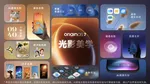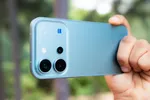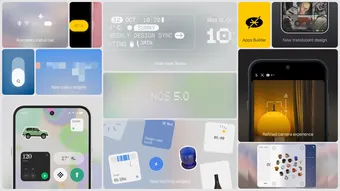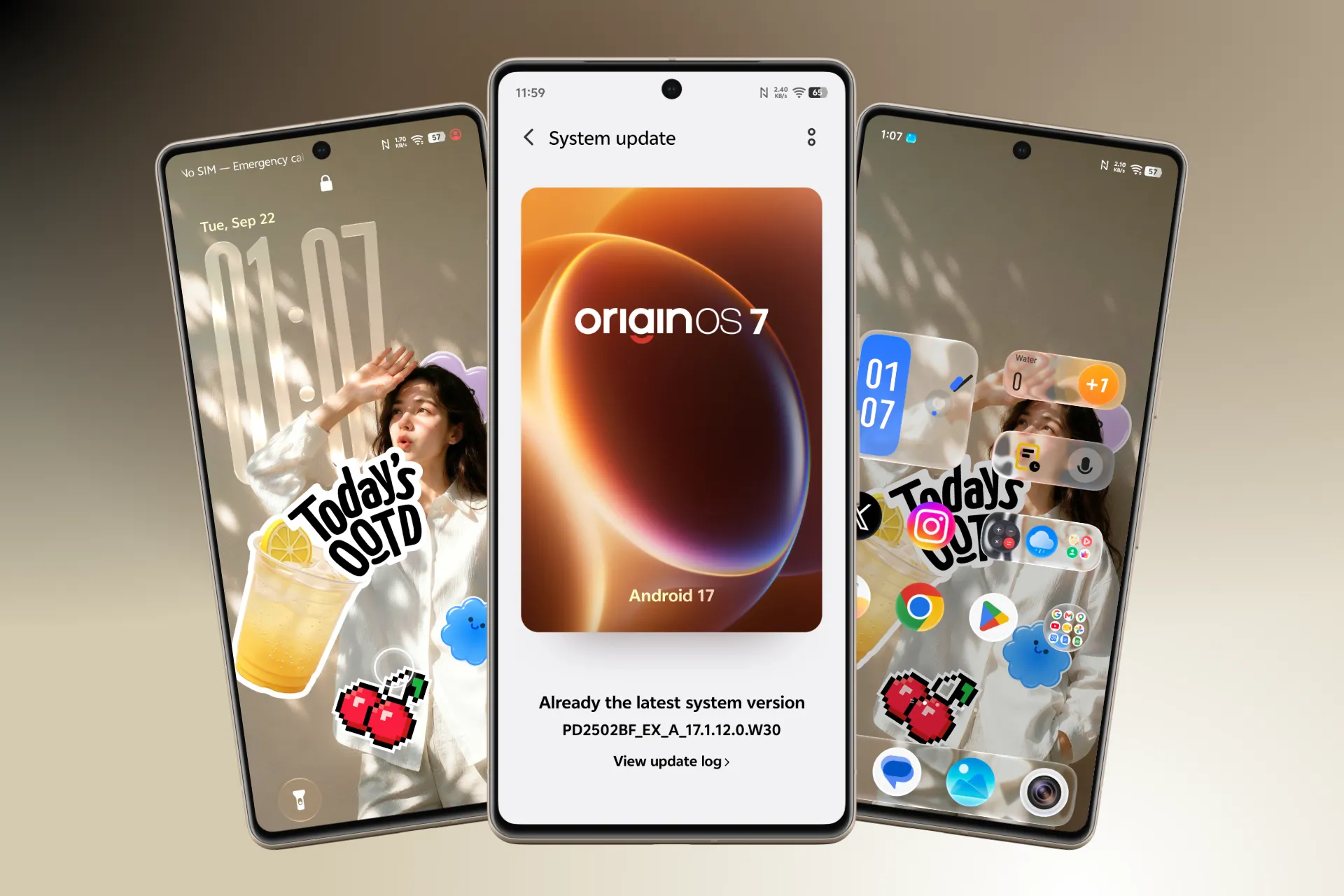
vivo has officially unveiled OriginOS 7, its Android 17-based software skin, and we’ve already started exploring it on the vivo X300 Pro. This is a much bigger redesign than a typical yearly software update, with changes across the Control Center, icons, widgets, lock screen, multitasking and system animations.
The biggest change is the new dynamic translucent material, but after spending time with it, the first thing that stands out is how smooth everything feels. OriginOS 7 has more fluid transitions and animations than OriginOS 6, and so far, the experience on the X300 Pro has been really nice.
A New Translucent Look
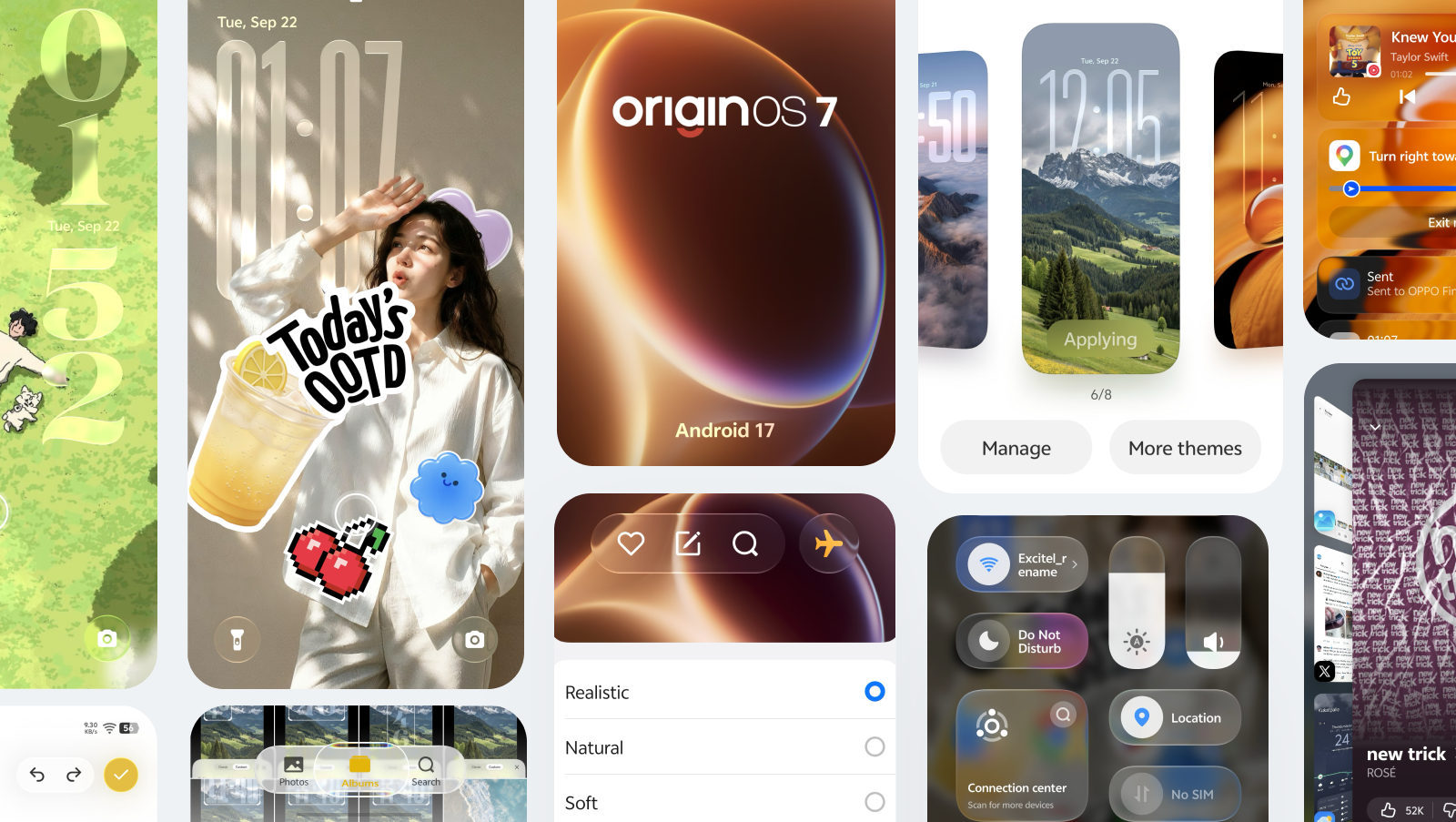
The new dynamic translucent material is everywhere. Control Center, notifications, icons, widgets, the dock and several system apps now use varying levels of transparency, blur and lighting.
There are three material options: Soft, Natural and Realistic. Soft keeps things more frosted, while Natural and Realistic increase transparency, refraction and lighting effects.

The interface also reacts to your touch. Buttons stretch and bounce when pressed, menus deform as they open and some lighting effects follow your finger. Even the Control Center has a physical feel to it, with elements moving and bouncing as you drag them.

The Control Center itself is now much more customizable. You can rearrange controls, add new ones and change what’s shown in the top section, including the large tile in the upper-left corner. Tiles can also change size depending on where you place them. A tile moved toward the top can expand into a 2×1 layout, while moving it lower turns it into a smaller single tile.

You can also add separate Wi-Fi and mobile data controls, so you’re no longer dependent on the combined connectivity tile (which is also customizable now).
The icon system gets a similar treatment. You can choose between Light, Dim and Dark icon styles, with the appearance changing according to the selected theme and light or dark mode. Third-party app icons can also use the new translucent material and lighting effects (make sure to turn on theme-based lighting).

The new visual effect also extends to widgets, although the implementation isn’t completely consistent yet. Most widgets use the translucent material, while some, including Origin Player and the Stickers widget, retain their old designs. Third-party widget alignment also remains unchanged.

The dock gets the same translucent treatment, bringing the effect across another part of the home screen.
The Lock Screen Is Far More Customizable
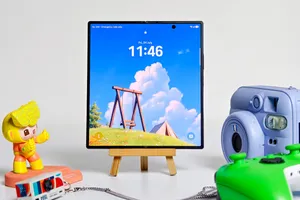
This is probably one of the biggest changes in OriginOS 7. The lock screen now gives you much more freedom over the clock, widgets, stickers and visual effects. The clock is no longer locked into a fixed position and size. You can resize it freely and place it wherever you want on the top half of the screen.

Stickers are another major part of the redesign. You can turn subjects from your photos into stickers and place them directly on the lock screen or home screen. You can resize and position them as part of the overall layout, making the wallpaper feel more personalized. There are also a bunch of pre-made ones to choose from. The same stickers can also be placed on the home screen as widgets (not freely).

OriginOS 7 also introduces dynamic effects such as Wiggle, which gives you wallpaper and other elements such as stickers movement when you interact with the screen. You can also control the style (four to choose from) and intensity of these effects, so you’re not stuck with a single animation level.

There are several other theme styles to choose from, including Wiggle, Flip Cards, Glint, Origin Sticker, Colorful and Film Filters. Each one changes the way the lock screen and Always-On Display behave.


There are also multiple new clock styles and a brand new font for the long clock, and you can mix and match both the clock styles and the font. The font size and width can also be adjusted freely.
The lock screen shortcuts have also been redesigned with the same translucent material and new animations. You can swipe up on a shortcut to activate it or tap and hold it.

The media player has received an update too. It now uses the translucent design on the lock screen and expands into a larger interface when tapped. The expanded media player inside the Control Center has also been redesigned.

More Translucency Across the UI

The new material isn’t restricted to the home screen and Control Center. Apps including Photos, Clock and Notes now use floating navigation bars with the same translucent treatment. The dock also gets the effect, while widgets generally follow the new visual language.
There are still some inconsistencies. Origin Player and the Stickers widget don’t use the same material treatment, and third-party widget alignment hasn’t been completely fixed. So while the overall design is much more cohesive, you can still find places where the old and new interfaces meet.

Origin Workbench Makes Multitasking Easier

OriginOS 7 introduces Origin Workbench, which can keep up to five apps together in one workspace. You can quickly switch between them and move text or images across apps. For anyone who regularly jumps between a browser, messaging app, notes and documents, this is one of the more practical additions.
Jovi and System-Level AI
Jovi is now a system-level assistant that can work across devices and apps. Jovi could find files stored on a desktop and send them to the phone, then use those files to create a presentation. You can also chat with it, like you would with Gemini.

Other tools include AI Snap Assist, which can recognize screen content and suggest actions, and AI Recorder, which can identify speakers, summarize conversations and create an outline.
Battery Tracking Is Much Better
The battery section has also been redesigned. OriginOS 7 now shows how much battery you’ve used during the day, along with screen-on and screen-off time, app-level battery usage and charging information. It’s a much more detailed view of battery behaviour and makes it easier to figure out where your battery went during the day.

Cross-Device Connectivity
vivo is also opening OriginOS 7 up to more devices and ecosystems. The File Manager can access files stored in iCloud, while Office Kit connects the phone with a PC, Mac or iPad. The phone can also work as a camera for a desktop setup.
vivo is even supporting features involving Apple devices, including syncing notifications and health information with an Apple Watch, while AirPods can show battery information and support Spatial Audio.
72 Months of Smoothness
The upgraded Origin Smooth Engine works across computing, storage and display management. vivo claims up to 72 months of sustained smoothness based on its own testing. That claim will obviously take years to properly validate, but there’s already something we can comment on from our early testing.
On the vivo X300 Pro we’re using, OriginOS 7 feels noticeably smoother than OriginOS 6. Animations are more fluid, transitions have more movement and the interface feels more responsive when moving between different parts of the system.
OriginOS 7: First Impressions
OriginOS 7 is clearly taking inspiration from the glass-heavy visual language we’ve seen elsewhere, particularly with its translucent controls, icons, widgets and system panels. At the same time, vivo has added a lot of customization around the experience.
The lock screen is a particularly good example. You can freely position and resize the clock, add widgets, place stickers on top of your wallpaper, change the AOD and add dynamic effects with adjustable intensity. There is a lot more room to make the phone feel like your own.
The interesting part is that the redesign isn’t only about the visuals. After using it on the X300 Pro, the smoother animations and more responsive transitions are probably the changes you’ll notice most during everyday use. There are still inconsistencies with the font, design, some widgets and third-party elements, but the foundation is promising.

You can follow Smartprix on Twitter, Facebook, Instagram, and Google News. Visit smartprix.com for the latest tech and auto news, reviews, and guides.