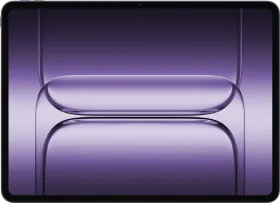
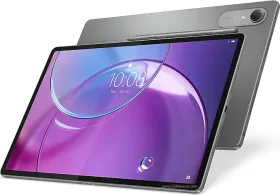
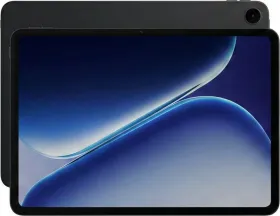
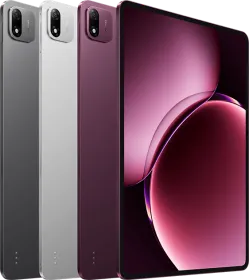
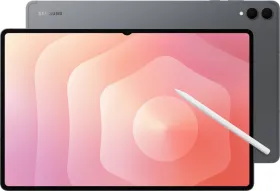
OnePlus is back with the Pad 4, and this time, you get a faster chip, a bigger battery, and software that is more polished with more features. It builds on what the previous Pad already did well, and with the chip upgrade, battery upgrade, and a few other improvements, this one just takes things further.
The new Live Space system, updated media player, and a long list of AI tools change how you use it day to day. At the same time, there are still some missing things like a fingerprint sensor and a cellular option for better connectivity, which some people might care about. Let’s take a closer look at everything in this review.
OnePlus Pad 4 Price & Availability
The OnePlus Pad 4 is priced as follows in India:
- 8 GB + 256 GB: ₹59,999
- 12 GB + 512 GB: ₹64,999
There’s an effective ₹5,000 discount on select cards, bringing the price closer to ₹55,000. Early buyers also get the OnePlus Stylo Pro bundled in some offers (worth ₹5,499). You can buy it from OnePlus’ official store and Amazon.
Pros
- Snapdragon 8 Elite Gen 5 delivers top-tier performance
- Thin, premium all-metal build
- 80W SUPERVOOC charging
- Massive 13,380 mAh battery lasts multiple days
- 13.2-inch 3.4K LCD is sharp and smooth
- OxygenOS 16 is extremely fluid and refined
- Live Space and new media player add a fresh UI experience
- Strong ecosystem features with OnePlus phones, PCs, and even iPhones
- Excellent stylus experience with Stylo Pro
- Eight speakers sound rich and immersive
Cons
- Still no fingerprint scanner
- LCD panel lacks deep blacks
- Cameras are average for the price
- No cellular option
OnePlus Pad 4 Specifications
- Dimensions & Build: 289.71 mm × 209.76 mm × 5.94 mm, 672 grams, metal unibody
- Display: 13.2-inch LCD, 3392 x 2400 (3.4K), 315 PPI, 7:5 aspect ratio, 12-bit color, 144 Hz adaptive refresh (default 120 Hz), 540 Hz touch sampling, 700 nits typical, 1000 nits HBM
- Chipset: Snapdragon 8 Elite Gen 5
- RAM & Storage: 8 GB / 12 GB LPDDR5X, 256 GB / 512 GB UFS 4.1
- Battery & Charging: 13,380 mAh, 80W SUPERVOOC charging
- Rear Camera: 13 MP, 1/3-inch, f/2.2, 25 mm, AF, up to 4K 30fps
- Front: 8 MP, 1/4-inch, f/2.0, 26 mm, 1080p 30fps
- Audio: 8 speakers, 2 microphones, Dolby Atmos, SBC, AAC, aptX, aptX HD, aptX Adaptive, LDAC, LHDC 5.0
- Connectivity: Wi-Fi 7, Wi-Fi 6/5, dual-band, Bluetooth 6, USB-C (USB 3.2 Gen 1, 5 Gbps)
- OS: OxygenOS 16, 4 OS + 6 years of security updates
- Accessories: Stylo Pro, keyboard, folio case
OnePlus Pad 4 Review: Unboxing

Inside the box, you get the OnePlus Pad 4, an 80W SUPERVOOC charger, a USB-A to USB-C cable, and the usual documentation.
There’s no case or screen protector included, so you’ll likely need to pick those up separately. If you’re planning to use the stylus or keyboard, those are also sold separately unless bundled in offers.
OnePlus Pad 4 Review: Design and Build

The OnePlus Pad 4’s design feels familiar, and that’s totally fine. The design still feels polished. The tablet keeps a clean, minimal look with a metal unibody that also feels solid in hand.
At just 5.94 mm thick and 672 grams, it’s impressively slim for something packing a 13,380 mAh battery. Carrying it around is not a problem, though it’s clearly built more for desk or couch use.

The button placement adapts nicely depending on orientation. The power button sits on the left in landscape and shifts to the top in portrait, while the volume keys follow a similar logic. It’s intuitive after a day or two.
The bezels are slim and even, which helps with immersion without causing accidental touches. It comes in two colors: Dune Glow and Sage Mist. I have the former with me. Overall, the design makes it feel like a premium tablet.
OnePlus Pad 4 Review: Display

The 13.2-inch LCD panel is one of the highlights here. With a 3.4K resolution and 315 PPI, everything looks sharp and detailed, whether you’re watching videos, reading, or multitasking.
The 7:5 aspect ratio works really well for productivity. You get more vertical space, which makes documents, notes, and split-screen apps feel less cramped.
Brightness goes up to 1000 nits in high brightness mode, so outdoor usage is not an issue (mostly). That’s 500 nits brighter than the iPad Air. Colors are punchy thanks to the 12-bit panel and wide DCI-P3 coverage.

Although the system UI runs at 120 Hz, the panel can up to 144 Hz in certain apps and games, making the experience even smoother. Scrolling, animations, and switching apps all feel extremely smooth. OxygenOS plays a big role here as well.
Black levels are typical LCD. They look fine in most scenarios, though you’ll notice the difference if you’re used to OLED. There is no HDR support on Netflix either.

Overall, this display is bright, super sharp, produces great colors, and delivers a satisfactory content consumption experience.
OnePlus Pad 4 Review: Speakers
The OnePlus Pad 4 comes with a great set of speakers. The quad woofer and quad tweeter setup makes a big difference. With eight speakers, the sound feels full and well-balanced. It can easily fill a small room.
Audio gets loud without distortion, and there’s good separation between vocals and background elements. Watching movies or playing games feels immersive, especially in landscape mode.
The speakers also adapt based on orientation, so you’re getting a consistent experience no matter how you hold the tablet. It easily ranks among the best speaker setups in this segment.
OnePlus Pad 4 Review: Software
OxygenOS 16 on the OnePlus Pad 4 is where most of the real upgrade happens. It runs on Android 16 and comes with 4 years of OS updates and 6 years of security patches, which makes this a long-term device.
The UI feels extremely refined. Animations are even smoother than before, transitions are consistent, and there’s a new visual polish across the system. The dock now has a frosted glass effect, the app drawer feels cleaner with a better search layout, and overall navigation just feels effortless.


The biggest visual and functional upgrade is Live Space. This replaces static notifications with dynamic, expandable elements. You can pull them down and expand into full screen as well. The new media player is built around this, and it expands into a full-screen panel with smooth animations. It looks modern and is exceptionally smooth to use.


Multitasking is still handled by Open Canvas, and it remains one of the best implementations on Android. You can swipe up or down from the center to split apps, switch between apps freely, and add up to 3 apps. Floating windows are also an option, and you can multiple of those on your screen at the same time.


Now coming to AI, and there’s a lot here. You get: AI Summary, AI Speak (read aloud), AI Recompose, AI Reply, AI Writer, AI Perfect Shot, AI Portrait Glow, AI Detail Boost, AI Unblur, AI Reflection Eraser, AI recording summary with markers and highlights, and AI Painter for generating visuals from sketches.


The Notes app is packed with features. You can write by hand and convert it to text, solve equations instantly by writing them, and generate structured summaries with tables, diagrams, and flowcharts. There’s also live refine, which improves your writing in real time.
You also now get separate home screen layouts for portrait and landscape, which is a huge usability upgrade. Widgets and folders can be arranged differently depending on orientation.


There’s also a contour glow effect in the quick panel and other UI elements like folders, new transition animations, improved sidebar, and better system-level polish overall.


File management is improved with keyboard shortcuts like copy, paste, and select all, along with drag-and-drop support for mouse and trackpad.
Gemini integration is excellent here. You get Circle to Search, contextual AI help with the global search, and features like Mind Space integrated with Gemini for organizing content.
OnePlus Share now works across OPPO, OnePlus, realme, Xiaomi, vivo devices, and even iPhones. File transfers are fast and reliable, and it works better than Quick Share most of the time.
Overall, this is one of the most feature-rich and polished Android tablet software experiences right now.
OnePlus Pad 4 Review: Biometrics
This part remains unchanged. You only get 2D face unlock, which works fine in good lighting but slows down or fails in low light. The screen can light up to authenticate faster though.
Unfortunately, there’s still no fingerprint scanner, which is disappointing for a tablet at this price.
OnePlus Pad 4 Review: Performance
The OnePlus Pad 4 runs on the Snapdragon 8 Elite Gen 5, with an Oryon CPU clocked up to 4.608 GHz and the Adreno 840 GPU. This is perhaps the most powerful smartphone chips currently available on Android tablets.
In everyday use, everything is just instant. Whether it’s app launches, multitasking, switching between apps in Open Canvas, all of it is extremely smooth.
On paper, the improvements are noticeable too: You get around 20% CPU performance improvement and 23% GPU performance boost, along with better efficiency.
The tablet also features a Cryo-velocity cooling system with a large vapor chamber (around 40,760 mm² total cooling area) and advanced graphite layers. This keeps temperatures under control during gaming and heavy tasks like video editing.
Synthetic Benchmarks
| Benchmark | OnePlus Pad 4 (Snapdragon 8 Elite Gen 5) |
| AnTuTu Score | 3648476 |
| Storage (Score, Sequential Read Speed, Write Speed) | Score: 235180; Sequential Read: 4331 MB/s; Sequential Write: 3742 MB/s |
| Geekbench 6 CPU (Single-Core, Multi-Core) | Single-Core: 3062; Multi-Core: 27138 |
| Geekbench 6 GPU (OpenCL, Vulkan) | OpenCL: 19134; Vulkan: 4675 |
| 3DMark Wildlife Extreme (Score, Avg FPS) | Score: 5886; Avg FPS: 35.25 |
| 3DMark Wildlife Extreme Stress Test (Best Loop, Lowest Loop, Stability) | Best Loop: 5952; Lowest Loop: 4680; Stability: 78.6% |


Gaming
Gaming performance is excellent. Heavy titles like BGMI, Genshin Impact, and others run smoothly at high settings with stable frame rates. There’s no noticeable throttling. BGMI runs at 120 FPS natively, and can go up to 144 FPS using frame boost. Needless to say, the gaming experience is incredible.
Heavier titles like Genshin Impact also run without any issues. You can get a smooth 60 FPS gameplay without any frame drops or overheating on this tablet. If you play a lot of games, this tablet is not going to disappoint you at all.
Connectivity performance has also improved. The new antenna system helps maintain stable signals, with faster downloads, uploads, and better streaming performance.
For productivity, it handles everything easily. Video editing, large file transfers (with USB 3.2 Gen 1), multitasking across apps, all feel effortless. The UFS 4.1 storage also helps with faster data access. This is easily one of the fastest and best performing Android tablets right now.
OnePlus Pad 4 Review: Cameras

Cameras are not the focus here, but they are decent for everyday use. The 13 MP rear camera (1/3”, f/2.2, 25 mm, autofocus) is good for scanning documents, capturing quick shots, and basic videos. It supports up to 4K recording at 30fps, and quality is fine in good lighting.
OnePlus has also added an AI document scanning feature that makes this really simple to use. You can scan papers and it will clean them up automatically by removing shadows, straightening the page, fixing orientation, sharpening text, reducing blur, and even cutting down glare. After that, you can save everything directly as a PDF. There’s also a built-in flash, so you can scan documents properly even in low light.
The 8 MP front camera (1/4”, f/2.0, 26 mm, fixed focus) is more important. It handles video calls well, with clear output in good lighting. It supports 1080p video at 30fps with stabilization but the output is below average in indoor lighting.
OnePlus Pad 4 Review: Battery Life and Charging
The OnePlus Pad 4 packs a 13,380 mAh battery, and this is easily one of its biggest strengths. And in actual use, the battery life is excellent. With mixed usage that includes streaming, note-taking, browsing, and some gaming, the tablet comfortably lasts 2 to 4 days depending on how heavily you use it. I got over 16 hours of screen time over 3 days of mixed usage.
As for charging, the tablet supports 80W SUPERVOOC charging, and it takes around 1 hour 45 minutes for a full charge, from 0 to 100%. Even a quick top-up gives you hours of usage.
OnePlus Pad 4 Review: Connectivity Features
Connectivity is one of the areas where the OnePlus Pad 4 really stands out. Starting with hardware, you get Wi-Fi 7, dual-band support, and improved antenna design. Signal stability is excellent, and speeds are noticeably better for downloads, uploads, and streaming.
Bluetooth is upgraded to Bluetooth 6.0 with BLE Audio, and audio codec support is extensive with SBC, AAC, aptX, aptX HD, aptX Adaptive, LDAC, and LHDC 5.0.
The USB-C port supports USB 3.2 Gen 1 (5 Gbps), which makes file transfers quick, especially when working with large files or external storage.
Where things get more interesting is the ecosystem. If you’re using a OnePlus phone, the integration is seamless. You can:
- Take calls directly on the tablet
- Receive and reply to notifications
- Mirror your phone screen
- Control your phone remotely
- Auto-connect to hotspot
- Sync clipboards
- Automatically receive photos to your tablet as soon as you take them on your phone
All of this works as long as both devices are signed into the same account.
It also works beyond OnePlus. You can connect with iPhones, Macs, Windows PCs, and TVs. File sharing, screen mirroring, and cross-device control all feel smooth. Overall, connectivity on the Pad 4 feels complete. It’s incredible how everything works together so seamlessly.
OnePlus Pad 4 Review: Accessories
The OnePlus Pad 4 supports a full set of accessories, including a keyboard, folio case, and a stylus. I could only review the stylus.
OnePlus Stylo Pro
The Stylo Pro is easily one of the highlights. It supports 16,000 levels of pressure sensitivity, which makes writing and drawing feel natural. The tip feels smooth on the display, and latency is low enough that it feels responsive in real time.
There are useful gestures built in:
- Double tap to switch tools
- Slide up or down to scroll or change pages
- Quick shortcuts through gestures (swipe down from the top-right to take a screenshot/annotate the screen)


There’s also a Find My Stylo feature that helps locate it with a sound if misplaced.
The stylus attaches magnetically to the tablet and charges wirelessly. It feels similar to an Apple Pencil in terms of usability, though physical buttons would have been nicer than touch gestures.
Review Verdict: Should You Buy the OnePlus Pad 4?
The OnePlus Pad 4 gets a lot right. You get top-tier performance with the Snapdragon 8 Elite Gen 5, a large and sharp 13.2-inch display with 144 Hz refresh rate, excellent speakers, and one of the best Android tablet software experiences right now.
The battery is massive and reliable, charging is fast, and the ecosystem features are actually really useful. OxygenOS 16 plays a huge role here. Features like Live Space, Open Canvas, OnePlus AI integration, and cross-device connectivity make the tablet complete.
It’s not perfect. There’s still no fingerprint scanner, and the LCD panel doesn’t match OLED blacks. Cameras are average too, and need an upgrade. There’s no cellular option either.
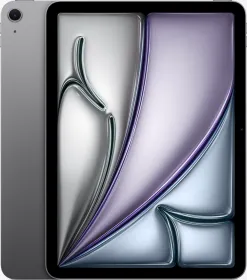
But when you look at the overall package, it’s hard to ignore what OnePlus is offering here. Compared to something like the iPad Air, this gives you a higher refresh rate display (144 Hz vs 60 Hz), higher brightness, a much larger battery, faster charging, and far better flexibility with Android and cross-device connectivity.
If you want a tablet for productivity, entertainment, note-taking, or even gaming, the OnePlus Pad 4 is easily one of the best options right now.

Smartprix ⭐ Rating: 8.4/10
- Design and Build: 8.9/10
- Display: 8.6/10
- Speakers: 9.3/10
- Software: 8.6/10
- Biometrics: 7/10
- Performance: 9.6/10
- Cameras: 7/10
- Battery Life & Charging: 9.6/10
- Connectivity Features: 9.1/10
- Accessories: 8.9/10
First reviewed in June 2025.