


Quick Verdict
The Synology DS925neo+ gives you the DS925+ experience, just with non-ECC memory and a lower price. I used it every day for a month and saw no performance difference compared to the DS925+. For most homes and solo creators, this is the smarter choice.
Buy it if:
- Your family’s photos are scattered across phones and nobody trusts the backup
- You work with large files and want an archive that grows to nine drives
- You’d rather own your storage than rent a bigger cloud plan
Skip it if:
- You only back up one laptop occasionally
- You need hardware transcoding for Plex or Jellyfin
- You need ECC memory or 10GbE networking
Every backup is a promise. You’re telling the version of yourself who loses a phone, or deletes the wrong folder, that everything will be fine. Most of us break that promise without noticing, because the “backup” is a single external drive in a drawer.
I review phones for a living. Camera samples and screen recordings pile up across my handsets and laptops. Add ten years of family photos, and suddenly I have a lot of irreplaceable files with no real home.
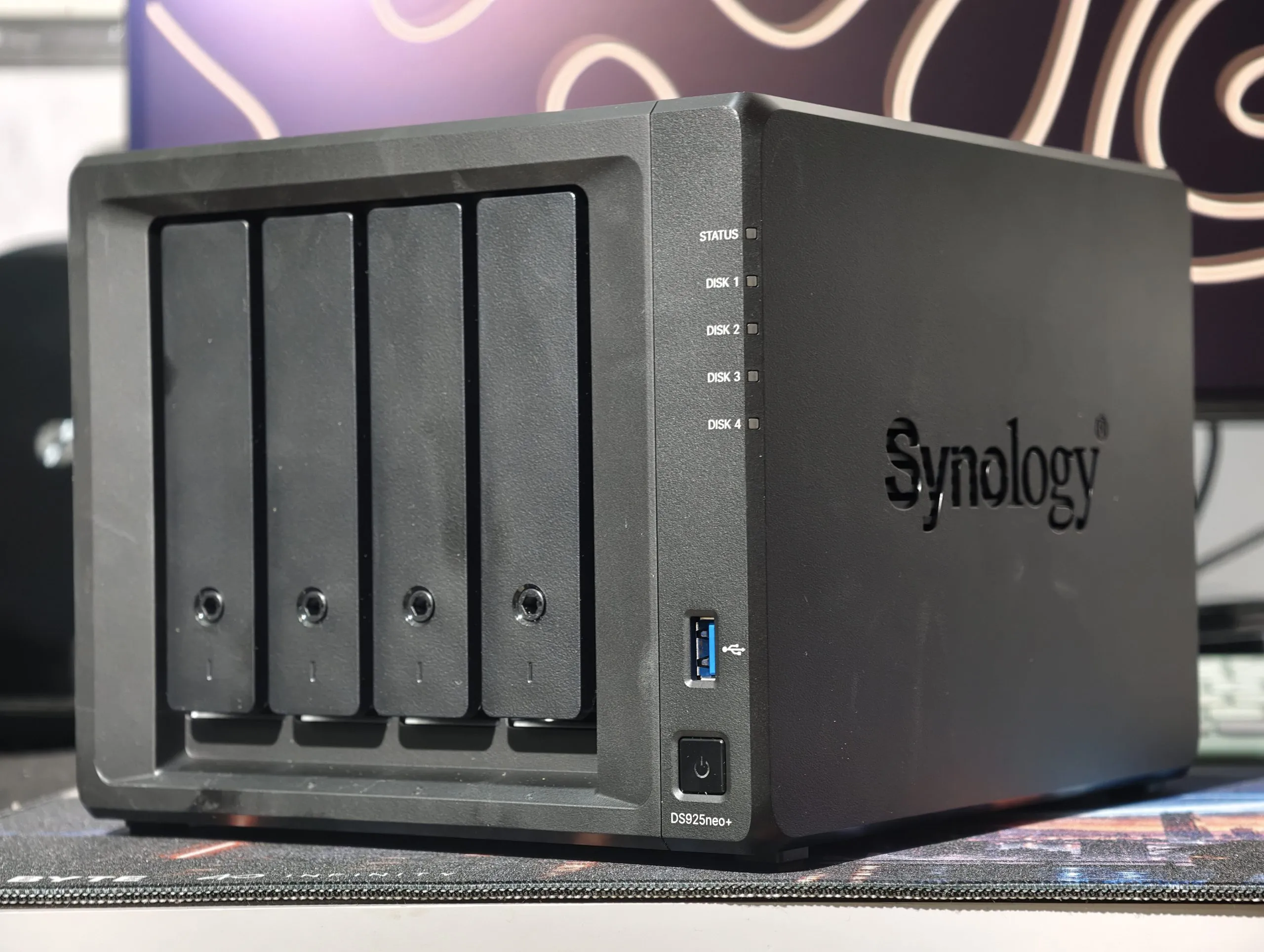
The Synology DS925neo+ is a four-bay NAS that launched in August 2026. It runs on the same AMD Ryzen V1500B processor, has dual 2.5GbE ports, and uses the same DSM software as the DS925+. The only real hardware difference: it comes with 4GB of non-ECC memory instead of ECC.
The real test is whether the cheaper version keeps that promise. After a month, I know the answer.
Jump to :
Synology DiskStation DS925Neo+ Price & Availability
The DS925neo+ costs ₹67,632 without drives. The DS925+ costs ₹73,500, so the neo+ saves you ₹5,868, or about 8 percent, for the same processor, ports, and software.
Pros
- DS925+ hardware, lower price
- Near line-speed 2.5GbE transfers
- Third-party drives work again.
- Near-perfect SSD cache hits
- Whisper-quiet in Quiet mode
Cons
- No hardware transcoding
- No 10GbE option
- Memory upgrades get awkward
Synology DS925neo+ specifications
| Processor | AMD Ryzen V1500B, 4 cores, 8 threads, 2.2GHz |
| Memory | 4GB DDR4 non-ECC, up to 32GB |
| Drive bays | 4x 3.5/2.5-inch SATA, hot-swappable; up to 9 with DX525 |
| M.2 slots | 2x NVMe (cache or storage pool) |
| Networking | 2x 2.5GbE |
| USB | 2x USB 3.2 Gen 1 |
| Rated power | 37.91W active, 12.33W with drives hibernating |
| Operating temperature | 0°C to 40°C |
| Size and weight | 166 x 199 x 223mm, 2.26kg |
| Warranty | 3 year |
| Test drives | HAT3320-8T: 7,200rpm, rated 281MB/s, 60°C max |
Synology DiskStation DS925neo+ Review: Design and Build
The best thing I can say about a NAS: I stopped noticing it. The DS925neo+ is a black plastic box with four tool-less drive trays and two 92mm fans. It looks like every Synology from the past few years. Synology treats the design as finished, and I agree.
You get two 2.5GbE ports on the back, a USB port, another USB port on the front, and a USB-C port for the DX525 expansion. The M.2 slots are underneath, so you can add an SSD cache without opening the case.

From 10 feet away, I measured about 32dB under load. That’s as quiet as a library. Most of the noise came from the 7,200rpm drives, not the fans. In Quiet mode, it dropped to 22dB, which is quiet enough for a bedroom.

Storage Manager showed the drives at 38°C in a 25°C room, well inside their 60°C limit. If that 13°C gap holds, a Delhi room at 40°C without air conditioning would push them to about 53°C. That’s still within spec and matches the NAS’s own maximum operating temperature. Give it airflow in summer.
DSM talks to a USB UPS and shuts down safely during power cuts. An inverter keeps the lights on, but it can’t tell your NAS to stop writing.

Synology DiskStation DS925neo+ Review: Setup
I installed DSM, set up an admin account, and built a storage pool in about 20 minutes. The wizard is straightforward. It warns you that installation erases the drives. Never reuse disks that still have files you need.

The wizard won’t make the decisions that actually protect you. I enabled volume encryption, kept the recovery key offline, and turned on two-factor sign-in. For remote access, I used Tailscale. I never open ports to the internet.


The most valuable ten minutes had nothing to do with settings. I made separate shared folders for family photos, review assets, and projects. Everything got easier after that.
Synology DiskStation DS925neo+ Review: Storage, RAID and snapshots
I set up SHR across two 8TB HAT3320 drives, which works like a mirror. Each drive holds a full copy, so the NAS keeps running if one drive dies. You get about 8TB of usable space before formatting overhead. RAID is not a backup. A mirror copies your mistakes as faithfully as your files. If you delete a folder, or ransomware encrypts it, both drives follow instantly.

Snapshots are the second line. Btrfs snapshots are scheduled, read-only, and use little extra space. I deleted a 4GB photo folder on purpose and restored it in about 28 seconds. That’s quick enough that you’ll actually use it.
The third line is an off-site copy. Follow the 3-2-1 rule: three copies, on two kinds of storage, with one kept elsewhere. Back up to a USB drive, plus a cloud service or a drive at a relative’s house. That covers you.
Synology DiskStation DS925neo+ Review: Performance
If you’ve used a Synology NAS in the last few years, the DiskStation DS925+ will feel familiar — and that’s mostly a good thing. It ships with DSM 7.2, Synology’s browser-based operating system that looks and behaves more like a well-designed desktop environment than the web interface of a typical storage box. It’s fast, responsive, and modern in all the right ways.
DSM hasn’t seen a visual overhaul in a while, but small under-the-hood improvements make everything feel snappier. File Station is still the easiest way to manage files over the network, with drag-and-drop support, real-time search, and instant media previews. Whether you’re syncing terabytes of data, sharing project folders, or just streaming video off your Plex library, the DS925+ stays unfazed, thanks in part to its Ryzen R1600 CPU and ECC memory that keeps things stable under load.

Synology continues to lead in its ecosystem. DSM isn’t just a file server UI, it’s a full-on app platform. You get Synology Drive for Dropbox-style file sync across Windows, macOS, iOS, and Android; Synology Office for collaborative docs and spreadsheets; Synology MailPlus and Chat for private self-hosted communication tools; and Active Backup for Business, which handles full-image backups of Windows, Linux, VMware, and even Microsoft 365 and Google Workspace without any license fees. That last bit is key: most of what makes DSM powerful comes built-in, no nickel-and-diming.
Backup and disaster recovery tools are especially robust. Snapshot Replication allows near-instant rollbacks in case of ransomware or accidental deletions, and you can enable write-once (WORM) folders to protect critical data from tampering. In my setup, I layered Synology Drive with gsync, ran immutable snapshots on a 12-hour schedule, and used Active Backup to back up both a Google Workspace domain and a local Windows server — all running concurrently, without the system breaking a sweat.
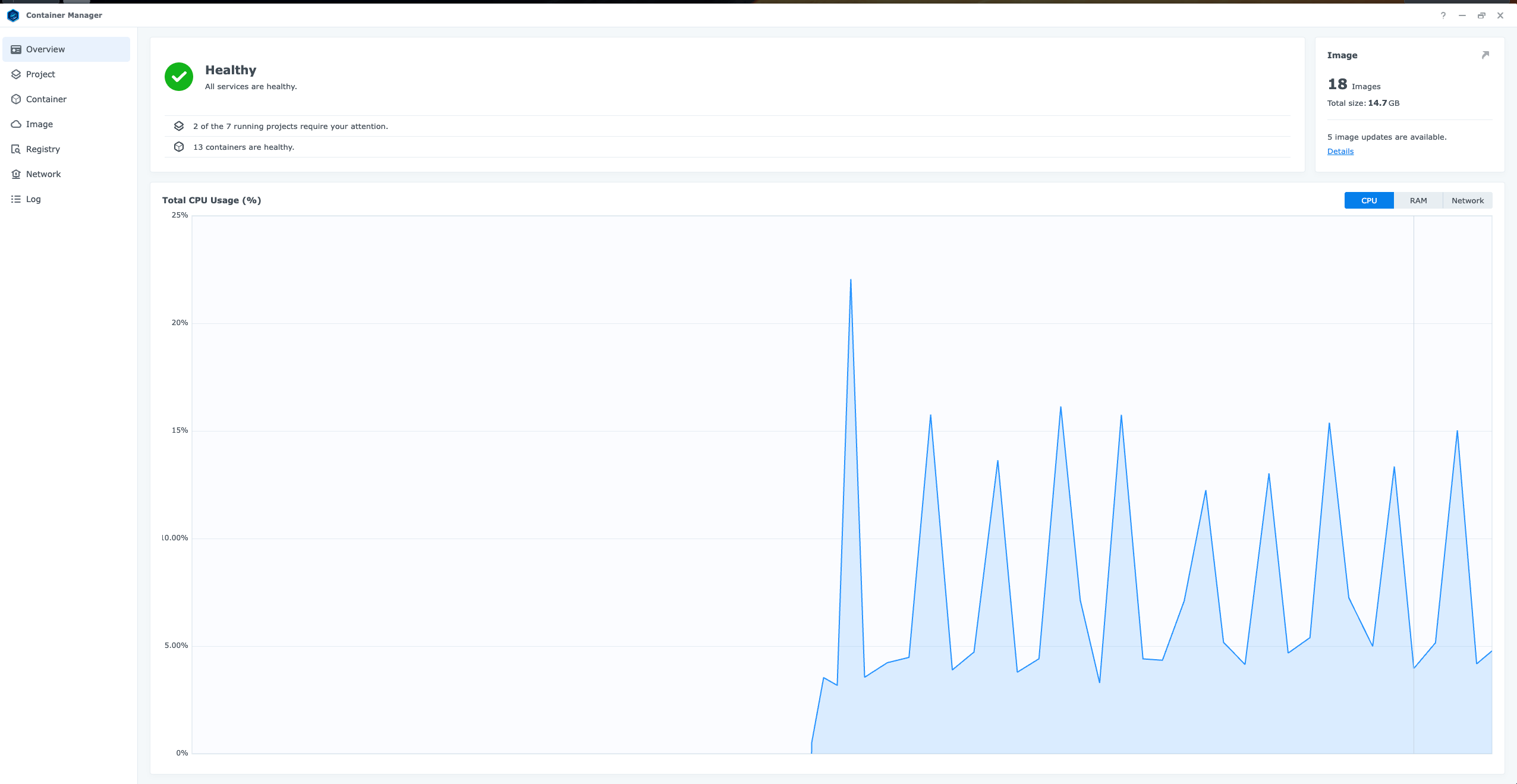
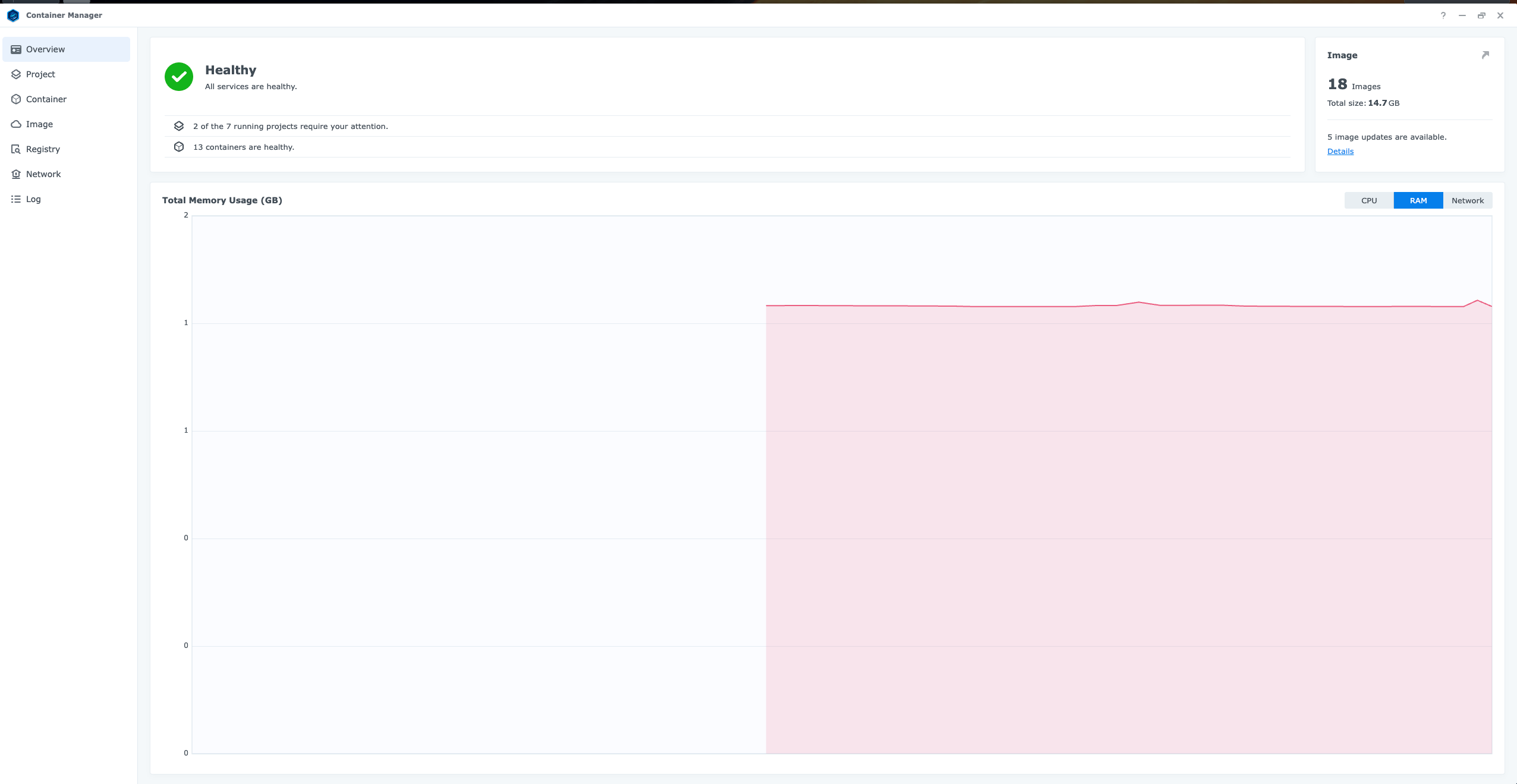
Container Manager (formerly Docker) and Virtual Machine Manager are still here, and the DS925+ doubles the VM headroom compared to the DS923+, supporting up to 8 virtual DSM instances or VMs. In practice, I was running three containers (Nginx, Pi-hole, Homebridge) still it had enough performance headroom left for media streaming and remote access.
Speaking of remote access, the DSM 7.4 makes it easier than ever to keep your NAS secure without exposing it to the open internet. You also get built-in support for 2FA, Windows ACLs, and Synology Secure SignIn for passkey or OTP-based logins. Over the coming weekend, I will be trying out Tailscale for a mesh VPN overlay, which can further secure my home server.
What’s new this year is the stricter hardware rules. The DS925+ supports up to 80 Drive users (up from 50 on the DS923+), 500,000 hosted files, 8 virtual machines, and 150 Synology Chat users — a clear play for the small office and home users.
Still, this is where DSM earns its keep. Even under heavy, simultaneous workloads including multiple Docker containers, daily cloud sync, hybrid backup jobs, and two VM instances, the DS925+ didn’t flinch. And unless you’re running demanding Plex transcodes (which this model doesn’t accelerate due to lack of iGPU), it’s hard to push this thing past its limits.
Synology DiskStation DS925neo+ Review: Software
The hardware is competent. DSM, Synology’s operating system, is why you buy a Synology. The DS925neo+ runs DSM 7.4.1-90080, which works in a browser but feels more like a desktop than a storage dashboard. If you’ve used any Synology from the past few years, you’ll feel at home within minutes.
DSM 7.4, released in June 2026, doesn’t change the look much, but it adds three things worth knowing about. DSM Agent is a built-in AI assistant that suggests settings and explains options inside the interface. AI Search makes files findable by what’s in them, not just by name. HDD volumes also gain scheduled deduplication and compression, which can recover space without slowing down daytime use.
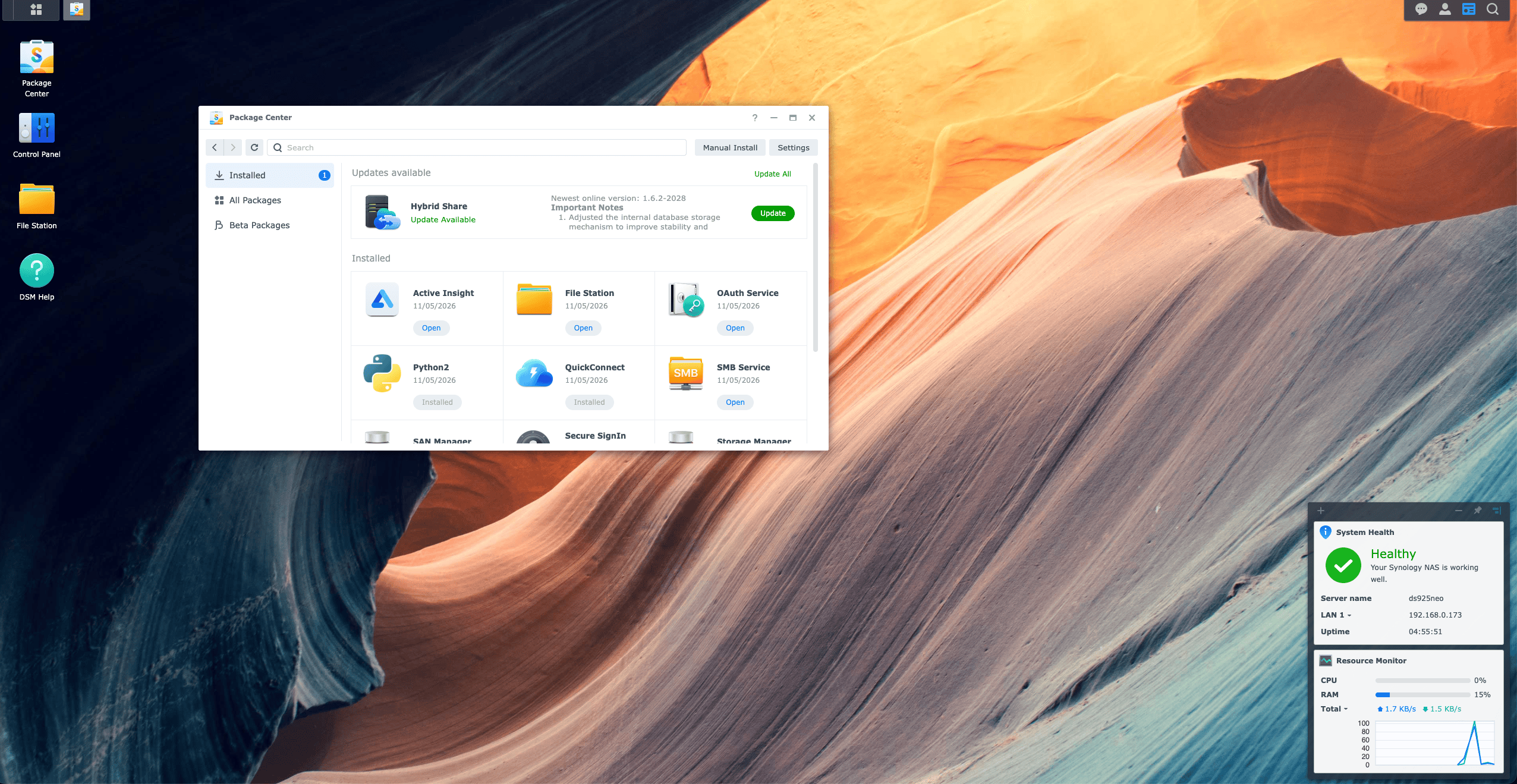
The apps that mattered over my month were the ones that ran without my involvement. Synology Photos ended our “which phone has that picture?” problem with automatic backup, albums, and face grouping. Synology Drive gave me Dropbox-style sync with version history, which retired my “FINAL-v3-REALLY-FINAL” file names. Hyper Backup and Snapshot Replication handled the second and third lines of defense on a schedule, and Container Manager ran my 18containers.
Security is well covered by default. I used Tailscale for remote access instead of opening ports to the internet, and turned on two-factor sign-in on day one. Security Advisor flags weak settings, and Antivirus Essential scans shared folders. Snapshots can be made immutable, so ransomware can’t delete them.
| What DSM 7.4 supports on the DS925neo+ | Synology’s recommended maximum |
| Synology Drive | 80 users, 500,000 hosted files |
| Synology Office | 80 users |
| Synology Chat | 150 users |
| Virtual Machine Manager | 8 VMs (1 free Virtual DSM licence) |
| Snapshots | 256 per shared folder, 2,048 per system |
| SMB connections | 40 |
Those figures come from Synology’s own testing, and for most apps it tested with maximum memory installed. On the stock 4GB, treat them as a ceiling, not a promise. My swap data suggests a home with a handful of users and a few containers is already close to the 4GB limit.
Most of DSM is genuinely free: Photos, Drive, Hyper Backup, Snapshot Replication, Container Manager, and Active Backup for Business come with no license fees. The exceptions are worth knowing. MailPlus includes 5 email accounts, Surveillance Station includes 2 camera licenses, and extra Virtual DSM instances need paid licenses.
There is a trade-off. Google maintains its servers for you. With a NAS, you handle updates, drive health, and the off-site copy. DSM makes that job about as easy as it gets, but it doesn’t make it go away.
Synology DiskStation DS925neo+ Review: Running cost
Synology rates the DS925neo+ at 37.91W when active and 12.33W with the drives hibernating. I am paying for my electricity at ₹8 per unit.
My drives never hibernated. Logs, sync, and app databases kept write activity steady at 30 to 60 operations per second all day. If you run apps like Plex, plan for about Rs. 2,650 a year, or Rs. 220 a month.
Electricity is the smallest recurring cost. I also budget for replacement drives, a UPS, and an off-site backup.
| Usage | Units per year | Cost per year |
|---|---|---|
| Active 24 hours | About 332 | About Rs. 2,650 |
| Mostly hibernating | About 108 | About Rs. 865 |
Synology DS925neo+ vs DS925+: Which should you buy?
ECC, or error-correcting code memory, catches and fixes many single-bit memory errors before they can corrupt data. It’s a real safety margin. But in my experience, failing drives, accidental deletions, and ransomware are bigger threats. Snapshots protect against those. ECC is a better seatbelt, but not the seatbelt itself.
Here’s the upgrade trap. Synology doesn’t officially support mixing ECC and non-ECC modules. From my swap data, Docker-heavy users need more than 4GB. On the neo+, that means replacing the stock module. The Rs. 5,868 saving can disappear fast.
The drive problem is gone: my DS925+ review focused on Synology’s branded-drives-only policy. DSM 7.3, released on October 8, 2025, restored support for third-party SATA drives. Only M.2 storage pools still need SSDs from Synology’s compatibility list.
I’d pick the neo+ for backup, photos, and file sync. I’d go for the DS925+ if I planned to run several containers or needed ECC. If Plex transcoding is your main job, I’d skip both.
Yes, it works well as an archive. I wouldn’t use it for editing.
My camera samples, screen recordings, and clips now live in one place, sorted by project. When I share, collaborators get a Synology Drive link instead of a third-party upload.
I keep two speeds in mind. Video files move at about 280MB/s. A card full of photos moves at 50-80MB/s. My workflow is simple: shoot, offload to the NAS, edit on a local SSD, then archive.
Review Verdict: Should You Buy the Synology DiskStation DS925+?

Smartprix ⭐ Rating: 8.2/10
I called a NAS a promise to my future self. The DS925neo+ keeps that promise by making backups boring. My phones back themselves up. Projects have one home. A deleted folder is now a 28-second inconvenience instead of a lost weekend.
The trade-off is smaller than the name suggests. I give up ECC memory and an easy upgrade path, save Rs. 5,868, and get the same performance as the DS925+. With DSM 7.3 removing the drive lock, this is the sensible way into Synology’s four-bay Plus. I know what it isn’t. It’s not a Plex transcoding box. It doesn’t have room to spare in its 4GB of RAM. My DS1520+ still handles movie night. Everything my family can’t afford to lose now lives on the DS925neo+.
First reviewed in November 2026.
Synology DS925neo+ FAQs
Is the Synology DS925neo+ worth buying in India?
Yes, for most homes and independent creators. At Rs. 67,632, it costs Rs. 5,868 less than the DS925+ and has an identical processor, networking, and software. Add the cost of drives and a UPS before comparing it with cloud storage.
What is the difference between the DS925neo+ and DS925+?
Memory is the only difference. The DS925neo+ ships with 4GB of non-ECC DDR4, and the DS925+ ships with 4GB of ECC DDR4. Everything else is identical.
Is the DS925neo+ slower than the DS925+?
No. Both use the same processor, ports, and drive bays, and performance matched in a month of testing.
Can I use Seagate IronWolf or WD Red drives in the DS925neo+?
Yes. DSM 7.3restored support for third-party 3.5-inch and 2.5-inch SATA drives. M.2 storage pools still need SSDs from Synology’s compatibility list.
Does the DS925neo+ support hardware transcoding for Plex?
No. The AMD Ryzen V1500B has no integrated graphics, so the CPU handles all transcoding. Direct playback of 4K and 1080p files works well.
How loud is the DS925neo+?
It’s quiet enough for a bedroom in Quiet mode. From 10 feet away, it measured about 22dB in Quiet mode and about 32dB under load.
Is 4GB of RAM enough for the DS925neo+?
It’s enough for backups and file sync. With Plex, Photos, and Docker running, swap stayed at about 40 percent all day, so plan a memory upgrade if you’ll run more apps.
You can follow Smartprix on Twitter, Facebook, Instagram, and Google News. Visit smartprix.com for the latest tech and auto news, reviews, and guides.