

WhatsApp lets you turn GIFs into animated stickers and share them directly in your chats. You can use your phone’s keyboard, WhatsApp’s built-in sticker editor, or a third-party tool to create stickers from GIFs you already have. The process takes only a few seconds once you know where to look. Here’s how to do it on Android and iPhone.
How to Turn a GIF into a WhatsApp Sticker on Android
Android users have a couple of ways to convert GIFs into WhatsApp stickers. You can use Gboard if it’s installed on your phone, or use WhatsApp’s built-in sticker editor.
Method 1: Using Gboard
- Open any WhatsApp chat.
- Tap the emoji icon on Gboard and switch to the GIF tab.
- Select the GIF you want to use.
- Gboard will show four options: Send as sticker, Send as GIF, Edit as GIF, and Edit as sticker.
- Tap Send as sticker to share it as an animated sticker.
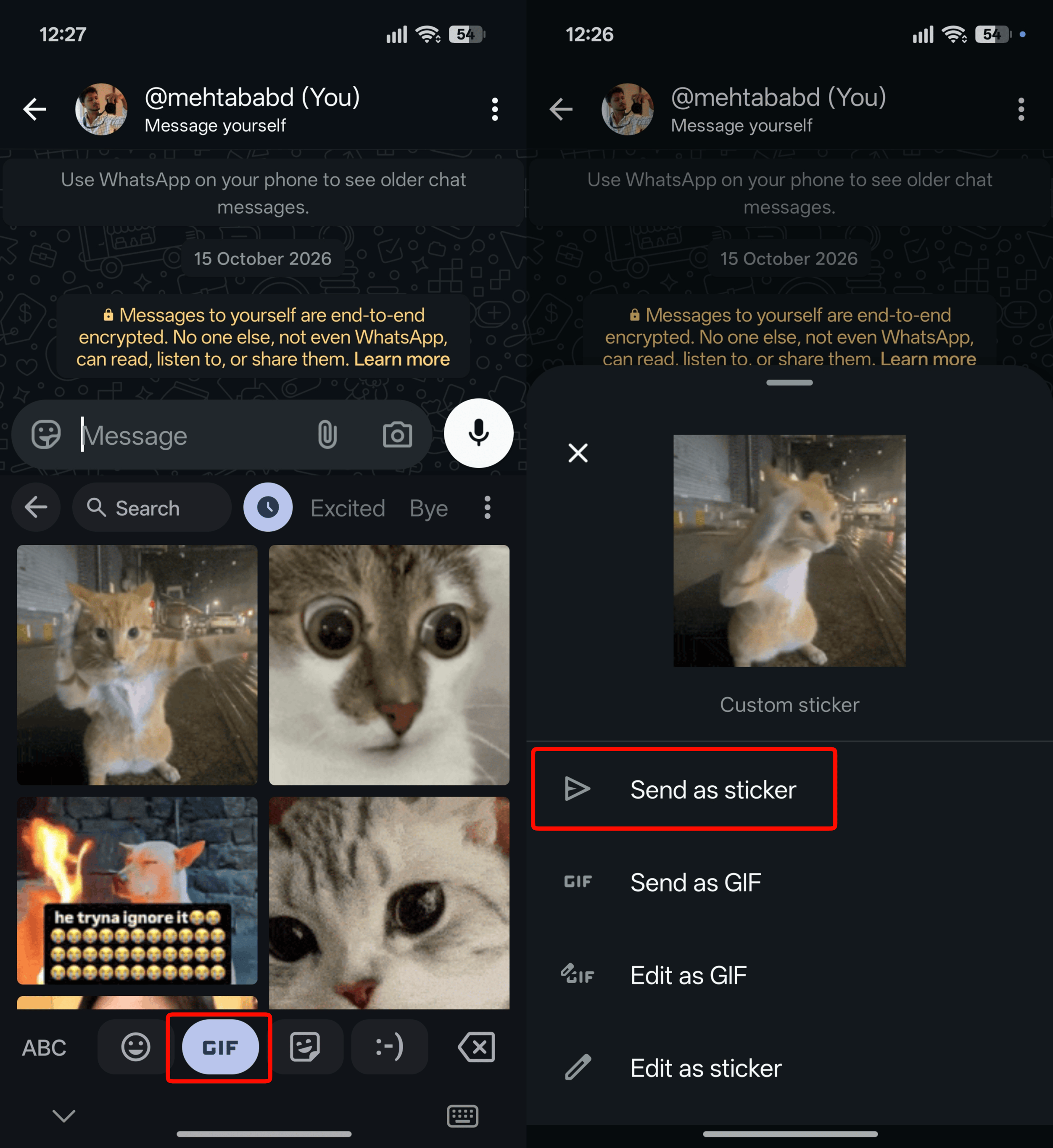
You can also select Edit as sticker to crop, resize, or adjust the sticker before sending it. Once sent, long-press the sticker and select Add to Favorites to save it.
ALSO READ: UPI Charges After Diwali: Will Shops Start Charging You Extra From Nov 9?
Method 2: Using WhatsApp’s Built-in Sticker Editor
If you don’t have Gboard installed, you can use WhatsApp’s own sticker editor.
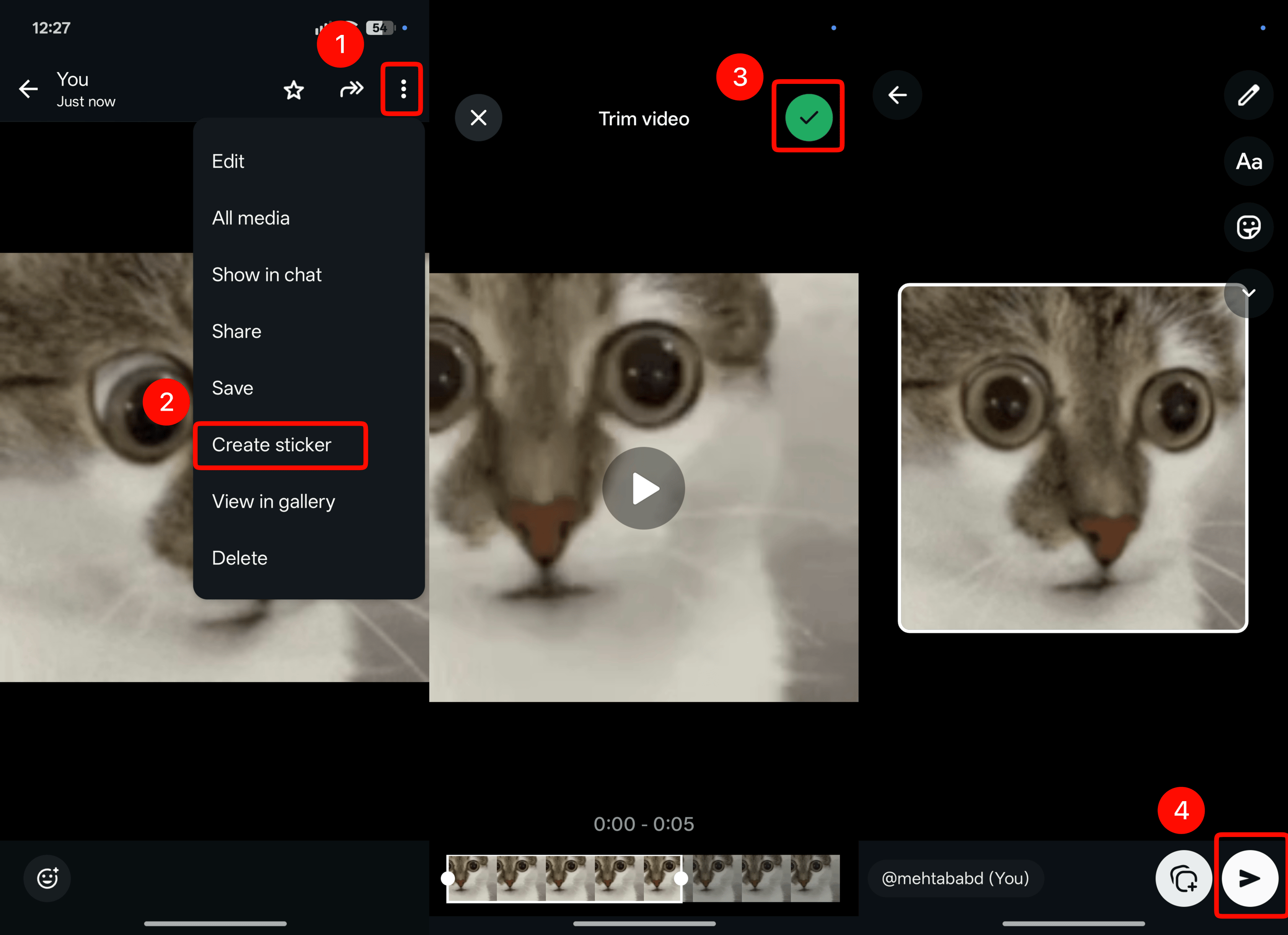
- Open WhatsApp and send the GIF you want to convert in a chat.
- Tap the GIF to open it.
- Tap the three-dot menu in the top-right corner.
- Select Create Sticker.
- Tap Done once you’re happy with the sticker.
- Tap the send button to share it in the chat.
How to Turn a GIF into a WhatsApp Sticker on iPhone
iPhone users can convert a GIF into a sticker directly from a WhatsApp chat.
- Open WhatsApp and send the GIF you want to use in a chat.
- Press and hold the GIF, then tap Copy. If you don’t see the option, tap More and then select Copy.
- Now, paste the copied GIF into the message field.
- Tap Send to send the sticker.

You can also customize the sticker before sharing it. Tap Edit Sticker, make your changes, and tap Send.

You can follow Smartprix on Twitter, Facebook, Instagram, and Google News. Visit smartprix.com for the latest tech and auto news, reviews, and guides.