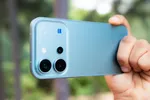
Whether you are staying in a five-star hotel room or renting an Air BnB, privacy is one of the most important concerns of an individual. Traveling to new places is filled with excitement but also comes with a fair share of challenges, including the fear of hidden cameras in your room. Hiding a camera to record someone in a place where they expect privacy is not only illegal but also unsettling for those being recorded.
Reports of such invasions have become alarmingly common, making it essential for those staying in rooms to stay vigilant. While there are specialized gadgets to detect hidden cameras, many people are unaware that your phones can serve as powerful tools for this purpose.
The article not only talks about ways to use smartphones to detect hidden cameras but also about where these cameras can be hidden and why it is important to look for hidden cameras in an unknown place. Using this guide, you will be able to ensure a safe, private, and worry-free stay anywhere.
ALSO SEE: How to Run DeepSeek R1 Locally on Your Phone [2 Methods]
What Does a Hidden Camera Look Like?

Hidden cameras are typically much more compact than standard security cameras, featuring lenses that can be easily grasped between the thumb and forefinger. Their small size allows for discreet placement, making them difficult to detect unless one is specifically looking for them.
Ways to Detect Hidden Cameras Using Smartphones
1. Using your smartphone’s flashlight to scan suspicious areas
One effective method for identifying a hidden camera is to utilize your phone’s flashlight. Regardless of how discreetly they are placed, cameras possess lenses that reflect light. When the flashlight illuminates these lenses, it becomes easier to detect the hidden camera. To search for reflective surfaces, follow these steps:
- Dim the lights in your room.
- Direct your phone’s flashlight towards potential hiding spots, such as corners, air vents, alarm clocks, or mirrors.
- Pay attention to any small reflective glimmers or lens-like appearances.
- If you notice anything unusual, examine it more thoroughly.
ALSO SEE: How to Activate Windows 11 for Free: 3 Easy and Safe Methods
2. Check WiFi Network for Suspicious Devices
Numerous wireless hidden cameras utilize Wi-Fi networks for recording and transmitting video footage. By scanning the WiFi network of your hotel, you should be able to detect the hidden cameras. Here are the steps to follow:
- Access your phone’s WiFi settings to see all connected devices.
- Search for any unknown device names, particularly those that begin with numbers or have generic labels such as IP Camera or Camera.
- You can also use Bluetooth to identify connected devices within the room.
- If you encounter any device that seems suspicious, promptly report it to hotel management or local authorities.

3. Detecting Infrared Light using Smartphone Camera
Many concealed cameras emit infrared light that is invisible to the naked eye but can be picked up by smartphone cameras. To search for infrared sources, follow these steps:
- Reduce or turn off the lighting in the room.
- Launch your smartphone’s camera application and switch to the front-facing camera.
- Sweep the camera across potential hiding spots for cameras.
- Pay close attention to any small, pulsing dots or glows appearing on the display.
- The presence of these infrared lights indicates a hidden camera. If you notice any such signals, conduct a thorough inspection of the area.
4. Leveraging Camera Detection Apps
Numerous third-party applications are available on the Google Play Store and iOS App Store that can assist in detecting hidden cameras. These applications utilize your device’s camera and sensors to identify the presence of concealed cameras within a given area. They are capable of scanning for infrared lights, magnetic fields, and other unusual signals. Simply download these applications and employ them to inspect the room you are occupying. Names of some reliable apps are-
- Glint Finder
- Hidden Camera Detector Pro
- Hidden Spy Camera Detector
- Hidden Camera Detector Free
- Spy Hidden Camera Detector

5. Check for keyholes, holes, or unusual objects
1. Thoroughly examine the room for keyholes, openings, or any unusual items that could potentially hide a camera lens. Utilize your fingers to detect lenses that may be positioned over or within holes in walls, doors, and various objects.
ALSO SEE: How to Use 5.5G on OnePlus 13 and OnePlus 13R
Where can Secret Cameras be hidden in a room?

Secret Cameras are mostly hidden in a limited number of places inside a room. These can be-
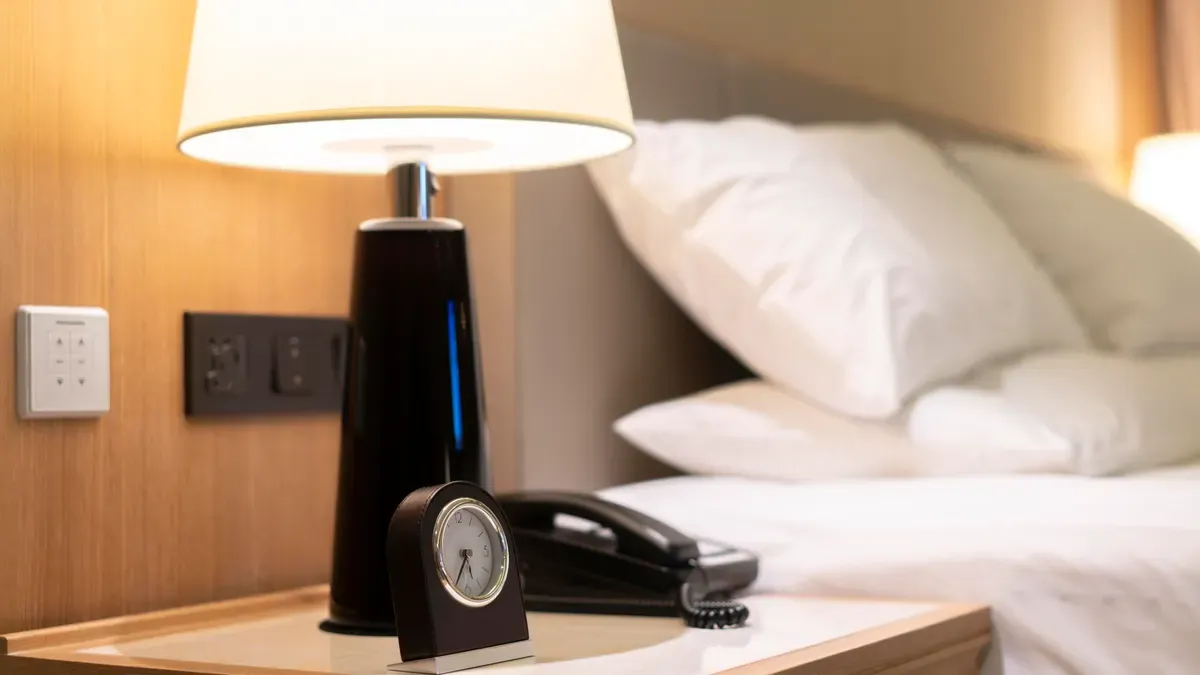
Electronic Devices- Cameras are often discreetly concealed within telephones, power outlets, and various electronic devices such as electric kettles, hair dryers, and hand dryers. This approach is practical, as these cameras require a continuous power supply, and integrating them into electrical appliances allows for uninterrupted operation around the clock.
Smoke Detectors/Alarms- A variety of alarm devices in your room can also conceal a camera. This is due to the fact that alarms provide a dependable power source for the camera. Alarms installed in the ceiling offer a comprehensive view of the entire room through a wide-angle lens, and their elevated position enhances their concealment.

Mirrors– Mirrors serve as an effective location for concealing a camera. To identify a hidden camera within a mirror, one can shine a light on it from different angles and turn off the lights to examine the mirror carefully. Two-way mirrors function as hidden windows, and placing a camera lens against the transparent side can make it challenging to detect from afar.
Toilets & Bathrooms- Hidden cameras are often placed for various purposes, including voyeurism, which makes restrooms a prime target for such surveillance devices. Waterproof cameras can be discreetly positioned within toilets, utilizing the edge of the seat to obscure the camera from an overhead view, or they may be embedded within the porcelain itself.
Bonus Tips to Ensure Safety in an Unknown Room

- Inspect items such as clocks, USB chargers, smoke detectors, and decorative pieces for any unusual holes or exposed wires.
- Conduct the finger test to identify potential two-way mirrors. Touch the glass with your finger; if there is no space between your finger and its reflection, it may indicate a two-way mirror.
- For frequent travelers, consider purchasing a hidden camera detector to enhance your security measures.
ALSO SEE: Call Forwarding: Can I Forward Calls to Another Number on Android & iPhone?
What to do if you find a camera hidden in your room?
If you encounter an object resembling a camera, microphone, or tracking device, take a photograph of it. While it may be innocuous, refrain from handling it to maintain the integrity of any fingerprints. If you observe a brand name or serial number, make a note of it, as this information can assist in identifying the device.
Leave the room without delay and reach out to the police right away. It is advisable to avoid contacting the hotel or Airbnb owner, as this could pose a risk.
You can follow Smartprix on Twitter, Facebook, Instagram, and Google News. Visit smartprix.com for the latest tech and auto news, reviews, and guides.