How to Get Pixel 2 Live Wallpapers On Any Android Smartphone

Main Image
  • Like
  • Comment
  • Share

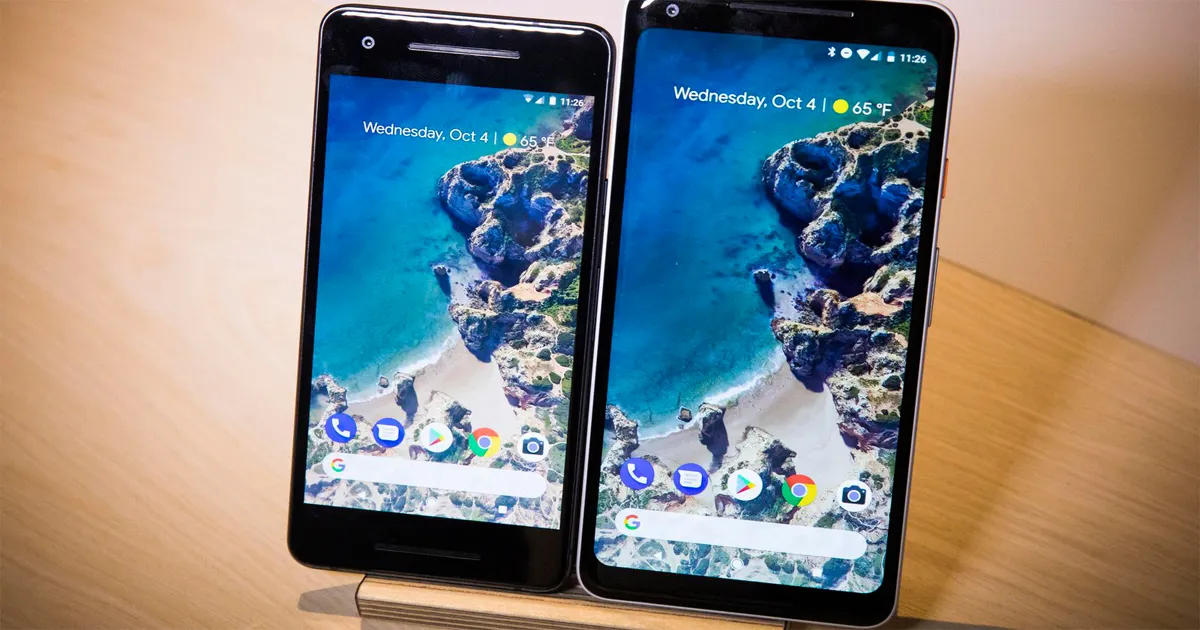
Last time, we showed you how you can get Pixel 2 Launcher on any Android smartphone. In this piece, we are going to guide you to how you can get Google Pixel 2’s nifty live wallpapers on your android smartphone.

Google launched its new Pixel smartphones with some stunning Live wallpapers. The search-engine giant made these wallpaper Pixel 2 exclusive, not even expanding the support to its own stock Android devices.

But, in an Android community, there is no such word called ‘exclusive’. Within a matter of days, an Indian developer “Pranav Pandey” have cracked the Pixel 2 Live wallpapers and made them available to most Android devices (phones running Android Marshmallow+, to be precise).

So, if you have been anxious to try them out and get that elusive, premium pixel feel on your current phone, here’s how you can get the Pixel 2 wallpapers on your smartphone:

Note: the steps will work on Android Marshmallow or above handsets

Also Read: How To Update OnePlus 3/3T To Android 8.0 Oreo Open Beta

Step 1: Google Wallpaper

To begin with, you must have Google’s wallpaper app installed on your Android phone. If you are a stock Android user it will pre-loaded on your handset, otherwise, you can load the app from Google Play Store.

Step 2: Download APK Mirror

Next step will be to download Pixel wallpapers 2017 port 8.0.0 PP-6.0+ arm64 beta file from APK Mirror. The file will have all the Pixel 2 Live wallpapers loaded on it.

Once downloaded, install the app on your device, this will ask you make minor changes to phone’s security. You will have to allow your phone to install the application from unknown source.

Step 3: The Climax

This slideshow requires JavaScript.

To set the Pixel 2 Live Wallpapers on your smartphone device, long press on empty space of your screen>tap on wallpapers>scroll down to the bottom of the list for the new ‘Live Wallpapers’ section>select from the collection.

That’s it. Enjoy the Pixel 2 experience!

How To Get Galaxy Note 8 like App Pairs On Any Android Phone

Ashish KumarAshish Kumar
He is Journalism graduate, sports lover, and a passionate reader. Just like others his eyes is also filled with dreams and believes that one day those dreams will come true. Cheers!

Related Articles

ImageSamsung Working on Near-Bezel-Less Galaxy Flagships to Rival Apple’s 20th Anniversary iPhone

Samsung is reportedly evaluating an almost borderless display design for some upcoming Galaxy flagships. A report on Naver claims the company is working towards matching the ultra-thin borders expected on Apple’s 20th-anniversary iPhones, which are tipped to feature quad-curved front glass. Samsung Display already supplies OLED panels for Apple’s iPhones, giving the company experience with …

ImageDownload Google Pixel 6, Pixel 6 Pro Wallpapers from Here

The Pixel 6 and Pixel 6 Pro, which will be launched in the fall, are the latest smartphones from Google. Although the tech giant has revealed some details on the forthcoming phone, the full specs list is still shrouded in secrecy. During the official launch, Google is expected to disclose more information about its Pixel …

ImageDownload Offical Wallpapers -Apple, Samsung, OnePlus, Xiaomi, Poco, Realme, Vivo & Oppo Phones

Internet is flooded with thousands of wallpapers available for download. A quick search of best Android wallpapers will load page after page of wallpapers in HD, full HD, 2K, QHD or 4K resolutions. Having said that, some of you will agree with me that the best wallpapers are offered by OEMs themselves. Be it iOS …

ImageMivi’s First Smartphone Gets Snapdragon 4 Gen 2, Geekbench Listing Confirms

Mivi is getting ready to enter the smartphone market, and we now have confirmation of the chipset inside its first phone. A Geekbench listing for the Mivi MVNOE shows Qualcomm’s SM4450, which is the model number associated with the Snapdragon 4 Gen 2. Mivi has also revealed a few more details about its approach to …

ImagePixel 10 Gets Gemini Intelligence In Google’s November Pixel Drop, Multi-Step Agentic AI Arrives To Indian Units

Pixel Drops are a bit like Diwali gifts that you get from relatives and friends. Some are dry fruit boxes, high in value and nutrition, while others are, well, boxes of soan papdi. Google’s November drop landed on Tuesday, November 10, 2026, and among all the new features and the ones that pass on to …

Discuss

1 Comment
User
tripti
Anonymous
8 years ago

Really a great app by Google.

Reply