



TL; DR
- Digi Yatra’s international trial began on November 1 at seven Indian airports for Indian nationals with e-passports travelling on select Air India and IndiGo international flights.
- Setup involves scanning your passport’s machine-readable zone, reading its embedded chip using NFC on a compatible phone, and taking a selfie to create a Verifiable Credential stored in the Digi Yatra wallet.
- Digi Yatra can speed up entry, security and boarding at participating gates. You still need your physical passport and must complete immigration and airline document checks.
Digi Yatra has expanded beyond domestic travel, with international passenger trials beginning on November 1. The Ministry of Civil Aviation and Digi Yatra Foundation have introduced the facility at Delhi, Mumbai, Bengaluru, Chennai, Hyderabad, Kochi and Amritsar airports.
Indian nationals with e-passports can use facial recognition at designated airport touchpoints on select international flights operated by Air India and IndiGo. The trial will run through December 2026, with passenger feedback expected to help shape a wider rollout in 2027.
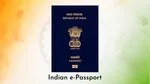
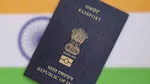
An e-passport is a regular passport with an embedded electronic chip that stores biographical and biometric information. The international version of Digi Yatra reads this chip to create a digital identity credential. The credential stays on the passenger’s phone, avoiding the need for centralized storage of passport data on Digi Yatra’s servers.
How to Set Up Digi Yatra for International Flights
You’ll need an eligible Indian e-passport and a phone with NFC support to read its embedded chip.
- Download the Digi Yatra app or open it if you already have it installed.
- Go to the credentials section, select the e-passport option and provide consent.
- Scan the machine-readable zone or MRZ on your passport, which consists of the two lines of text at the bottom of the passport’s photo page.
- Enable NFC on your phone, if required, and hold the passport against the back of the device so the app can read its embedded chip.
- Follow the app’s instructions to take a selfie for biometric matching, then confirm your details.
- Once verification is complete, a Verifiable Credential is stored in the Digi Yatra wallet on your device.
- Upload the boarding pass for your international journey.
After completing these steps, you can use Digi Yatra at participating airport gates for your eligible flight.

At the airport, look for Digi Yatra e-gates at terminal entry, the security hold area and boarding gates where the infrastructure is available. The system matches your face against the credential associated with your flight. Airline staff still need to verify your travel documents during check-in before you proceed through the enabled touchpoints.
What Digi Yatra Does for International Travel?
Digi Yatra uses facial recognition to reduce repeated physical document checks at participating airport access points. Once the initial airline document verification is complete, one could use their face to pass through the enabled terminal entry, security hold area and boarding gates. Basically, the system is designed to make movement through these checkpoints faster and more convenient.
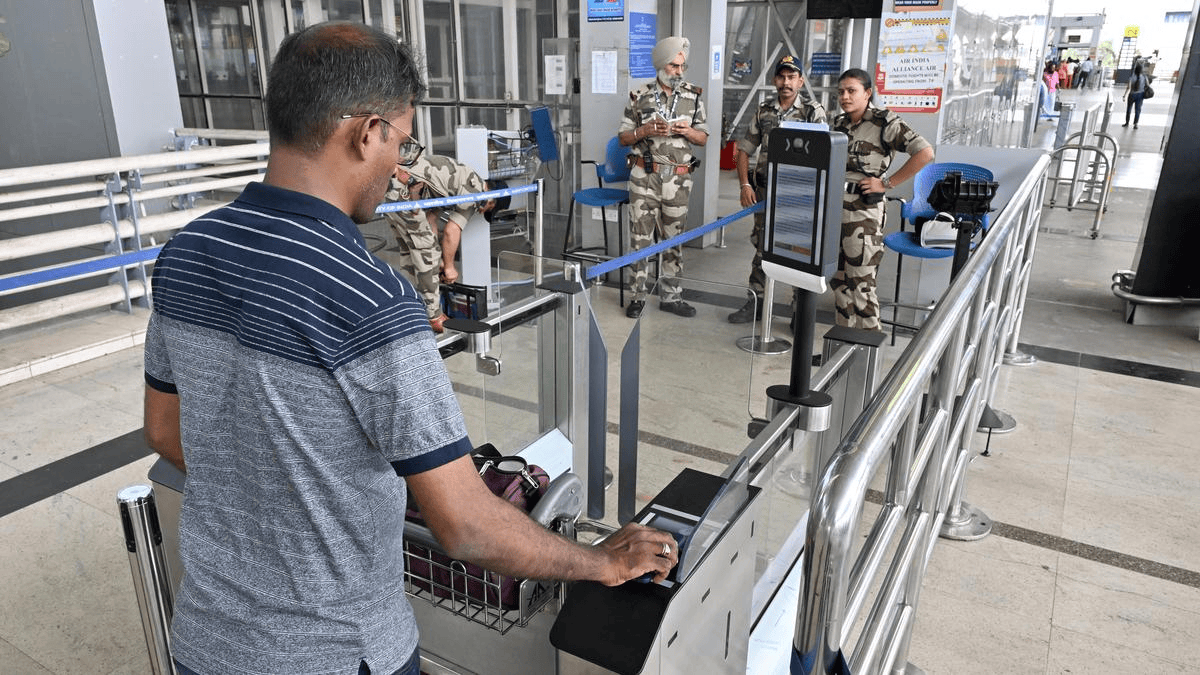
Digi Yatra does not replace immigration. You must still carry your physical passport, complete the required immigration formalities and meet your airline’s and destination country’s travel requirements. Airline staff will continue to check your documents at check-in, and you should keep your passport available throughout your journey.
The international trial is currently limited to eligible Indian nationals with e-passports. Foreign nationals and Indian travellers without e-passports cannot use this version of the service.
ALSO READ: Philips NA154/00 Dual Basket Air Fryer Review (2026) | Price, Performance, Verdict
Digi Yatra International Flights: FAQs
Does Digi Yatra eliminate immigration checks for international flights?
No. Immigration remains mandatory for international travel. Digi Yatra handles identity verification at certain airport access points and does not grant permission to leave India or enter another country.
Can I skip the airline check-in counter?
No. You must complete airline document verification at the check-in counter or follow the process required by your airline. Digi Yatra can then be used at enabled airport gates where the service is available.
What are the benefits of using Digi Yatra for international flights?
Eligible passengers can move through designated gates using facial recognition after completing the initial checks. This reduces repeated physical document presentations at supported touchpoints and provides a contactless option for airport entry and boarding. Participation is voluntary.
Do I still need to carry my physical passport?
Yes. You need your passport for immigration and airline document checks. Keep it with you in case biometric verification fails or the Digi Yatra system is unavailable.
Which airports and airlines support international Digi Yatra?
The trial covers seven airports: Delhi, Mumbai, Bengaluru, Chennai, Hyderabad, Kochi and Amritsar. It is available on select international flights operated by Air India and IndiGo. Air India’s eligible international departures from participating airports are included, while IndiGo coverage depends on the selected routes. Availability also depends on the airport’s terminal infrastructure.
When will Digi Yatra expand to more international flights?
The trial is scheduled to collect passenger feedback through December 2026. A broader rollout is planned for 2027, which will be based off the trial’s results and further approvals.

You can follow Smartprix on Twitter, Facebook, Instagram, and Google News. Visit smartprix.com for the latest tech and auto news, reviews, and guides.