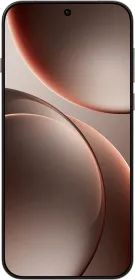
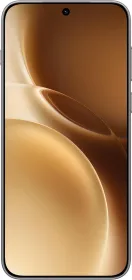
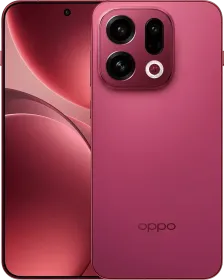
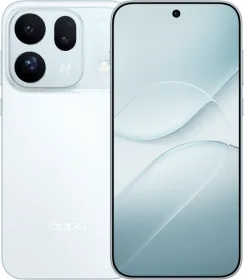
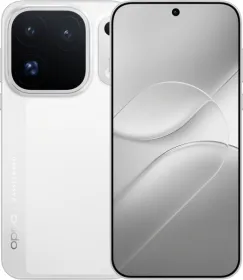
ColorOS 16 is here, and I’ve been testing it on the Find X9 Pro for the past few weeks. This version is easily one of the biggest refinements the company has made to its software. It focuses on three things: smoothness, intelligence, and connectivity. The result feels like a more coherent version of ColorOS. One that’s beautiful, customizable, smooth, and brings together AI in a way that makes sense. Here’s my review of ColorOS 16, which I tested on OPPO Find X9 Pro.
Performance and Smoothness
Smoothness has always been part of ColorOS’ identity, but with version 16, OPPO takes it further. The new Luminous Rendering Engine and Trinity Engine work together to make everything from animations to app transitions feel more natural and visually connected. The system-wide animations have also been greatly improved.
The Seamless Animation system means every element moves in sync with your touch. Opening and closing apps, scrolling through widgets, and switching between menus feel noticeably more responsive. Even quick actions like jumping from the home screen to the app drawer maintain perfect frame consistency.
I noticed the improvement most when multitasking; the Find X9 Pro didn’t slow down even when I had over a dozen apps open. OPPO also says Project Breeze extends these optimizations to entry-level devices, bringing flagship-level smoothness to more affordable phones.
A major upgrade is the inclusion of system-wide animations. Opening and closing the sidebar, using the Search bar in the app drawer, opening a menu, or going back (predictive back gesture), everything is animated properly.
ALSO READ: OxygenOS 16 Review: Complete List of All the New Features and Changes
Lock Screen and Personalization
ColorOS 16 transforms the lock screen into something more dynamic. You can now use Motion Photos and even short videos as wallpapers, with smooth AOD to lock screen transitions and depth effects. The Full-Screen Always-On Display extends your wallpaper to the AOD layer, displaying time, date, and notifications, similar to iOS.
The Flux Themes 2.0 adds new ways to personalize with editable Flux text, font, weight, and alignment options. There’s also AI text recommendations based on the wallpaper, which adapt font color to the wallpaper’s tone automatically. You can also place up to eight lock screen widgets.

There are also several new clock styles, including Live Clock and stretched clock options.


Charging and fingerprint animations have also been redesigned with a refraction style that fits the new Light and Shadow visual language.
The Home Screen and UI Design
The home screen is more customizable now. The Flux Home Screen allows resizable folders (tall, wide, or large), and the rest of the layout dynamically adjusts to fit. App icons can be enlarged and customized, and you can even embed quick shortcuts directly inside icons for one-tap access.

Across the interface, OPPO has introduced a Texture Blur effect and frosted transparency that looks nice. The Aqua Dynamics system (or Live Alerts), a mini interactive overlay for at-a-glance info, is now smoother, supporting more third-party apps like YouTube Music, Google Sports, and Google Maps.

Widgets are better, more consistent, and you get to choose from multiple new ones now, too. You can stack and resize them freely, and OPPO’s first-party widgets for Battery, Notes, Gaming, Weather, and My Devices all blend into the updated aesthetic.

All-New Control Centre
The Control Centre has been fully redesigned. It now uses a 4×4 customizable top layout where you can move or resize toggles, manage media controls, and monitor connected devices through the new My Devices panel. You can add or remove tiles for Bluetooth, brightness and volume control, Ring mode, and more.

The new split Multicolor Theme mode lets you give each toggle a unique color, and the transitions between panels are now smoother. Notifications have also been redesigned to look cleaner, with animations that make the shade flow naturally with the rest of the UI.

ALSO READ: vivo Launches OriginOS 6 in India: Check Supported Devices and New Features
AI Features
ColorOS 16 introduces a centralized OPPO AI Hub (Settings > AI), where every AI feature lives in one place.

AI Mind Space is one of the biggest additions. You can capture anything on screen with a three-finger swipe (or using the Snap key), and it automatically saves to your personal Mind Space, which is a unified storage hub that organizes notes, screenshots, and articles.

The feature is also tied to Google Gemini, allowing personal knowledge integration. For example, I asked Gemini to “plan a trip using saved notes and check the weather for tomorrow,” and it used my stored info to generate results instantly.

The Snap Key on the OPPO Find X9 series ties into this system, short-press to save content, long-press to add a voice note, or press and hold the Snap key to open the Mind Space app.

Other new AI tools include:
- AI Recorder, which provides live transcription, identifies speakers, and summarizes recordings in PDF or Word formats.
- AI Writer, built into Notes and compatible with social media apps, for quick text generation or post editing.
- AI Portrait Glow, which enhances lighting and skin tones in low-light selfies using tone-matched adjustments.
- AI Scan, for glare-free, perspective-correct document captures using the camera app itself.
OPPO claims that everything runs under OPPO’s Private Computing Cloud, meaning none of your AI data leaves the device.
ALSO READ: ColorOS 16 vs. iOS 26: Who Did Lock Screen Customization Better?
Photos, Albums, and Editing Tools
The Photos app has been redesigned with a simplified two-tab layout (Photos and Albums). Search now uses AI recognition to detect people, pets, and objects. The app also supports Smart Categories like Pets, Food, Screenshots, and more, grouping your images automatically.

There’s also a full-fledged Pro Video Editor integrated into the Photos app. You can trim, adjust playback speed, crop, add filters, or fine-tune contrast and saturation. It supports exports up to 4K at 120 FPS, which is something I didn’t expect in a built-in editor.

Cross-Device Connectivity
This is where ColorOS 16 really expands its ecosystem. The improved O+ Connect now supports both Mac and Windows systems. I was able to mirror my phone’s screen on a MacBook, control apps using the keyboard and mouse, and even drag files between devices.

It also works the other way. Through Remote PC Control, I could access my laptop remotely using my phone. And for quick sharing, Touch to Share finally supports OPPO-to-OPPO transfers with a smooth tap animation.

Security and Privacy
Security is more proactive now. Private Computing Cloud ensures your AI data stays encrypted and on-device. There’s also OPPO Lock, which automatically triggers if it detects SIM removal or suspicious activity. It can be unlocked only through password and biometric verification.

ALSO READ: Exclusive: OPPO Find X9 Series India Launch Date and Key Specs Revealed
Visual Refinement and Everyday Experience
The new Light & Shadow design language gives ColorOS 16 its identity. Light and shadow effects respond to touch across the interface, and animations have been standardized system-wide, whether you’re scrolling, opening menus, or resizing widgets. Combined with Parallel Processing 2.0, it creates one of the most stable, visually consistent Android skins I’ve used.
Final Thoughts

After using ColorOS 16 on the Find X9 Pro, I can say this is the best version of OPPO’s software, which can challenge One UI 8 for the crown of best UI of 2025. It’s smoother, more personalized, and more connected than any previous release. The AI tools also feel meaningful, and the design has matured into something that looks and behaves consistently across the system. This is easily one of my favorite UIs this year.
ALSO READ: OPPO Launches ColorOS 16 Officially: Check Out New Features and Rollout Plan

You can follow Smartprix on Twitter, Facebook, Instagram, and Google News. Visit smartprix.com for the latest tech and auto news, reviews, and guides.