TL; DR
- Gboard Rambler brings AI-powered dictation to the Pixel 11 series, cleaning up filler words and messy sentences as you speak.
- Live audio dubbing translates videos, podcasts, and YouTube content in real time, though it won’t be available in the EU at launch.
- Magic Capture uses Gemini and Tensor G6 to pull share-ready stills out of a video.
- Creator Suite adds a teleprompter, audio visualizer, storyboard editor, project folders, and safe-zone guides to the camera app.
Google has gone pretty hard on software with the Pixel 11 series. The phones look familiar, but there are plenty of new camera and Gemini features tucked into the experience. Some are genuinely useful, some are very specific, and a few sound like the kind of thing Google loves showing off at a launch event. Here are the 10 biggest additions.
1. Gboard Rambler
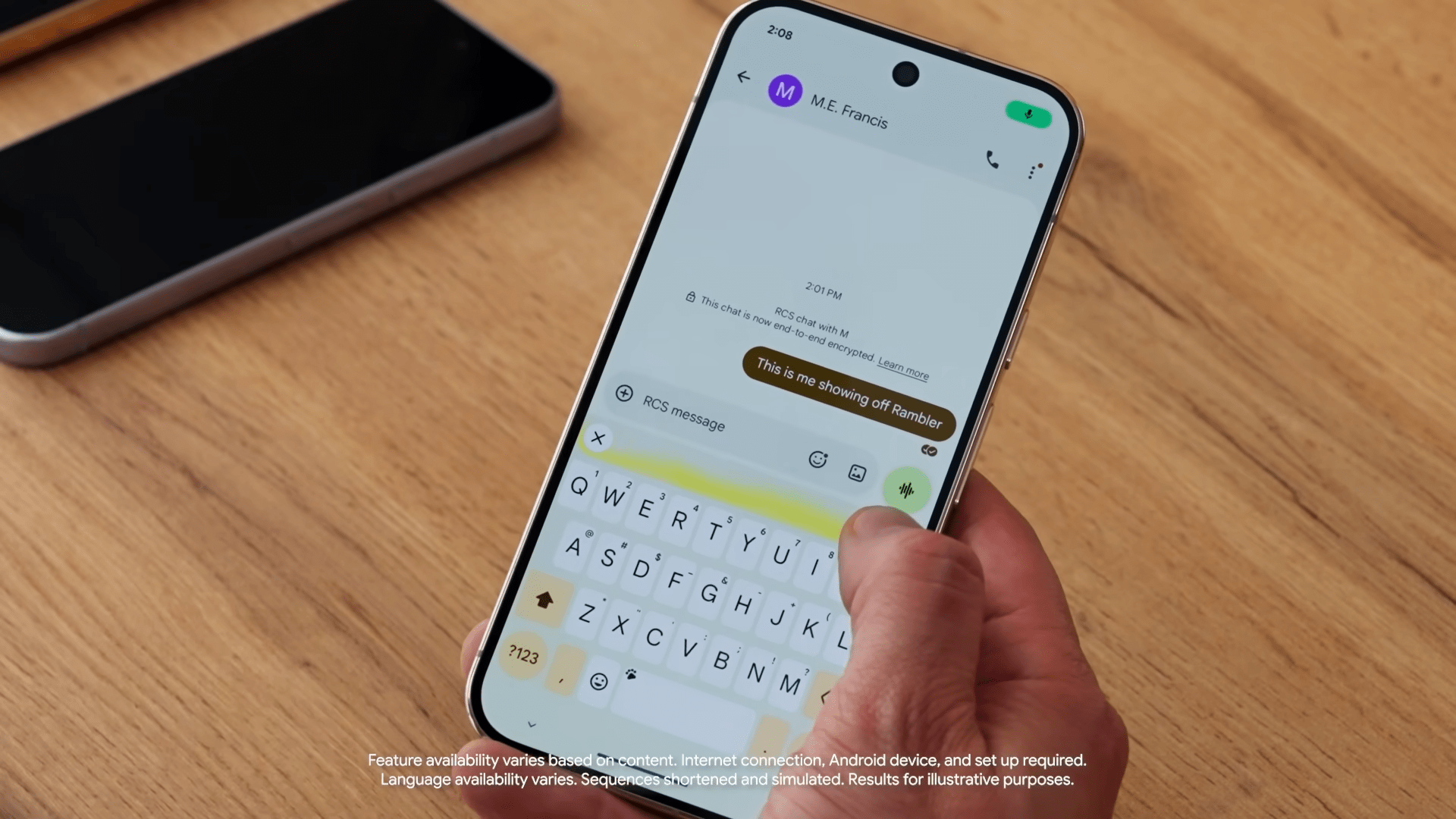
Gboard Rambler is Google’s answer to AI dictation tools like Wispr Flow. You can speak normally, including the usual “umm,” pauses, and rambling, and Rambler cleans it all up before turning it into text.
Once it finishes, you can ask Gemini to change the tone, expand what you said, or add emoji. It even supports multiple languages in a single text. Google has also kept regular speech-to-text as an option if you want your words transcribed exactly as spoken.
2. Real-Time Audio Dubbing
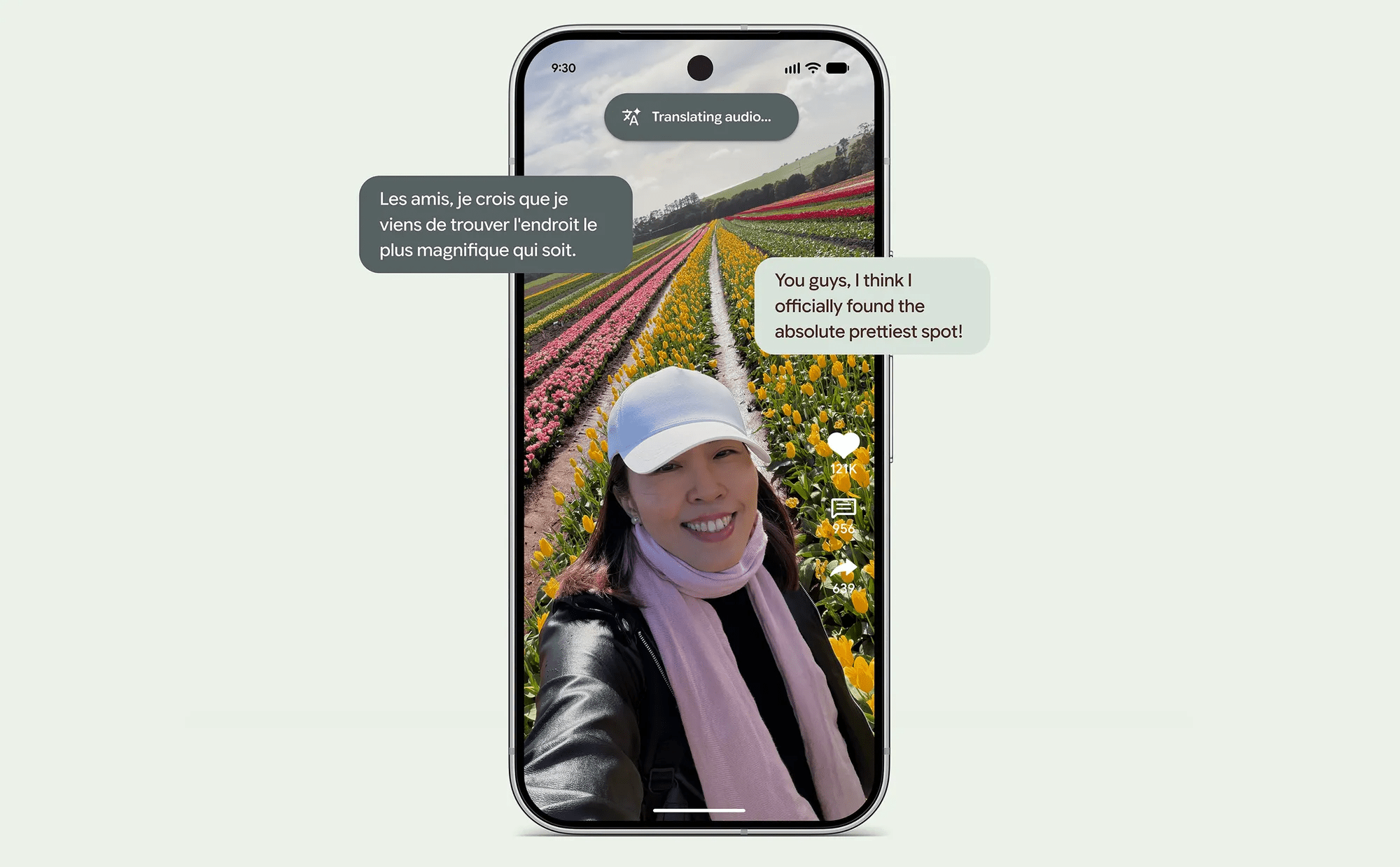
The Pixel 11 can now translate spoken audio in videos, podcasts, YouTube content, and supported apps in real time. Tensor G6 handles the processing, with the translated audio playing back as you watch.
It sounds genuinely useful for watching content in another language. There is one pretty big catch: Google isn’t bringing the feature to the EU at launch.
3. Magic Capture
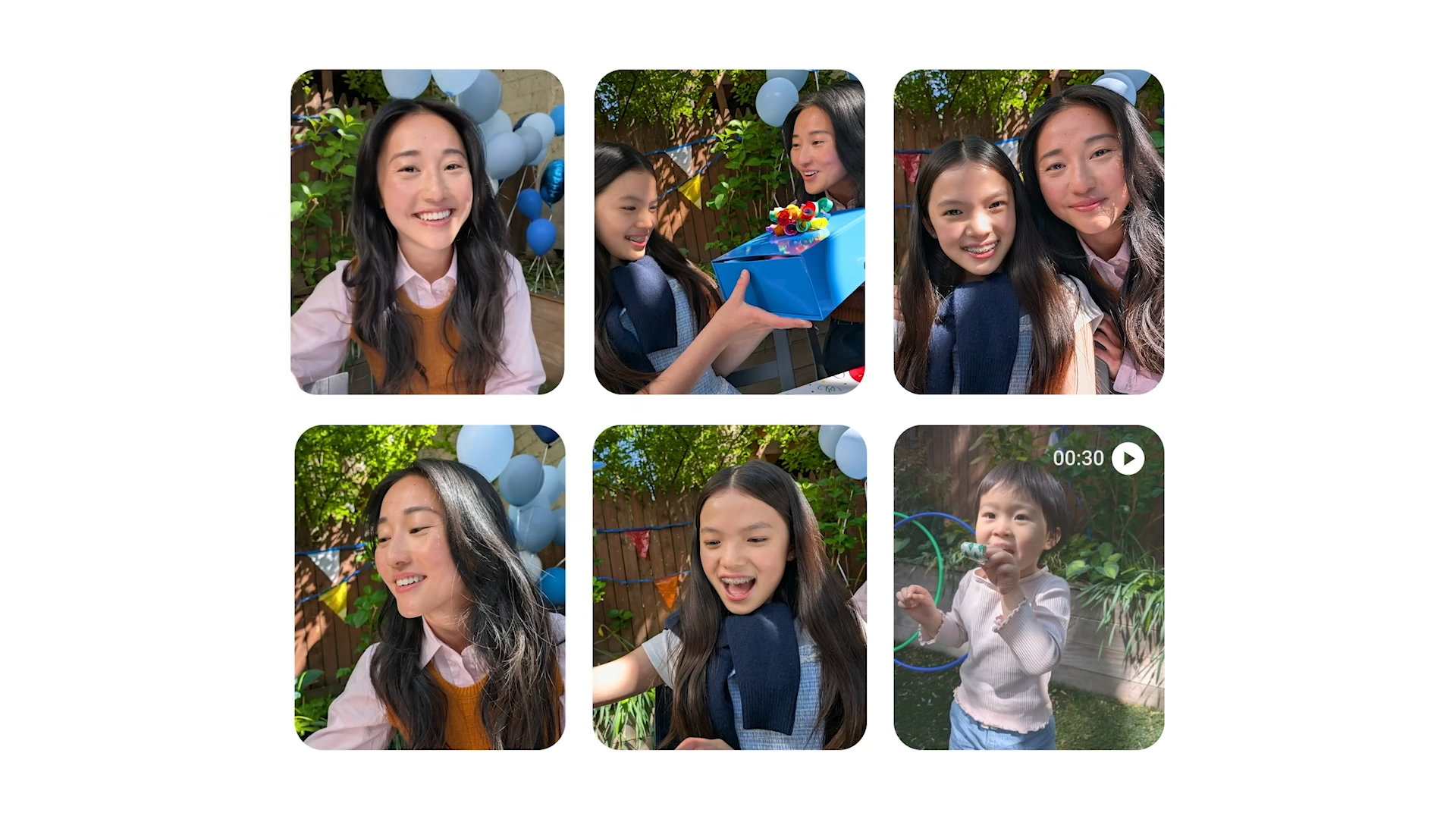
Magic Capture takes a slightly different approach to taking photos. You record a short video, and the Pixel 11 analyzes around 500 frames in the background.
Gemini then picks the five best HDR+ moments and turns them into 12MP stills. The phone handles the cropping and processing automatically, while the original video stays intact.
The idea is simple: record first and worry about picking the perfect frame later.
4. Camera Looks
Camera Looks brings custom visual presets directly into the Pixel camera. You can choose a look while shooting instead of recording everything and opening an editor afterward.
Google has also tweaked its image processing, with improved sharpening, lower noise in low light, and smoother transitions when switching between cameras during video.
5. Creator Suite
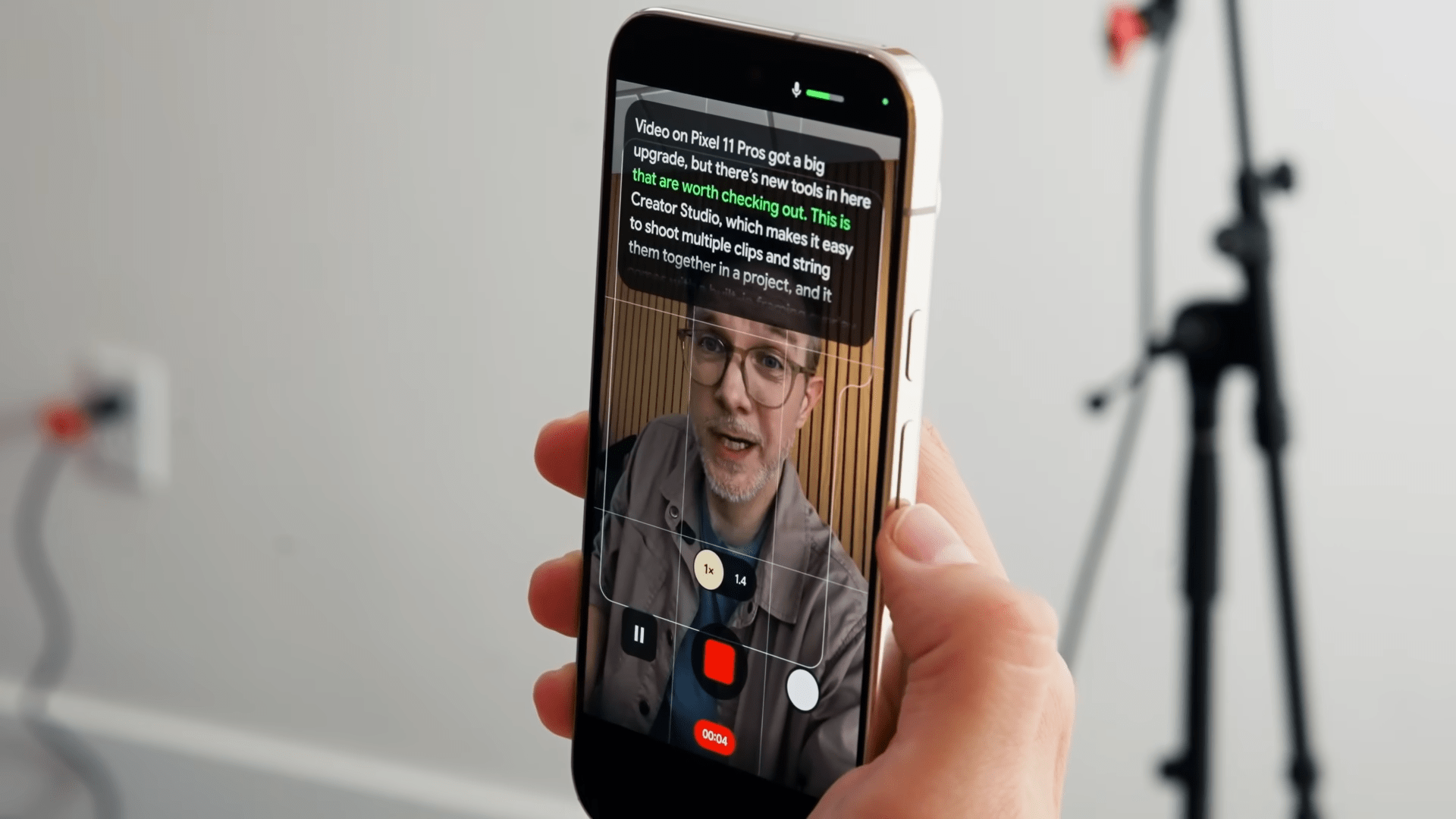
Google has also built a bunch of creator tools directly into the camera app. Creator Suite includes:
- Teleprompter: Scrolls your script while adjusting to your speaking pace.
- Audio Visualizer: Shows a live waveform so you can check your microphone input.
- Storyboard: Lets you trim and rearrange clips.
- Project Folders: Keeps footage from a shoot together.
- Safe-zone guides: Helps keep subjects clear of the interface areas used by TikTok, YouTube, and Instagram.
This is probably one of the more practical additions for anyone who regularly shoots videos on their phone.
6. Super Res Zoom Gets Better
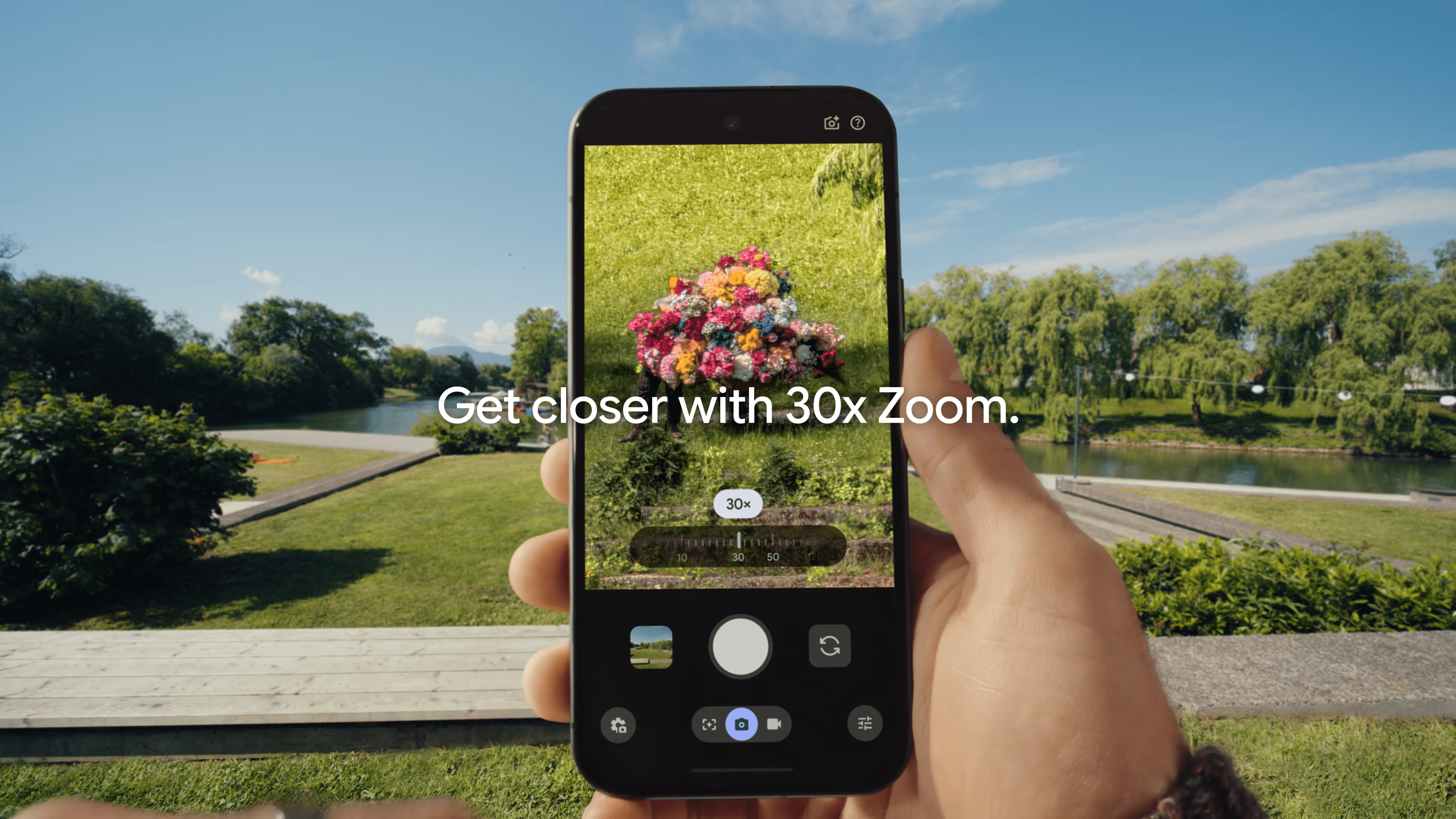
Google has increased the maximum Super Res Zoom on the base Pixel 11 from 20X to 30X. The Pixel 11 Pro and Pro XL also get a bump from 100X to 120X. The Pro models get Instant Night Sight too, which Google claims can capture photos 4.5X faster than the previous generation’s Night Sight.
7. Circle to Search Comes to the Camera
Circle to Search can now be used directly from the Pixel camera viewfinder. If you spot something you want to identify or search for, you can do it from the camera without jumping between apps. It’s a small change, but it makes the camera a more useful starting point for visual searches.
8. Sign Language Translation
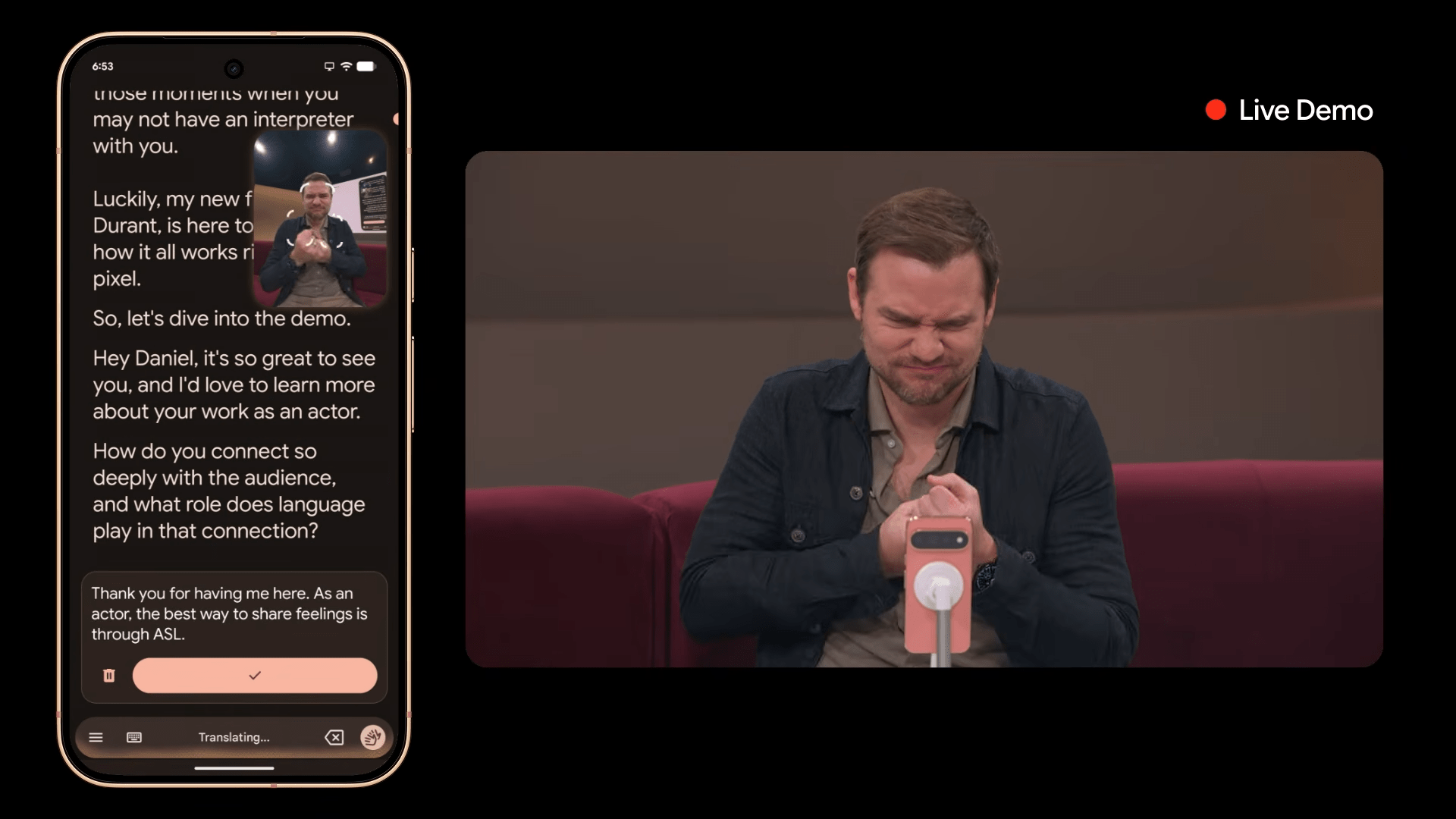
The Pixel 11 series gets a Gemini-powered sign language translation feature. The camera can recognize sign language and turn it into text, adding another accessibility use for the camera. At the time of writing, only ASL is supported.
9. Proactive Assistance
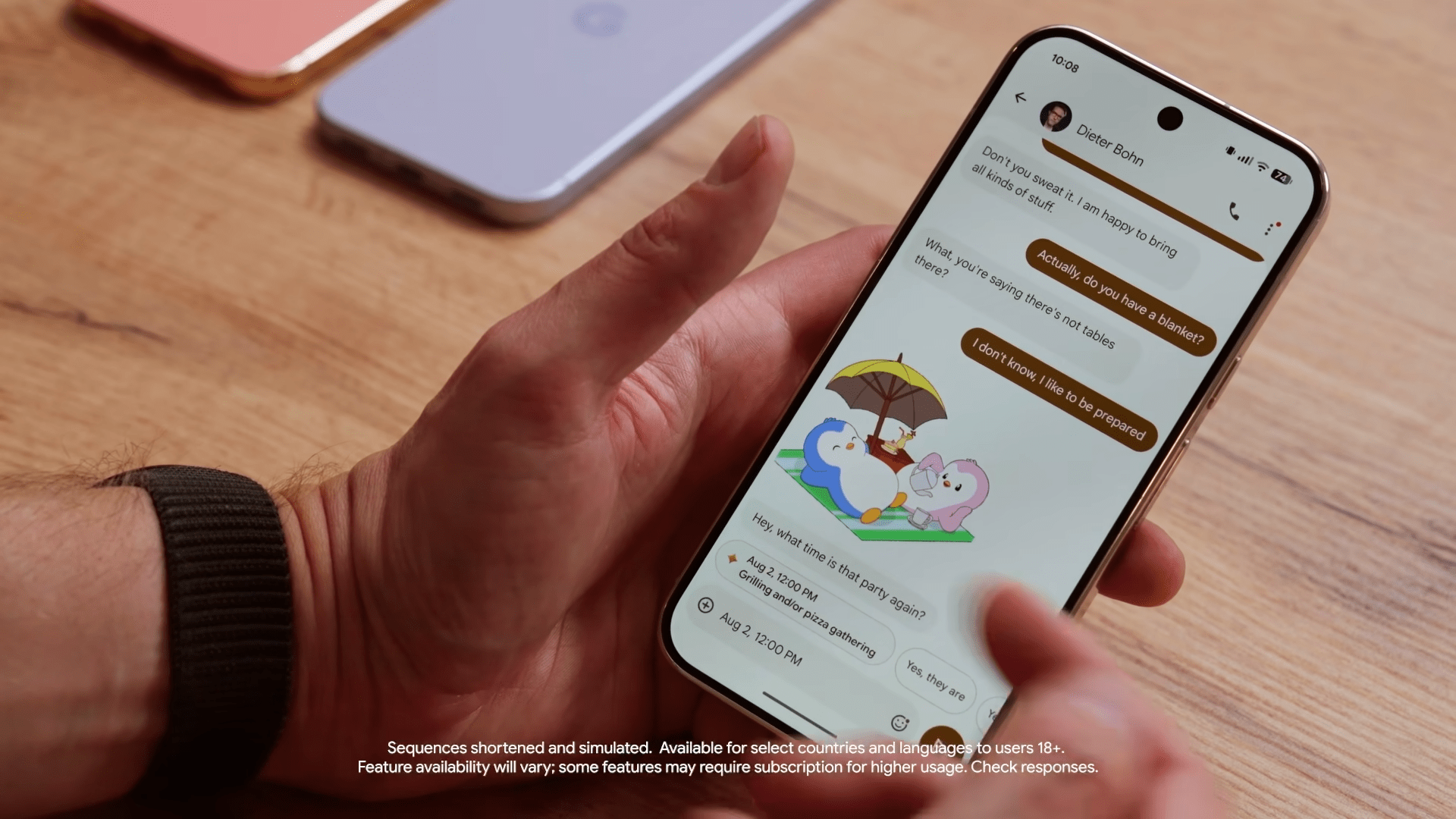
Google has renamed Magic Cue to Proactive Assistance and expanded what it can surface. It can pull up things like flight details, Maps listings, calendar information, and booking details based on what you’re doing. Google is also testing a location-aware At a Glance feature that can show things like loyalty cards and Maps listings based on where you are.
10. HiLight
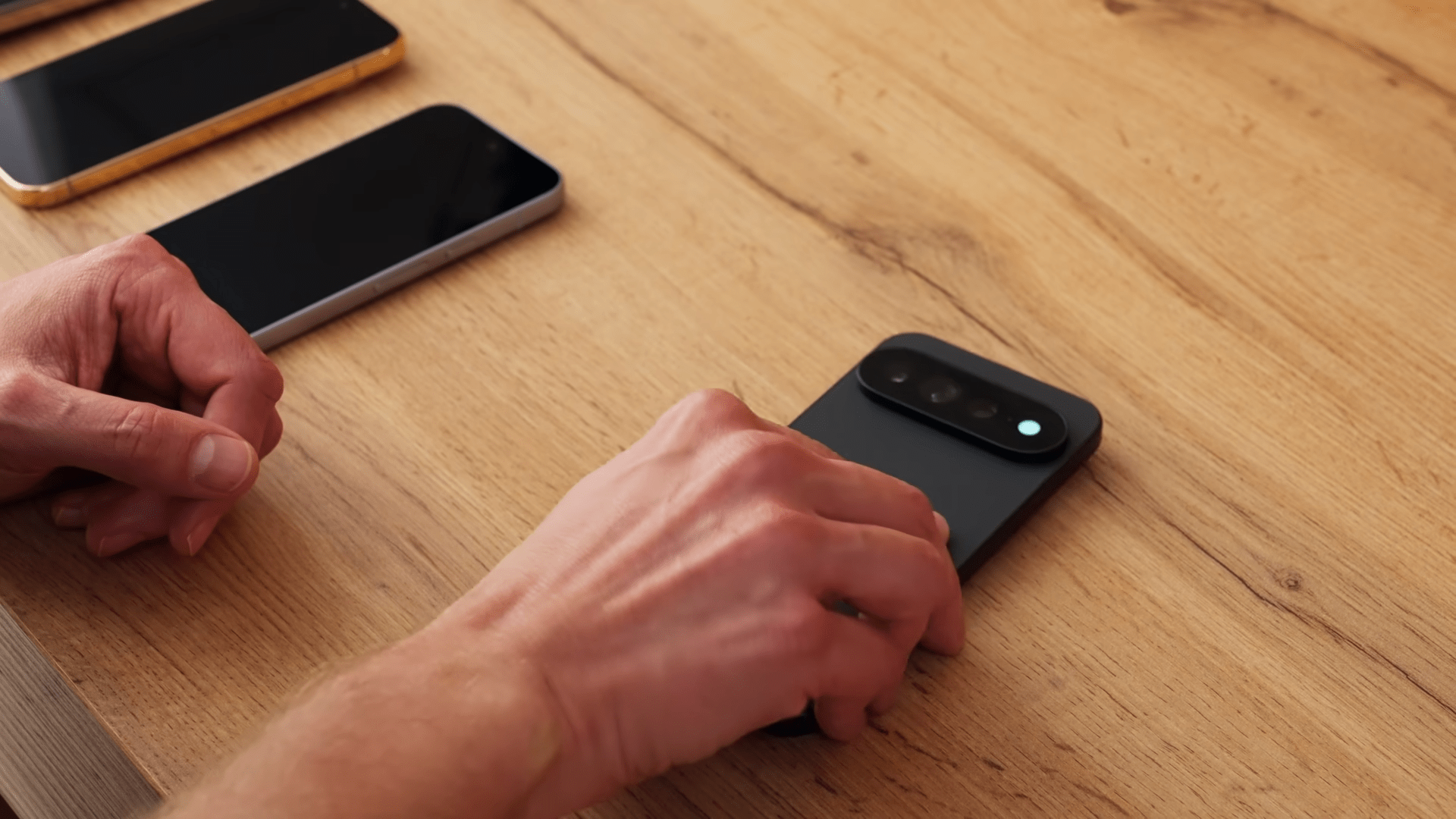
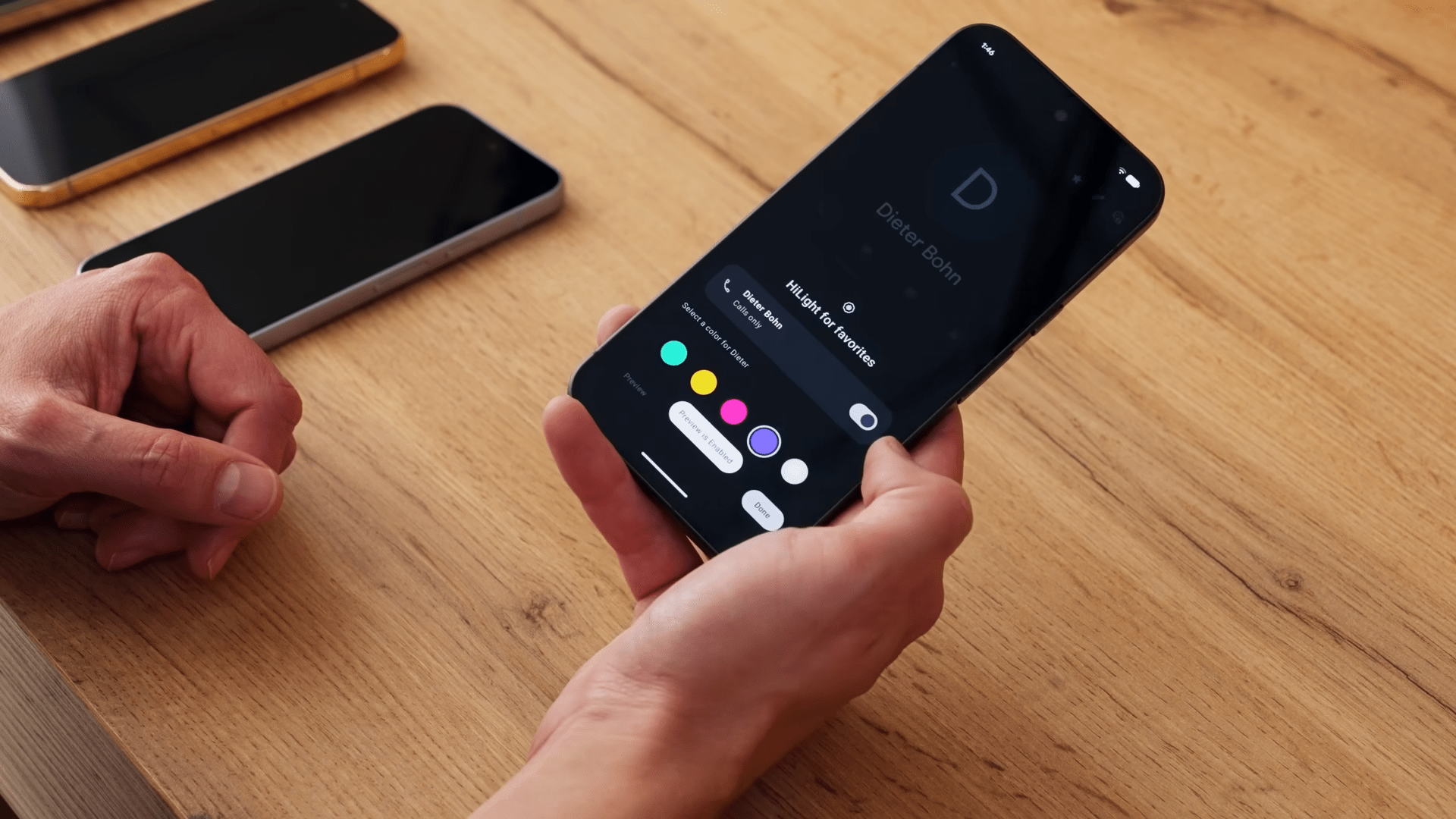
The Pixel 11 Pro, Pro XL, and Pro Fold get HiLight, a color-changing LED built into the camera bar. You can assign colors to contacts, and HiLight will show that color when they call while your phone is face-down. It can also indicate Gemini activity. Google plans to add messaging support later, with broader third-party support still unclear.
11. Tap to Share
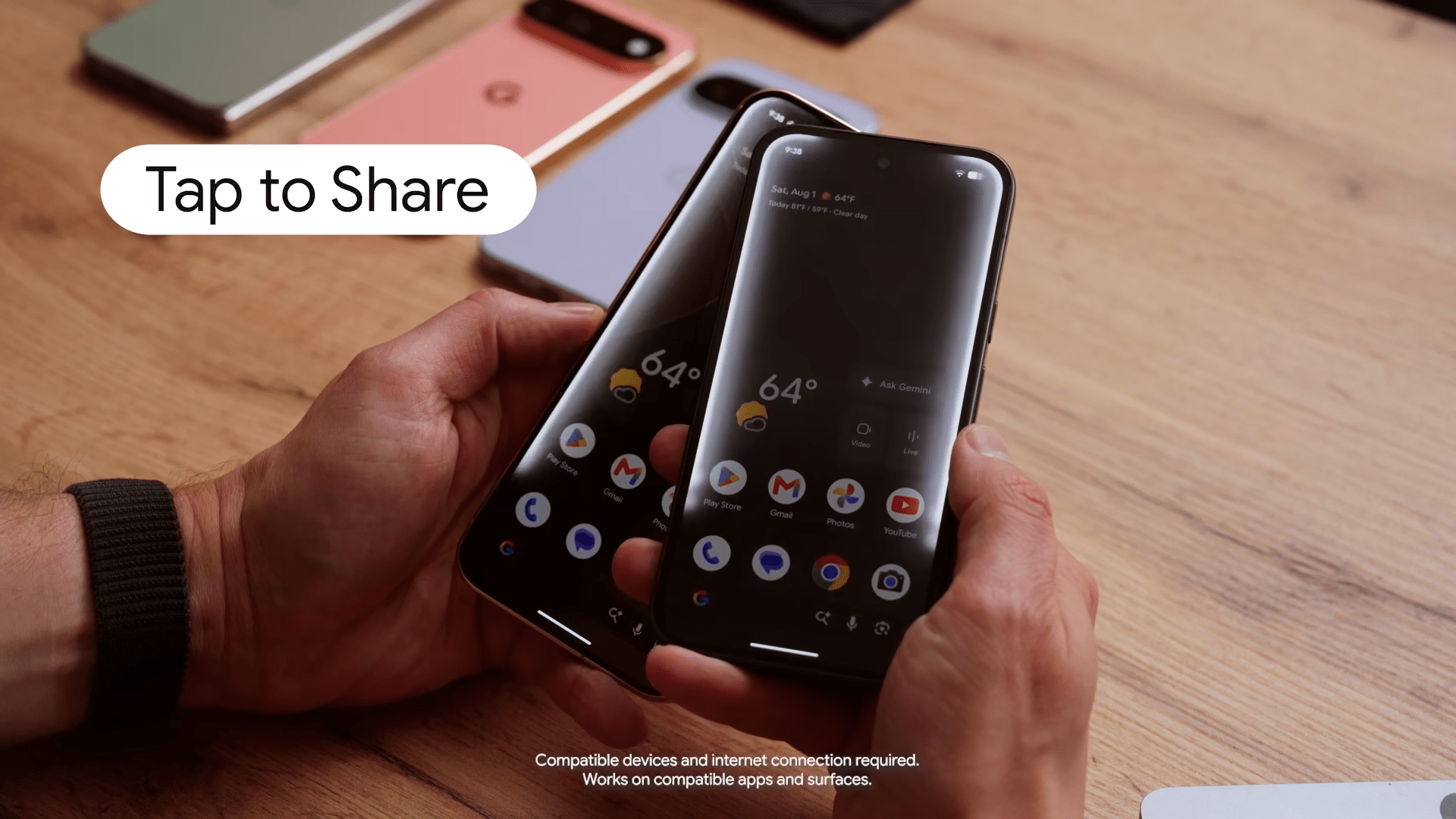
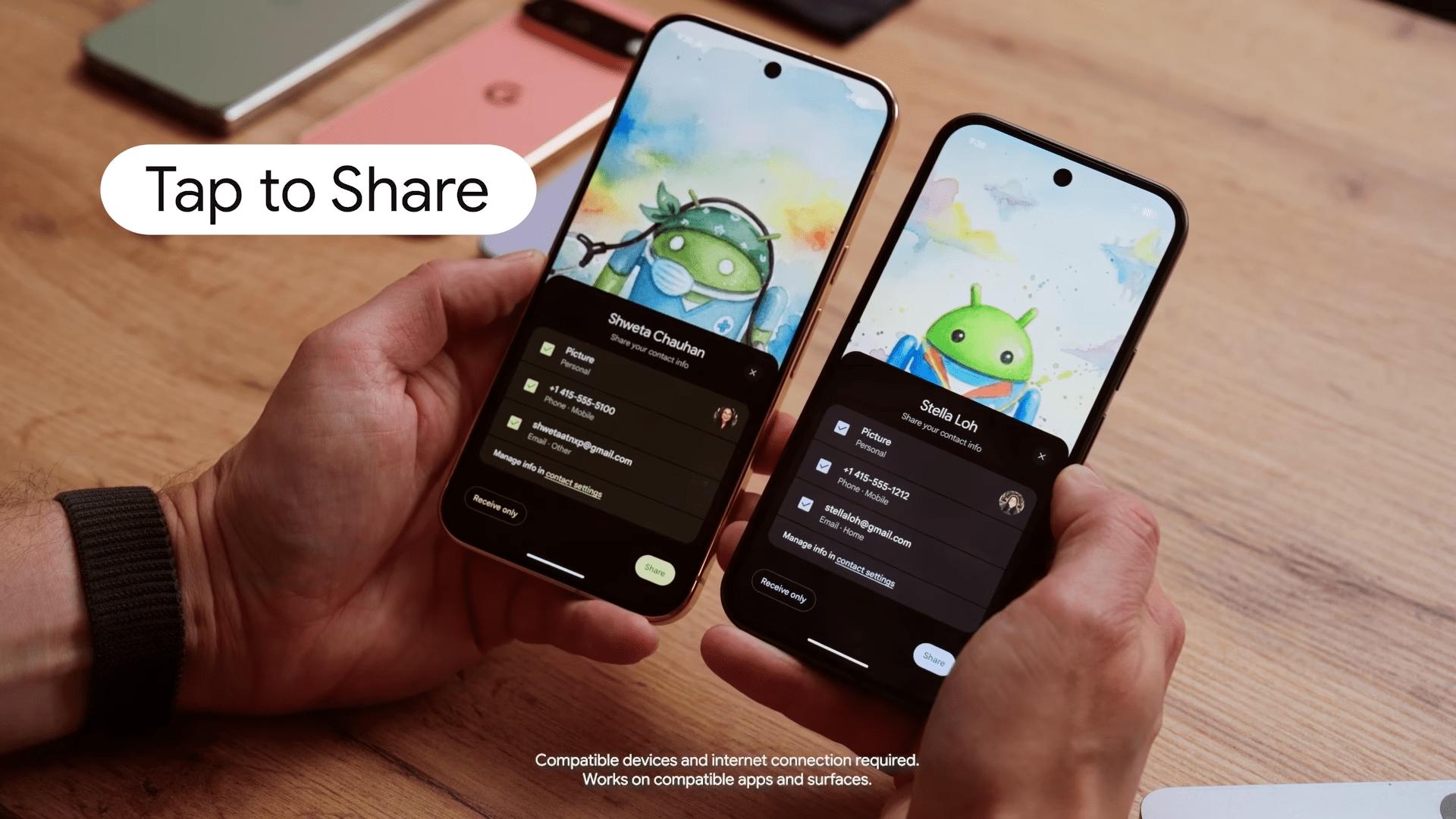
Google is bringing an AirDrop-style tap gesture to Android via Quick Share, and the Pixel 11 is the flagship debut. Bring two compatible Android phones close together on the home screen and you get an instant two-way contact card exchange; to send photos or videos, you open the Share Sheet first, then tap devices together.
To make the gesture actually work, Google moved the Pixel 11’s NFC antenna from its usual central position to the top of the phone, closer to where people naturally hold two phones together. It’s rolling out today to Pixel 6 and newer, with Galaxy Z Fold8, Fold8 Ultra, and Flip8 support coming soon, and broader Android device support promised by the end of the year.
12. Pause Point
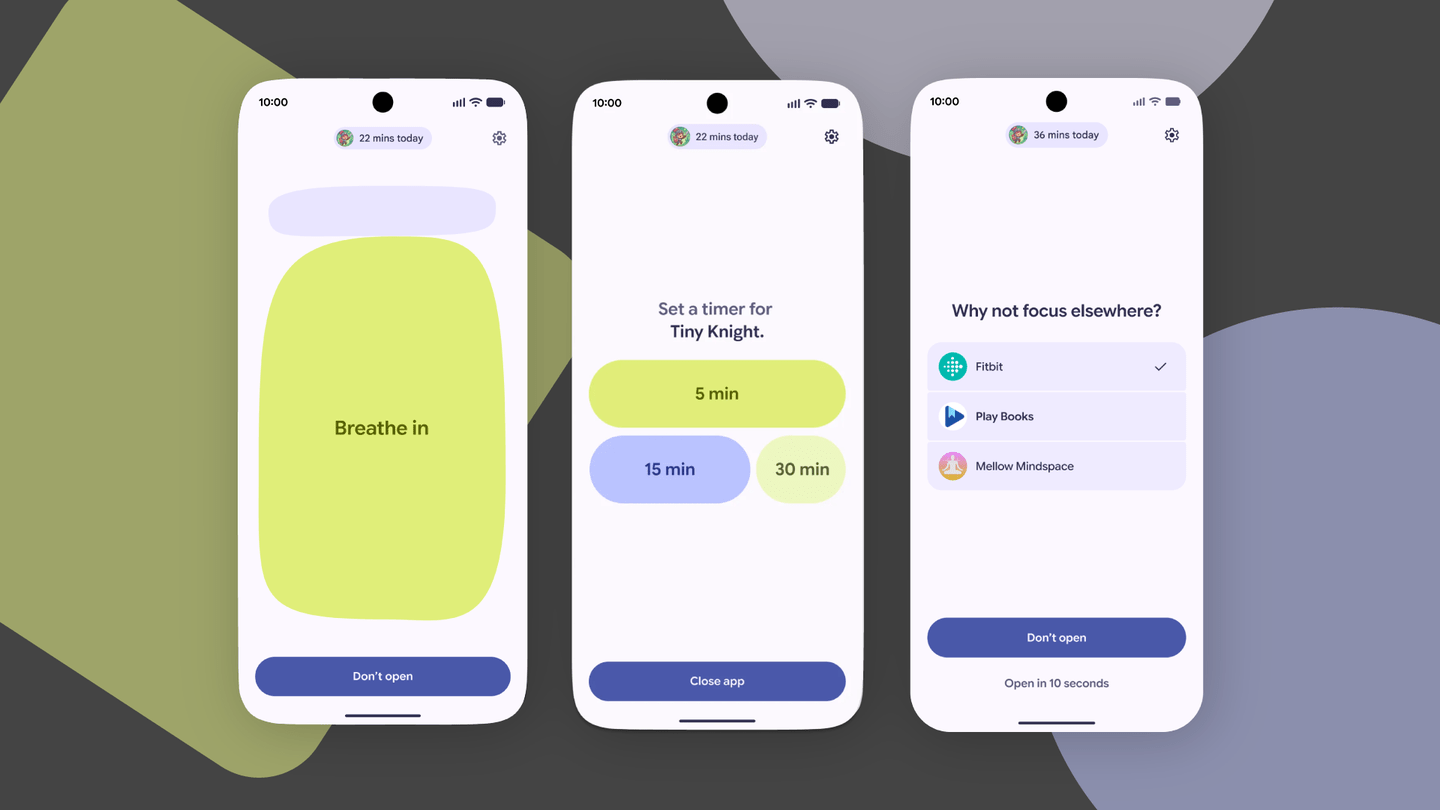
Pause Point is a digital wellbeing feature baked into Android 17 rather than something exclusive to the Pixel 11, but it ships on the phone at launch. Flag an app as distracting, and opening it triggers a pop-up nudging you toward breathing exercises, a look at your favorite photos, or a more productive app instead. App timers can also be set to cap doom-scrolling sessions.
The Pixel 11 series is clearly leaning heavily into Gemini and camera software this year. Google has added tools for dictation, video, photography, accessibility, search, and content creation, giving the new Pixels a much longer feature list even with relatively familiar hardware.

You can follow Smartprix on Twitter, Facebook, Instagram, and Google News. Visit smartprix.com for the latest tech and auto news, reviews, and guides.