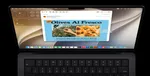
I installed the macOS 27 developer beta on my MacBook Air M4 (16GB/256GB) almost as soon as it dropped after WWDC. It’s been roughly 48 hours now, and I’ve been using it as my main machine for work, browsing, and light creative tasks.

My overall impression so far is mixed but cautiously optimistic. This doesn’t feel like a flashy, feature-packed update. It feels more like Apple took macOS 26, identified what was broken or annoying, and tried to fix it—while also shipping some useful new tools. That said, it’s still very much a developer beta.
Performance and Daily Feel

The system generally feels snappier than macOS 26. App launches are quicker, switching between apps feels more responsive, and overall navigation has less friction. Simple actions like opening System Settings, searching in Spotlight, or scrolling through Finder feel noticeably lighter. However, it’s not flawless. I’ve already run into several bugs:
- The Applications page in Dock refuses to open properly.
- Hide Menu Bar option is glitching—it sometimes hides the menu bar when it shouldn’t, or doesn’t restore it instantly.
- Notifications are inconsistent. Some arrive late or don’t appear at all until I manually check the Notification Center.
- Occasional visual glitches (weird rendering or elements not updating properly).
- A couple of random app crashes (mostly third-party apps so far).
It’s not unusable, but these issues are frequent enough that I wouldn’t recommend this beta to anyone who needs their Mac to be reliable right now.
iPhone Mirroring Got Some Welcome Upgrades
iPhone Mirroring has been one of the more interesting areas to test. When it works, the new features are exactly what I have been asking for. You can now expand the mirrored window horizontally, which makes multitasking much more comfortable. This also feels like a quiet hint toward future foldable iPhones.
More importantly, you can now access the iPhone’s Control Center directly from the mirrored window and freely resize the entire mirroring interface. These changes make iPhone Mirroring feel like a proper extension of your Mac workflow.

Unfortunately, the feature itself has been unreliable for me—it often fails to connect or drops the connection randomly. But maybe that’s due to the developer beta.
The Good Stuff
Beyond the bugs, there are several changes that already feel like improvements in daily use:
- Liquid Glass finally has a proper transparency slider in Settings. Being able to dial it back from the overly translucent look in macOS 26 is a big relief. The interface feels more consistent overall, with better-aligned window corners, toolbars, and sidebars.
- Search is now meaningfully better. Results in Spotlight and system-wide search appear faster and more relevant.
- Visual Intelligence has arrived on Mac. You can now select parts of the screen or right-click images and ask questions about them directly.
- Shortcuts can now be created just by describing what you want in plain text. This lowers the barrier significantly for people who never bothered learning the Shortcuts app.
- The Passwords app has gained some agentic capabilities—it can detect weak or compromised passwords and, in some cases, handle the update process automatically.
- Safari now organizes tabs by topic automatically and has a “Notify Me” feature that can alert you when something changes on a webpage (price drops, stock availability, etc.).
- There are also a bunch of new Apple Intelligence features, including Spatial Reframe, improved Cleanup, and Extend (which also works for wallpapers).

These aren’t revolutionary features, but they’re practical and good quality of life additions.
What’s Missing So Far
I still don’t have access to the new Siri AI experience. It’s probably still rolling out or gated behind additional requirements in this early beta. I’m looking forward to testing the improved contextual understanding and on-screen awareness once it becomes available.
Final Thoughts After 48 Hours
macOS 27 Golden Gate shows clear progress in a few key areas. Performance improvements are noticeable, and several Apple Intelligence additions, particularly in Shortcuts, Passwords, and Visual Intelligence, already have practical uses.
That said, the beta still has rough edges. I’ve encountered recurring issues with dock, Spotlight, notifications, and the menu bar. The upgraded iPhone Mirroring features are useful, but stability still needs work.
If you’re comfortable running early developer software, there’s enough here to explore. For most users, waiting for the public beta or a later developer build is the better and wiser option. Apple has a solid base in place, but there is still a lot of polishing left before the final release.

You can follow Smartprix on Twitter, Facebook, Instagram, and Google News. Visit smartprix.com for the latest tech and auto news, reviews, and guides.