How to Switch Back to the Old Google Dialer UI on Your Android Phone

Main Image
  • Like
  • Comment
  • Share
TL; DR
  • Open the Play Store and search for Phone by Google.
  • Tap on Uninstall and then Uninstall (again).

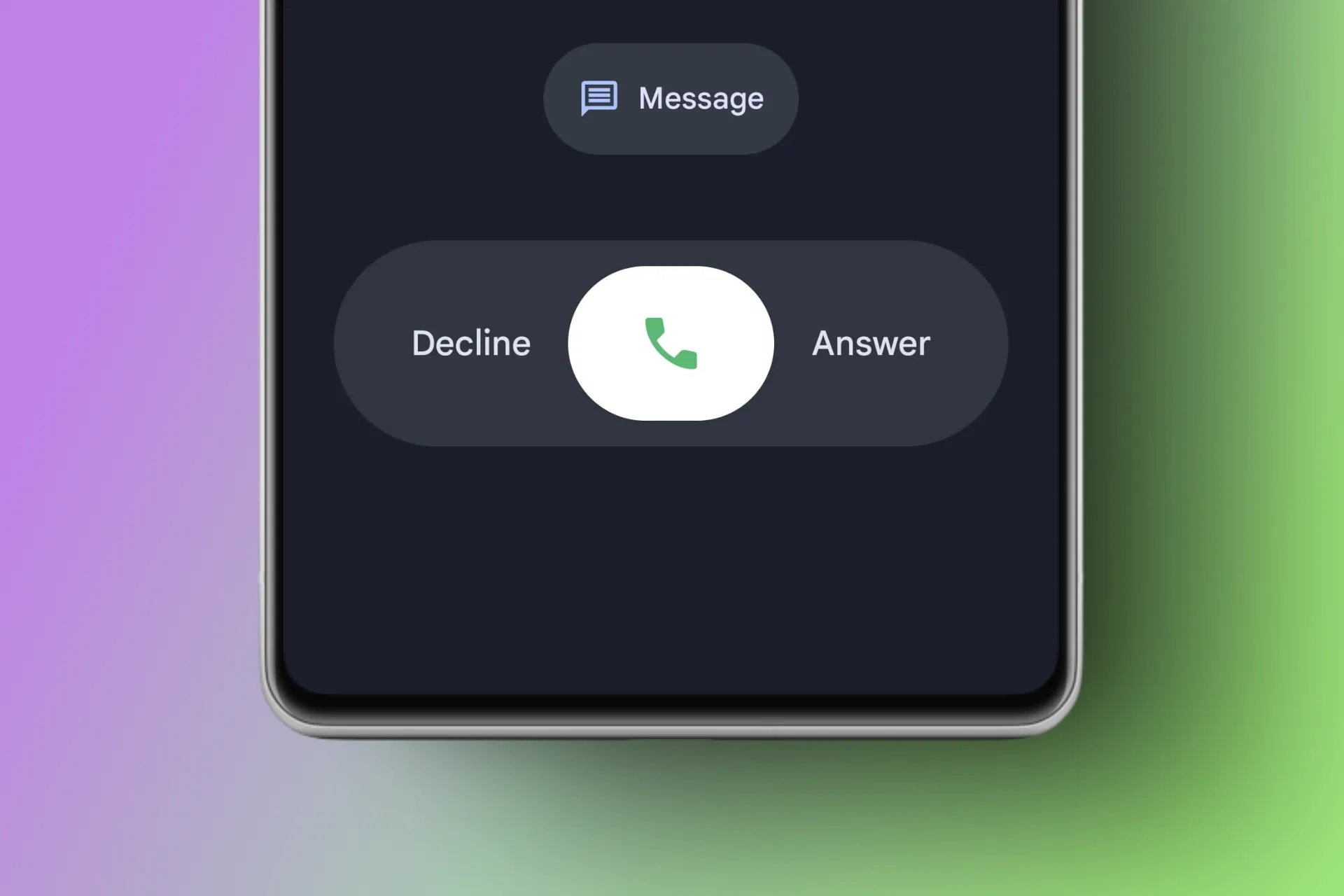
The Google Phone app, also called the Google Dialer, is used by almost every Pixel user and many phones running stock Android. In mid-2025, Google rolled out a major redesign with new layouts, animations, and Material You touches. Now, this has made its way to the Google Dialer and nobody seems to be happy about it.

Nobody Likes the New Google Dialer?

Google dialer memes

The backlash has been huge. A large section of users are unhappy with the change, not only because of how busy the new design feels, but also because it breaks years of muscle memory. People are used to tapping, swiping, and navigating the old dialer instinctively. 

Now, small changes in button placement or call screen layout are slowing them down. Memes have also flooded social media, one viral example being a mom asking her child “what did you do with my phone?”—a reflection of how confusing the new layout feels to average users.

If you miss that older layout, there are ways to get it back. Google doesn’t provide an official switch, but with a few reliable tricks, you can restore the classic UI. The results may vary depending on your device, so it’s better to back up call logs and contacts before trying, as downgrading sometimes affects app data.

ALSO READ: Pixel 10 & Pixel 10 Pro Hands-On Review: Sleek Hardware, Refined Software & Premium Prices

Uninstall Updates from the Play Store to Bring Back the Older Version of Google Dialer 

The easiest option is removing updates. Since the Google Phone app is a system app, it stays on your phone but updates come through the Play Store. Uninstalling those updates will take the app back to the version it originally shipped with, which usually means the older UI.

Steps:

1. Open the Google Play Store.

2. Search for Phone by Google and select the app from the results.

3. Choose Uninstall.

Google dialer

4. Now tap Uninstall (again). This will not uninstall the app from your phone, but uninstall the update which brought the new UI.

Google dialer

5. Restart your phone.

Now the old design should appear. To stop the new UI from automatically coming back, go back to the same Play Store page, tap the three-dot menu again, and uncheck Enable auto-update.

Warning: Disabling auto-updates from the Play Store may expose your device to security risks. Only disable updates if you fully understand the risks, and consider checking for updates manually to stay protected.

Google dialer

Additional Tip: If you have a OnePlus, OPPO, or a realme smartphone, go to the Play Store and install ODialer. This is the official dialer from OPPO and it works seamlessly with the above-mentioned smartphones.

ALSO READ: Exclusive: We Have the Full OPPO Find X9 Pro Specs. Here’s What You Need to Know  

Final Words

Reverting to the old Google Dialer UI is possible and not too hard. It also shows how updates sometimes ignore user preference in favor of design experiments. A built-in toggle would be ideal, but until then, this method is the way to go. 

And with the number of complaints, memes, and stories about users struggling with muscle memory, it’s clear Google’s redesign hasn’t landed well. What are your thoughts? Let us know in the comments section below.

ALSO READ: Magic Cue: Google’s New Pixel 10 Feature Provides Super-Personal AI Assistance On The Go

You can follow Smartprix on TwitterFacebookInstagram, and Google News. Visit smartprix.com for the latest tech and auto newsreviews, and guides.

Mehtab AnsariMehtab Ansari
Mehtab Ansari is the Assistant Editor – Features & Reviews at Smartprix, where he writes about smartphones, laptops, audio gear, and everything in between. A computer science student by degree but a tech nerd by heart, he’s been into consumer tech for years and started reviewing products professionally in February 2024. He’s especially into photography and audio, often spending more time testing a smartphone’s camera than he probably should. For him, tech isn’t just work, it’s what he’s always thinking about.

Expertise 

Smartphones, laptops, tablets, monitors, smartwatches, photography, and audio gear. I’ve reviewed over 60 products across these categories on Smartprix in the past year and a half.

Education - Bachelor of Computer Applications – Nizam College, Hyderabad (2022–2025) | Joined Smartprix -February 2024 | Published Reviews & Stories - 723

Related Articles

ImageMG Hector Tomahawk Launched in India With EV and PHEV Options, Starting at ₹13.99 Lakh

After weeks of rumors and speculation, JSW-MG has revealed the Hector Tomahawk, a three-row SUV that, unlike any other mass-market SUV on offer in the country, lets buyers choose between not just two powertrains, but two ownership philosophies. The Hector Tomahawk is available as an EV (with BaaS option) and a PHEV. Details about the …

ImageLocked Out of Google? Your Face Can Now Get You Back In

Getting locked out of your Google account is a massive headache, especially when traditional recovery methods like an old phone number or a forgotten backup email fail. To fix this, Google is rolling out a modern alternative: using a quick selfie video as your ultimate backup password. Also Read: OPPO Find X10 Leak Reveals iPhone 17 …

ImageGoogle’s Tap To Share Goes Live On Pixel And Samsung’s Newest Foldables

At the Made by Google launch event, the company has launched Tap to Share, a feature that lets two compatible phones exchange contact details, photos, and videos simply by being held close together. For me, the Tap to Share feature represents Android’s answer to Apple’s NameDrop. Also Read: Fitbit Air Is Finally Coming to India …

ImageGoogle Pixel 11 Series Roundup: Android 17, Tensor G6 SoC, New 50MP Primary Camera, & Everything Else We Know

From skipping the country for its early Pixel series launches (including the Pixel 5 and Pixel 6 lineups) to now selling its flagship directly through the Google India e-store, Flipkart, and several other popular retail chains, Google has come a long way in India.  Its recent flagship phones have been available in the subcontinent from …

ImageThis New Android Feature Helps Logging Back Into Previously-Installed Apps On Old Devices

TL;DR Getting a new Android phone is a joyous occasion, but it could soon become tedious, as you’re required to log back into the apps. To address the issue, Google has released a new feature called Restore Credentials. As the name suggests, the feature helps users log back into the apps (on their previous device) …

Discuss

13 Comments
AK Hasan
AK Hasan
@akhasan_sodoceva
1 year ago

I didn't like the UI, it's basically a downgrade taking us back.

Reply
Hyder Aly Miyan
Hyder Aly Miyan
@hyder_hubowequ
1 year ago

"Nobody liked new UI" Speak for yourself buddy 😂

1
1
Reply
Dinesh Verma
Dinesh Verma
@dinesh_jozupidu
1 year ago

I hate the new UI too

Stephen rye
Stephen rye
@stephen_xiwafoza
1 year ago

I don't like the favorites in the new version. Can't use one handed any more and involves scrolling.

RYAN AHMED
RYAN AHMED
@ryan_xiwaxopi
1 year ago

UI is okay. The Way of Answering and Declining is definitely a Downgrade for sure

Mohammad Khorajiya
Mohammad Khorajiya
@mohammad_qohahelo
1 year ago

I am angry with him too.

Reply
Raheem Udin
Raheem Udin
@raheem_fitiroze
1 year ago

Vere bad

Reply
Janak Patel
Janak Patel
@janak_judovozu
1 year ago

I think this is in line with Trump's Tariffs, no logic, no reason and completely self centred.

Reply
Chris Purchas
Chris Purchas
@chris_zofumixa
1 year ago

Uninstalling removed app all together on Samsung Galaxy S23

Reply
Show Replies (1)
RYAN AHMED
RYAN AHMED
@ryan_xiwaxopi
1 year ago

They added two new way of answering Phone calls but removed the one we liked. How they love to break the things that don't need fixing. Typical Google

Reply
APURBA HALDER
APURBA HALDER
@apurba
1 year ago

I'm Nothing User , Like the new UI

Reply