How to Enable Dark Mode in Google Chrome on Windows 10

Main Image
  • Like
  • Comment
  • Share

Update:  Starting Chrome Canary version 78.0.3873.0, you can activate “Force Dark Mode for Web contents” found within Chrome Flags. You can access the experimental lab of Chrome by visiting chrome://flags link.

This will “automatically render(s) all web contents using a dark theme on Mac, Windows, Linux, Chrome OS, and Android.

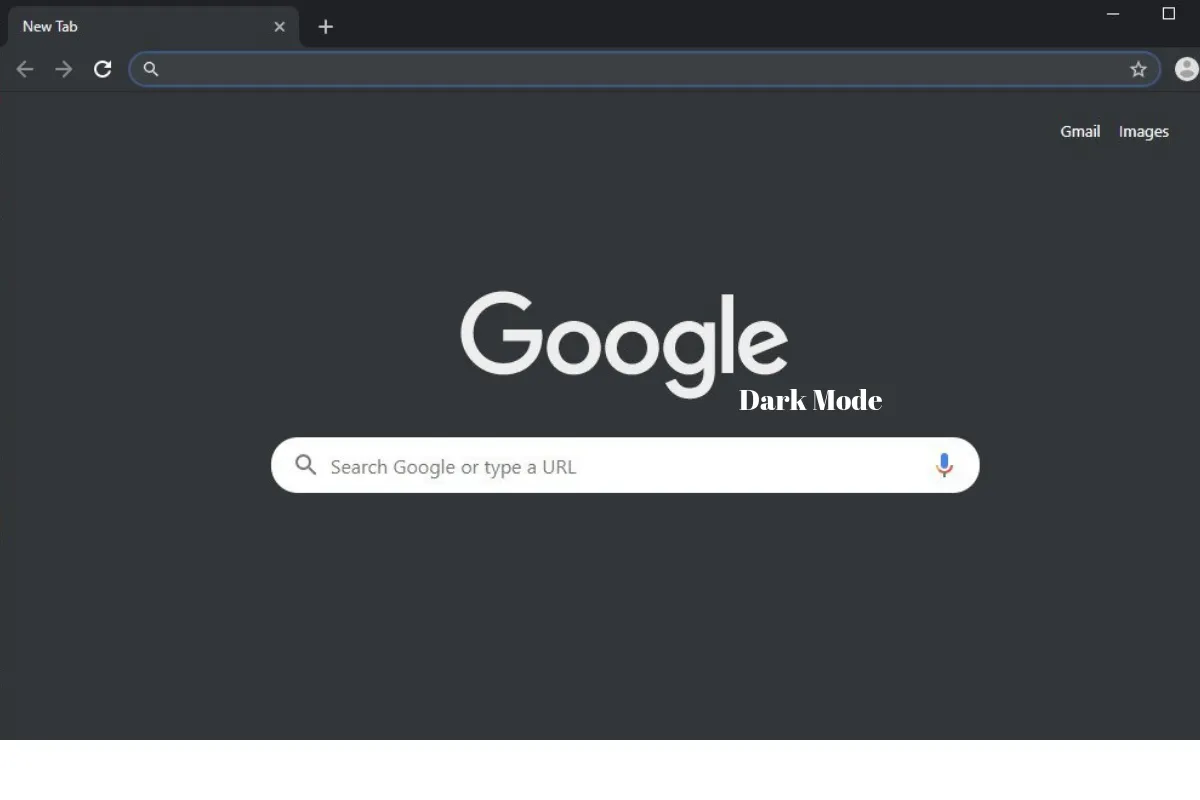
After a long wait, we are finally getting Dark mode in Chrome starting version 74 on Windows 10. This would work in sync with the native dark mode on Windows. So, if it’s enabled, Chrome would auto switch to the dark theme. Well, the same has already been rolled out for Mac and Linux users too. Thank you, Google!

To download the new update, go to the 3-dot menu in chrome browser, scroll down to the Help section and tap on the About Google Chrome. The update would start automatically and you have to relaunch to witness the change. Or else, if you’re not an existing user, download Chrome version 74 from Google’s Chrome site.

It’s a dark theme and please don’t confuse it with a pitch-black mode. That said, here are the steps to enable dark mode in Google Chrome on Windows 10.

ALSO READ: Google Pixel 3a and Pixel 3a XL could launch on May 8

If you are like me who doesn’t like to wait for the wide rollout, follow these steps:

  • Right-click on the Chrome shortcut and open the properties
  • Next, Add “–force-dark-mode” to the end of the target location (without quotes)
  • Finally, Save the changes by tapping on Apply or directly click on Ok.
  • Voila! Launch Chrome to experience the dark mode.
  • As a side note, if you usually launch Chrome from a pinned taskbar item, unpin and pin it again to the taskbar.

ALSO READ: Google Play Music would soon shut down, the company declares

Google Calendar and Google Fit are also in the pipeline to receive the dark mode. And it’s not just these apps, but everything from Google Play Store, Google Phone app, Google Contacts, Android Messages, Pixel Launcher, Google News, Google Maps, Google Authenticator, Gmail, Gboard, Snapseed to beloved Youtube has received Dark theme implementation in one way or the other.


Vasan G.S.Vasan G.S.
An inquisitive mind who spends a big chunk of the day keenly tracking every emerging detail and is responsible for quickly passing on important developments to Smartprix followers. He loves to stay in his bubble scripting his destiny involving amazing technology and people with good character, passion, and brilliance.

Related Articles

ImageDelhi Heatwave May 2026: IMD Issues Red Alert; Avoid these AC Mistakes That Double Your Electricity Bill in Summers

The India Meteorological Department (IMD) on Sunday issued a red heatwave alert for six states: Delhi, Haryana, Punjab, Rajasthan, Uttar Pradesh, and parts of Madhya Pradesh, effective from May 18, 2026. Temperatures in the National Capital Region are expected to hover between 43°C and 46°C through the week, with the IMD attributing the extreme heat …

ImageGoogle Search dark mode finally arrives on Desktop: Here’s how to enable

Google has been enthusiastically adding dark mode on its various platforms and now the same is available on Google Search for Desktop. Initially, select users will test out the new Dark Mode and they will need to set the system theme on desktop to dark theme. Once done, the Google Search will automatically switch to …

ImageChrome to add “self share” for tab sharing and more secure incognito mode for Android

Google Chrome is the most sought-after web browser for desktops and smartphones alike. Google keeps adding tons of new features to ensure that their users get the best browsing experience. The Chrome is reportedly going to get a new interesting feature soon to smoothen the workflow on multiple devices. According to ChromeStory, a new flag …

ImageiQOO Neo 10 Is Getting a New Coat of Paint on April 30

iQOO is refreshing its Neo 10 lineup in India with new color options on April 30, 2026. While the internal hardware remains the same, the launch teased as an Amazon Special brings more understated black and silver finishes to a device previously known for its flashier Inferno Red and Titanium Chrome color options. The move …

ImageHow to Enable or Disable Dark Mode on Windows 11: A Step-by-Step Guide

Microsoft’s latest operating system, Windows 11, has been released to compatible devices as a stable version starting October 5. This new OS, known as Software 11, is available to eligible users at no cost and is designed to work on devices with specific hardware requirements. Whether you’re using a laptop or a PC, Windows 11 …

Discuss

Be the first to leave a comment.