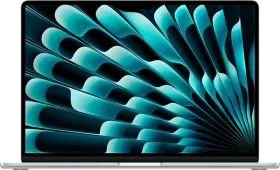
Quick Verdict
After nearly two months of daily use, the M5 MacBook Air remains one of the most refined ultraportables available: its build quality, performance headroom, and all-day battery haven’t aged a day. Apple Silicon continues to make raw power feel like a non-issue, and macOS Tahoe’s polish only improves with each update.
But the laptop that launched at ₹1,19,900 is now selling at ₹1,49,990, thanks to the recent price hikes by Apple. At its revised price, the same 512GB SSD, IPS panel, and 8-core GPU start to look thin compared with rivals offering OLED screens, dedicated GPUs, or simply more storage for similar money, making this a harder recommendation than it once was.
Buy it if:
- You’re committed to macOS and want a fanless, near-silent everyday machine
- All-day battery life genuinely matters more than chasing raw specs
- You value a keyboard and trackpad that still feel best-in-class after months of use
- Apple Silicon’s efficiency is worth paying gaming-laptop money for
- You can find it discounted closer to its original ₹1,19,900 launch price
Skip it if:
- A flexible port layout or microSD slot matters to your setup
- ₹1,49,990 feels steep for 512GB storage and an IPS display
- You need OLED, HDR, or a higher refresh rate for content work
- Gaming or GPU-heavy creative workflows are part of your routine
When I purchased the M5 MacBook Air, the math was pretty simple: a fanless, all-day machine at a reasonable price that provided exceptional performance and efficiency. That made every Windows ultrabook in its price bracket look overpriced. I wrote much of this review with that number in mind.

Then, on June 25, 2026, Apple decided to revise its prices, not just in India, but across the globe. The same laptop now retails at ₹1,49,900: ₹50,000 higher than what I got it for and ₹30,000 higher than its previous MSRP. The jump rewrote the entire value argument I used to convince myself in the first place. This review is a long-term account of a genuinely excellent laptop, reconsidered against a price tag it no longer comfortably wears.
HOW I TESTED
| Reviewed By: Shikhar Mehrotra (Consumer Tech, Auto, and AI Expert with 6+ years of experience) Test Unit: Personally purchased after launch, with no involvement from Apple in this review. Duration and Environment: This review is based on two months of daily use in Northern India, spanning a full summer of 34°C+ ambient temperatures. Tests: Testing included sustained multitasking across 30–40 Chrome tabs, photo-editing workflows, battery rundown across light and heavy days, and thermal behavior under high ambient heat. Competitors: ASUS Zenbook 14 OLED 2025 (Core Ultra 5 225H), HP OmniBook 5 (2026), Lenovo Yoga Slim 7i Aura Edition, ASUS ROG Strix G16 (2026) |
M5 MacBook Air: Price & Availability
Apple released the M5 MacBook Air in India in March 2026. I purchased it after the launch through Flipkart, at a discounted price of around ₹1 lakh, which was quite low compared to the launch price of ₹1.20 lakh. However, Apple revised the prices on June 25, 2026.
- 13-inch M5 MacBook Air (16GB/512GB/8-core GPU): ₹1,49,900
- Education pricing for the same model: ₹1,37,900
The laptop is still available in four colors. However, most third-party retailers don’t have it in stock right now.
Pros
- Apple Silicon efficiency
- Fanless silent operation
- All-day battery that hasn’t degraded
- Keyboard still feels class-leading
- Trackpad click feels remarkably convincing
- macOS polish keeps improving
- Bright, color-accurate IPS panel
- Fast charging in roughly 30 minutes
- Reliable Touch ID, slow but steady
- Genuinely lightweight for daily carry
- Apple Intelligence runs smoothly on-device
Cons
- ₹30,000 price hike since launch
- 512GB SSD still standard at this price; IPS panel, not OLED
- Notch eats into bezel space
- Hinge over-travel on sudden movement
- Speakers downgraded from earlier MacBooks
- No microSD card slot
- Both USB-C ports on one side
- Occasional heat near the base
- Bundled charger is slow
Apple 13-inch M5 MacBook Air: Tech Specs
| Specification | Details |
| Chip | Apple M5: 10-core CPU (4 performance + 6 efficiency) |
| GPU | 8-core (base) / 10-core (24GB RAM or 1TB+ configs), Neural Accelerator per core, 3rd-gen hardware ray tracing |
| Memory | 16GB unified (standard), configurable to 24GB |
| Storage | 512GB SSD (standard), configurable to 1TB |
| Display | 13.6-inch Liquid Retina, LED-backlit IPS, 224 ppi, 500 nits, P3 wide color, True Tone |
| Operating System | macOS Tahoe (26.x) |
| Webcam | 12MP Center Stage, supports Desk View, Edge Light |
| Biometrics | Touch ID |
| Audio | 4-speaker system (hinge-mounted), 3-mic array |
| Keyboard | Backlit Magic Keyboard, 1mm key travel |
| Trackpad | Force Touch, glass surface |
| Ports | MagSafe 3; 2× Thunderbolt 4 (40Gbps, DisplayPort); 3.5mm headphone jack |
| Wireless | Apple N1 chip: Wi-Fi 7, Bluetooth 6 |
| Battery | 53.8Wh, up to 18 hours (Apple-rated) |
| Adapter | 30W USB-C (included); 35W dual USB-C or 70W USB-C optional (+₹2,000) |
| Build | Recycled aluminum, 50%+ recycled materials |
| Dimensions | Under 1.15cm thin |
| Weight | 1.23 kg |
| Colours | Midnight, Starlight, Sky Blue, Silver |
| India Price | ₹1,49,990 (16GB/512GB); higher configs available at additional cost |
M5 MacBook Air (13-inch) Review: Design & Build
Design is perhaps the most boring yet most interesting aspect of this particular Apple notebook. It feels like the industrial designers in Cupertino have probably memorized every millimeter of the chassis since it first debuted with the M2 MacBook Air in 2022.

Elements such as the giant notch at the top of the screen, the relatively thicker bezels around the screen, the removal of the top-firing speakers, and the MagSafe charging port on the left side have been seen since July 2022.
To reduce the fingerprint smudges that the M2’s Midnight variant attracted, Apple developed a special anodization seal on the M3 MacBook Air to resist hand oils. It is also available on the new M5 MacBook Air, but its effect, especially for someone using the device in the scorching summers of Northern India, is contentious, a verdict that hasn’t changed even after months of daily use through peak summer.

The top lid, along with the side frame and the chassis around the trackpad, where I rest my palms as I type, all attract oil marks.
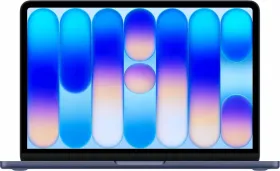
What I still like about the design, especially the Midnight finish that I have, is how it changes its color based on the lighting and the angle you’re viewing it from.

Look at it in a dark room, and the color appears dark and black. Indoor lighting reveals the elegant dark navy blue, velvety finish, as the sandblasted matte texture of the chassis softly diffuses light.
However, take it outdoors, especially under direct sunlight, and view it from the perfect angle, and the laptop appears bright silver. The Apple logo, due to its reflective design, acts like a mirror, standing out beautifully. You might not notice this when you’re using your MacBook; someone sitting across from you in a college amphitheater, in an open canteen, or a well-lit cafe might point it out.

The 13.6-inch variant I’ve now carried daily for months is both slimmer and lighter than the M1 MacBook Air (1.23 kg vs. 1.29 kg), making it easier for me to carry.
It’s easier to grip with one hand and slides into small backpacks. The difference might look tiny at first, but your shoulders tend to appreciate it every gram during a long day at the office or college.
Over months of use, I’ve occasionally noticed sudden movements pushing the screen back completely, but even after this much time, I won’t go so far as to say that the hinge has an over-travel problem. And yes, it does open with one finger, as is customary for every MacBook review ever written.

As I mentioned earlier, removing the front-firing speakers adds a clutter-free, minimalist look to the laptop’s keyboard. However, the new placement in the hinge and the internal design of those speakers lead to a perceptible downgrade in overall quality (fullness and richness) and in the speakers’ loudness.
I’ve also come to appreciate the slim, bezel-less displays on the recent Windows laptops, something that the M5 MacBook Air completely lacks.


Given that the notch at the top only houses the Center Stage camera, a status light, and an ambient light sensor, Apple could have easily fit them into the top bezel. Last but not least, the completely flat, squared-off chassis design with uniform thickness (from front to back) looks great, but I still find the tapered wedge of the M1 MacBook Air slightly more comfortable for prolonged typing sessions.
M5 MacBook Air (13-inch) Review: Display
We’re into the boring territory again, where there’s nothing new to write about, but only my experience with it.

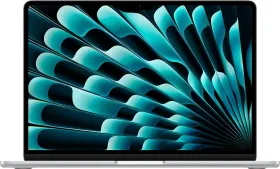
The smaller M5 MacBook Air ships with the same 13.6-inch LED-backlit panel (built on top of IPS technology) with 224 ppi resolution, 500-nit peak brightness, P3 wide color gamut coverage, and Apple’s True Tone technology.
The notch up top will bug you for the first couple of days, especially if you’re upgrading from a bezel-less Windows laptop or the M1 MacBook Air. For some reason, Apple believes it’s perfectly acceptable to ship over ₹1 lakh laptops with thick frames all around the screen in 2026, and there’s pretty much nothing you can do about it. Thankfully, your brain does what it does best: it adapts.

Despite not being a 4K display, clever macOS scaling makes everything look incredibly crisp, and text looks absolutely natural.
So, how good or bad do those numbers actually make the display in the real world? Pretty good, I’d say. In fact, it’s one of the best IPS implementations you’ll ever find on any laptop today. The resolution is sharp enough that you won’t see any individual pixels (even if you squint at the screen).

I’ve been using it at a brightness level somewhere between the third and fourth buttons indoors, and I have absolutely no complaints about the clarity, legibility, or viewing angles.
Whether I am writing articles, editing photos, or simply binge-watching YouTube late at night, the display still hasn’t felt like the limiting factor, not indoors.

For those rare instances when you’re using the MacBook outdoors, perhaps in a cafe, on a hotel rooftop, or under direct sunlight, you’d wish the brightness slider went just a little further. The display remains usable, but you’ll find yourself hunting for shade instead of admiring the view.
The reflections from the glossy finish often become a bigger limitation than the panel’s 500-nit brightness.

I edit pictures regularly, and the color accuracy that the display provides is simply excellent. At around 83% DCI-P3 coverage, 117.3% sRGB coverage, a Delta-E score of under 0.2, and native support for one billion colors, the screen won’t disappoint those with a color-critical workflow. Skin tones look natural, gradients are smooth, and I’ve never felt the need to second-guess my edits before exporting them.
True Tone automatically adjusts the screen’s white balance to match ambient lighting, while macOS matches the color profile for apps such as Adobe Premiere, Photoshop, and Final Cut Pro without manual calibration. Despite all the consistency and accuracy, there are a few things that I can’t help but include here.

No IPS screen can match the black levels and contrast of an actual OLED panel, and at ₹1,49,990, that is the most obvious letdown.
There are readily available Windows alternatives in this segment that also support higher refresh rates for a smoother scrolling experience.


Due to the lack of local dimming zones, the screen can’t display native high-dynamic-range (HDR) content the way a Mini-LED or OLED panel does. Last but not least, the relatively slower pixel response time of IPS panels can result in a faint amount of motion blur during fast-moving scenes or games.
It’s not something you’ll notice while working, but it becomes apparent if you’re coming from an OLED laptop or regularly use one alongside the MacBook Air.
M5 MacBook Air (13-inch) Review: Keyboard & Speakers
The large Force Touch trackpad’s click feels remarkably convincing no matter where you press, the glass surface allows your fingers to glide effortlessly, and multi-finger gestures are recognized with near-perfect consistency. Like any glass surface, it does pick up fingerprints and hand oils over time, though.

Apple hasn’t changed the M5 MacBook Air’s keyboard, and honestly, I’m glad it didn’t. It remains one of the best laptop keyboards I’ve used. There’s 1mm of key travel, a crisp tactile response when you press a key, and a backlight that not only makes the laptop easy to use in dark rooms but also elevates its look.
Even after months of daily typing, the keys show no signs of slowing down or developing a mushy feel. However, some keys, like space, backspace, and option, appear a tad more shiny than the others.


The four-speaker system (situated deep in the hinge) on the 13-inch M5 MacBook Air is identical to the one Apple introduced with the M2 redesign, and that means it’s still among the best you’ll find on an ultraportable laptop. Vocals are clear, and the stereo separation is also wide.

However, if you ask me, I honestly prefer the upward-firing speakers on my M1 MacBook Air over this one. They’re fuller and louder, producing a richer output.
M5 MacBook Air (13-inch) Review: Performance
Apple Silicon has become so capable over the years that raw performance is no longer something most people need to think about. The M5 chip on the 13.6-inch MacBook Air, with a 10-core CPU (four performance cores + six efficient cores) and an eight-core GPU, is no different.

The M3 and M4 chips are already more than enough for everyday users. I personally know a couple of people who’re still holding on to their devices, and one of them edits videos for a living.
The additional headroom that you get with the M5, even on the base version, should help the laptop age more gracefully; consider it a little extra insurance for the future.

Apple is also providing 16GB of unified memory (153 GB/s memory bandwidth) and 512GB of storage as standard, marking the first time since the M1 MacBook Air launched in 2020 that the base model offers this much storage.
Looking back, it was a fair deal at the initial starting price (₹1,19,900), especially at the offer price of around ₹1,00,000 that retailers were selling it for.

At the revised price of ₹1,49,990, though, the value proposition isn’t nearly as compelling. Competitors offer at least 1TB of storage at this price.
Even so, the combination of unified memory and macOS’ memory swap system gives me the flexibility to run 30 to 40 Chrome tabs simultaneously, with slowdowns only beginning to creep in after the 40-tab mark.

Apps open almost instantly, and boot times are so quick that you’ll probably spend more time deciding what to open than waiting for the MacBook to start up. In fact, I almost never shut the MacBook down. Opening and closing the lid is all I do, so boot times are largely irrelevant.
Whether the laptop is plugged in or not, it performs the same way. There’s also enough GPU horsepower for exporting 4K videos and even playing video games, provided you keep your expectations realistic. This is still a MacBook Air, not a gaming laptop in disguise.
What I did notice, however, is the device heating up when the ambient temperature hovered around 34°C.


The heat starts near the base of the laptop and slowly spreads up to the palm rests around the trackpad. It never became too hot to use, but it was certainly noticeable. In two months of usage, this happened only five or six times, but it did remind me that passive cooling has its limits.
I wonder if the Mac could have done better with a single cooling fan (hint: that’s the 14-inch M5 MacBook Pro).
M5 MacBook Air (13-inch) Review: Software
Unlike the MacBook’s design, its software keeps on evolving every year. When I’m reviewing the device, it is running macOS 26.4, but then the macOS 26.5.1 update is already out. So, let’s discuss everything it shipped with and everything it has gained over time.

The overall macOS polish is quite evident. Animations are fluid, windows glide around effortlessly, and even mundane interactions feel delightfully responsive. Someone upgrading from a Windows laptop might take a while to learn all the new ways, though. Things like closing apps, managing windows, or even understanding the difference between the red close button and actually quitting an application aren’t immediately obvious.
The biggest visual change in macOS Tahoe is Apple’s new Liquid Glass design language (similar to iPhones).

Everything from the menu bar to the Control Center, icons, and the entire interface comprises translucent or transparent layers, which adds a sense of depth. You can customize the Liquid Glass design in the Settings app; select from the “Clear” and “Tinted” appearance settings.
Spotlight also deserves a special mention. It isn’t just a glorified app launcher. I use it to search files, perform quick calculations, and even execute system actions. The new window tiling options certainly help, but I still think Windows does multitasking a little better. Features like Snap Layouts feel more intuitive.

I also used iPhone mirroring, which seemed to work fine most of the time, but not always. The Continuity features, like using the trackpad to control another Apple device, work smoothly, though. Additional features added over time include Edge Light for FaceTime (macOS 26.3), AirDrop verification codes, a compact Safari Tab Bar (macOS 26.4), and proactive map suggestions and Apple Music AutoMix (macOS 26.5).
Then there’s Apple Intelligence, which still feels like it’s catching up.

macOS 26 offers a couple of useful features, such as Writing Tools, Live Translation, Image Playground, and deeper ChatGPT integration in Siri. They are there, but I don’t use them regularly, since I already have access to paid services for most of them.
More than macOS 26, though, I am excited to get my hands on the macOS 27 update, which brings the completely redesigned Siri experience with a dedicated app and screen awareness, and the ability to execute multi-step, multi-app actions with minimal user intervention.
M5 MacBook Air (13-inch) Review: Ports, Webcam, & Biometrics
This one sports four ports: MagSafe and 2 x Thunderbolt 4 (up to 40 Gb/s, DisplayPort) USB-C ports on the left and a 3.5 mm headphone jack on the right. In other words, the two USB-C ports are free while you charge your MacBook with the MagSafe port.


However, having both ports on the same side makes it a bit difficult to manage peripherals, especially large ones. If your monitor, SSD, or dock sits on the right side of your desk, you’ll inevitably find yourself routing cables around the laptop.
You would definitely miss a built-in microSD card slot, especially if you’re a photographer or videographer.

On the positive side, you can now use up to two external displays with USB-C DisplayPort 1.4 (up to HBR3) support (up to two 6K at 60Hz displays or 4K at 144Hz; one 8K at 60Hz, 5K at 120Hz, or 4K at 240Hz).
The 12MP 1080p ultrawide front camera supports Center Stage, Desk View (with a compatible iPhone), and Edge Light, which lights up the edges when you’re on FaceTime in a poorly lit environment. It doesn’t look very Apple-like, but it gets the job done.

I’d state that the video it captures is noticeably softer, noisier, and less detailed than Apple’s iPhones, but I do appreciate the baked-in features like Portrait mode, Studio Light, Reactions, and Background, and how seamlessly they work.
For secure login, you get Touch ID at the top-right corner of the keyboard; it works reliably but is a tad slow (compared to the faster ones on modern flagship smartphones).

I wonder why Apple isn’t equipping the MacBook Air with Face ID, especially since the machine already has a gigantic notch at the top.
M5 MacBook Air (13-inch) Review: Battery Life
On a regular Chrome-based workday, which includes researching, writing, and publishing various types of articles in WordPress, streaming music via Apple Music or YouTube, watching movies on Netflix, and editing pictures for reviews and other tasks, I typically have 30 to 40 tabs open across multiple macOS desktops throughout the day, with brightness level set between the third and the fourth option from the bottom.

Even though Chrome is quite efficient on macOS, having so many active tabs, with each occupying its share of memory, keeps the CPU busy. Consider it a heavy multitasking workflow, if you will. I also spend a lot of time in Finder and the Apple Photos app. For wireless connectivity, I’m using a 150 Mbps fiber-based internet connection. Bluetooth and Wi-Fi are enabled all the time.

Now that you have a decent idea of my workflow, here are the battery numbers I achieved on the 13-inch M5 MacBook Air.
I’ve been using the device for two months now, consistently getting about 12 hours of screen-on time
It drops to around 10.5 to 11 hours on heavy days and stretches to around 13 to 14 hours on lighter, single-tab days, or when I’m working offline (a rare occurrence that usually happens once or twice a month). Running on higher brightness could result in lower numbers, though.

Since the usage includes constant network access, continuous CPU wakeups, and aggressive memory swapping, these results are nothing short of incredible. This is one of the few laptops I’d say can genuinely last an entire workday, whether you’re at the office, working on the go, or at home, without reaching for the charger.
In fact, on most days, I still end up plugging it in because my workday is over, not because the battery is.

Speaking of the charger, Apple includes a 30W power adapter in the box (with the base variant), which takes about 2 hours to fully charge the battery when you’re not using it, and even more if you’re using it. It could feel painfully slow for last-minute recharges, though.
If you’re getting the laptop straight from Apple, you can choose from three charger options, though: the regular 30W USB-C adapter, the 35W dual USB-C adapter, and a 70W USB-C adapter (up to 50% in around 30 minutes). The last two cost an additional ₹2,000, which doesn’t feel right, especially since the machine now costs ₹30,000 more in India.

The USB-C-to-MagSafe cable included in the box is braided, long enough that you won’t have to awkwardly rearrange an entire cafe table just to reach a wall socket, and color-matched to the MacBook’s chassis. And yes, you can also charge the MacBook Air via its two USB-C ports, though you’ll naturally lose one of them in the process.
M5 MacBook Air (13-inch) Review: Competition
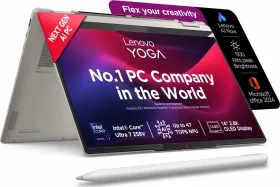
Take the ASUS Zenbook 14 OLED 2025 (Core Ultra 5 225H, 16GB RAM, 1TB SSD, 3K OLED touchscreen) for instance, which costs ₹1.10 lakhs on Flipkart. It offers a better display and higher storage for a lower price.
The HP OmniBook 5 (2026) starts at ₹1,24,999 with a 14-inch 2K OLED display and Copilot+ AI features, while the Lenovo Yoga Slim 7i Aura Edition comes in at ₹1,34,990 with a 2.8K 120Hz display.

If you’re willing to spend ₹1.5 lakhs on a laptop, you can get the ASUS ROG Strix G16 (2026) with an AMD Ryzen 9 8940HX processor and a much more capable Nvidia GeForce RTX 5050 GPU, paired with a 16-inch 165Hz display.
For committed macOS users who can find this closer to its original price, it remains an easy recommendation. For everyone else shopping at ₹1.5 lakh today, the competition has genuinely caught up.
Review Verdict: Should You Buy The 13-inch M5 MacBook Air?
Smartprix Rating (⭐): 8.3/10

Months in, the M5 MacBook Air’s fundamentals remain genuinely impressive. Apple Silicon’s efficiency, a battery that hasn’t visibly degraded, and a keyboard and trackpad that still feel best in class. macOS Tahoe has only gotten more polished with each update, and the fanless design remains a quiet, consistent strength.
What’s changed is the price. At ₹1,49,990, the same 512GB SSD and IPS display that felt reasonable at the previous listing price of ₹1,19,900 (and the even more compelling offer price of ₹1 lakh) now sit awkwardly against rivals. You are now paying for a laptop that still ships with a 512GB SSD as standard, an IPS panel rather than OLED, and an 8-core GPU on the base configuration.
But even so, if you’re looking for a reliable laptop for mixed daily workflows, and you’re already in the Apple ecosystem, perhaps upgrading from an Intel or an M1 or M2 MacBook Air, and you don’t mind paying the asking price, you can’t go wrong with this one.
First reviewed in June 2026.