Quick Verdict
The Bambu Lab A2L Combo costs ₹65,999 with AMS Lite, or ₹48,999 for the printer only. For anyone starting in 3D printing in India, this is the most practical option right now. You get a 330 x 320 x 325mm build volume, fully automatic calibration, and a four-color AMS Lite system. I get polished prints with almost no setup or maintenance. If you need ABS or ASA filaments, want open-source firmware, or can’t put it on a heavy, stable table, this isn’t the printer for you.
Buy it if:
- First-time buyers, home creators, and tech enthusiasts who want a large-format
- multi-color-capable printer that works right out of the box.
Skip it if:
- Anyone who needs an enclosure for engineering-grade filaments
- runs open-source tools, or is working to a tight budget.
3D printing in India has moved beyond the hobbyist stage, and the Bambu Lab A2L proves it. Earlier budget printers made you handle manual bed leveling, PID tuning, and slicer settings before you got anything usable. The A2L flips that script. The machine calibrates itself. I just print. It builds on the Bambu Lab A1 with a bigger 330 x 320 x 325mm build volume and the AMS Lite four-color system, but keeps the same beginner-first setup.
In this review, I cover everything from unboxing to real print logs, and where the AMS Lite’s multi-color convenience runs into real trade-offs like filament waste and humidity exposure. These issues matter more in India than the spec sheet suggests. My goal is to help you decide if the A2L belongs on your desk.
HOW I TESTED
| Reviewed By: Deepak Singh Rajawat (Consumer Tech, Auto, and AI Expert with 14+ years of experience) Test Unit: This review is based on firsthand testing of a Bambu Lab A2L Combo review unit over several weeks. Bambu Lab did not pay for this review. All opinions are the author’s own. |
Bambu Lab A2L Combo Price & Availability
Bambu Lab A2L 3D Printer sells in India through its official store and authorized channel partners. If you buy locally, you keep the 12-month warranty. The ₹17,000 gap between the standalone printer and the Combo comes from the AMS Lite system.
| Variant | Price in India |
|---|---|
| A2L (printer only) | ₹48,999 |
| A2L Combo (with AMS Lite) | ₹65,999 |
Pros
- Effortless four-color automatic printing
- Massive build volume for price
- Fully automatic, hands-off calibration
- Beginner-friendly 45-minute setup
- Whisper-quiet under 49 dB
- Certified safe for indoor air
- Easy remote phone monitoring
- Optional vinyl cutting attachment
Cons
- Open frame limits filament choices.
- Needs a heavy, sturdy table
- Multi-color printing wastes filament
- Exposed spools absorb room humidity.
- Locked-down software ecosystem
- Lacks smart print failure detection
Bambu Lab A2L 3D Printer Specifications
| Specification | Detail |
|---|---|
| Price in India | ₹48,999 (printer only) / ₹65,999 (Combo with AMS Lite) |
| Type | Open-frame Cartesian bed slinger |
| Build volume | 330 x 320 x 325 mm |
| Footprint and weight | 544 x 529 x 505 mm, 12.8 kg |
| Max print speed | 500 mm/s, 20,000 mm/s² acceleration |
| Extruder | Direct drive, PMSM closed-loop servo, hardened steel gear, built-in filament cutter |
| Max nozzle temperature | 300°C |
| Nozzle sizes | 0.2, 0.4, 0.6, 0.8 mm; tool-free quick swap |
| Max bed temperature | 80°C |
| Build plate | Textured PEI flexible steel plate |
| Calibration | Auto bed leveling, auto flow dynamics calibration, adaptive vibration compensation |
| Multi-colour | AMS Lite, four spools, expandable to 19 colours |
| Supported filaments | PLA, PETG, TPU, PVA; not suitable for ABS or ASA |
| Failure monitoring | Camera with AI failure detection, nozzle clump sensor, runout and tangle detection |
| Connectivity | Wi-Fi, LAN-only mode, Bambu Handy app, microSD, 3.5-inch touchscreen |
| Noise | Under 49 dB (silent mode) / around 52 dB (standard) |
| Certification | UL GREENGUARD, UL 2904 indoor air quality standard |
| Warranty in India | 12 months via authorised channel partners |
Bambu Lab A2L 3D Printer Combo Review: Who the Bambu Lab A2L Is Actually Built For
Most people who put off buying a 3D printer aren’t just waiting for a lower price. They’re waiting until they feel ready to use one. PID tuning, manual bed leveling, Z-offset calibration, and belt-tension adjustments are real tasks most printers expect you to handle. The forums where hobbyists talk about these steps aren’t written for people like me. I review smartphones and TVs for a living.
The Bambu Lab A2L lets you stop hesitating and actually start 3D printing. At ₹48,999 for the printer or ₹65,999 for the Combo with AMS Lite, the idea is simple. The machine sets itself up. I focus on what to print, not how to configure it.
I tested the A2L Combo over several weeks in a home setup, running a 22-gram optical-effect detail model at 0.12mm layer height, a 6.4-hour overnight organizer job, and a 421-gram stackable drawer piece that printed for 12.3 hours unattended. The baseline hardware — a 0.4mm nozzle and Textured PEI plate — never changed between sessions. That’s the most accurate summary of the A2L I can give: it stays out of the way.
Bambu Lab A2L 3D Printer Combo Setup: I Was Always Waiting for the Hard Part
I had the A2L running in about 30 minutes. I took it out of the box, removed a few screws and foam, snapped the gantry into place, connected to Wi-Fi, and let the machine do the rest. It leveled the bed, set the Z height, and ran vibration compensation on its own. I kept waiting for a hard step. It never came.
Plan for the A2L’s size before you unbox it. It measures 544 x 529 mm and stands 505 mm tall. With the AMS Lite and four spools loaded, it looks more like a compact factory than a home appliance.

The A2L handles bed leveling and Z-height offset by itself. I didn’t calibrate anything before printing. For beginners, that means less troubleshooting and more time printing.
The A2L vibrates, and it’s important to know why. As a bed slinger, its build plate moves up to 500 mm/s. That speed shakes the surface underneath.
To address this, Bambu built two granular dampers into the gantry: sealed chambers packed with fine particles that absorb vibration through countless micro-collisions, a technique borrowed from aerospace and precision machinery.


Adaptive vibration compensation works with the dampers and recalibrates each layer as the print gets taller and heavier. Even with both systems, a lightweight table won’t work. I moved the printer to a solid wood or metal surface against a wall and added foam pads underneath. That fixed it.
The nozzle system is practical. The A2L uses A-Series steel nozzles I can swap out without screws, wiring, or thermal paste. Maintenance is much easier over time.
I like the clear notifications, error messages, and guides that help me fix issues and keep printing. Sometimes the printer prompts me to calibrate vibration or alignment using auto-calibration. That improves print quality. Error detection is much better here. The A2L uses a closed-loop servo extruder that spots filament grinding, clogs, and air printing, where the nozzle moves but nothing comes out. It also has a nozzle-clumping detector to catch problems before they ruin a long print. With jobs that can run over 10 hours, these safety nets matter.
Bambu Lab A2L 3D Printer Combo Performance: What My Print Logs Actually Show
The Bambu Handy app logs every print with timestamps, filament weight, model name, and outcome. Here’s what my own sessions show.
Baby Yoda Floating in the Air (2.5 hours, 22g PLA)

This optical-effect model runs at 0.12mm layer height, the finest available setting, to create the illusion of a figure levitating above its base. It completed without a pause or failure. Seeing the detail hold up at that layer height was the moment I understood what this machine was actually capable of at this price.
4-Slot Organizer (6.4 hours, 121g PLA)
I started this print at 10:43 PM and woke up to a green success screen at 5:08 AM. A 6-hour overnight run with zero intervention and a clean result is what separates a printer you rely on from one you babysit.
Cable Tray (2.1 hours, 89g PLA)
Quick utility prints like this are where the A2L earns its keep between larger jobs: a 2-hour run, 89 grams of filament, no fuss. Cable holders, remote trays, and storage boxes handle the practical side of owning a printer week to week.
Every session used the same hardware: 0.4mm standard nozzle and Textured PEI plate. I never changed the nozzle or switched plates. That consistency is the most useful thing about the A2L for someone new to 3D printing.

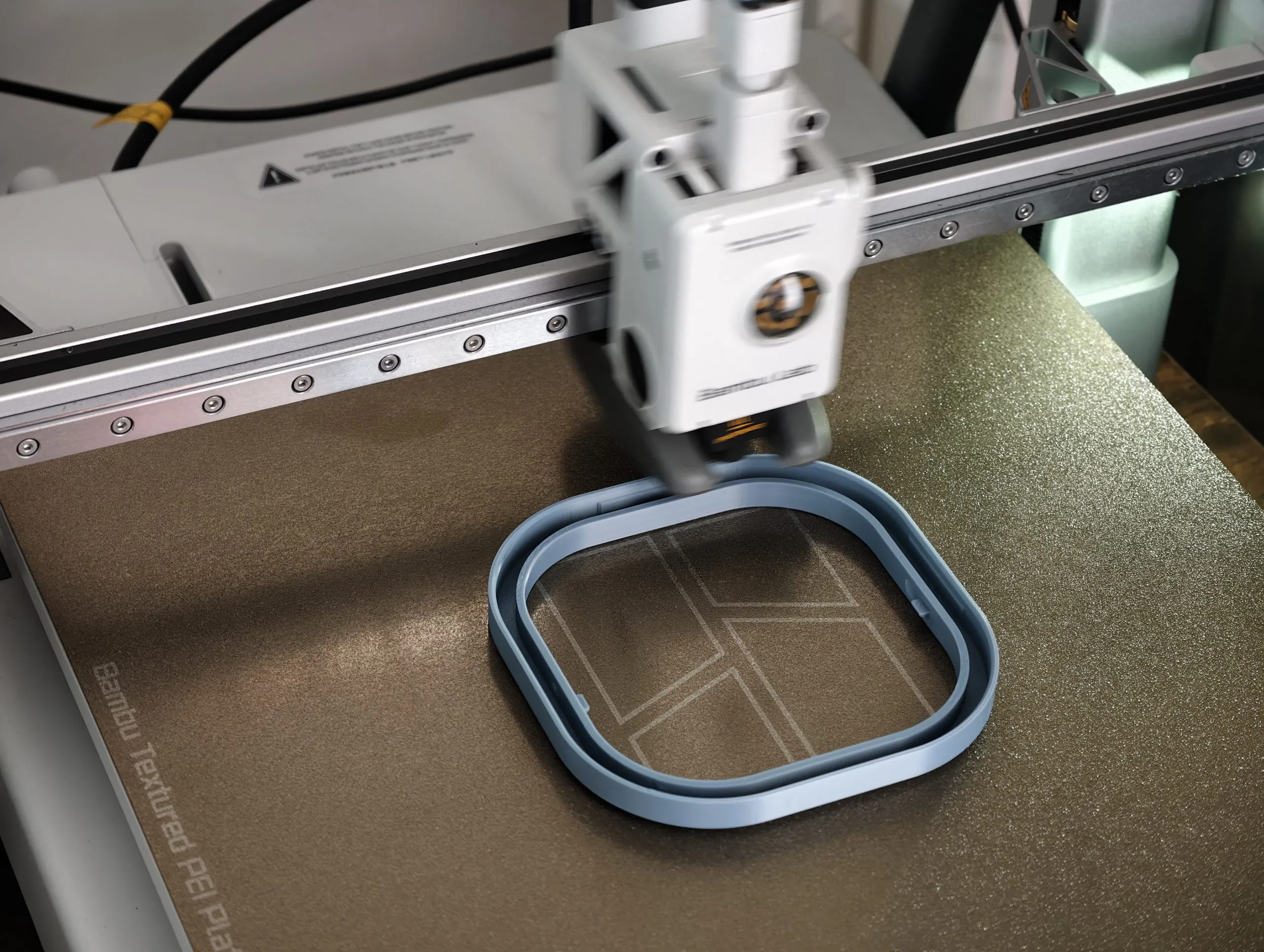
I also tested the A2L Combo on two larger multi-color jobs: a cactus-shaped headphone stand and a scaled-up tabletop dustbin with a lid. Together they took six plates and about 34.5 hours of PLA, and every print finished successfully. Print quality was excellent, and the surface finish is premium enough that I’d buy the headphone stand on Amazon if I found it there. Only one or two of the six plates had a small rough patch. I used the stock textured PEI plate and the default 0.4mm steel nozzle throughout, though you can swap both for other options. The printer is noisiest at the start while it calibrates the bed, then settles down enough to live with.
Filament handling was effortless through both jobs. When the gray filament ran out partway through the headphone stand’s long stem, I loaded another color into the empty spool and kept going — genuine Bambu Lab filament carries an RFID tag the AMS reads to set color and material automatically. Third-party filament requires you to enter those details manually in Bambu Studio.

It is worth pointing out that Bambu rates the A2L for up to 1,000 W peak, but that’s only for the first 3 minutes while the heatbed heats up. After that, consumption drops well below that. I didn’t measure my own unit’s draw with a power meter, so treat this as an estimate. Comparable Bambu printers average around 105 W while printing PLA. Even if I double that for the A2L’s larger bed, my 34.5 hours of printing across six plates would cost about 3.5–7 units of electricity, or ₹25–50 at ₹7/unit.
Bambu Labs A2L AMS Lite Review: The Best Part, With Real Trade-offs
The AMS Lite is what justifies the ₹17,000 gap between the standalone printer and the Combo. Four spools sit on motorized holders, each feeding through its own PTFE tube to the extruder. When a model needs a color change, the printer pulls out the current filament, cuts it, and automatically feeds in the next one. Bambu’s own filament carries RFID tags so the printer identifies the material and settings without you entering anything.
Auto Flow Dynamics Calibration deserves more attention. Before every print, the A2L measures how filament flows through that specific nozzle and spool, accounting for nozzle wear, filament moisture, and fresh rolls. It builds a calibration model of the entire extrusion path and adjusts before the first layer goes down. That’s why print quality stays consistent across different filament brands, humidity levels, and nozzle age.
Every color change purges leftover filament into a waste tower beside the model. Prints with many color shifts waste a lot of material. You can reduce this by routing purge material into the model’s infill in Bambu Studio, but you can’t eliminate it.
Moisture is a bigger concern in India than the marketing suggests. The AMS Lite sits open to the air, and filament absorbs humidity over time. That leads to weak, stringy output and popping at the nozzle. The best long-term fix is upgrading to the 2nd-Gen AMS, a sealed, climate-controlled unit that dries filament before each print and keeps spools airtight. A standalone filament dryer costs less. Either way, budget for it from the start if you live somewhere humid.
Standard TPU doesn’t feed reliably through the AMS Lite tubes because it flexes and buckles mid-feed. Use the single spool holder for flexible materials and feed directly.
Bambu Labs A2L AMS Lite Review: What to keep in mind
Watch your remaining filament before starting a long print. I didn’t, and my cactus-shaped headphone stand ran out of gray filament mid-print, so I had to swap colors at the last minute. Bambu doesn’t show an estimated ‘filament remaining’ figure based on model weight and spool history. That’s a gap worth knowing before you start. Until that changes, weigh your spools or check Bambu Studio’s estimated filament use before any long, unattended print.
Bambu Labs A2L AMS Lite Review: Software, MakerWorld, and the Ecosystem Reality
Bambu Studio is a fork of PrusaSlicer with material profiles pre-loaded for every supported filament and plate. Selecting material and quality level is a dropdown, not a research project. The learning curve for basic use takes hours, not weeks.
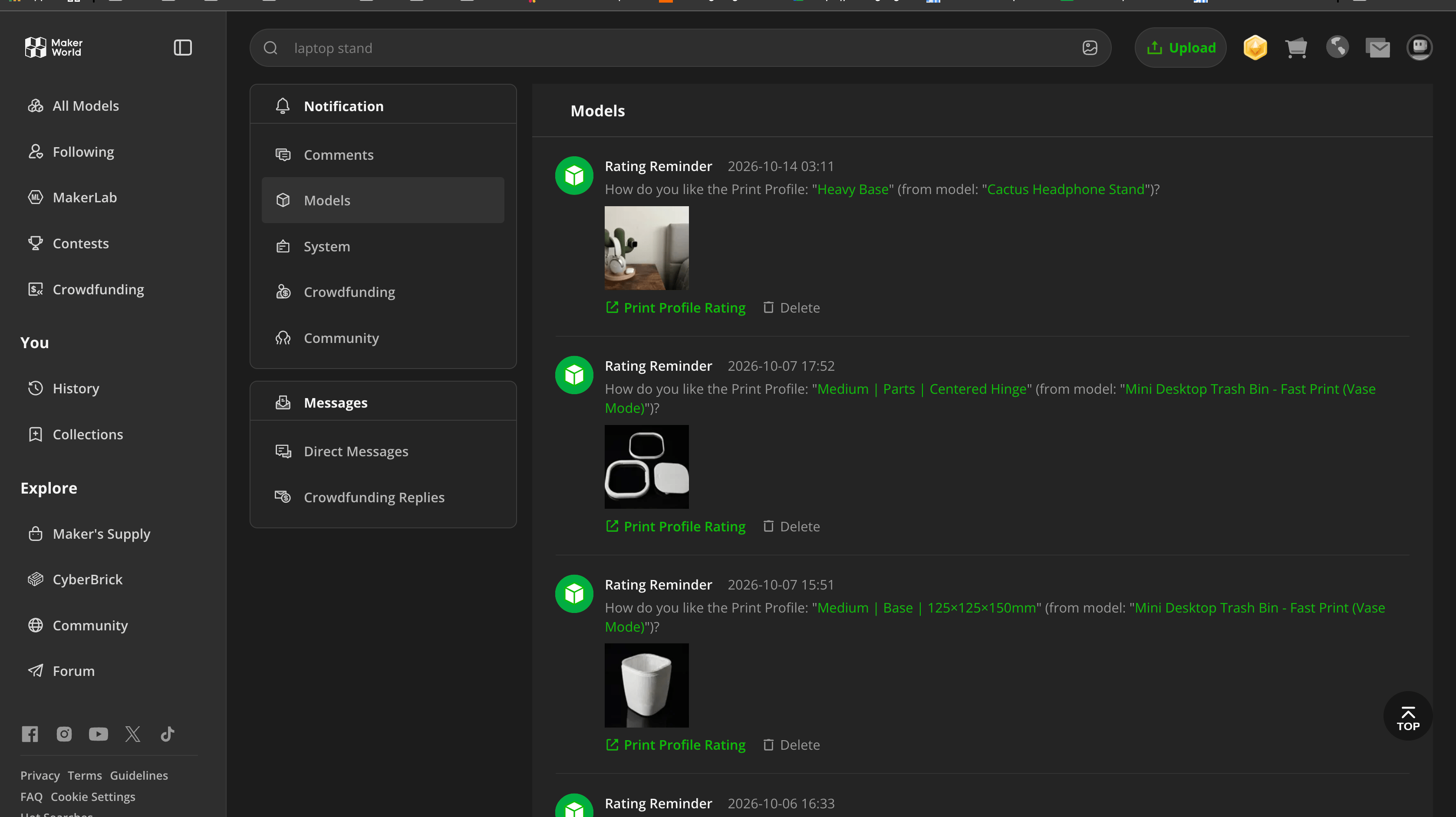
MakerWorld is Bambu’s model library with millions of free files filtered by your exact printer. Chroma Canvas, a free tool in the ecosystem, automatically converts photographs into multi-layer color prints and assigns colors without requiring any design skills. The Bambu Handy app gives you a live camera feed, progress updates, and remote pause or stop from your phone, which matters more than you’d expect once you start running overnight jobs.
Know this before you buy: a January 2025 firmware update forced third-party slicers to authenticate through Bambu’s cloud. The maker community pushed back, and now a LAN-only mode lets users stay off the cloud. For most home users running Bambu Studio, it makes no practical difference. Still, if you want custom firmware or open-source slicer support, this is a real limitation to consider before you spend ₹65,999 on the A2L in India.
Noise is not a problem. Silent mode stays under 49 dB, achieved through active motor noise cancellation, precision linear rails, and intelligent fan scaling. I’ve run prints overnight in my bedroom without disrupting my sleep.
On indoor air quality: the A2L holds UL GREENGUARD certification under UL 2904, tested specifically with PLA Basic, PLA Pure, and PETG Basic filaments, and confirmed at ultra-low emission levels. If the printer is going into a bedroom, study, or home office, this certification directly answers whether that’s safe. The caveat is that it applies to official Bambu filaments; use third-party brands in a ventilated room as a general precaution.
Filament costs are manageable. Bambu PLA Basic runs ₹1,299 to ₹1,499 per kilogram. Third-party brands like eSun or WOL3D cost less and work reliably once you set them up manually in Bambu Studio. The A2L handles PLA, PETG, and TPU without trouble but can’t print ABS or ASA. The open frame and 80°C bed cause warping with those materials. Buy locally through authorized channel partners.
Review Verdict: Should You Buy the Bambu Labs A2L AMS Lite?

Smartprix ⭐ Rating: 8.0/10
fter several weeks of daily use, I can say the A2L earns its reputation as the printer that removes the hobby’s traditional barrier to entry. It doesn’t win on every axis. The AMS Lite’s humidity exposure and purge waste are real costs. The closed cloud ecosystem is a genuine trade-off for anyone who wants open-source firmware. But nothing about it feels unfinished or compromised to hit a price point. The automatic calibration isn’t just marketing. It worked exactly as described on every test print, unattended, for jobs running up to 12.3 hours.
At ₹48,999 for the printer alone or ₹65,999 for the Combo, the A2L is the printer I recommend to anyone buying their first 3D printer in India in 2026, as long as you have a solid table and don’t need ABS or ASA. For that common use case, nothing else clearly beats it at this price. If you need engineering-grade filaments, fully open-source tools, or are on a strict budget, check the Cons section above and the FAQ below to see if you should look elsewhere.
If you’ve been researching 3D printers for years and still haven’t bought one, this machine will probably fix that. Auto calibration works reliably from day one. The build volume handles most home projects without splitting models. The AMS Lite means finished prints look considered, not experimental. The Combo at ₹65,999 is the one to buy if you want multi-color printing.
First reviewed in October 2026.

Bambu Labs A2L AMS Lite Frequently Asked Questions
Is the Bambu Lab A2L suitable for complete beginners?
Yes. Setup takes under an hour, auto bed leveling requires no manual adjustment, and Bambu Studio includes pre-configured profiles for every supported filament. You can go from unboxing to a finished first print the same evening.
What is the price of the Bambu Lab A2L in India?
The printer alone is ₹48,999. The Combo with AMS Lite is ₹65,999. The optional Cutting Upgrade Kit is available through authorized channel partners.
How long does it take to get your first successful print?
Under 45 minutes from unboxing, including unpacking, Wi-Fi setup, and automatic calibration — no manual leveling or tuning required before the first job starts.
What’s the biggest single print the A2L can handle?
In testing, a 421-gram stackable drawer piece ran unattended for 12.3 hours without issue, well within the printer’s 330 x 320 x 325mm build volume.
Can the Bambu Lab A2L print ABS?
No. The A2L is an open-frame printer with a maximum bed temperature of 80°C. ABS and ASA require an enclosed chamber to prevent warping. For high-temperature engineering filaments, you need the Bambu Lab X2D or H2 Series.
Does the AMS Lite waste filament?
Yes. Every color change purges residual material from the nozzle into a waste tower beside the model. You can reduce this by routing purge material into the model’s infill in Bambu Studio, but you can’t eliminate it.
Is the AMS Lite’s extra ₹17,000 worth it?
If you want multi-color prints without manual spool swaps, yes — it’s the single feature that makes finished prints look considered rather than experimental. If you’ll only ever print single-color objects, skip it and save the money.
Can I use third-party filament with the Bambu Lab A2L?
Yes. Any standard 1.75mm filament works. Bambu’s own filament uses RFID tags for automatic profile recognition. Brands like eSun, WOL3D, and Polymaker work reliably once you manually enter the filament details in Bambu Studio.
Is the Bambu Lab A2L noisy?
No. It runs under 49 dB in silent mode, about as quiet as a library. Standard mode is around 52 dB. I’ve run overnight prints in my bedroom without disrupting my sleep.
Does TPU work with the AMS Lite?
Standard TPU doesn’t feed reliably through the AMS Lite because it flexes inside the feed tubes. Use the single spool holder for flexible materials. Bambu’s own TPU-for-AMS formulation is engineered to work with the system.
What kind of table does the A2L need?
A heavy, solid surface against a wall, ideally wood or metal. The bed-slinger mechanism generates significant vibration at speed. A lightweight folding table or plastic utility table won’t hold the printer safely through longer jobs.
Is the Bambu Lab A2L safe for indoor use?
Yes, when used with official Bambu filaments. The A2L holds UL GREENGUARD certification under the UL 2904 standard for indoor 3D printing air quality. PLA Basic, PLA Pure, and PETG Basic have all been confirmed as ultra-low emission. Use third-party filaments in a ventilated room as a general precaution.
You can follow Smartprix on Twitter, Facebook, Instagram, and Google News. Visit smartprix.com for the latest tech and auto news, reviews, and guides.