I’ve tested a lot of foldables. Most just give you a bigger screen and expect you to figure out the rest. The software rarely keeps up, and the hinge gets all the attention. You open the phone, feel a quick burst of excitement, then close it again because your workflow stays exactly the same.
The vivo X Fold6 does things differently. I set out to see if that made a real difference.
I set one rule for the day: if I could do a task on this phone, I would. Editorial meetings, interviews, editing news copy into Instagram reels, family messages, errands, watching a cricket match in the evening. Everything went through the X Fold6.
Here’s what happened.
The Cover Display Is Not an Afterthought
My day starts at 6:45am with notifications, not a laptop. By 6:50 AM, I was at the kitchen counter, scanning my schedule, replying to messages, and checking meeting updates — all with the phone folded.

The cover display handled everything easily. At 6.51 inches, 424 PPI, and 2528 x 1120 resolution, it never felt like a backup. The screen-to-body ratio is 92.65%, with 1.8mm bezels on three sides. Pixel density matches the main display. It works like a regular phone that just happens to open up bigger.

What I didn’t expect to notice was the 300Hz touch sampling rate in gaming mode on the cover screen. By evening, every quick tap felt tighter and more responsive than my daily driver.
The cover display made me more disciplined. A foldable works best when you don’t have to open it for every small task. The cover screen takes care of quick jobs, so I only unfolded it when I needed more space. That’s how the two screens should work together.
Desktop Mode Turns the Phone Into a Portable Workstation
My first real work task was an editorial meeting at 9:30am. Normally, I run these with a laptop open and my phone next to it. Two devices, split attention.

This time, I connected the X Fold6 to a monitor and launched Desktop Mode. The connection is instant: plug in via Type-C or go wireless, and the phone’s screen projects onto the big display, ready to use. The phone itself becomes the trackpad and input controller. You don’t need a separate keyboard or mouse, but you can add them for a full PC-like setup. I opened multiple app windows, stacked and resized them, and kept the meeting in one window, my editorial calendar in another, and notes in a third.
When the meeting ended, I disconnected and put the phone in my pocket. The workspace came with me.
At 4.40mm thin when unfolded, the X Fold6 barely registers in my hand. It doesn’t feel like a compromise. It feels like a device built with intention.
Origin Workbench Is Where the Fold Earns Its Price
My main assignment was to do a comparison piece. It had to refer to notes apps for previously noted observations, switch between Smartprix listings to verify both phones’ specs, compare photos, and write a document.
On a regular phone, this is a grind. I open the document, switch to the browser, find the figure, try to remember it, switch back, type it, and repeat. I end up managing context switches instead of actually writing.

With the X Fold6, I unfolded the phone and got to work.
The 8.02-inch main display has a 2504 × 2312 resolution and 424 PPI, with a 4:3.69 aspect ratio. It’s closer to a tablet than a stretched phone, and that makes a difference right away. Documents have space. Browser windows don’t feel cramped.
Origin Workbench, part of OriginOS7 for Foldables, lets me open up to five apps at once with smooth, responsive switching. I can drag and drop images and documents between apps directly. The display stops being just a phone screen and becomes a real working surface.

The Origin Smoothness Engine kept everything fluid during hours of multitasking. The phone stayed cool and responsive. The Dimensity 9500 Super Edition, with a 1×4.21GHz + 3×3.5GHz + 4×2.7GHz CPU, 12GB LPDDR5X Ultra RAM, and 512GB UFS 4.1 storage, kept things moving. More importantly, I stopped thinking about the chip after ten minutes. That’s what good performance feels like.
AI Cross-App Drag Removes Friction You Didn’t Know You Had
While writing the comparison: I had a PDF, a spreadsheet, and my draft open at the same time.
Normally, this means clipboard management. Copy here, switch, paste there, go back, find the next number. The kind of repetitive micro-task that doesn’t sound exhausting until you’ve done it forty times.

AI Cross-App Drag lets me grab text or images from one app and drop them directly into another. The intent wheel also lets me extract, translate, or create contacts from whatever I’m dragging. The screen keeps both apps fully visible while I work, so I can see exactly where content is going.
It didn’t transform my afternoon, but it clearly reduced the mental load. That steady reduction of small frictions is what a well-designed OS feels like.
The Camera Deserves More Than a Footnote
I need to pause here because the camera system on the X Fold6 is too important to bury in a hardware summary.

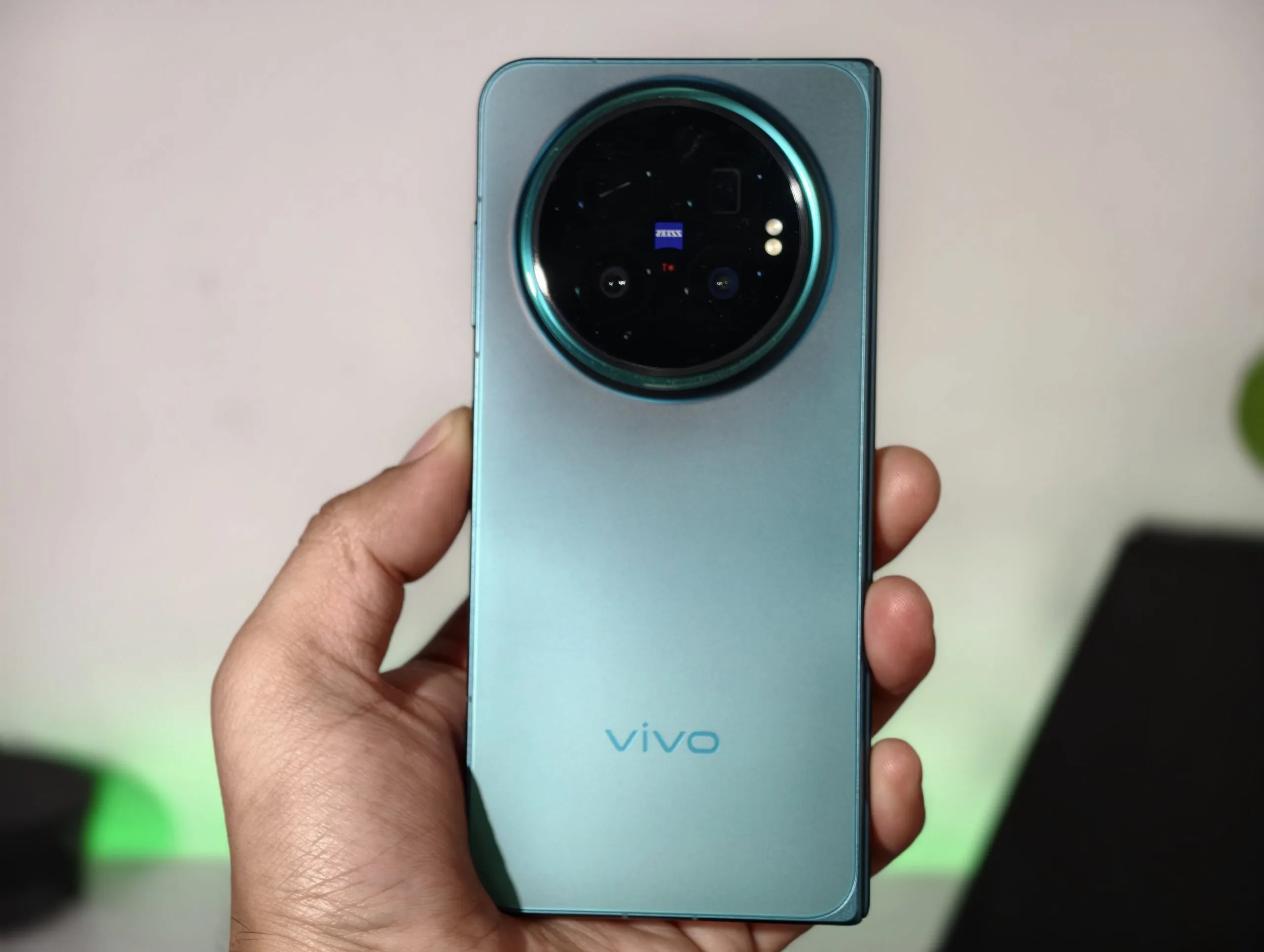
The rear setup includes a 200MP main camera with the Samsung HPB sensor and OIS, a 50MP ZEISS APO Telephoto with the Sony LYT-602 sensor, and a 50MP wide-angle with the Samsung JN1 sensor and autofocus. The telephoto is particularly notable — it’s the first ZEISS APO Certified Telephoto Camera on a foldable, combining a periscope design, chromatic aberration control to the ZEISS APO standard, and CIPA 4.5 Professional Stabilization. On the front, there are two 20MP fixed-focus cameras, one on each display, so whichever screen you’re using, a proper selfie camera is always facing you.
The 200MP number matters. At that resolution, I can crop a shot to a third of its area and still get more detail than most phones’ main cameras. For product shots, architecture, or any time I want flexibility in editing, this changes how I frame a photo before I shoot.


Midway through the afternoon, I photographed a document from across a desk. The detail, with OIS keeping things stable, was better than what I get from any phone I’ve tested recently.
Both displays carry Dolby Vision, HDR10+, Netflix HDR, TÜV Rheinland Full Care Display, and HDR Vivid certification. So when you check a photo on the main screen, you’re seeing an accurately calibrated version of what the camera actually captured.
AI Recorder Lets Me Listen Instead of Type
After the document capture came my analyst call. Forty minutes. Important.
Interviews are usually a split-focus exercise: listen, write, don’t miss anything, stay in the conversation. You’re never quite present because you’re trying to simultaneously produce a record of what’s being said.

AI Recorder handled the record-keeping. It automatically turned the recording into a searchable transcript and summary. Smart Call Assistant can also screen calls when you’re away and provide a call summary for quick callbacks.
The real benefit isn’t just that AI took notes. Removing the admin work changed the conversation. I asked better follow-up questions. I caught things I would have missed while typing.
That’s the value of good AI assistance. It doesn’t replace my work. It removes the parts that weren’t really my work in the first place.
The Features That Don’t Make Headlines
The afternoon brought the less glamorous but equally real part of any working day: family messages, errands, a file I couldn’t immediately locate, a settings option I couldn’t find.
Snap & Go, built into Origin Island, identified an address in a message and surfaced the right action immediately. It also works with flight, train, or bus details, and event tickets. It detects key information and suggests adding it to Google Calendar; no manual entry needed. Two taps instead of six.

AI Search in File Manager and Notes let me find an old article just by describing what was in it instead of remembering the filename. Searching by content instead of name seems minor until you have three years of documents and no filing system.
None of these moments make it onto a spec sheet, but they all made my day easier.
The Phone and Everything Else, Working Together
By late afternoon, my story was ready for final review and I wanted to finish it on my laptop.
The X Fold6’s cross-ecosystem connectivity covers not just laptops, but MacBooks, iPads, AirPods, and Apple Watch. All my Apple devices worked in sync with the phone. Files and workflows moved between them. The Office Kit feature enabled camera sharing, cross-device notes, task handoff, and file transfer. I started work on the phone and finished it on the laptop when that made more sense.

This is what a foldable should be. It’s not a phone pretending to be a laptop, or a laptop pretending to be a phone. It bridges both and hands off naturally when another device does the job better.
When the Work Ends, the Screen Has a Different Job
The 8.02-inch display with an 8,000,000:1 contrast ratio, Dolby Vision, and HDR10+ certification is an excellent way to watch sport. The scorecard stayed in a sidebar. Messages came and went in another panel. The real advantage of the form factor is that the bigger screen isn’t just for doing more things. It’s for doing the same things with more space around them.

I folded the phone when the evening was done: 228g in my pocket, 9.40mm thick.
The transitions are seamless. Folded, it’s a commuter phone. Unfolded, it’s a work surface. Connected to a monitor, it’s a desktop. None of these need extra steps. That’s what a good foldable feels like when the software actually uses the hardware well.
The Real Question: Does the Fold Change Anything?
After a full day, here’s what I actually think.
The foldable form factor works because it lets one device handle different modes. Quick-access phone, work surface, desktop extension, entertainment screen. None of those modes feel like a compromise, but only if the software understands each mode and builds useful features for them. That’s where most foldables still fall short.

OriginOS 7 gets this right. Origin Workbench turns the big screen into a real workspace. AI Cross-App Drag makes moving information feel physical. Desktop Mode puts your workspace on any screen, wirelessly or via cable, without setting up peripherals. Jovi, the AI agent, understands intent and executes tasks across connected devices. Smart Call Assistant and AI Recorder change how you show up in conversations. Cross-ecosystem connectivity makes Apple devices feel like natural extensions of the phone.
The 200MP ZEISS camera is a genuine surprise. It changes what I shoot and how I think about framing before I press the shutter.
The 6,900mAh battery, India’s biggest in the foldable category, holds everything together. A foldable with a small battery becomes something you manage. With a battery this size, you just use it.
The X Fold6 didn’t ask me to be impressed just because it folds. It earned the fold by being useful once it was open.
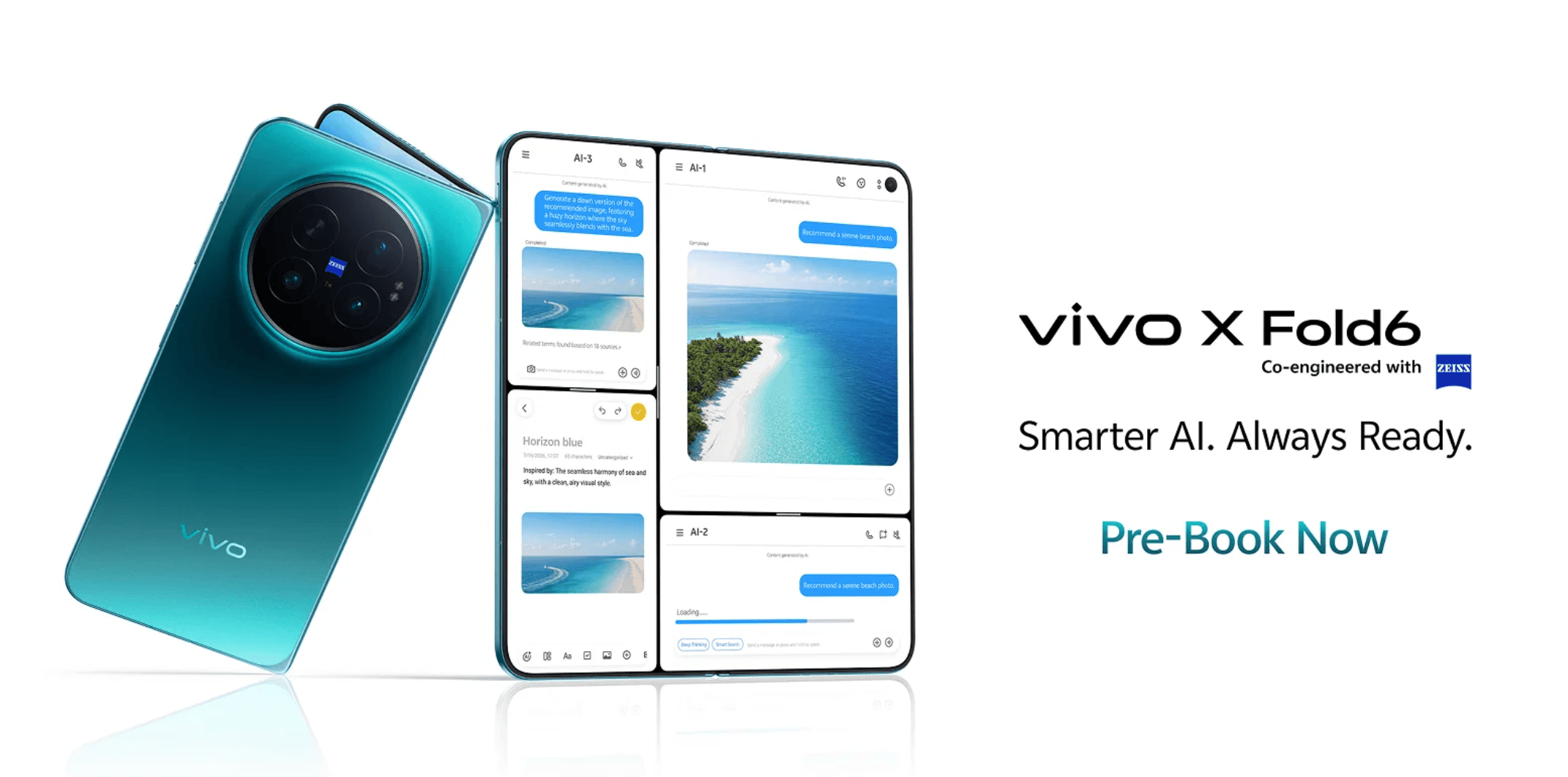
The vivo X Fold6 is available in India for ₹2,19,999 (in Nebula Teal or Prism Black) across Amazon, Flipkart, and vivo’s online store.To make that premium price a bit easier to swallow, vivo is offering a few different payment structures. Here is how the EMI and discount options break down:
Offline Offers
- Consumers can purchase the vivo X Fold6 at an Easy EMI of INR 7,333 per month, with 30 months No Cost EMI / Zero Down Payment, or avail an instant cashback of up to INR 26,400 on eligible transactions or up to 12% exchange bonus under the vivo V-Upgrade programme.*
- Up to 40% off on V-Shield Screen Damage Protection and Extended Warranty plans*
- 3 months of Google AI Pro at no additional cost.*
*Additionally, buyers of the vivo X Fold6 will soon be able to unlock an exclusive JioHotstar subscription offer*, subject to offer T&Cs:*.
- Get 50% off on the following JioHotstar annual subscriptions#*
- Mobile Plan worth INR 499 – available at a discounted price of INR 249.5/-
- Super Plan worth INR 1,099 – available at a discounted price of INR 549.5/-
#The offer is not live yet and cannot be availed at this time. It is expected to launch in the coming days, but the exact launch date is not guaranteed. JioHotstar’s T&C apply. Offer eligible only for non-subscribers. Auto mandate will be set up.
*Offers are provided by the respective platform/retailer and are subject to their applicable terms and conditions.
Online Offers
- INR 26,400 Instant Cashback on Selected Banks or a 10 percent bonus on your trade-in or up to 24 months of interest-free financing (No Cost EMI)
- To know more of online and mainline offers and discounts updates on the vivo X Fold6 visit vivo Newsroom.