The OG App can save you from Instagram ads and reels; Know how?

A few bugs will join the party too

Main Image
  • Like
  • Comment
  • Share

Instagram has gone through multiple changes in the last few years. The Meta-owned social media application has come a long way from a photo-sharing platform to being the center of creativity for creators.

However, most of us, who started using Instagram in its initial days, don’t like the additions which the application has made in recent times. For example, the way meta keeps pushing content onto Instagram, constantly suggested posts and a lot of ads to make it more annoying.

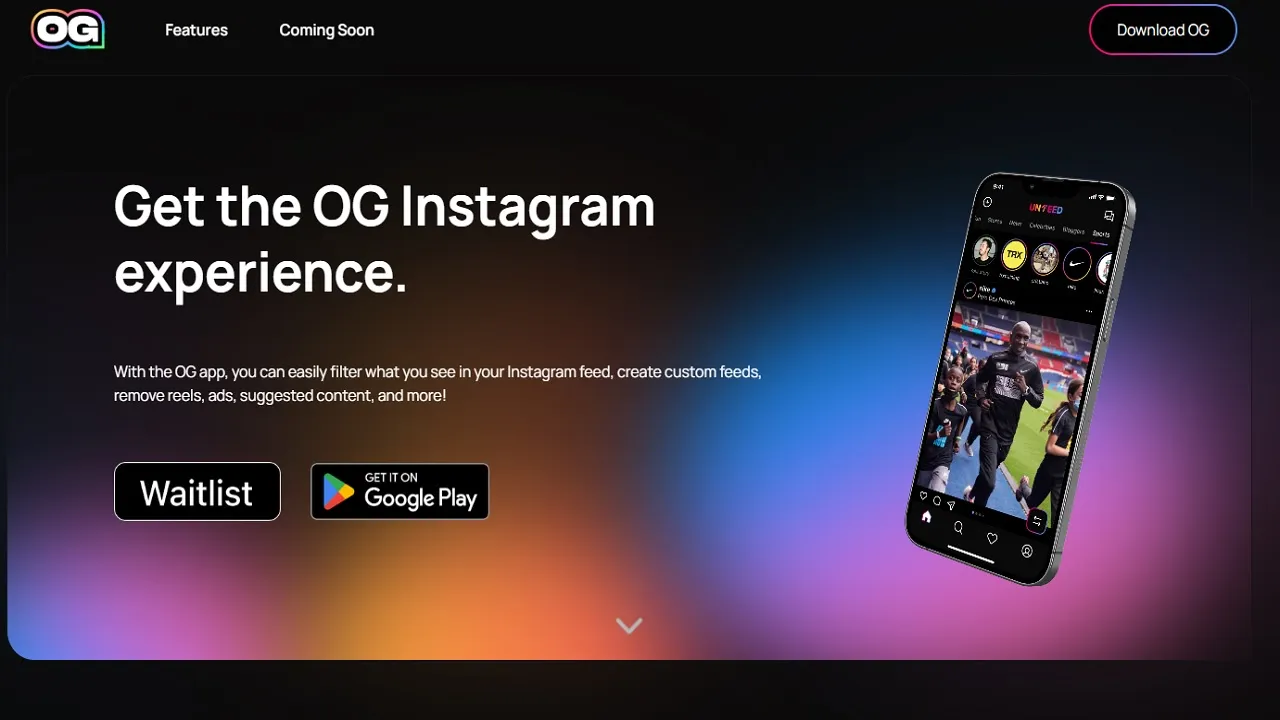
What if I tell you that Instagram can be restored to a basic and more straightforward version with an application? Yes, you can do it; there is an application named The OG app avaialble on both Apple App Store and Google Play Store.

The application works in such a way that it cuts down most of the other unwanted addition from the application. Here we will talk about how you can download and set up the application in your smartphone.

How to set up The OG app on your smartphone?

  • Open the Google Play store on your smartphone and find and download The OG app. You can also download the app from this link.
  • Now, open the application on your smartphone, to get started, enter the country code and the mobile number on the screen.
  • On the next screen, you will see a button saying ‘Connect with Instagram’, tap the button.
  • You will be redirected to the Instagram login page and enter your credentials to access your account.
  • You are not all set to use Instagram in a simplified form with The OG app.

What’s the difference?

The OG app

First things first, the UI of the same is pretty clean. You get the home button, reels button, search button, and profile access at the bottom. The Like, share, comment, and save buttons look similar to that of Instagram. Nevertheless, they acquire less space in the case of The OG app. The inbox button is located at the top left corner, but its icon has been changed and looks like the old-fashioned messaging icon. From the settings of the application, you can also disable reels, feed updates for 24 hours, explore the page, etc.

On a personal note, the app can be dubbed as the Instagram we want but were unable to get. The application even allows you to create custom feeds and give titles to them. As the app is in the testing stage, so you can expect a few bugs. The best part is that you can connect with the support anytime to inform them about the bugs and issues faced in the app.


Nishit Raghuwanshi RudraNishit Raghuwanshi Rudra
A career journalist who spent three plus years playing around with smartphones, associated apps and more. As a hobby, Rudra enjoys researching mobile games. When he's not busy in the world of gadgets, he is busy with a paper and pen writing poems or engaging with his growing digital audience on the Hindi rap circuit.

Related Articles

Imagevivo Watch GT 2 Review: Big AMOLED Display, Excellent Battery Life, and Smooth Software

vivo has been expanding its ecosystem in India, and the Watch GT 2 is its latest addition. Launched alongside the X500 series, it marks the brand’s first proper entry into the smartwatch segment in India. At around ₹XX,000, the watch focuses on a large AMOLED display, a lightweight design, and long battery life. I’ve been …

ImageBest Video Editing Applications for Short Videos on Android & iOS

Today almost everyone wants to make short videos to upload on their social media accounts. Whether it is students or office goes, content creators or influencers, everyone uses apps like Instagram, TikTok, etc which require short videos to be uploaded on them. One needs simple and good editing apps to make short videos that stand …

ImageHow to download Instagram Reels, Stories, or IGTVs video for free

Instagram Reels has surged in popularity since its debut in July 2020. Introduced as a short-form video tool in response to the TikTok ban in India, Reels quickly became a global phenomenon, particularly in India. Instagram allows users to create and upload 15-second videos using a vast library of music, filters, and effects. While Instagram …

ImageInstagram’s Edits Finally Lands On iPad & Brings Custom LUT Import Along

If you’re someone who edits a multi-clip Reel on a smartphone, you and I share the misery: a cramped timeline, thumbs blocking the preview, and one accidental tap that ruins the entire edit. Instagram’s Edits app, though capable, has endured that limitation since launch.  However, an update on November 23, 2026, not only fixes the …

ImageInstagram Adds Four New Features for Stories and Apple Music

Instagram has rolled out four new features aimed at improving Stories and music sharing. The changes include direct Apple Music integration, the ability to edit Stories after publishing, a redesigned location sticker, and a simpler way to customize backgrounds when sharing photos that do not fit the vertical Story format. Instagram Lets Users Save Songs …

Discuss

Be the first to leave a comment.