Image
EXPAND

Tap to Share Could Change How Android Users Share Files and Contacts

Main Image
  • Like
  • Comment
  • Share
TL; DR
  • Google’s Tap to Share will let you share both files and contact details by placing two phones together using NFC.
  • It builds on Quick Share, which already works across Android, iPhone, and Mac, and makes the process more direct. However, Tap to Share could be limited to Android devices only.
  • The feature is expected to arrive with Android 17.

Google is working on a new Tap to Share feature for Android, and the latest leak shows how it is expected to work. The idea is simple. You bring two phones close together and either send files or share your contact details without going through multiple steps. It sits on top of Quick Share, which already supports cross-platform sharing including iPhone and Mac.

Basically, NameDrop for Android

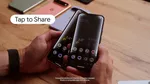
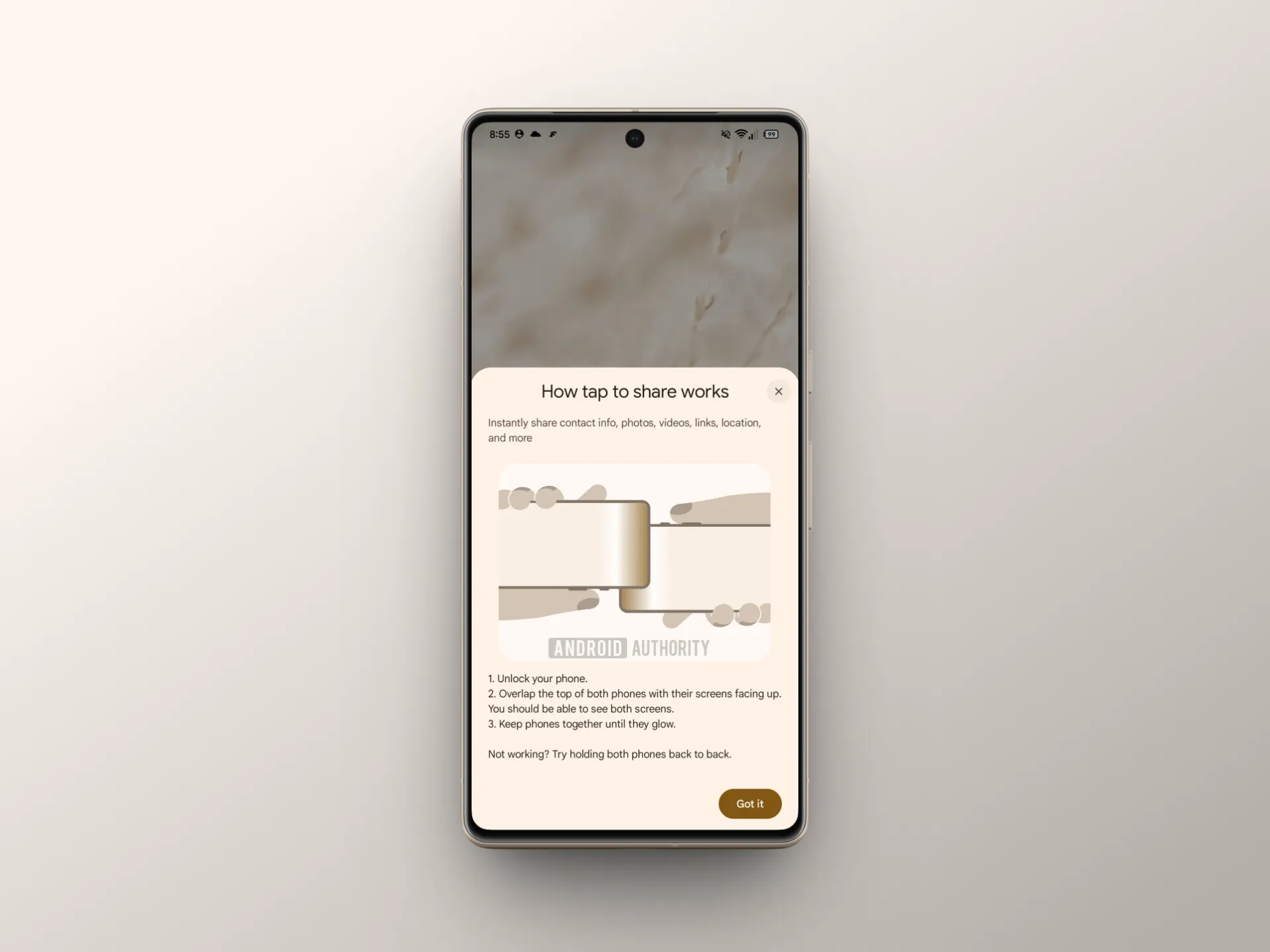
From what we are seeing in the leaked UI shared by Android Authority, the process looks very straightforward. You select what you want to share, bring the phones together, and a glow animation appears to confirm the connection (similar to how NameDrop and AirDrop interactions feel on iPhone). After that, the transfer or contact exchange happens through the regular Android share sheet. The system also shows clear instructions on how to position the phones, since NFC placement varies across different devices.

…and AirDrop too

This is where things get more interesting. It is not limited to just files. Along with photos, videos, links, and locations, you can also share your contact details directly by placing two phones together. That makes it similar to Apple’s NameDrop style interaction, where exchanging contact info becomes a quick physical action instead of typing numbers or sending messages.

Quick Share already handles the actual transfer part, including working with Apple devices, so that base is already in place. Tap to Share changes how you start the interaction. Instead of selecting devices or waiting for them to appear, you just bring them close and the system handles the rest.

The “overlap” method mentioned in the UI is important here. Android devices have NFC chips placed in different positions, so Google is guiding users to align them properly. If it does not connect immediately, the system suggests adjusting placement or holding the phones differently, which keeps things simple.

This is not live yet, but it looks close. The current expectation is that it arrives with Android 17.

You can follow Smartprix on TwitterFacebookInstagram, and Google News. Visit smartprix.com for the latest tech and auto newsreviews, and guides.
Mehtab AnsariMehtab Ansari
Mehtab Ansari is the Assistant Editor – Features & Reviews at Smartprix, where he writes about smartphones, laptops, audio gear, and everything in between. A computer science student by degree but a tech nerd by heart, he’s been into consumer tech for years and started reviewing products professionally in February 2024. He’s especially into photography and audio, often spending more time testing a smartphone’s camera than he probably should. For him, tech isn’t just work, it’s what he’s always thinking about.

Expertise 

Smartphones, laptops, tablets, monitors, smartwatches, photography, and audio gear. I’ve reviewed over 60 products across these categories on Smartprix in the past year and a half.

Education - Bachelor of Computer Applications – Nizam College, Hyderabad (2022–2025) | Joined Smartprix -February 2024 | Published Reviews & Stories - 723

Related Articles

ImageJio vs Airtel Rs 355 Prepaid Plans: Which Is Best for You? A Complete Comparison for India in 2026

Jio’s Rs 355 plan is a great fit if you love tuning in to the latest cricket matches, binge-watching shows, or you are curious about the latest AI tools like Google Gemini Pro. On the other hand, Airtel’s Rs 355 plan shines for anyone who works on the go, especially if you create content, work …

ImageExclusive: vivo X300 Ultra and X300 FE Will Let You ‘Shake & Share’ Files

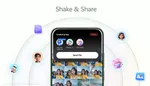
Sharing files between smartphones has often felt like a clinical exercise in menus and toggles. vivo is looking to change that narrative with its latest flagship-exclusive feature: Shake & Share. Designed to make proximity sharing more intuitive and dare we say, fun, the feature moves away from the traditional “tap and wait” search method in …

ImageGoogle Confirms Quick Share AirDrop Support Will Expand Beyond Pixel in 2026

Google has confirmed it will expand Quick Share’s AirDrop interoperability to many more Android phones this year. This will likely be via a Google Play system update, and not the typical software update. The feature first arrived last year on the Pixel 10 series. It lets Android users share files directly with iPhones, iPads, and …

ImageSamsung Brings AirDrop Support to Quick Share on Galaxy S26 Series

With the Pixel 10 series, Quick Share started supporting AirDrop-style file transfers. That later expanded to the Pixel 9 series as well. The idea was simplRe, you could share files directly with iPhones using native AirDrop, without installing anything extra. All you had to do was enable the “Everyone” option in AirDrop on the iPhone, …

ImageX rolls out Custom Timelines and Snooze Topics for Premium users

X has started rolling out two new feed customization tools that give users more control over what shows up on their timeline. The update was announced by Head of Product Nikita Bier, who described Custom Timelines as one of the platform’s biggest recent product changes. The announcement was shared publicly here: Custom Timelines Custom Timelines …

Discuss

Be the first to leave a comment.