Image
EXPAND

How to send WhatsApp audio messages using Google Assistant

Main Image
  • Like
  • Comment
  • Share

Google Assistant in its short lifespan has matured a lot and today, apart from Simple tasks like setting an alarm or searching something on the web, it can also execute quite a few complex instructions deftly. A few months back Google Assistant leaned a new ability to transcribe voice to send them as allowing users to just send WhatsApp messages by just saying “OK Google, send a WhatsApp message to a contact (read the name of the person you want to WhatsApp) followed by your message.”

A few months back Google Assistant leaned a new ability to transcribe voice and it can now be used to send WhatsApp messages by just taking voice dictations. All you have to say is “OK Google, send a WhatsApp message to ”, followed by your message.

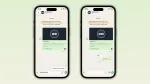
You can also use the assistant to directly send voice messages as well.

Also Read: How to enable automated reply to WhatsApp Messages [Without Root]

Note: To be able to use this feature, a user must have a smartphone running at least on Android 6.0 Marshmallow or higher. Skip these first three steps if you already have Google Assistant up and running on your phone.

How to send voice messages on WhatsApp using Google Assistant

First step: Open Google apps and spot hamburger menu on the top left corner a tap on that followed by settings.

Second step: Tap on Voice option and select, “Ok Google” detection turn on first options to setup Google Assistant.

Third step: Tap on get started and submit voice samples by saying “Ok Google” three times. If you followed all these steps correctly, your Google Assistant setup is now complete.

Fourth step: All now you have to do now is send a voice message to your friend is shout out “Ok Google send a voice message to (name of the contact).”

Final Step: Now, Google assistant automatically will trigger voice recorder that can record your message up to 30 minutes. Google will automatically sense when you have stopped speaking and will ask you if you want to playback, record again or send it. And with a simple send command, Google will automatically to your friend.

Also Read: How To Delete Google Assistant Voice Search History In Simple Steps

Currently, it doesn’t support WhatsApp groups, so as of now you can only use it for individual contacts only.

Send Messages and Voice Notes on Whatsapp using Voice Command with Google Assistant

Google assistant has been a great help in performing web searches and executing small tasks. However, with this new ability to send a voice message, Google Assistant is evolving towards solving complex problems which is a good thing.

8 Things that Bixby does better than Google Assistant and Siri

Deepak RajawatDeepak Rajawat
Deepak Rajawat is a technology journalist and editor with over 12 years of experience in both print and digital media. Before transitioning to online journalism, he contributed to renowned publications including Hindustan Times and The Statesman.

At Smartprix, Deepak reviews smartphones, laptops, TVs, and soundbars, with a focus on answering the real-world questions that matter most to consumers. Over the past decade, he has reviewed more than 1,000 devices, combining hands-on expertise with a user-first approach.

A graduate in Journalism and Mass Communication from Calcutta University, Deepak also follows emerging technologies closely—including Virtual Reality (VR), Augmented Reality (AR), and Mixed Reality (MR). Earlier in his career, he covered sports with the same passion he now brings to tech.

He is based in Noida and joined Smartprix in September 2015.

Related Articles

ImageXiaomi 17T: What to Expect Ahead of India Launch on June 4

Xiaomi India has officially confirmed the launch date for the Xiaomi 17T in India. The phone is launching on June 4, 2026, marking the return of the T-series lineup to the Indian market after a long gap since the Xiaomi 11T series. The company has already started teasing the device online, and based on the …

ImageWhatsApp comes up with a host of new features for voice messages

Messaging giant WhatsApp always keeps working on making the messenger even better for its users. Now, the Meta-owned company has announced a host of new features for voice messages on their app. These were reported via a blog post by WhatsApp and aim to make the messaging experience even better. “When we first launched voice …

ImageWhatsApp’s Message Yourself feature will lessen the use of Notes app

It will not be an understatement to say that WhatsApp keeps a check on what its audience wants. The communities feature that was introduced recently was proof of the same. In a recent development, WhatsApp has officially announced the Message Yourself feature for the Android and iOS version of the application. This feature by WhatsApp …

ImageWhatsApp Is Testing A Paid Subscription: But Don’t Expect It to Do Anything Useful

WhatsApp has always been free, and it’s going to stay that way, well, mostly. Why am I saying that? Meta has officially confirmed it is testing a new paid tier for the messaging platform, WhatsApp Plus.  While this version is currently in a limited Android beta, a broader rollout across iOS and other platforms is …

ImageGoogle Maps Adds “Ask Maps” AI Assistant and 3D Immersive Navigation

Google has introduced a new feature called Ask Maps. It turns Google Maps into a conversational assistant. Instead of typing short search queries, you can now ask full questions inside the app. The experience feels closer to chatting with an assistant than running multiple searches. The feature runs on Gemini 3 models and uses the …

Discuss

1 Comment
Be the first to leave a comment.

Related Products