

Quick Verdict
The OPPO Pad Mini is a great compact tablet for anyone who values portability, display quality, and performance. Its 144Hz matte AMOLED screen, Snapdragon 8 Gen 5 chipset, and good battery life make it an excellent device for reading, streaming, and casual gaming. The lightweight design is another big plus, especially for one-handed use.
At ₹94,999, though, it is an expensive proposition. The lack of a fingerprint scanner, inconsistent face unlock, and limited external display support leave room for improvement. It makes the most sense if you already own an OPPO smartphone and want a compact Android tablet to go with it.
Buy it if:
- A compact, lightweight design that makes one-handed use comfortable.
- The 144Hz matte AMOLED display is great for reading, browsing, and watching content.
- Plenty of performance for demanding games and everyday multitasking.
- Good battery life paired with superfast 67W charging.
- OPPO phone users will appreciate the seamless connectivity and file-sharing features. It also works with iPhone, Samsung, and Windows devices via O+ Connect.
- Android’s multitasking flexibility makes it a capable device for light productivity.
Skip it if:
- Android’s tablet app optimisation still has room for improvement.
- The lack of a fingerprint scanner is disappointing at this price.
- The punch-hole camera can get in the way while gaming.
- ₹94,999 is a lot to spend on an 8.8-inch tablet.
- The iPad mini has an advantage in long-term software support and app optimization.
The compact tablet market has always been a little niche, with most manufacturers focusing on larger screens and productivity features. OPPO is taking a different approach with the Pad Mini, packing flagship hardware into an 8.8-inch form factor. It is thin, lightweight, and easy to carry around, with a 144Hz matte AMOLED display and a Snapdragon 8 Gen 5 chipset. I have been using it for the past couple of weeks to see how well it works as an everyday companion and whether its compact size makes it worth the ₹94,999 asking price.
HOW I TESTED
| Reviewed by: Mehtab Ansari, Assistant Editor, Features & Reviews at Smartprix Test unit: OPPO Pad Mini Matte Display Edition, 8GB RAM, 256GB storage, Lavender Purple, 5G. Samsung supplied the tablet and S Pen. Testing period: Two weeks of daily use at home, travel, in cafes, and during short outdoor sessions. Tests included: Content consumption, note-taking, gaming, multitasking, outdoor display visibility, smartphone connectivity, synthetic benchmarks, and more. Competitors: iPad mini OLED |
OPPO Pad Mini Price & Availability
The OPPO Pad Mini Matte Display Edition is available in India in a single 8GB + 256GB configuration, priced at ₹94,999. It comes in Lavender Purple and is available as a Wi-Fi-only model. You can buy it through OPPO’s online store, Flipkart, and select offline retailers.
OPPO is also offering a free Smart Case and Pencil 3 Pro (worth ₹12,000) if you purchase the Pad Mini from the OPPO Store.

Pros
- Extremely light and comfortable to hold
- Sharp 144Hz matte AMOLED display
- Strong Snapdragon 8 Gen 5 performance
- Good battery life for media consumption
- Fast 67W charging
- Useful connectivity features with OPPO phones (and via O+ Connect with other devices)
- USB 3.2 Gen 1 port
Cons
- No fingerprint scanner
- Face unlock can be unreliable
- Punch-hole camera interferes with some apps and games
- Awkward volume button placement
- No desktop mode with an external display
- Expensive for a compact tablet
OPPO Pad Mini Specifications
| Specification | Details |
| Display | 8.8-inch 2.5K AMOLED, 2520 x 1680 pixels, 3,840 Hz PWM, 144Hz adaptive, 344 PPI, 800 nits typical, 1600 nits HBM, minimum 2 nits |
| Processor | Snapdragon 8 Gen 5 |
| RAM | 8GB LPDDR5X |
| Storage | 256GB UFS 4.1 |
| Battery | 8,000 mAh |
| Charging | 67W SUPERVOOC |
| Rear camera | 13MP |
| Front camera | 8MP |
| Connectivity | Wi-Fi 7, Bluetooth 6.0 |
| USB | USB 3.2 Gen 1 |
| Software | ColorOS 16 based on Android 16 |
| Dimensions | 194.4 x 132.4 x 5.46 mm |
| Weight | 282g |
OPPO Pad Mini Review: Design and Build
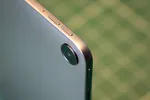
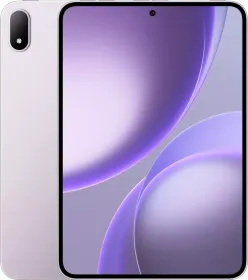
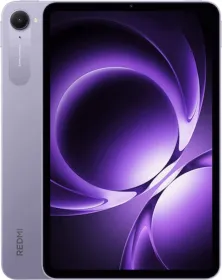
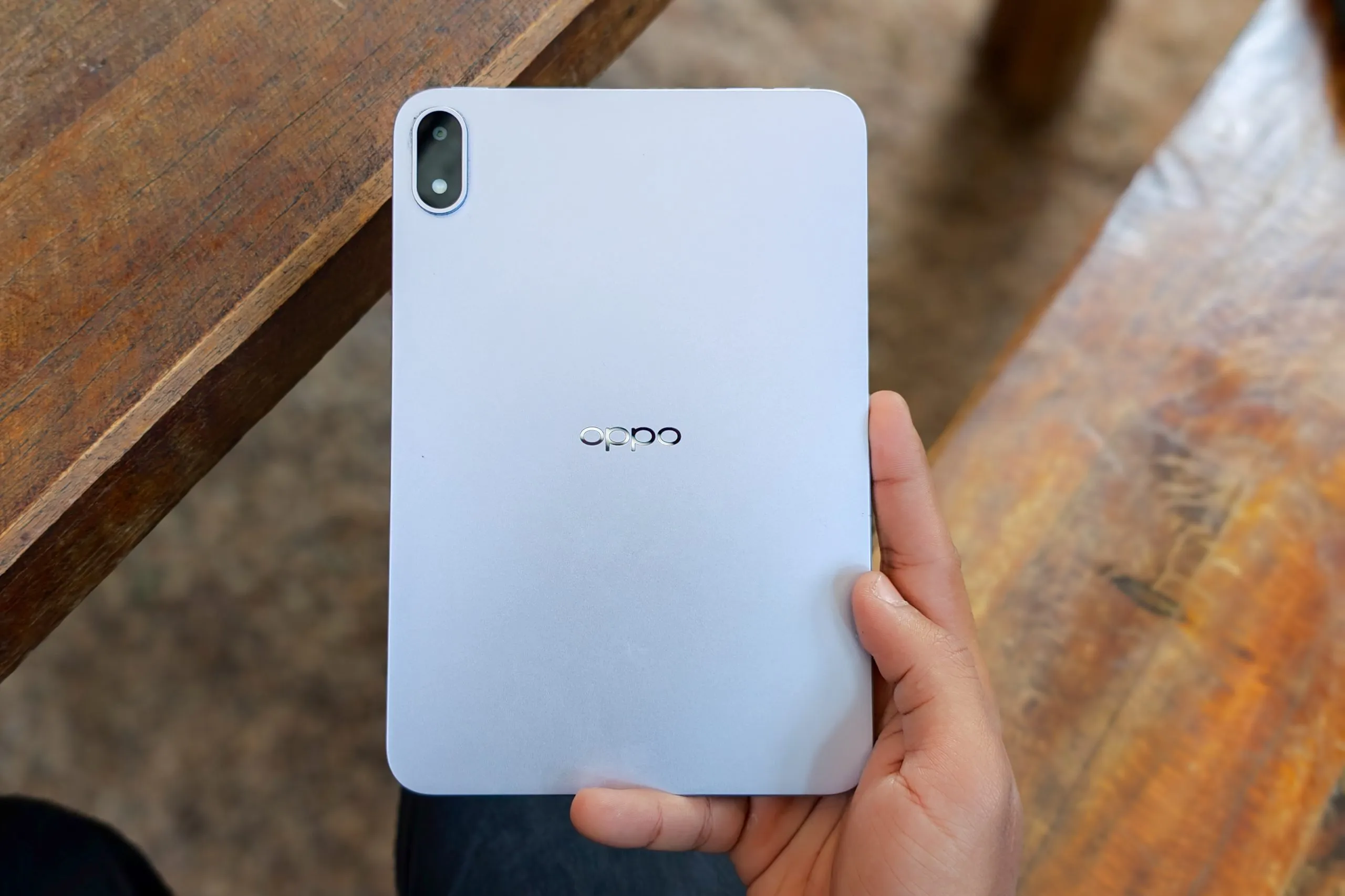
At 194.4 x 132.4 x 5.46 mm and around 282 grams, the OPPO Pad Mini is remarkably compact. It is thin enough to slip into a small bag or a large pocket and light enough for comfortable one-handed use. The metal frame and rear panel have a matte finish, with the Lavender Purple colour giving the tablet a distinctive look. The bezels are thin at around 2.99 mm with a 92.5% screen-to-body ratio.

The build quality is good, too. The frame feels sturdy, and there is no noticeable flex when holding the tablet firmly. Its weight distribution is well balanced, so the device does not feel heavy or anything during extended use. Using it for reading and browsing feels as natural as using a large smartphone.

The button placement takes some getting used to. Both the power button and volume rocker sit along the top edge in portrait orientation. When holding the tablet in landscape, I frequently mixed up the volume buttons while watching videos. A fingerprint scanner integrated into the power button would also have made the layout more useful.
OPPO Pad Mini Review: Display
The Pad Mini features an 8.8-inch AMOLED display with a 2520 x 1680 resolution, giving it a pixel density of around 344 PPI. It supports an adaptive refresh rate of up to 144Hz, with OPPO claiming 800 nits of typical brightness and up to 1600 nits in high-brightness mode. The minimum brightness goes down to 2 nits.

The matte coating is the biggest highlight here. It cuts down reflections under bright indoor lighting and makes the screen easier to use outdoors. There is also a subtle paper-like texture that works well when reading or using the optional stylus. Text looks sharp, colours are rich, blacks are deep, and the high refresh rate makes scrolling, gaming, and animations feel smooth. The panel has TÜV Rheinland Eye Comfort 5.0 and Reflection-Free certifications, along with flicker optimisation and support for Natural Display 2.0 and Pastel Mode.

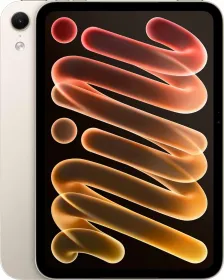
Compared with the iPad mini, the OPPO Pad Mini has a higher refresh rate and a brighter display in high-brightness mode. The matte finish also makes a noticeable difference when using the tablet in environments with plenty of ambient light. Oh, and the bezels are also noticeably smaller.
There are a few compromises. Fingerprints and smudges still show up, and the coating has a slightly different texture from regular glass. It may also require more care when it comes to fine scratches. These are reasonable trade-offs if you prefer a display with reduced glare.

The front camera’s punch-hole cutout is another issue. Most apps and games do not adjust their layouts around it, leaving the camera inside the usable screen area. In games such as Clash of Clans, the cutout remains visible within the play area. YouTube handles it more consistently, although app support is limited overall. It is an odd design choice for a tablet that otherwise has a very good display.
OPPO Pad Mini Review: Speakers and Biometrics
The dual speakers get reasonably loud and keep dialogue clear at normal listening levels. They work well for watching videos and attending calls, although bass response is limited and sound quality becomes slightly muddy at maximum volume. Considering how thin the tablet is, the overall speaker performance is decent. Dolby Vision is supported.

Biometrics are a bigger concern. The OPPO Pad Mini does not have a fingerprint scanner, and its face unlock system can be inconsistent. It works reasonably well in good lighting, but recognition becomes less reliable in dim rooms or when holding the tablet at an angle. I often had to enter my PIN manually, which gets frustrating when you frequently pick up and unlock the device.
OPPO Pad Mini Review: OPPO Pencil 3 Pro
The OPPO Pencil 3 Pro is sold separately for around ₹7,999. It attaches magnetically to the Pad Mini for pairing and charging.
It supports 16,000 levels of pressure sensitivity and offers low latency, making writing and drawing feel responsive. The soft felt tip works particularly well with the matte display, giving you a paper-like writing experience. There is also subtle haptic feedback through a linear motor, with different sensations for tools such as pencils, brushes, and markers.

Palm rejection works well, allowing you to rest your hand on the screen while writing. Squeezing the stylus opens the AI Quick Wheel, which includes shortcuts for AI Circle, Notes, Global Annotation, and a presentation pointer. OPPO claims up to 15.5 hours of continuous battery life. You can also locate the pencil by sound. Additional features include Screen-off Memo, Magic Capture, and tools for generating mind maps and charts from sketches.

The Pencil 3 Pro is a useful accessory for taking notes, annotating documents, and sketching. Its integration with the matte display makes writing particularly enjoyable.
OPPO Pad Mini Review: Connectivity
The Pad Mini has some particularly useful connectivity features if you own an OPPO smartphone. Communication sharing allows the tablet to access your phone’s mobile data, calls, SMS, and location. You can use these features without manually enabling a hotspot every time.

There is also clipboard sharing, app continuity, and quick file transfers between supported OPPO devices. These features worked reliably during my testing and made switching between my phone and tablet much easier.

The experience is especially convenient if you already use an OPPO phone as your primary device. The tablet works perfectly well on its own, with Wi-Fi 7 and Bluetooth 6.0 covering the usual connectivity requirements. Via O+ Connect, it also supports screen mirroring, file transfer, file management, and drag-and-drop with iPhone, Samsung, and Windows devices. Network sharing from a phone is supported and is more power-efficient than a traditional hotspot.
The USB 3.2 Gen 1 port is another welcome addition. You can connect the tablet to an external monitor, although the functionality is limited to screen mirroring. There is no extended display support or desktop mode, which would have made the tablet considerably more useful for productivity.
OPPO Pad Mini Review: Software
The OPPO Pad Mini runs ColorOS 16 based on Android 16 (ColorOS 17 should be coming soon), with an interface designed to make better use of the larger display. You get a taskbar, split-screen multitasking with Open Canvas, and floating windows, all of which work well on the 8.8-inch screen.

Multitasking is particularly useful. You can watch a video while browsing the web or taking notes in another window, and the interface has enough room to accommodate these activities comfortably. Animations are smooth, and the overall experience was stable during my testing.
The OPPO Pad Mini gets several AI features with ColorOS 16, similar to OPPO smartphones. You get AI Mind Space for saving and organising screenshots, notes, links, and PDFs, with automatic content extraction and search. There is no Snap Key, so you can just swipe up with three fingers to save to Mind Space.

AI Writer can rewrite, summarise, and polish text. The Notes app gets AI summaries, AI Search, and formatting tools, while AI Recorder supports real-time transcription, speaker identification, and recording summaries. AI Painter can turn rough sketches into AI-generated images.
The Photos app includes AI Eraser, AI Unblur, AI Reflection Remover, Portrait Glow, Clarity Enhancer, and AI Recompose. You also get Remix Collage for creating photo collages and AI-assisted editing tools in the video editor.

Other additions include Google Gemini integration and Circle to Search. With the optional OPPO Pencil, you also get the AI Quick Wheel, AI Circle, annotation, and quick note-taking tools.
Overall, ColorOS gives you a ton of flexibility with multitasking and file management. Apple still has an advantage in app optimisation and long-term software support. However, if you already own an OPPO phone, the familiar interface and cross-device features make the Pad Mini easy to get used to.
OPPO Pad Mini Review: Performance
Powering the OPPO Pad Mini is Qualcomm’s Snapdragon 8 Gen 5, paired with 8GB of LPDDR5X RAM and 256GB of UFS 4.1 storage. This is a capable hardware combination for a compact tablet.
| Benchmark | OPPO Pad Mini (Snapdragon 8 Gen 5) |
| AnTuTu Score | 2593633 |
| Storage (Score, Sequential Read Speed, Write Speed) | Score: 107389; Sequential Read: 4155 MB/s; Sequential Write: 3862 MB/s |
| Geekbench 6 CPU (Single-Core, Multi-Core) | Single-Core: 1540; Multi-Core: 7020 |
| Geekbench 6 GPU (OpenCL, Vulkan) | OpenCL: 13418; Vulkan: 19455 |
| 3DMark Wildlife Extreme (Score, Avg FPS) | Score: 3618; Avg FPS: 21.67 |
| 3DMark Wildlife Extreme Stress Test (Best Loop, Lowest Loop, Stability) | Best Loop: 4065; Lowest Loop: 3251; Stability: 80% |


Everyday performance is excellent. Browsing, switching between apps, streaming videos, and multitasking all feel quick. Apps open quickly, and the 144Hz display adds to the overall sense of responsiveness (although most apps run at 120Hz).
Gaming is another area where the tablet performs well. BGMI, Genshin Impact, and CODM run without any issues, while demanding titles like Zenless Zone Zero remain playable with good frame rates. Thermal management is also well handled during longer gaming sessions, with the tablet getting warm without becoming uncomfortable to hold.
The Snapdragon 8 Gen 5 gives the Pad Mini plenty of performance headroom for everyday use and gaming. It is more than capable of handling the kind of workload most people would throw at a compact tablet.
OPPO Pad Mini Review: Cameras
The camera setup consists of a 13MP rear camera and an 8MP front camera. As with most tablets, these cameras are primarily meant for occasional use.


The rear camera is adequate for scanning documents and taking quick reference shots. Image details are average, and low-light performance is limited. The front camera works well enough for video calls in good lighting, although image quality drops when the room gets darker. It is decently wide, too.


Neither camera is particularly impressive, and I would not consider them a major reason to buy the tablet. The front camera’s placement is a small concern during everyday use, especially when apps and games fail to account for the punch-hole cutout.
OPPO Pad Mini Review: Battery Life and Charging
The OPPO Pad Mini packs an 8,000 mAh battery, which offers excellent endurance for a tablet of this size. My usage mainly involved watching videos, reading, browsing, and taking notes, and I managed up to 11 hours of screen-on time over two days. Even with a mix of multitasking, browsing, and occasional gaming, the tablet comfortably lasted a full day.

Charging is equally impressive. The 67W SUPERVOOC charger is included in the box and takes around 25 minutes to charge the tablet to 50%. A full charge takes roughly an hour, making it easy to top up the battery between sessions.
For a compact tablet, the combination of good battery life and fast charging works well.
Review Verdict: Should You Buy the OPPO Pad Mini?
The OPPO Pad Mini gets several important things right. Its compact design makes it comfortable to carry and use for extended periods, while the 144Hz matte AMOLED display is one of its biggest strengths. The Snapdragon 8 Gen 5 handles everyday tasks and gaming with ease, battery life is good, and 67W charging makes topping it up convenient.
There are a few areas OPPO could have handled better. The lack of a fingerprint scanner is disappointing at this price, face unlock needs more consistency, and the punch-hole camera interferes with the viewing experience in several apps and games.
The OPPO Pad Mini makes sense if you want a compact Android tablet with a high-quality matte display, strong performance, and useful connectivity features with an OPPO smartphone. It is particularly good for reading, watching content, and casual gaming. If you value the iPad’s software ecosystem and long-term support, Apple’s compact tablet remains a strong alternative.

Smartprix ⭐ Rating: 8.0/10
- Design and Build: 9/10
- Display: 8.9/10
- Speakers: 8/10
- Software: 8.5/10
- Biometrics: 5/10
- Performance: 8.2/10
- Cameras: 7.5/10
- Battery Life & Charging: 8.9/10
First reviewed in November 2026.