Macro photography feels like a secret world hiding in plain sight. Every petal, droplet, or insect tells a story, but getting those up-close details without a flagship phone or an external lens feels impossible, especially when you consider the fact that many insects don’t like you getting close to them. Or maybe you don’t want to get close to them. Either way, it’s a challenge.
The good news? You don’t need a fancy macro lens to dive into this miniature universe of insects, coins, droplets, and whatnot. With your phone and a bit of patience, you can snap macro shots that’ll have people wondering if you’ve gone pro. Here’s how.
Before we start, here’s the minimum you need

Let’s get a few essentials straight first. First, lighting is key. Good lighting makes or breaks macro photography, so ensure your subject is well-lit, preferably with natural. Next, you’ll need a decent main camera—one that allows you to zoom in digitally up to 3x or 4x. Even most sub-15K smartphones have good enough cameras for that.
Patience is also a must. Macro photography is all about those small, intricate details, and it takes time to get things just right. If your phone comes with ultra-wide macro, go ahead and use it for closer shots. But if your phone only has a 2 MP macro lens, skip it. Instead, use this trick.
Step 1: Find Your Subject

First, let’s find a subject. This could be an insect or a coin or a water drop or anything with intricate details. You could try flowers, textures, or even something as mundane as a fabric weave. The key is to choose a subject with intricate details that stand out when viewed closely.
You don’t have to venture far. Sometimes, the best macro opportunities are in your backyard, on your balcony, or even on your kitchen counter. A small crack in a rock or the texture of an orange peel can look amazing when seen up close.
Make sure your subject is well-lit though. Also, since we don’t have fancy equipment, it’s better to shoot a subject that’s still.
Step 2: Lock the Focus to Minimum

Now, here’s where the magic begins. Move your phone as close to the subject as it can focus. Most phones today can handle short distances, but every model has its limit. If you go too close, the subject will turn into a blurry mess.
So, to get started, take your hand and bring it close to the camera. Take it close until the hand becomes blurry and then take it back a little bit until it’s in sharp focus. Now, double-tap the screen to lock the focus—this ensures the focus stays fixed for the closest distance and doesn’t shift unexpectedly.
If you’re using an Android phone, you could also go into the Pro mode for even better results. Head to the Manual Focus settings and set it to 0. This adjusts the focus to the closest possible distance.

Notably, when shooting moving subjects, Pro mode is your best friend. It allows you to control the shutter speed. Set it as fast as possible to avoid motion blur ruining your macro photos.
Also, this is where patience is key. If your hands are shaky, steady them by resting against a surface or propping your elbows on something stable. Macro photography demands patience, and even the slightest movement can ruin the shot.
Step 3: Is it Well-Lit?

Good lighting can significantly improve your macro shots. Natural light works best—early morning or late afternoon sunlight creates softer shadows and enhances details. If indoors, use a desk lamp or even the flashlight of another phone to highlight the subject.
Avoid using your phone’s built-in flash. It’s too harsh and will wash out the details you’re trying to capture.
Step 4: Take the Shot

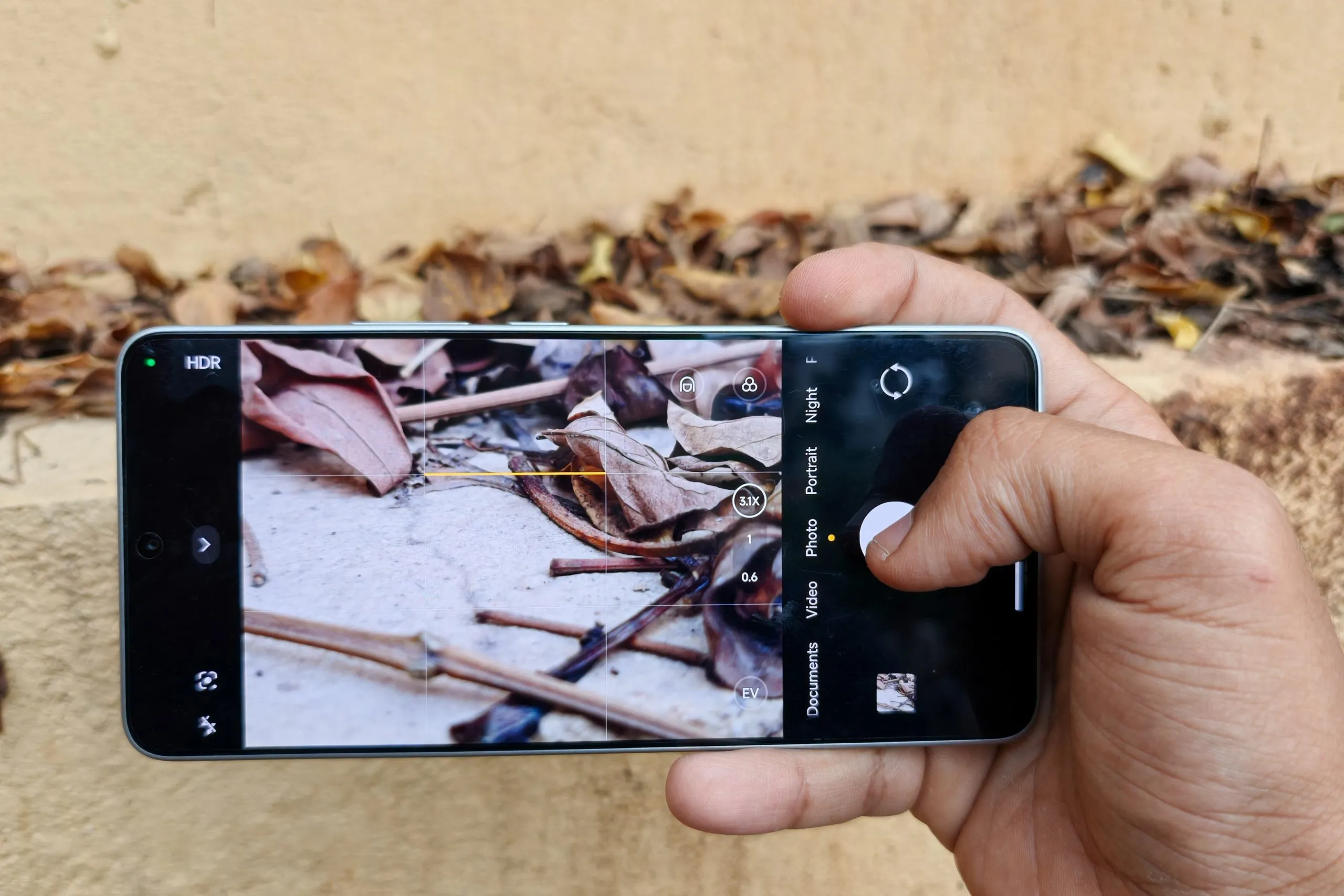
Now, be stealthy, if you are capturing a shy insect, and crop in digitally using the zoom options 2x, 3x, 4x, or whatever that suits the best. Don’t zoom in too much, as this will lead to degradation in the zoom quality.
Once you’ve found the perfect zoom level, hit the shutter…but not once. Take multiple photos and make sure you are completely still while doing so. Any shakeage of the camera can ruin your macro shot. You could also try some other angles and compositions if time and the subject allow for it.
Step 5: Pick the Best One

Once you’ve taken all your shots, head to your gallery app and pick the one you like best. You’ll notice that some photos might turn out blurry, but a few will be sharp and detailed.
This is the essence of macro photography—you take multiple photos, sometimes 50 or even 100, and then carefully select the best one. Not every shot will be perfect, and that’s okay.
Step 6: Edit for the Final Touch

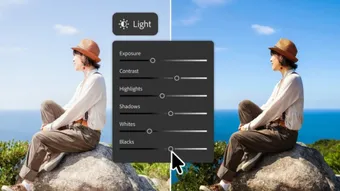
Finally, use an editing app to tweak the image to your liking. Enhance the contrast, remove any imperfections, or adjust the colors. Apps like Snapseed or Lightroom Mobile are great for this.
Here’s what I captured using the POCO F6

The POCO F6 has no macro mode or a macro sensor, so I think it’s the perfect example to showcase. These are the kinds of shots that I got. Some of these are using just indoor lighting.


Final words
You could always invest in a dedicated macro lens or a phone with a telemacro, but if you can’t or don’t want to, this trick should do. It’s also a good prep for you to start your macro photography journey. With just your phone, good lighting, a steady hand, and a little patience, you can capture some good close-up shots.
At the end of the day, what you capture matters more. Make sure to find interesting subjects that are well-lit for the best results. So grab your phone, step outside (or look around your room), and start capturing the tiny wonders of the world that most people overlook. You’ll be amazed at what’s possible without any extra gear.
You can follow Smartprix on Twitter, Facebook, Instagram, and Google News. Visit smartprix.com for the latest tech and auto news, reviews, and guides.