If you are an iPhone user, you’re probably aware that it’s never been simple to find and merge duplicate contacts on iOS. You had to manually merge the contact information or use a third-party contact management tool to have it fix the duplicate records because Apple’s Contacts app didn’t come with a built-in duplication detector and merger.
But that’s not the case with the new iOS 16 update that is already rolling out on iPhone devices. Now the new Contact app gets the ability to eliminate duplicate contacts and merge them into the right list. We have created a simple guide to show you how to merge duplicate contacts on iPhone after the iOS 16 update.
How to merge duplicate Contacts on iPhone devices
- Launch the Contacts app on your iPhone.
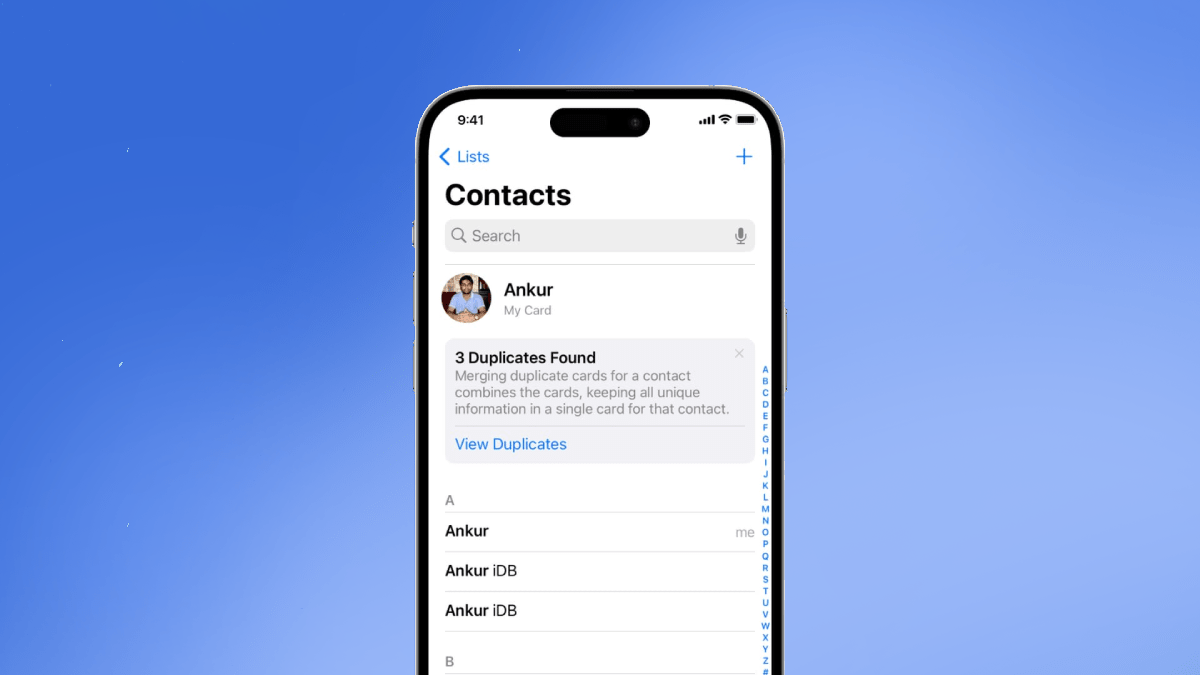
- A notification card with the message “Duplicates Found” will appear at the top of your contact list containing duplicate contacts. In case, there’s no such message and you are sure of having duplicate contacts, go to the bottom of the list where you should see both the total number of contacts and the number of duplicate contacts.
- Click on the card to see each duplicate contact card on the phone.
- Tap the ‘Merge All’ option at the bottom if you want to combine the duplicates otherwise hit ‘Ignore All’ if you want to ignore contact merging.
- Instead, you can click on a contact card to expand its details if you want to personally inspect each card before merging them.
- To combine contacts, click the ‘Merge’ button. Your contact information should immediately be consolidated into a single contact card after you confirm when requested. Tap ‘Ignore’ if you don’t want to merge the contact.

ALSO READ: How to find a lost android/ios smartphone using IMEI number online
How to merge Contacts manually
The Contacts app can now discover the contacts that are generating conflicts on its own after the iOS 16 update and resolve them, albeit occasionally it may not succeed. In such cases, iPhone users can manually identify and link duplicate contacts. Here are the steps:
- Tap the duplicate contact.
- Tap the ‘Edit’ option and click on ‘Link Contacts’.
- Select the second identical person from your contact list, then click the Link button. If it’s from a different profile, click the back button in the top-left corner, choose the account, and then pick the contact to connect to the profile you picked in the second step above.
- Hit ‘Done’ to complete the step.
ALSO READ: How to transfer WhatsApp data from Android to Apple iOS via the ‘Move to iOS’ App
FAQs
Can I merge duplicate Contacts on my iPhone for free?
Yes. The feature to merge duplicate Contacts on iPhone is now free for devices running on the latest iOS 16 update.
Why are my contacts listed twice?
There will be certain contacts that are shared among some of the accounts when you import contacts to your iPhone from several sources, such as Google, iCloud, Yahoo, etc. This results in a sync problem and several contact entries with identical data.
How to resolve duplicate contacts if my iPhone is running on iOS 15 and lower?
There are a few apps that efficiently resolve duplicate contacts on iPhone devices including Cleaner Pro, Contacts+, Contacts Cleaner, and Cleanup Duplicate Contacts.