Image
EXPAND

How to forget or Delete Wi-Fi Network on PS5

Main Image
  • Like
  • Comment
  • Share

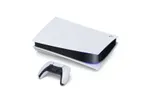
If you enter an incorrect Wi-Fi password while setting up your Playstation 5, or if you are getting a “cannot connect to Wi-Fi Network” error, it’s better if you make the PS5 forget your Wi-Fi Network and reconnect.

If this is your first Playstation, the steps to delete your Wi-Fi might not appear as intuitive. Here’s what you need to do.

Steps to delete or unregister Wi-Fi on PS 5

Here’s how you can do so in a few simple steps:

  1. Go to Settings>> Network

    Navigate and select the settings wheel on the top right corner, next scroll down to ‘Network’

  2. Navigate down to “Settings” in the Network menu

    Now select “Settings”>> Set-up internet connection

  3. Now delete the registered network

    Select the registered network that you wish to delete and tap the ‘x’ button.

  4. Tap on Delete

    You will notice that the ‘Delete’ option is greyed out. You will first select ‘Disconnect’ and then the ‘Delete’ option.

Also Read: How to enable HDR on Xiaomi Mi TVs for PS5

If you still don’t see the ‘Delete’ option, you can register PS5 to a new Wi-Fi network and then delete the previous network using the same steps above.

Smartprix StaffSmartprix Staff
The SM Staff team consists of tech-savvy writers and editors adept at simplifying complex tech into easily understandable information.


Related Articles

Imagevivo X500 Pro Might Ditch the 200MP 1/1.4-inch Periscope for a 64MP 1/2-inch One

Reliable Chinese tipster Digital Chat Station has shared early engineering details about the vivo X500 Pro, and one of the biggest changes is the telephoto camera. According to the leak, vivo is currently testing the X500 Pro with a 64MP 1/2-inch 3X periscope camera instead of the large 200MP 1/1.4-inch periscope setup used on the …

ImageHow to Enable HDR on Xiaomi Mi TVs for PlayStation 5

If you have any 4K HDR Xiaomi TV or even the latest Xiaomi Mi QLED TV, your PS5 will not detect HDR by default and if you try to turn on the same from the settings, you will get a prompt that HDR is not supported on your TV. Don’t worry, your TV doesn’t have …

ImageFirst Sony PS5 Ready TV Launched in India; Here are the details

Sony India is looking to lure in Play Station 5 enthusiasts to invest in its new compatible TV before the gaming console launch. The Japanese giant has launched its Sony Bravia X9000H series 4K LED TVs in India which will be able to run upcoming PlayStation 5 games at up to 4K resolution with a …

ImageQualcomm at MWC 2026: Wi-Fi 8, a 6G-Ready Modem, and Cell Towers That Fix Themselves

Barcelona’s Mobile World Congress has a tradition of companies walking in with a stack of slides and announcing the future. Qualcomm did exactly that this week — except their announcements weren’t just roadmap promises. Between Wi-Fi 8 chips, a new 5G modem, self-managing cell networks, and factory AI, they covered more ground in one week …

ImageHow to find Wi-Fi passwords on macOS and Windows PC or laptop

Are you still keeping your Wi-Fi password safe by writing it on a sticky note at your workplace, making a note on your phone, and keeping a screenshot? Technically, you don’t need to do this at all. You can easily find all the Wi-Fi passwords you have ever connected to your Windows PC or MacBook. …

Discuss

1 Comment
User
Vaibhav
Anonymous
5 years ago

How do I connect to that network again ?? Because it is my WiFi and it’s not showing up

Reply