Quick Verdict
The Dreame L50s Pro Ultra is Dreame’s most capable robot vacuum yet, bringing 30,000Pa suction, 100°C mop washing, and significantly improved obstacle recognition to Indian homes. The HyperStream DuoBrush genuinely solves hair tangling, and the 40mm EasyLeap crossing handles thresholds most rivals can’t. At ₹79,999, though, the battery capacity hasn’t grown, and a few software quirks keep this from feeling like a fully polished flagship.
Buy it if:
- You’re fed up of manual vacuum cleaning
- You have pets and have dealt with tangled brushes before
- Your home has multiple floor levels or door thresholds
- You want the most hygienic mop-washing available at this price
- You’re building a Matter-based smart home setup
Skip it if:
- You already own the L40 Ultra AE
- ₹79,999 stretches your budget: the L50 Ultra CE covers most needs
Having spent weeks with the Dreame L40 Ultra AE earlier this year, I went into the L50s Pro Ultra with a fairly specific question: is ₹20,000 more genuinely worth it, or is this just a spec-sheet upgrade dressed up as a flagship? Dreame’s pitch is compelling on paper, nearly 60% more suction, mop washing hot enough to actually kill bacteria, and obstacle recognition that’s nearly doubled in scope.
After a month of living with it across tile, marble, and rugs, the answer turned out to be more nuanced than either a clean yes or no. Here’s everything I found, measured directly against the phone I already knew inside out.

HOW I TESTED
| Reviewed By: Shikhar Mehrotra (Consumer Tech, Auto, and AI Expert with 6+ years of experience) Test Unit: Dreame provided the review unit of the L50s Pro Ultra, with no involvement in the editorial process. Duration and Environment: I used the device for four weeks in a two-bedroom home in Northern India, with a mix of ceramic tile and marble. The unit tested was the White variant. Tests: Daily vacuuming and mopping across all suction and route settings; obstacle-course testing with loose cables, straps, and reflective furniture; carpet and threshold-crossing tests; pet-feature evaluation; app navigation and Matter protocol setup; and battery drain and charging time measurements across multiple full-house cleaning cycles. Competitors: Roborock S8 MaxV Ultra, Ecovacs Deebot T30S Combo, Dreame L50 Ultra CE, Dreame L40 Ultra AE |
Dreame L40 Ultra AE Review: Price & Availability
The Dreame L50 Pro Ultra is available in India for ₹79,999 in a single White colorway.
You can purchase it via Amazon.in, in.dreametech.com, Croma, and select offline retail partners nationwide. The purchase includes a 1-year warranty.
Pros
- Genuinely tangle-free brush after weeks of use
- Handles door thresholds most rivals can’t
- Mop hygiene noticeably better than before
- Faster charging than the previous generation
- Best pet-monitoring features in its lineup
- Matter support future-proofs your smart home
- White finish resists visible fingerprints well
- Complete accessory kit, all pre-installed
Cons
- Confused by reflective or chrome furniture legs
- Expensive proprietary accessories and cleaning solutions
- Navigation glitches a couple of times
- Water hookup kit costs extra, not included
Dreame L50s Pro Ultra: Tech Specs
| Specification | Dreame L50s Pro Ultra |
| Robot Vacuum Dimensions | 350 × 350 × 103.8mm |
| Robot Vacuum Weight | 4.04kg |
| Base Station Dimensions | 457 × 340 × 590mm |
| Base Station Weight | 9.21kg |
| Obstacle Crossing Height | 4cm (double-layer step), 2.2cm (single-layer step) |
| Main Brush Type | HyperStream Detangling DuoBrush (Liftable Rubber Brush + TriCut Brush 3.0) |
| Maximum Suction | 30,000Pa Vormax |
| Side Brush | Lifting + Extending |
| Mop | Extending, Dual Omni-Scrub |
| Battery Capacity | 5,200mAh |
| Dust Bag Capacity | 3.2L |
| Dust Box Capacity | 250ml |
| Clean/Used Water Tank | 4.5L / 4.0L |
| Mop Washing Temperature | Up to 100°C (ThermoHub) |
| Self-Cleaning Washboard | AceClean DryBoard, 20 high-temp spray nozzles |
| Obstacle Recognition | 220 object types, LiDAR + AI camera + 3D structured light |
| Auto Solution Adding | Yes (single compartment) |
| Auto Water Refilling/Emptying | Yes (water hookup kit sold separately) |
| Voice Control | Built-in “OK Dreame” + Google Home, Alexa, Siri |
| Smart Home Protocol | Matter supported |
| Connectivity | 2.4GHz Wi-Fi only |
| App | Dreamehome (iOS, Android) |
| Colors | White |
| Price | ₹79,999 |
Dreame L50s Pro Ultra Review: Design & Build
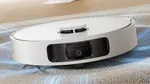
The Dreame L50s Pro Ultra retains the all-matte textured plastic finish on both the robot and charging dock, just like the L40 Ultra AE I reviewed in April 2026. It measures 350 × 350 × 103.8mm and weighs 4.04kg, making it around 6.8mm taller. That height difference could matter if you have low-profile furniture. In my case, it wasn’t an issue, but it’s worth checking before buying.

The matte finish doesn’t attract fingerprints, oil marks, or scratches easily, while the white exterior also hides dust better than darker colors. I particularly like this finish because it’s practical, not just aesthetic.
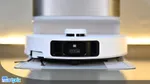
The golden accents, highlighted dust bag and cleaning liquid compartment, and LIDAR turret give the charging station a premium look without being overly flashy. Positioned against a white wall, it blends well with light-colored or beige interiors. Personally, I think it’s one of the better-looking docking stations in this price segment.

Build quality is reassuring. The flexible front bumper is designed to absorb impacts from furniture and obstacles, and I actually prefer this approach over a rigid bumper because it inspires more confidence in everyday use.
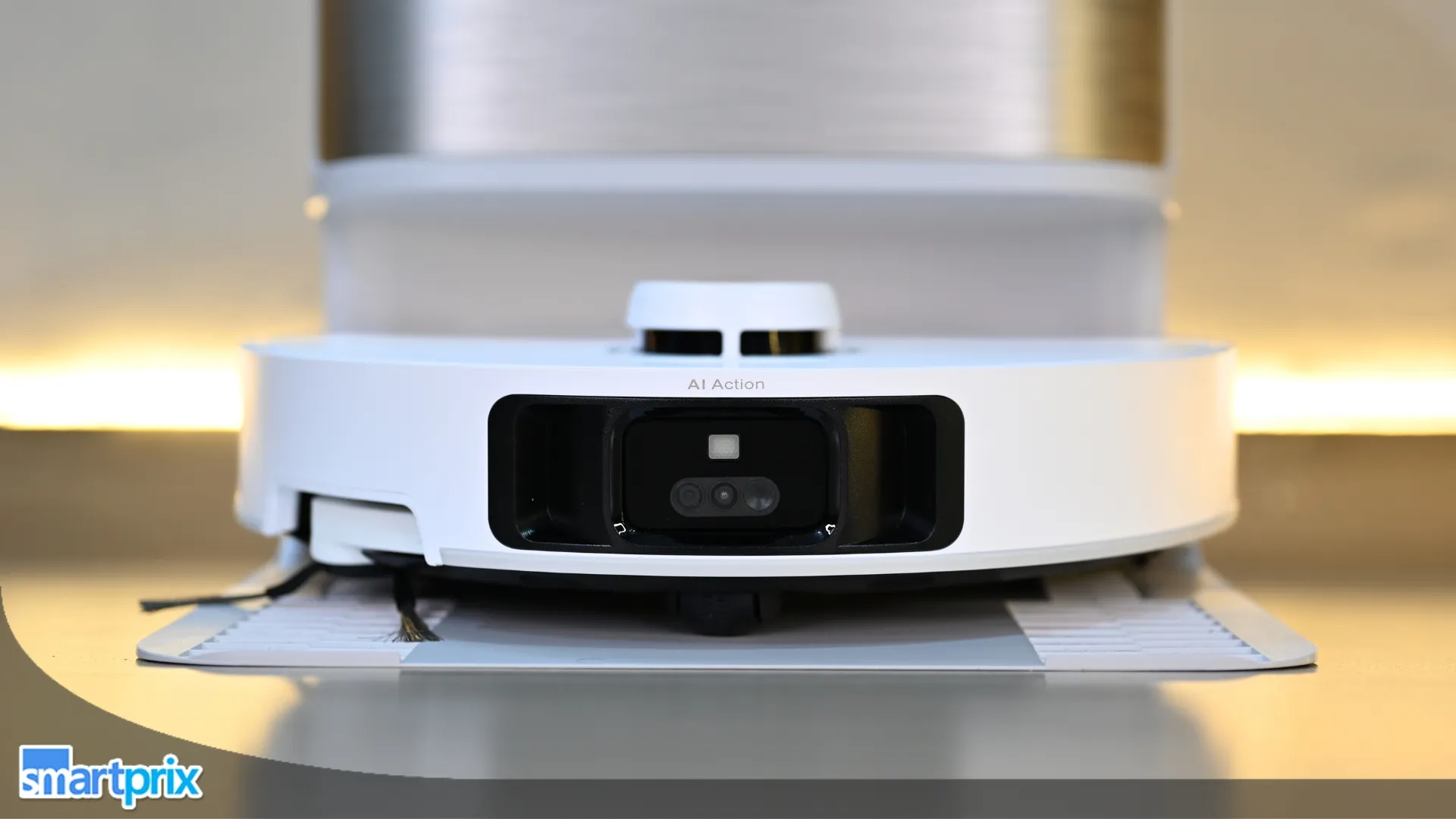
At the front are the robot’s “eyes and ears”: a 3D line laser sensor, AI IR camera, AI HD camera, and one LED auxiliary light (down from two on the L40 Ultra AE). The sensors also sit closer to the protective glass enclosure than before.

On top are the familiar Dock, Power/Clean, and Zone buttons. The Dock button sends the robot back to the station; the Power button turns it on/off or starts cleaning, while the Zone button activates spot cleaning, configured through the Dreamehome app. The LEDs glow white during operation or charging, turn solid orange when the battery is low, and blink orange if there’s an error.
At the back are the connectors for automatic water refilling, dust emptying, and charging. Flip the robot over, and you’ll find one of its biggest highlights: a dual-brush system featuring a liftable TPU (rubber) brush and the TriCut 3.0 bristle brush, designed to improve debris pickup across different floor types.

The dual-roller brush uses a geometric-angle design to guide hair toward the air duct, which is how Dreame achieves its TÜV SÜD-certified 0% main-brush and side-brush tangling claim. The underside also houses multiple sensors, the side brush extension, and MopExtend assembly.
The charging station measures 457 × 340 × 590mm and weighs 9.21kg. It’s undeniably large, so you’ll need a dedicated corner for it. I like how premium it looks, and the clean water tank, dirty water tank, and dust bag capacities remain unchanged.

The biggest upgrade is the AceClean Dryboard, now equipped with 20 high-temperature spray nozzles for more consistent drainage. It’s one of those under-the-hood improvements I genuinely appreciate because it should reduce residue buildup over time. There’s also the new ThermoHub system, which heats water up to 100°C, allowing it to kill most bacteria and mold spores while deactivating allergens more effectively than 75°C systems.
I couldn’t verify the water temperature myself, but if the claim holds true, the L50s Pro Ultra represents a meaningful upgrade. There’s also a cable management slot at the back to neatly route the power cord, even with a low-profile wall socket.

One thing worth noting is that the optional water hookup kit for automatic plumbing-level refilling and draining is sold separately. I would’ve preferred to see it included at this price, especially for buyers expecting the complete flagship experience out of the box.
Dreame L50s Pro Ultra Review: Setup & Mapping
Setting up the L50s Pro Ultra was quite a familiar experience for me, given that I’ve already done that with two other robotic vacuums. Even so, it could take about 20–30 minutes. It’s the unboxing bit that takes up more than half of the setup time because you have to assemble plenty of parts before the robot starts working and takes the daily vacuuming and mopping off your shoulders.

All the components are tucked neatly into their own cardboard boxes, which also helps prevent shipping damage. This time, I readied the charging base first. For that, I installed the additional ramp provided in the box, filled up the detergent dispenser and the clean water tank, and attached the power cord to the back of the station.
Thereafter, I shifted my attention to the robot itself, removing the protective inserts from the sides and the sticker at the front. The first thing to do was press and hold the Power button. Once the lights start pulsating, I scanned the QR code under the back lid with the Dreamehome app already installed.

From there, press and hold the Home and Zone buttons for a few seconds to connect the device to your home’s 2.4GHz Wi-Fi network, then follow the on-screen instructions. The device comes with built-in speakers, which keep announcing the required steps. Once you’re done, you can either send the device to the dock to charge it or have it map the room.
Mapping a small bedroom took around two minutes, and as usual, the result was quite accurate. Before you begin the mapping process, you have to remove any temporary objects, such as a foldable desk, a piece of cardboard, or slippers or shoes. Otherwise, the robot will skip those spots.

Something I highlighted in the L40 Ultra AE review also applies here: the device still supports only 2.4GHz Wi-Fi networks.
Dreame L50s Pro Ultra Review: Vacuum & Mopping
Vacuuming Performance
First, let’s discuss the vacuuming performance. The headline number here is 30,000Pa Vormax suction, a substantial (57%) upgrade over the L40 Ultra AE’s 19,000Pa. On paper, that might sound like a massive leap, but in practise, it wasn’t quite that dramatic. The vacuuming performance is slightly better, I’d say, but I didn’t notice hair strands or accumulated debris being sucked in from much farther away than on the L40 Ultra AE.

However, and I can’t stress this enough, the L50s Pro Ultra doesn’t leave any dirt, dust, debris, or hair strands behind, especially on the Intense and Max settings. It gets a bit loud on the Max setting, though. You can’t hear the television in the same room, but that’s a trade-off I am willing to accept to get a dust-free floor in about 5 to 7 minutes.
If you want quieter operation, you can use it at the Quiet or Standard suction level, which works perfectly fine for rooms with lower dust exposure or for use twice a day. Like all the previous generations I’ve tested and reviewed, the device does the perimeter first, and then cleans the interiors (S-shaped pattern).

The dual-brush system is one of the most noticeable upgrades. Unlike the single brush found on most robotic vacuum cleaners, this one features a liftable rubber brush with soft bristles and flexible rubber for deep floor contact, and a TriCut Brush 3.0 for lifting carpet and debris.
Both brushes are aligned at a specific angle that channels hair to one end of the brush and into the duct, preventing it from wrapping around the brush body and stopping other dust and debris from getting collected in the dust tank.

Another major upgrade is the extendable side brush. With an anti-tangle design, the body extends the brush into tricky perpendicular corners, pushing accumulated debris into the dual-brush mechanism. However, it also bumps into the walls or doors in the corners before the robot retracts it.
Mopping Performance
The L40 Ultra AE featured a dual-scrub mopping mechanism with one extendable mopping arm, but the L50s Pro Ultra improves it further by including mop pads that tilt in all directions to adapt to uneven floors and thresholds. It might sound like a tiny addition, but it could make a difference with uneven floors.

On days when someone walks in the house with dirty or muddy shoes, the robot takes care of it. Those dried-up gravy spots on the kitchen floor aren’t an issue either, though they might take two attempts to clean completely.
Dreame has also upgraded the AceClean DryBoard with 20 high-temperature spray nozzles for washboard cleaning, even water flow, and efficient drainage. This helps the mop wash more effectively, especially after cleaning a soiled floor, and prevents water sludge from accumulating. You also get a Washboard Base Auto-Clean feature built into the app.

However, since the robot doesn’t have a water tank, it relies on the moisture in the mop pads. The more area it covers, the more they dry up. Eventually, you start seeing water marks on the floor after the first 8 to 10 square meters. While the device has AI Mop Rewashing to determine whether the mop needs a rewash based on water turbidity, I’d suggest sending it back for a manual wash, especially if you’re using it in a hall or the living room.
The ThermoHub now heats water to 100°C, making stubborn stains a bit easier to deal with. However, the feature is disabled out of the box. You can enable it in Settings > Dock Settings > Mop-Washing Settings > Water Temperature.

One thing to keep in mind: the light-pressure mop might not be as effective on drainy or anti-slip tiles, as most of them don’t have a completely flat surface. Vacuuming could still be effective, but mopping might not be. My mop settings have been consistent: 25 on Mop Wetness and Intensive or Deep in the route. With regular daily use, I had to refill the clean water tank every 7 to 8 days and empty the dirty water tank in about 10 days.
What I don’t like, however, is that Dreame pushes customers toward its proprietary cleaning solutions and additional accessories, which are quite expensive. Given the product’s price, I’d request that the company include at least a couple more cleaning solutions in the box.

Carpet Handling, Obstacle Avoidance & Navigation
This one handles carpets well and can climb thresholds up to 40mm high. It gives you four options to deal with them: Vacuum (Mop Lift up to 10.5mm), Avoid, Ignore, and Crossing Carpets.

In the Mop Lift section, you can choose Clean Carpets First, Carpet Boost, Intensive Carpet Cleaning, and Side Brush Rotating on Carpets. Even though it features automatic carpet detection, it could not detect the relatively thin doormats I have at the entrances of every room.
However, if you have medium-high-pile rugs or plush carpets, 10.5mm is not enough clearance. The solution is to vacuum the rug or carpet first, then mop the surrounding area.

Obstacle avoidance has also improved significantly. The L50s Pro Ultra can detect 220 objects (up from 120 on the L40 Ultra AE). Even so, I’ve noticed it gets confused quite often, especially in tight spaces or wall corners where two walls meet. However, it handles furniture legs and stairs perfectly fine. Even thin table legs, shoes, slippers, or loose cables are avoided quite well.
It also dynamically marks detected obstacles on the map in the Dreamehome app with pictures so you can remove them. Though I did notice it getting tangled in a pair of loose extension wires on the floor once.

The robot uses LiDAR, a camera, and 3D structured light. It also comes with pet-friendly settings, including Hair Compression, Large Particles Boost, strategic pet-area cleaning, pet monitoring, photo capture, and even pet sounds.
However, I’ll always fear that my pet (though I don’t have one) will jump on the device and break it. Even though the obstacle-avoidance system is highly effective, the LiDAR sensor is thrown off by polished chrome furniture legs, metallic speaker stands, and highly reflective kitchen cabinet baseboards.

Something unusual I’ve noticed with the Dreame L50s Pro Ultra is that it wakes up at random hours without any commands from the mobile app and either starts a cleaning task or finds its dock. In the four weeks I’ve used it, this has happened at least five times.
Additionally, I’ve noticed the device repeatedly takes awkward paths around obstacles until I restart the cleaning task. In my testing, this one got stuck three or four times. It then starts flashing orange lights and asks that it be placed in an open area before resuming cleaning.

Dreame L50s Pro Ultra Review: App & Features
Having already spent weeks inside the Dreamehome app (iOS; also available on Android) for the L40 Ultra AE review, I’ll admit I had zero learning curve here; the fundamental layout, the map view, the cleaning mode selector, all of it felt immediately familiar. If this is your first Dreame product, though, budget about 30 minutes of poking around the menus before it clicks.

The home screen shows the device’s current status, including the battery level, along with shortcuts to start cleaning, recharge, or view the camera feed, which makes things quite convenient. Pressing the Go button takes you to the master map, all the cleaning features, and the live cleaning status. While this interface shows the device’s exact location, I’d appreciate location updates coming in a bit faster.
I’ve already explained all the basic parts of this interface in my Dreame L40 Ultra AE review, so here I’ll focus on the product-specific additions. While the layout at the bottom, including Clean, Dock, the area selector, and the Custom Cleaning button, remains the same, the Map Management settings at the top see some new additions.

Of the three buttons at the top right, tapping the first one brings up all the map-editing features, including a new Carpet option. It lets you manually add a carpet to the map using Add Carpet. If some of your rooms have carpet flooring, you can also specify different Carpet Types for each room.
All the display options have been moved into a new Map Display section. It lets you switch between 2D and 3D views, add room names, cleaning preferences, indicate whether a room has a pet, include furniture and obstacles, and specify floor materials.


Below Map Editing is the camera button, which displays a live feed from the L50s Pro Ultra when it’s connected to Wi-Fi. From there, you can adjust Cruise settings, capture photos or videos, use Capture Pet Pictures, and, something I noticed for the first time, the Interact With Pets menu that plays cat and dog sounds.
Then comes the dedicated Pet Care section, which groups features like Pet Cleaning, Pet Activity Zone, Pet Monitoring, and Pet Moments. While the robot is cleaning, you can also mark Extra Cleaning or Skip Area on the map. You can also control the robot with voice commands by saying “OK, Dreame,” followed by a command like “start vacuuming” or “start vacuuming and mapping.”

The app offers plenty of additional features hidden inside the Settings menu. Unlike the L40 Ultra AE, this one also supports the Matter smart home protocol if you’re already using Matter-compatible devices.
While the device comes loaded with features, that is both a pro and a con. Most of them are tucked deep inside the menus, which might feel overwhelming, especially for first-time users who don’t have time to explore every setting. Another thing to keep in mind is that moving the dock, even by a few feet, requires a complete re-mapping of the space.

Disabling the camera for privacy also weakens obstacle avoidance, since it’s part of the recognition pipeline. Finally, the app UI doesn’t feel as snappy.
Dreame L50s Pro Ultra Review: Battery Life & Charging
The L50s Pro Ultra carries the same 5,200mAh battery as the L40 Ultra AE, which is the first thing that gave me pause. This unit runs at 30,000Pa Vormax suction, compared to the L40’s 19,000Pa, and yet Dreame hasn’t scaled up the battery to match. In practise, however, the device held up well.

A 44-minute vacuuming task, at the max suction level, consumed 37% of the battery. On the other hand, mopping the same area took around 55 minutes and consumed around 43% of the battery. Based on those numbers, expect the battery to last about 110 to 120 minutes of cleaning time, depending on your settings.
Where I’d push back is on transparency. Indian marketing material doesn’t list a specific minute-based runtime claim as rival brands do, making it harder to set expectations before buying.


Dreame claims 30% faster charging on this generation, and for me, a full charge from empty took just under three hours, compared to roughly three and a half hours with the L40. That is a genuine improvement, and it’s the one part of this section I’ll hand full credit for.
The auto-resume system works exactly as it should: when the battery dips below the threshold, the robot docks, tops up, and resumes cleaning exactly where it left off. But the dock is still a single point of failure. If your power goes out mid-cycle, the robot has no way to find its way home until power returns. Worth remembering if your area sees frequent outages.
Review Verdict: Should You Buy the Dreame L50s Pro Ultra?
The L50s Pro Ultra is, without question, the most capable robot vacuum Dreame has brought to India. The 30,000Pa suction, 100°C ThermoHub mop washing, and 220-type obstacle recognition genuinely raise the ceiling of what an autonomous cleaner can handle in an Indian home, particularly if you have pets, multiple floor levels, or thresholds that trip up lesser machines.
But ₹79,999 is a serious ask, and this generation doesn’t clear every bar it should. The battery capacity hasn’t grown to match the more power-hungry hardware, aside from faster charging. The random unprompted wake-ups and the LiDAR’s confusion around reflective furniture are quirks I didn’t expect at this price. And Dreame’s push toward its own expensive cleaning solutions feels at odds with a flagship price tag.
If you already own the L40 Ultra AE, the upgrade case is genuinely strong only if hygiene and pet-hair handling are dealbreakers for you. If you’re buying fresh, this is still the most complete cleaning package Dreame sells in India today. However, if you’re running low on budget, you could consider the Dreame L50 Ultra CE, which offers 80% of the L50s Pro Ultra’s features and saves you ₹15,000 for it.

Smartprix ⭐ Rating: 8.4/10
- Design & Build: 8.75/10
- Setup & Mapping: 8.25/10
- Vacuum & Mopping Performance: 9/10
- Additional Features & App: 8/10
- Battery Life & Charging: 8/10
First reviewed in July 2026.