Whatsapp Group Voice & Video Call limit to be raised up to 8 Users

Main Image
  • Like
  • Comment
  • Share

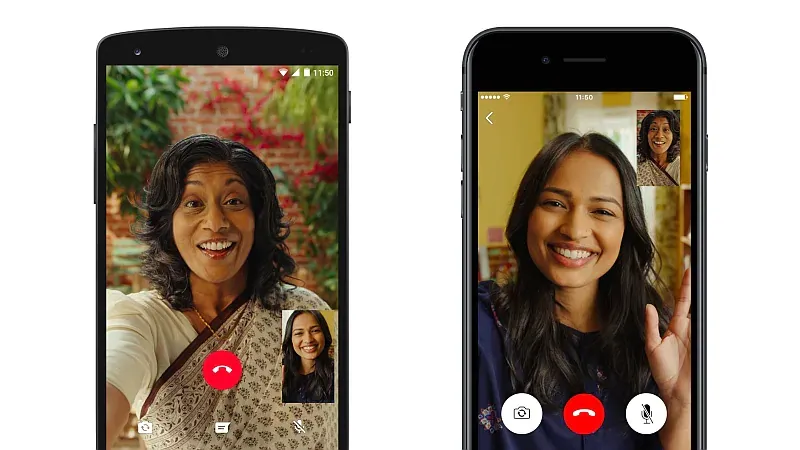
Demand for video call apps has soared unprecedentedly. While there are a lot of options out there, Whatsapp would be the one that’s easily accessible and most used. Up until now, it had support for a maximum of 4 participants only. But, an upcoming update will increase that limit to 8 users.

So yeah, according to WABetaInfo, with the latest beta update (2.20.50.25 on iOS and the 2.20.133 beta on Android), you will be able to add up to 7 people to a group call. That’s both voice and video call.

How to make Group Whatsapp Video Call

Here are the steps to add more participants to your Whatsapp video call (for example purpose, we have accessed the app on an Android phone):

First of all, download and install the latest Whatsapp beta (either from official app stores or apkmirror). Ensure all the participants have their Whatsapp updated to the latest beta version.

ALSO READ: Best video calling apps

Or else, you’ll get the following prompt message.

The rest of the steps are fairly simple and most of you must know it already. You can either initiate the video call from within a group, from the calls tab and from an individual chat window.

ALSO READ: Best Hidden Whatsapp Features

Open a group that and then tap the Call button. Or open the Calls tab, click on the Call button and select New group call. Choose the contacts and press on the video icon.

That’s it.

Vasan G.S.Vasan G.S.
An inquisitive mind who spends a big chunk of the day keenly tracking every emerging detail and is responsible for quickly passing on important developments to Smartprix followers. He loves to stay in his bubble scripting his destiny involving amazing technology and people with good character, passion, and brilliance.

Related Articles

ImageWhatsApp Will Let You Buy A Travel eSIM Inside the App, With Jio Among Its Partners

I haven’t traveled abroad yet, but if there’s one thing people who have a few passport stamps unanimously complain about, it’s landing in a foreign country with zero mobile data. Arriving at an airport, squinting at a kiosk, and going through a painful currency conversion just to buy a SIM card you never wanted is …

ImageHow to make WhatsApp voice and video calls on PCs and Macs

Work from home has made most of us stick to a computer screen for a major share of our day. And while our eyes and workflow are already locked onto the big screen, you might not feel like using a smaller screen phone always. This is true for the purposes of video calls as well. …

ImageiPhone users will soon get this useful WhatsApp feature: Read on to know more

Messaging app WhatsApp is reportedly working on a new picture-in-picture feature for video calls on iPhones. This new feature will allow iOS users to simultaneously open and use other apps while being on a WhatsApp video call. For now, the feature is in the testing phase and is available for some specific iOS beta testers. …

ImageWhatsApp Web Finally Gets Voice and Video Calls in Your Browser (No Desktop App Needed)

WhatsApp Web is finally catching up to what the desktop apps have offered for years. Yes, WhatsApp has started rolling out voice and video calling directly inside the browser, starting with one-on-one calls for beta users. If you have access, you’ll see the familiar voice and video buttons at the top of an individual chat, …

ImageNothing Enters AI Hardware With Ear (note), Launching December 8

Nothing is expanding its audio product portfolio with a new pair of AI-powered earbuds called the Nothing Ear (note). The upcoming device will bring voice recording, AI transcription and summarisation features, with an interesting twist: users will be able to record conversations using both the earbuds and their charging case. According to a report by …

Discuss

Be the first to leave a comment.