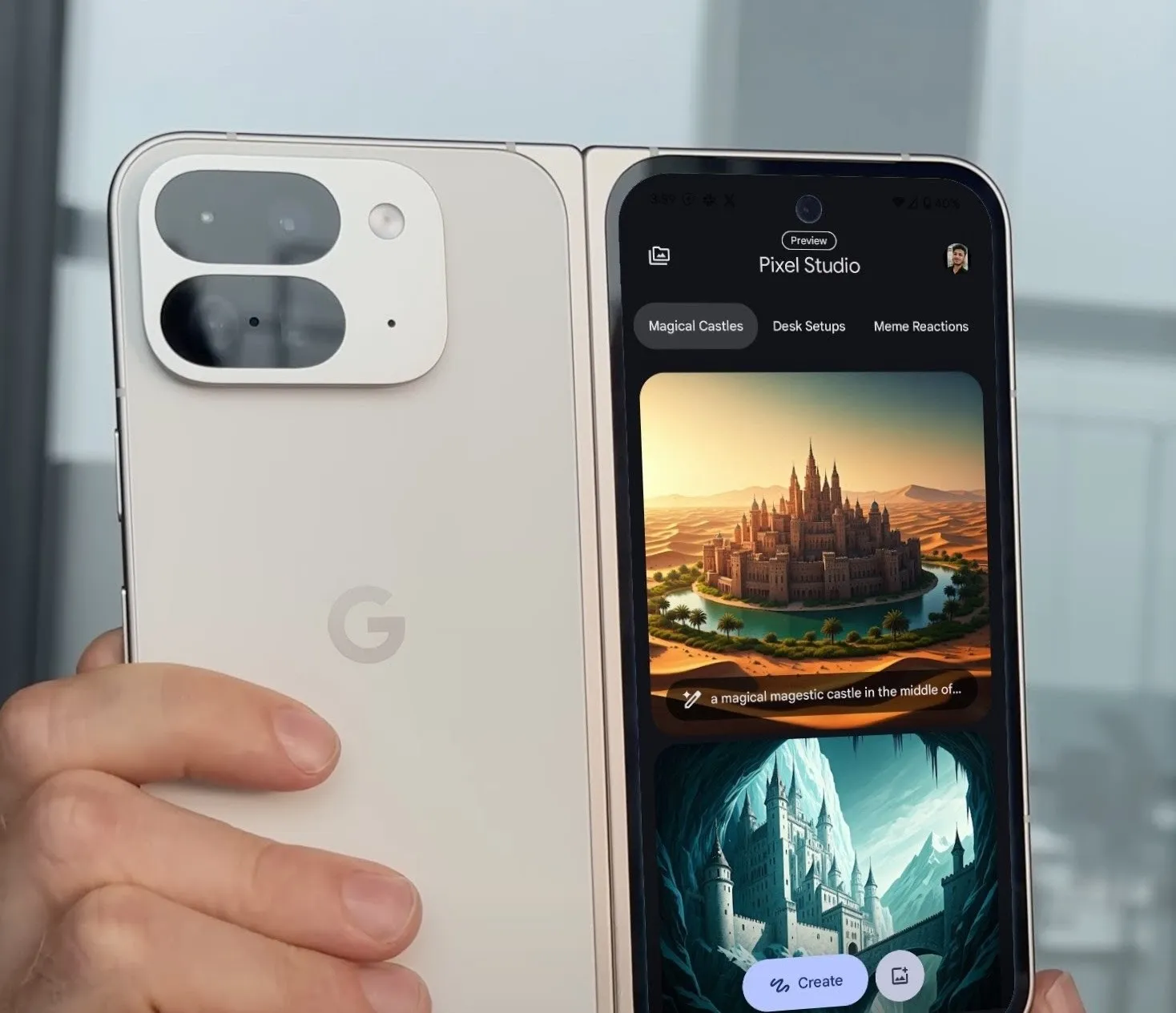
Google introduced a host of AI features with the Pixel 9 series and the Pixel Studio is one of them. It’s an AI image generation app that’s powered by the on-device Gemini Nano model and the cloud-based Imagen 3 text-to-image generator.
Imagen 3 is used for the actual image generation whereas Gemini Nano is used for generating stickers, erasing objects, and editing the image after generation. With that out of the way, let’s explore what Pixel Studio has to offer and how you can make the most out of it.
6 Unique Styles to Choose From
Pixel Studio offers six (actually 7) distinct styles for generating images:
1. Freestyle – This one randomly selects any of the other six styles.
2. 3D Cartoon – It generates images with a playful and animated look like a cartoon. In my experience, it’s not as accepting as other styles.

3. Video Game – Makes your image look like it’s a screenshot from a game.

4. Cinematic – Adds movie-like effects.

5. Sketch – Generates black and white pencil-drawn images.

6. Anime – Anime-style images.

7. Sticker – Generates sticker-style images that have a white border around it. This will be helpful when creating stickers (more on this later).

The images generated are mostly accurate, but it all depends on how well you can write a prompt. There are times when it ignores/does not adhere to a part of the prompt, especially when the prompt is a little long.
Nonetheless, the images generated are high-quality. Plus, all images are generated in a square aspect, and unfortunately, you cannot change that.
Create Meme Reactions and More
If you’re into memes, Pixel Studio has a dedicated section for generating meme reactions. Beyond that, you can create images of Stuffed Toys, Sports Scenes, Date Nights, Retro Video Games, Travel Posters, Anime Landscapes, and even Japanese Woodblock Prints.
Simply put, if you can imagine it, Pixel Studio can create it unless you imagine a human. Yes, Pixel Studio cannot generate images of humans, at least for now. You can generate objects and other living creatures, though.


Generate Images and Save Them
On my Pixel 9, image generation usually takes about five to six seconds. Once the image is ready, you can:
- Re-do it if you’re not happy with the result
- Change the style
- Copy it to your clipboard
- Share it instantly
- Download and save it locally


ALSO SEE: Vivo Mobile Phones Price List in India (Aug 2024)
Edit and Customize Your Images
Pixel Studio has a few editing options too (kind of). Tap on Stickers and tools and add a sticker to your image or make it the sticker. You can even add captions.
Now, here’s where the sticker style comes in handy. Since the generation has already made a perfect outline around the image, making a sticker would be very easy and the actual sticker has higher chances of having the perfect cutout.


- Simply draw a circle around the image and tap on Make sticker.
- Then, tap on Confirm. The sticker will be added to your collection. You can add this newly created sticker to other generated or pretty much any image.


Import and Edit Existing Images
Speaking of which, the app also allows you to import existing images and edit them, just like the generated ones. You can add captions, stickers, or even make a sticker out of any part of the image by selecting an area. This is powered by the on-device Gemini Nano model.
1. Open Pixel Studio.
2. Tap the + icon to import an image.

3. Select your image from the gallery.

4. Add captions or stickers as needed.

5. Make a sticker: Circle the area, tap “Make sticker,” and tap “Confirm.”


6. You can also remove objects. Select the area that you want to remove and tap on Erase.

7. Finally, tap on Save.
ALSO SEE: Scooters Under ₹80,000
Manage Your Image History
Pixel Studio stores a history of all your generated images. Remember that all of this is stored locally on your device.
You can access your past creations by tapping the “My projects” icon at the top left of the app.

If you want to clear your history, tap on your profile picture, tap on “Clear app data,” and then tap Delete to confirm.


Bottom line
Pixel Studio is a powerful tool for Pixel 9 users who want to unleash their creativity and generate the images they want. It has a number of styles and easy-to-use editing tools. Sure, there are apps available that can also generate images for you but Pixel Studio makes that experience more refined and intuitive.
ALSO SEE: Sports Bikes Under ₹1.50 Lakh
You can follow Smartprix on Twitter, Facebook, Instagram, and Google News. Visit smartprix.com for the latest tech and auto news, reviews, and guides.