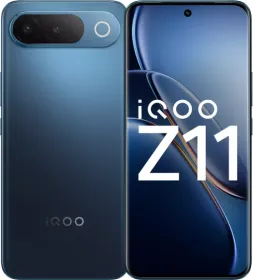
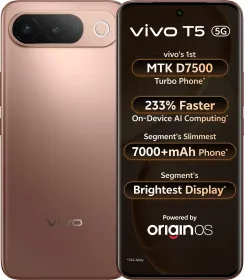
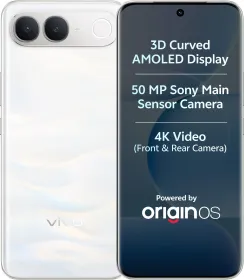
iQOO is bringing the iQOO Z11 to India on August 20, positioning it in the under ₹40,000 segment with AI taking a bigger role in the phone’s software experience than on past Z-series phones. The company has introduced AI Creation, AI Captions and AI Transcript Assist, covering everything from writing and rewriting to transcription, summaries and translation, alongside a second pitch: 3 years of Android updates and 5 years of security updates, a first for the Z series.
Ahead of the launch, we got to spend some time testing these features across everyday tasks. We tried using AI Creation for writing and brainstorming, converted recordings into transcripts and summaries, tested live captions and translation, and used the tools for things like organizing notes, creating to-do lists and planning trips.
One of the bigger talking points is unlimited AI Creation and AI Captions usage. iQOO says the industry benchmark for these kinds of features sits around 120 to 300 minutes of use before a credit or time cap kicks in, and the Z11 doesn’t apply one, so the features can be used repeatedly across different tasks. So, without further ado, let’s see how these AI features hold up in real-world use.
Writing and Rewriting
AI Creation is available through the Notes and DocMaster apps, with several tools aimed at everyday writing.

Continue writing can take an unfinished sentence or paragraph and expand it into a longer piece of text while keeping the original context. Polish and the grammar correction tool can clean up rough writing, including agreement errors and awkward phrasing.


The tone options are more useful for daily communication. A casual WhatsApp-style message can be rewritten in a more formal style for sending to a professor or manager. The formal output can lean toward generic corporate language, so some editing may still be needed for messages where the wording matters.


Shorten and Extend handle longer and shorter drafts respectively. Shorten can reduce a paragraph while retaining its main point, while Extend adds more detail to an existing piece of writing.


AI Creation also includes Article, Brainstorming and Work Summary templates. These are useful for getting a first draft or organising thoughts. Brainstorming, for example, can generate several possible directions for an assignment or topic, leaving the user to decide which ones are worth developing.


Note: Accessing these features requires an internet connection and an iQOO account, and they don’t work offline.
Transcription and Summaries
AI Transcript Assist, available inside Recorder, can transcribe longer recordings and generate summaries with key points. A full lecture recording can therefore be turned into written notes, although longer recordings take some time to process and there’s an unspecified limit on the number of summaries that can be generated.

AI Captions handles live transcription and translation during calls, videos and meetings. iQOO says the feature runs on a multi-engine AI framework combining Google Gemini and Microsoft Azure, aimed at making transcriptions and translations faster and more context-aware, and at preserving nuances like pauses, rhythm, emphasis and pronunciation rather than just producing flat text. The resulting text can also be saved to Notes for summarisation.

In a quiet environment with a single speaker, the transcription can be turned into organised notes fairly easily. Multiple people speaking simultaneously make the results less reliable, but the feature still works.
AI Creation can also translate and summarise notes in a single process. Circle to Search’s Live Translation provides another option for translating unfamiliar documents directly on the screen.
Using AI Creation for Everyday Tasks
The AI tools can also handle basic organisation tasks. A messy group conversation can be turned into a to-do list, while lecture notes can be processed into a more structured set of tasks. Feeding travel requirements into the system can also produce a day-by-day itinerary that can then be adjusted manually.

We also conducted other tests like converting a recipe into a grocery list and sorting restaurant menu options according to dietary preferences. These work as quick first passes, although information involving allergies or strict dietary requirements should still be checked manually.


Unlimited AI Usage
Most of the individual tools on the Z11 fall into familiar categories: writing assistance, rewriting, transcription, translation, summarisation and information extraction.

The more interesting part of iQOO’s approach is the usage policy. AI Creation and AI Captions don’t use a credit system or a monthly generation limit, allowing repeated use across different tasks.
That could be particularly useful for students who regularly deal with lecture recordings, lab discussions, assignments and notes. The same applies to professionals handling meeting transcripts, summaries and routine writing.
iQOO Z11 Specifications Confirmed So Far

The iQOO Z11 uses MediaTek’s Dimensity 7500 Turbo, India’s first phone with the chip, with iQOO claiming an AnTuTu score above 1.2 million. The chipset includes MediaTek’s eighth-generation NPU and a dedicated AI processing unit for on-device AI tasks, which iQOO says delivers up to 2x higher AI performance than the previous generation processor.

The phone has a 6.83-inch 1.5K 3D curved AMOLED display with a 144Hz refresh rate and 2,000 nits HBM brightness. iQOO is also positioning it as the brightest display in its segment.
The iQOO Z11 keeps the design fairly simple, with a clean rear panel and a camera module iQOO calls the Skyline Camera Module. The Aurora Green version adds a bit more character through its finish. Depending on how light hits the back, the shade shifts and produces a different color effect across the panel. The other color option is Celestial Blue.

The phone also uses a 3D curved display and curved edges around the body, which gives the front a more familiar premium-phone look. The battery is rated at 7,050 mAh.

On the software side, the phone ships with OriginOS 6 and iQOO’s “Comes with AI” suite, including AI Creation, AI Captions and AI Transcript Assist. iQOO is also committing to 3 years of Android updates and 5 years of security updates on the Z11, a first for the Z series and longer than the software support most phones in this segment typically get.
The full RAM and storage configurations, along with the remaining camera details, will be confirmed at the August 20 launch.
iQOO Buds Also Launching
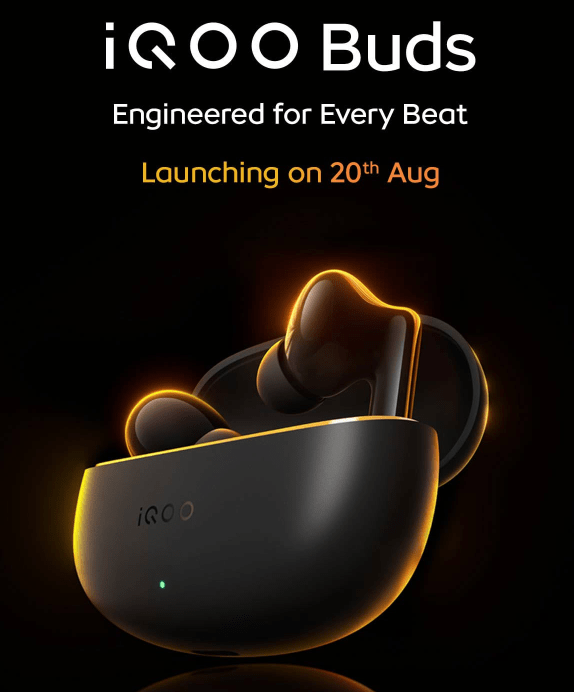
iQOO will also launch the iQOO Buds alongside the Z11 on August 20. The earbuds are aimed at the more affordable end of the company’s audio lineup and include ecosystem features such as quick pairing and Origin Island integration with iQOO and vivo phones.
Final Take

After putting the Z11’s AI tools through these everyday scenarios, the feature set comes across as a practical collection of writing, transcription, translation and organisation tools. AI Creation covers a wide range of tasks, while AI Transcript Assist and AI Captions add useful speech-to-text capabilities for lectures, meetings and calls.
The unlimited usage offered with AI Creation and AI Captions also gives these features more room to become part of a regular workflow, and the 3-year OS/5-year security update commitment adds a longevity angle that’s separate from the AI pitch but aimed at the same buyer.

Students can use them for assignments, notes and lecture recordings, while professionals can use them for routine writing, meetings and summaries. The results still benefit from a quick review, especially when the source material involves multiple speakers or important information.
Ultimately, the iQOO Z11 delivers a capable AI experience across writing, transcription, translation, and image creation tasks. We’ll have more to say about the phone’s performance, cameras, battery life and overall experience after the full launch on August 20.

You can follow Smartprix on Twitter, Facebook, Instagram, and Google News. Visit smartprix.com for the latest tech and auto news, reviews, and guides.