Quick Verdict
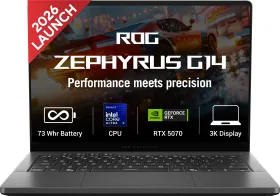
ASUS has used the Panther Lake switch to fix the one real complaint about every past Zephyrus G14: battery life. The result is a 1.5 kg laptop that runs an RTX 5070 at native 3K without throttling, carries what might be the best OLED panel on any 14-inch machine sold in India, and still lasts most of a workday unplugged. The 8GB VRAM ceiling and the price are the only things that’ll make you pause before buying.
Buy it if:
- You want genuine flagship gaming performance in a chassis light enough to carry daily without thinking twice
- A best-in-class OLED display matters to you more than almost any other spec on the sheet
- You’re fine paying a premium for class-leading efficiency and sustained, throttle-free performance
Skip it if:
- ₹3.5 lakh-plus is simply more than you’re willing to spend on a 14-inch laptop, however capable it is
- You game at native 3K with ray tracing maxed out and need more VRAM headroom for the next few years
- You want the option to add RAM later, since the 32GB here is soldered for good
Finding a laptop that’s genuinely good at both gaming and being carried around all day has always been an arduous task. Thin chassis and powerful GPUs don’t go along well, not without serious thermal compromises or a battery that dies before lunch. Then there’s the ongoing memory crisis, which makes everything even worse. DRAM and NAND prices have climbed to unforeseen levels in less than a year, and every laptop maker had to make an uncomfortable choice: eat the cost themselves, or pass it straight onto the buyer.
Most have chosen the latter, which is why machines that would have been priced sensibly eighteen months ago now carry price tags that make you wince before you’ve even opened the lid. The Asus ROG Zephyrus G14 (2026) lands squarely in the middle of all this. I’ve spent some time with it, and here’s how I feel.

It tries to strike a balance in the portability-versus-performance problem that gaming laptops have chased for years. It features an RTX 5070, a genuinely stunning OLED screen, and Intel’s new Panther Lake silicon packed into a 1.5 kg body that doesn’t feel like a gaming machine at all.
It’s also a pricey laptop, a purchase that only makes sense if you can either afford what Asus is asking without flinching, or you can actually push this thing hard enough gaming, editing, multitasking, to extract every rupee of value out of it. Anyone in between will feel the price more than the performance.
HOW I TESTED
| Reviewed By: Shikhar Mehrotra (Consumer Tech, Auto, and AI Expert with 6+ years of experience) Test Unit: ASUS provided the review unit of the ROG Zephyrus G14 (2026), with no involvement in the editorial process. The unit tested was the Eclipse Gray colorway, in the Core Ultra 9 386H, 32GB RAM, 1TB SSD, RTX 5070 8GB configuration, which is currently the only configuration sold in India under this SKU. Duration and Environment: I used the laptop for over three weeks across home, office, and travel setups in Northern India, running it through daily work, content editing, and extended gaming sessions. Tests: Daily usage including web browsing, multitasking, video calls, and document work; gaming; synthetic CPU, GPU, and storage benchmarks; full battery drain tests under mixed use, video playback, and gaming loads; charging speed tests with both the bundled 250W adapter and a third-party 100W USB-C charger; thermal and fan noise checks across Silent, Performance, and Turbo modes; and display checks for brightness, color accuracy, and anti-reflection performance. Competitors: AMD-powered ASUS ROG Zephyrus G14 (GA403), ASUS ROG Zephyrus G16, ASUS TUF A14, Razer Blade 14, Apple MacBook Pro 14 |
Asus ROG Zephyrus G14 (2026): Price & Availability
The ASUS ROG Zephyrus G14 (2026) GU405AP-SY041WS is available on Amazon for ₹3,59,990.
It ships in a single configuration (Core Ultra 9 386H, 32GB RAM, 1TB SSD, RTX 5070 8GB) and a single colorway, Eclipse Gray.
Pros
- Rare combination of power and portability
- Rigid aluminum build
- Excellent 3K OLED display quality
- Outstanding six-speaker audio system
- Competitive performance in this size class
- Solid everyday productivity experience
- Strong gaming performance without throttling
- Efficient and quiet under light loads
- Mature Armoury Crate software features
- Dual USB-C 100W charging support
- Full-size SD card reader included
Cons
- Glossy panel; significant reflections
- No physical fingerprint sensor
- Touchpad click lacks tactile feedback
- RAM non-upgradeable
- Bulky barrel-plug adapter bundled
- GPU performance ceiling limited for full-time creative workflows
Asus Zephyrus G14 (2026): Tech Specs
| Specification | Details |
| Processor | Intel Core Ultra 9 386H (Panther Lake-H), 16 cores/16 threads, 4x Cougar Cove P-cores + 8x Darkmont E-cores + 4x Darkmont LP-E cores, up to 4.9GHz, 18MB cache, Intel 18A process |
| Integrated Graphics | Intel Xe3, 4 cores, up to 2.5GHz, ~40 TOPS INT8 |
| Discrete Graphics | NVIDIA GeForce RTX 5070 Laptop, Blackwell GB206, 4,608 CUDA cores, 144 fifth-gen Tensor cores, 36 fourth-gen RT cores, 8GB GDDR7 on a 128-bit bus (384GB/s bandwidth), up to 115W (Manual mode) |
| NPU | Intel AI Boost, 50 TOPS INT8, Copilot+ certified; combined system AI throughput (CPU + iGPU + NPU) reaches roughly 100 TOPS |
| RAM | 32GB LPDDR5X-8533, soldered, dual-channel, ~136.5GB/s theoretical bandwidth, not user-upgradeable |
| Storage | 1TB PCIe 4.0 NVMe M.2 SSD in a single M.2 2280 slot, technically socketed but not practically swappable without opening the chassis |
| Display | 14-inch Samsung OLED, 2880×1800 (3K), 16:10, 120Hz, 0.2ms GtG, ~243 ppi, up to 1,100 nits HDR peak (~500 nits typical SDR), 1,000,000:1 contrast, 100% DCI-P3, 10-bit, Pantone Validated, factory ΔE under 1, VESA DisplayHDR TrueBlack 1000, Dolby Vision, G-Sync compatible, anti-reflection coating (~55 to 65% reflection reduction) |
| Cooling | Tri-fan (two main Arc Flow fans, one dedicated GPU/VRAM fan), liquid metal on the CPU die only, ~11.4% higher airflow versus the previous generation, 0dB Ambient mode available |
| Battery | 73Wh, 4S1P 4-cell Li-ion |
| Charging | 250W proprietary adapter (0 to 50% in ~30 minutes); both USB-C ports support up to 100W Power Delivery |
| Ports | 2x USB-A 3.2 Gen 2, USB-C 3.2 Gen 2 (DisplayPort, 100W PD, G-Sync), Thunderbolt 4 (40Gbps, DisplayPort, 100W PD), HDMI 2.1 FRL, full-size SD UHS-II (up to 312MB/s), 3.5mm combo jack |
| Wireless | Wi-Fi 7, Bluetooth 6.0 |
| Webcam | 1080p + IR, Windows Hello enabled |
| Audio | Six-speaker array (four woofers, two tweeters), Smart Amp, Dolby Atmos |
| Keyboard and Touchpad | 1-zone RGB keyboard, large glass touchpad |
| Biometrics | IR camera only, no fingerprint sensor |
| OS | Windows 11 Home Single Language (25H2) |
| Software | Armoury Crate, MyASUS, Aura Sync, Copilot key, Office Home 2024 + Microsoft 365 Basic (1 year, 100GB cloud storage) |
| Build | CNC aluminum unibody, 35-zone Slash Lighting lid (up from 7-zone on the prior generation) |
| Weight | 1.50 kg |
| Dimensions | 31.1 x 22.0 x 1.59 to 1.63 cm |
| Colors (India) | Eclipse Gray only |
| Price (India) | ₹3,59,990 |
| Availability | Flipkart, Amazon.in, ASUS India e-shop |
Asus ROG Zephyrus G14 (2026) Review: Design & Build
The very first thing that impresses me about the Zephyrus G14 is its weight. It’s carrying all the CPU and GPU power, and yet somehow, Asus has managed to cram it into a chassis that weighs 1.5 kg (similar to what the 15-inch M5 MacBook Air weighs).


The CNC aluminum unibody tapers at the edges, making thick laptops look thin in photos. This thing is 15.9mm at its slimmest point and barely creeps past 16.3mm at the back.
Despite its thin, light profile, everything feels rigid. There’s no keyboard flex, the hinge opens one-handed without the base lifting off the desk, and the lid has none of that oil-can creak you sometimes get on gaming laptops trying to shave off grams.

Speaking of the lid, the upper side features 35-zone Slash Lighting this year, a clear improvement over the 7-zone strip that was there earlier. However, it is only fun for the first few days, when it draws all the attention before you either turn it off or stop caring about it altogether. It’s still there, making the lid slightly less boring, but it’s not enough to sell me or make me walk past this portable yet powerful machine.
The keyboard, I’d say, is above average but falls short of being the best out there. It offers 1.7 mm key travel, but the actuation force is a bit too firm. After a few hours of typing, I found my fingers working a bit harder than they usually do on the ZenBook line. That might be deliberate, though, as the machine is purpose-built for creative workflows that usually involve fewer but more intentional keystrokes than marathon typing (like this one).

But wait a minute, aren’t gaming laptops incomplete without RGB lighting keyboards? This one also has single-zone backlighting, with brightness control embedded in the function row. You can also control the color and lighting effects in the Armoury Crate app.
What’s worth appreciating, though, is that the laptop included four dedicated hotkeys (toward the top left of the keyboard) for adjusting the volume and muting/unmuting the microphone.

I’m used to a haptic trackpad as I’ve been using a MacBook for the last five years. The elevated feedback and subtler clicks make it less tiring to use. However, the touchpad on the Zephyrus G14, despite tracking beautifully, features a stiff click mechanism for the left and right clicks.
It feels like a letdown on a machine that costs as much, but given that such trackpads are common on Windows laptops, buyers might not notice the difference at all.

Biometrics come via a 1080p + IR webcam that handles Windows Hello face unlock quickly and reliably in decent lighting, but there’s no fingerprint sensor anywhere on the chassis.
Where Asus completely nails it, and where I found myself the most surprised, is audio. The six-speaker array, with four side-firing woofers plus two tweeters, running through Smart Amp with Dolby Atmos, is genuinely the best sound I’ve heard out of a 14-inch laptop. It has noticeable low-end and sub-bass, enough mid and high-end, and loudness without distortion.

Complementing all of that is the overall fullness of the speakers, which makes listening to songs or even watching movies a delightful experience on the device. The loudness also helps adjust a video’s overall volume, as the speakers respond well to changes in master audio levels.
A tri-fan cooling system, with two main Arc Flow fans plus a third dedicated to the GPU and VRAM, sits underneath all this. Asus claims roughly 11.4% better airflow than the previous generation thanks to a redesigned intake and larger rear exhaust. There’s also a genuine 0dB Ambient mode that shuts the fans off entirely under light load.

The flip side, however, is that at idle, the chassis runs warmer than I expected. Also, using the laptop on a bed, sofa, table mat, or anything that blocks the airflow results in excessive device heating, something that you need to be mindful about with active cooling laptops.
Asus ROG Zephyrus G14 (2026) Review: Display
If there’s one section of this review where I ran out of complaints, it’s this one. The 14-inch, 2880 × 1800 Samsung OLED panel running at 120 Hz with a 16:10 aspect ratio is, without any doubt, one of the best laptop screens I’ve used at this size.

Peak brightness hits 1,100 nits in HDR, with a steady ~500 nits in SDR for everyday use. As an OLED panel, blacks appear truly black, not the dark grey my MacBook’s screen renders them as. Color coverage is excellent: the panel covers 100% DCI-P3 at 10-bit, is Pantone Validated, carries a factory ΔE rating under 1, and is certified for VESA DisplayHDR TrueBlack 1000 as well as Dolby Vision.
In my day-to-day use, that combination made the laptop genuinely viable for professional photo and video work without making me feel like I needed an external monitor for most tasks.


Pixel density comes to roughly 243 ppi, which makes text razor-sharp at both 100% and 125% scaling. The 16:10 aspect ratio also gives noticeably more vertical workspace than a typical 16:9 panel, a small but welcome advantage I noticed most when editing timelines or working with multiple windows.
Asus has added an anti-reflection coating this generation that cuts glare by a genuine 55–65%. In most indoor and outdoor conditions, it works well, though I could still notice reflections from strong ceiling lights in my room.

Motion is excellent thanks to the 0.2 ms response time and full G-Sync compatibility (with Advanced Optimus and a MUX switch available in Armoury Crate).
The caveats are the usual OLED ones. While I wouldn’t say Asus has solved them, it has managed them well. Automatic Brightness Limiting still kicks in on large white or bright areas.

There is a genuine burn-in risk with static UI elements like the taskbar over years of ownership, which is why OLED Care, pixel shift, and screen-move routines bundled into Armoury Crate are worth leaving enabled if you care about how the screen looks a few years after purchase.
And here’s the nuance worth sitting with: at native 3K resolution, the RTX 5070’s 8 GB of VRAM starts showing its limits faster than it would on a lower-resolution panel.

That’s something I came to appreciate more the longer I used the laptop: the screen is good enough to expose the GPU’s ceiling. In bright rooms, the anti-reflection coating helps, but you’ll still want to raise the brightness higher than you might on a matte IPS panel, which in turn slightly impacts battery life.
Overall, this remains one of the strongest displays in any 14-inch laptop right now: sharp, accurate, vibrant, and well-suited to both gaming and creative work, as long as you’re willing to manage the inherent OLED trade-offs.
Asus ROG Zephyrus G14 (2026) Review: Performance
This is where the ROG Zephyrus earns its keep, and where I have to slow down a bit, since there’s a lot of ground to cover.

CPU
The CPU is Intel’s Core Ultra 9 386H, built on the Panther Lake-H architecture. It features 16 cores and 16 threads split across four Cougar Cove performance cores, eight Darkmont efficiency cores, and four additional low-power Darkmont cores.
It’s built on Intel’s 18A process for the CPU tile, with clocks from a 2.1GHz base up to 4.9GHz on the P-cores. The good news is that it has 18MB of L3 cache. Configurable TDP runs from 25W to 80W. However, in this chassis, Asus typically settles it in the 45–65W range, depending on the mode you’re in.


In simple, day-to-day usage, the chip feels fast without trying too hard. Single-core performance is genuinely excellent (Geekbench 6 single-core numbers land around the 2,800–2,900 mark), multi-core is competitive without being the outright leader against higher-core-count HX chips in bulkier 16-inch machines.
This generation’s efficiency gains are what actually change the conversation. This is why the battery-life story (more on that shortly) is so much better than previous AMD-powered Zephyrus G14s.
GPU
The GPU is an NVIDIA RTX 5070 Laptop with 8GB of GDDR7 memory. It uses the Blackwell architecture on the GB206 die and comes with 4,608 CUDA cores, 144 fifth-generation Tensor cores, and 36 fourth-generation RT cores. Memory runs on a 128-bit bus and delivers 384GB/s of bandwidth.

The part that actually matters for buyers is the power limit. In this chassis, the total graphics power reaches 115W in Manual mode (100W plus 15W of Dynamic Boost). Turbo mode sits closer to 105W. Those numbers look modest on paper, but in a 1.5 kg machine that is only 16 mm thick, they represent a solid achievement.

In day-to-day use, this is a strong 14-inch gaming GPU. I found that DLSS 4.5 with Multi Frame Generation does most of the heavy lifting at the panel’s native 3K resolution. Once Multi Frame Generation is enabled, modern titles stay smooth and playable in a way that simply was not realistic in a chassis this thin a couple of generations ago. The improvement is immediately noticeable.

Without DLSS, the picture changes. Native 3K with ray tracing turned up high is where the 8GB VRAM limit becomes obvious. You have to dial back texture quality, and VRAM usage climbs quickly in denser scenes. On this machine, I treat DLSS 4 as mandatory rather than optional if I want to keep both resolution and visual settings high.
Sustained performance was consistent across longer sessions. The tri-fan system and liquid metal keep the GPU stable under load. What you do notice, however, is fan noise. When you push the laptop hard in demanding games, the fans become clearly audible.

For practical reference at native 3K in Manual mode, the laptop should be able to provide 70-85 fps in Cyberpunk 2077 with Ultra settings, ray-tracing enabled, DLSS Quality, and Multi Frame Generation enabled. These results assume a hard, flat surface and Manual mode. Lowering the resolution to 1440p or easing a few settings makes the experience even more comfortable.
NPU, RAM, & Storage
The NPU is Intel’s AI Boost silicon, rated at 50 TOPS. When you combine it with the CPU and the integrated Xe3 graphics, the system’s total AI throughput lands somewhere around 100 TOPS (more than enough to clear the Copilot+ PC bar).
Windows Studio Effects, Live Captions, and the small local language models all run quietly in the background.

The 32GB of LPDDR5X-8533 memory is soldered and dual-channel. Theoretical bandwidth sits at roughly 136.5GB/s, which is a clear step up from the LPDDR5-6400 and 7500 memory used in earlier Zephyrus G14 models.
There is a catch, of course. Because the memory is soldered, 32GB is all you will ever get. For my test workflow, that amount proved sufficient, but anyone who regularly keeps large video projects or multiple heavy applications open at once should think carefully before buying.

Asus ROG Zephyrus G14 (2026) Review: Software
Out of the box, the ROG Zephyrus G14 runs Windows 11 Home. My review unit shipped on the 25H2 build. It is the entry-level edition of Windows. Features like BitLocker management and Hyper-V are missing unless you pay for a separate upgrade.
ASUS’s own software is where the real utility lives, once you get past the slightly overwhelming first impression. Armoury Crate acts as the main control center.

It handles performance modes (Silent, Performance, Turbo, and a full Manual mode for fan curves and GPU power limits), real-time monitoring, RGB and Slash Lighting customization, GPU mode switching between Optimus and MUX, and OLED Care settings that actually matter for the display’s long-term health.
I found it more mature and feature-rich than MSI Center or Razer Synapse on competing machines. The downside, however, is real. It can feel bloated. There are too many menus and settings to explore before one can actually start customizing the performance profile or make good use of the app.

MyAsus comes with features like Battery Health Charging with 60% and 80% limits, which is useful if you plan to keep the machine for several years. It also handles system diagnostics, driver updates, and AI noise cancellation for calls.
The package is rounded out by a Copilot key on the keyboard (which isn’t mapped out of the box). You also get plenty of promotional packages, including two months of Xbox Game Pass, Office Home 2024, and a year of Microsoft 365 Basic with 100GB of cloud storage.

Asus ROG Zephyrus G14 (2026) Review: Connectivity
For a 14-inch chassis, Asus has packed in a connectivity suite that actually puts plenty of larger laptops to shame. On the left side, you get the proprietary 250W charging port, HDMI 2.1 with FRL, a USB-A 3.2 Gen 2 port, Thunderbolt 4 (40Gbps with DisplayPort and 100W Power Delivery), and a 3.5mm combo jack.
That alone is more than both sides on my MacBook Air. I know there’s no direct comparison between the two laptops, but it’s a useful reference point for me.


On the right, there is a full-size SD UHS-II card reader rated up to 312MB/s, another USB-A 3.2 Gen 2 port, and a USB-C 3.2 Gen 2 port that supports DisplayPort, 100W Power Delivery, and G-Sync. Wireless is handled by Wi-Fi 7 and Bluetooth 6.0. What I like most is that both Type-C ports support 100W Power Delivery.
A full-size SD card reader is another genuine advantage. If you shoot with a camera that uses standard SD cards, you only appreciate this feature once you have it. What is missing is predictable. It lacks an Ethernet port and a fingerprint sensor.

Asus ROG Zephyrus G14 (2026) Review: Battery Life & Charging
The 73Wh battery, combined with the efficient low-power CPU cores and the ability to fully disable the discrete GPU through Advanced Optimus.
On light web browsing and document work, I regularly got 8 to 10 hours of battery life. Mixed productivity workloads with multiple browser tabs, messaging apps, and light editing usually landed in the 7 to 8 hour range. However, exact battery life also depends on the screen’s brightness. For me, it was mostly around the 30% mark (indoors).

Gaming, as expected, drops runtime to about 1.5 to 3 hours (at higher frame rates and higher screen brightness). That is simply what happens when a 115W GPU is active.
Charging is handled by the 250W proprietary adapter. In my experience, it takes the battery from 0 to 50% in roughly half an hour. Given that the GPU requires serious power to deliver results, I can’t complain much about the adapter’s size and weight.

For me, I carried the device around with a 70W GaN adapter, which charged it fine. However, if you want to push its limits, you’ll genuinely need the adapter in the box.
Battery Health Charging in MyAsus is a small but practical feature. The 60% and 80% charge limits are useful if you plan to keep the laptop for several years rather than one gaming generation.

Against the competition, this is where the Intel platform shows its clearest advantage. Previous AMD-powered Zephyrus G14 models and most Razer Blade 14 configurations typically land in the 6 to 8 hour range for similar mixed use. The current G14 sits comfortably ahead of them. It still does not match the all-day or multi-day endurance of a MacBook Pro 14 or a Snapdragon machine like Asus’s own ProArt PZ14.
Overall, the battery behavior feels well-tuned for a thin gaming laptop. It will not last through two full workdays on a single charge, but it is reliable enough that I stopped carrying the heavy power brick on most office and travel days.
Review Verdict: Should You Buy the Asus Zephyrus G14 (2026)?
Smartprix Rating (⭐): 8.5/10

Three weeks in, what stays with me about the Zephyrus G14 is not any single spec. It is how rarely the laptop reminds you that it is a gaming machine at all. Pack it for a flight and it behaves like a thin productivity laptop with hours to spare. Open a demanding title on a weekend and the RTX 5070 shows up without hesitation, with DLSS 4 carrying that native 3K panel further than I expected an 8GB card to manage.
What has not gone away is the price. The laptop costs ₹3,59,990, and that’s a bit difficult to make sense. It’s not entirely on Asus, though, a manufacturer that is trying to source high-quality components and put it into a effortless machine. It’s more about the exponential inflation in the price of all those components. Memory crisis isn’t an excuse anymore: it’s the sure short reason behind the revised price tags you’re seeing around you.
For the price, though, the GPU’s performance ceiling does appear to be a real con. If you can live with that math and the soldered RAM, this is one of the most complete 14-inch gaming laptop sold in India right now. If you cannot, wait for a festive sale, or look one step down at the AMD-powered G14. Either way, Asus has made the decision harder than it used to be, and I mean it as a compliment.
First reviewed in October 2026