



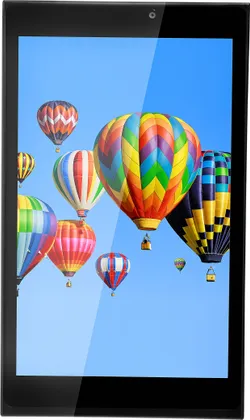
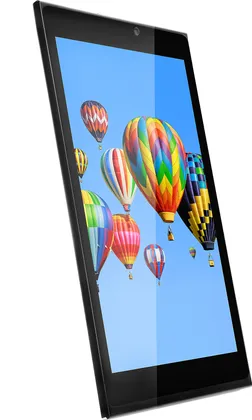
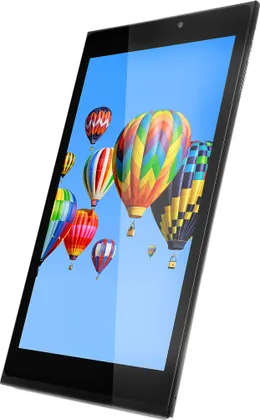
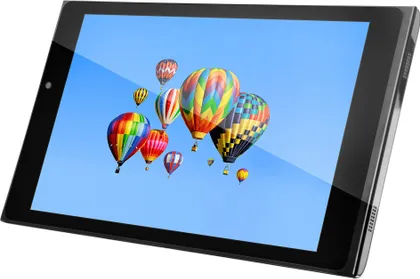

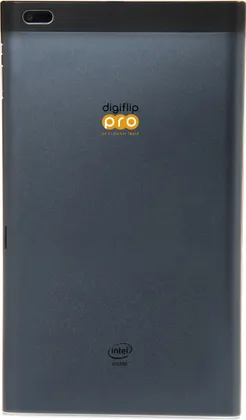


Digiflip Pro XT 801 Tablet (WiFi+16GB)
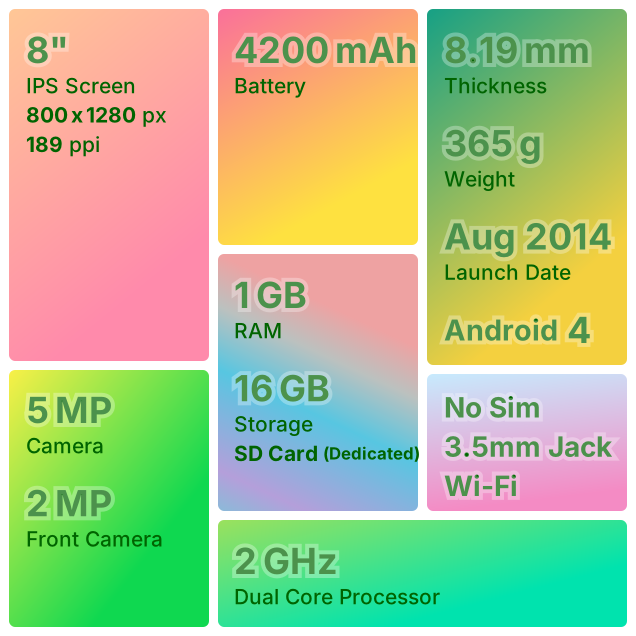
Digiflip Pro XT 801 Tablet (WiFi+16GB) is a WiFi Android 4.2.2 Tablet with 1 GB RAM and 16 GB storage. It has a 8 inches IPS display. It features a 5 MP rear camera and a 2 MP front camera. It packs a 4200 mAh Battery. Notable features include Expandable Storage and 3.5mm Headphone Jack.
- Compare
- Like
- Comment
- Share
Set an Alert to know when it comes back in stock.

Features
- No Sim Supported
- Wi-Fi
- Dual Core, 2 GHz Processor
- 1 GB RAM, 16 GB inbuilt
- 4200 mAh Battery
- 8 inches, 800 x 1280 px Display
- 5 MP Rear & 2 MP Front Camera
- Memory Card Supported, upto 32 GB
Digiflip Pro XT 801 Tablet (WiFi+16GB) Specs
- Android v4.2.2 (Jelly Bean)Average
- Thickness: 8.19 mmAverage
- 365 gAverage
- No Fingerprint Sensor
- 8 inch, IPS ScreenAverage
- 800 x 1280 pixelsAverage
- 189 ppiAverage
- 5 MP Rear CameraAverage
- 1080p FHD Video Recording
- 2 MP Front CameraAverage
- 2 GHz, Dual Core ProcessorAverage
- 1 GB RAMSmallest
- 16 GB Inbuilt MemorySmall
- Dedicated Memory Card Slot, upto 32 GB
- No 4G
- Bluetooth v4.0, WiFi
- microUSB v2.0
- 4200 mAh Rem. BatterySmall
- No FM Radio
- Not Water Proof
Digiflip Pro XT 801 Tablet (WiFi+16GB) Prices

User Reviews

Very bad product
please dont buy this product. Battery is not getting charged. Not working the product. I used only one month. Not able to switch on also. Poor quality.
Read More on Flipkart →Do not buy this product
I purchased this XT801 Tab in September 2014. But after two months, on screen comes white spots different places. Don't purchase this product.
Read More on Flipkart →Discuss
Related News
 Vivo X500 Pro Max vs. Apple iPhone 18 Pro Max: Two Different Takes on “Pro Max” Phones, Powered by 2nm Chips
We’re nearing the end of Techtember, and plenty of new flagships are worth talking about. While Apple released its iPhone 18 Pro lineup early this month, Chinese smartphone makers have responded with their ow…
 Oppo Find X10 Pro Max vs. Vivo X500 Pro Max: How Do The Two Flagships Compare?
In late September 2026, Oppo and vivo launched their top camera-focused flagships just a day apart: the Find X10 Pro Max and the X500 Pro Max. Both run the brand-new MediaTek Dimensity 9600 Pro on TSMC’s 2nm …
 OPPO F35 Pro Review: A Strong Upgrade Over F33 Pro?
The F-series has usually been about design, selfies, battery life, and a polished everyday phone rather than benchmark numbers. The F33 Pro followed that closely, and it also left a few obvious gaps. No ultra…
 Oppo’s Answer To The Vivo X500 Pro Max Is Find X10 Pro Max With Triple 200MP Cameras
Just a minute after Vivo unveiled its X500 Pro series, Oppo launched its Find X10 series in China. It comprises three smartphones: the Find X10E, Find X10, and Find X10 Pro Max. Although the naming could catc…
 Our Picks for the Best Smartphone Deals During Amazon Great Indian Festival and Flipkart Big Billion Days
Amazon and Flipkart have a lot of smartphones on sale during the festive season, across almost every price range. We’ve gone through the deals and picked out the phones that we think are actually worth consid…
Related Tablets
Related Searches
Compared With

 Samsung Galaxy Tab S10 FE Plus (WI-FI+ 8GB RAM + 128GB) vs Samsung Galaxy Tab S12 Plus (Wi-Fi+256GB)
 Motorola Moto Pad 70 (128GB) vs Xiaomi Redmi Pad 2 Pro 5G (256GB)
 Samsung Galaxy Tab S11 vs Samsung Galaxy Tab S12 Plus (Wi-Fi+256GB)
 OnePlus Pad Go 2 (8GB + 256GB + 5G) vs Motorola Moto Pad 60 Neo
 Motorola Moto Pad 70 Pro vs Xiaomi Pad 8
 OnePlus Pad Go 2 vs Samsung Galaxy Tab S10 Lite ( 6GB RAM + 128GB+ Wi-Fi Only)
Digiflip Pro XT 801 Tablet (WiFi+16GB) Full Specs
| Sim Type | No Sim Supported |
| Dual Sim | No |
| Release Date | August, 2014 |
| Dimensions | 125 x 212.7 x 8.19 mm |
| Weight | 365 g |
| Type | Color IPS Screen |
| Touch | Yes |
| Size | 8 inches, 800 x 1280 pixels |
| Aspect Ratio | 16:10 |
| PPI | ~ 189 PPI |
| RAM | 1 GB |
| Storage | 16 GB |
| Card Slot | Yes, upto 32 GB |
| 3G | No |
| Wifi | Yes |
| Bluetooth | Yes, v4.0 |
| USB | Yes, microUSB v2.0 |
| GPS | Yes |
| Sensors | Accelerometer |
| 3.5mm Headphone Jack | Yes |
| Rear Camera | 5 MP |
| Auto Focus | Yes |
| Video Recording | 1080p |
| Front Camera | 2 MP |
| OS | Android v4.2.2 (Jelly Bean) |
| CPU | 2 GHz, Dual Core Processor |
| GPU | PowerVR SGX 544MP2 |
| Java | Yes, via 3rd party |
| FM Radio | No |
| Type | Removable Battery |
| Size | 4200 mAh, Li-Po Battery |
Good Product
You might already have read all the specifications and pros and cons. Here, I'm telling, what is this tablet ideal for. 1. If you are an eBook reader, and read mostly the EPUB or flipkart store eBooks, it's a perfect match for you. An 8 inch display is always better for reading than a 7 inch one. If you are a comic reader, or a student who reads PDF materials or PDF books much, please go for a 9 inch one. Digiflip Pro XT 901 is a very good option. But this tablet is lighter than XT 901 and easy to hold. Do install "Screen Filter" from Google Play for comfortable reading at night. You can adjust display brightness as low as you want. Default lowest brightness is kind of high for reading in the dark. (And if any dude is here, who wants to read great books like 'Savita Bhabhi' and similar series, please buy the XT 901. You'll love it in an 8.9 inch Full HD screen.) 2. If you love watching movies in portable media players, it's definitely a good choice for you. It plays Full HD and HD movies with ease. But if you have mostly the DVDrip movies, it's not for you. It has a low pixel density of 189 ppi only, so DVDrip (480p) movies will get pixelated. Even in 720p, you will not get the sharpness as expected if you are a serious HD movie lover like me. Still it's okay. Again XT 901 is a perfect choice (254 ppi). 1080p videos run very well with good sharpness in this tablet. It doesn't support 2K or 4K videos. It crashes if you try to play one. 3. If you are thinking it to browse net, it's a good choice. Both mobile and desktop sites open well. I like the android browser more than chrome. It's kinda simple and faster too. 4. If you are a mobile professional, it's a good choice for you. It take around 1 hour 30 minutes to charge completely and lasts for a day with moderate use. 5. If you love playing games and if you are in budget, THIS IS THE TABLET for you. It runs both moderate (Subway Surfers) and high (Asphalt 8) graphics games pretty well. In case of game play, it wins over the XT 901. XT 901, despite of having a 2GB RAM, lags even in moderate graphics games because of it's higher resolution and bigger screen. They add extra pressure on the GPU. CPU and GPU for both the models is the same. So, for gaming, its not only a good choice over XT 901, but a good choice under 10K price range. 6. If you are a music lover, it will not disappoint you. But if you like to listen to music at night in low volume, IT'S NOT for you. Speakers produce good quality sound in high volume only. At low volume sound periodically drops. If you have a good pair of earphones and if you have not lost the 3.5 mm earphone connector given with the product, you'll love it's sound output. (Volume Rocker keys are not very tactile though. Use on screen volume control for precise volume level.) 7. If image viewing is your one of the major uses, this tablet is DEFINITELY NOT for you. Low ppi again. 8. About photography? Dude, go and buy a Lumia or a Micromax phone worth rupees 5K. Tablets are definitely not for photography. Trust me, it looks really weird if you are photoshooting with a tablet. Still, outdoor photography and Full HD video recording are pretty good. It's not for indoor photography. And the front camera? Unfortunately, good for nothing. 9. Another good thing about this tablet is, it doesn't heat up much while charging or playing games. So, basically, eBook reading, HD video playing, net surfing, listening to music via earphone and gaming- these are the fields the tablet is ideal for. It has a very efficient voice recognition for google voice search. Flipkart, Flipkart eBook and Myntra- all three apps work really great after updating to the latest version. So, it's very good for on-line shopping as well. What else do you want? Now, a few tips for taking care of it. 1. Always do a factory reset first time before using it. (Settings>Backup and Reset>Reset Tablet). 2. Then fully charge the battery and connect to the internet (via mobile hotspot or WiFi). 3. Check for system updates. 4. Add your google account. 5. Check for updates of the installed software. DO NOT WAIT for auto updates. A lot of software (flipkart app being one) will crash without update. That's not your device's fault. To check for updates, type the names of each installed software in google play search, and you will see the update button. You can also go to "Play Store>Options>My Apps" and there a list of all the installed apps will be shown. Against each outdated app, 'Update' option will be available. 6. After updating all the installed software, reboot the tablet and then load all your documents like photos, eBooks, Music, Movies etc. by connecting it to a computer. I bet, you'll never experience a freeze. 7. Only install the apps that you want. Installation of unnecessary bloatware will definitely reduce your device's performance. That's all. It's really a good tablet at 6K, if you know how to use it. Good luck.
Read More on Flipkart →