


Lenovo IdeaPad Slim 3 83K100CJIN Laptop vs HP Victus 15-fa1327TX Gaming Laptop
Here you can compare Lenovo IdeaPad Slim 3 83K100CJIN Lapto… and HP Victus 15-fa1327TX Gaming Laptop (1…. Comparing Lenovo IdeaPad Slim 3 83K100CJIN Lapto… vs HP Victus 15-fa1327TX Gaming Laptop (1… on Smartprix enables you to check their respective specs scores and unique features. It would potentially help you understand how Lenovo IdeaPad Slim 3 83K100CJIN Lapto… stands against HP Victus 15-fa1327TX Gaming Laptop (1… and which one should you buy The current lowest price found for Lenovo IdeaPad Slim 3 83K100CJIN Lapto… is ₹76,990 and for HP Victus 15-fa1327TX Gaming Laptop (1… is ₹64,990. The details of both of these products were last updated on Jun 12, 2026.
| Specification | Lenovo IdeaPad Slim 3 83K100CJIN Lapto… | HP Victus 15-fa1327TX Gaming Laptop (1… |
|---|---|---|
| Display | 15.28 inches | 15.6 inches |
| CPU | 13th Gen Intel Core i7 13620H | 13th Gen Intel Core i5 13420H |
| GPU | Integrated Intel UHD Graphics | NVIDIA GeForce RTX 3050 |
| RAM | 16 GB LPDDR5 | 16 GB DDR4 |
| HDD | ||
| Price | ₹76,990 | ₹64,990 |

- Like
- Comment
- Share
Overview
| Specs Score | 50 / 100 | 53 / 100 Better Specs |
| CPU Cores | 10 Cores More CPU Cores | Octa Core |
| Thickness | 17.9 mm Slimmer | 23.62 mm |
| GPU Dedicated Memory | 6 GB More GPU Memory | |
| Weight | 1.62 kg Lighter | 2.3 kg |
| Unique Features | No | Ethernet Port |
General
| Series | Ideapad Slim 3 | Victus |
| Model | 83K100CJIN/ 83CQA00WIN | 15-fa1327TX |
| Utility | Performance | Gaming |
| OS | Windows 11 Home (64-bit) | Windows 11 Home (64-bit) |
| Dimensions | 359.3 x 235 x 17.9 mm | 357.89 x 255.02 x 23.62 mm |
| Weight | 1.62 kg | 2.3 kg |
| Warranty | 1 year Warranty | 1 year Warranty |
Display
| Type | IPS Screen | |
| Touch | No | No |
| Size | 15.28 inches | 15.6 inches |
| Resolution | 1920 x 1080 pixels | 1920 x 1080 pixels |
| PPI | ~ 144 PPI | ~ 141 PPI |
| Refresh Rate | 60 Hz | 144 Hz |
| Aspect Ratio | 16:9 | 9ms, 250nits Brightness |
| Anti Glare Screen | Yes | Yes |
| Features | 300 Nits |
Connectivity
| Ethernet | No | Yes |
| WiFi | Yes | Wi-Fi 6E |
| Bluetooth | Yes | v5.3 |
| USB Ports | 1 x USB Type-C, 2 x USB 3.0 | 1 x USB Type-C, 2 x USB Type-A, 2 x USB 3.0 |
| HDMI | 1 x HDMI Port | 1 x HDMI Port |
| Card Reader | Yes | Yes |
| Microphone In | Yes | Yes |
| Headphone Jack | Yes | Yes |
Input
| Camera | Yes | Yes |
| Keyboard | Standard English , Yes | |
| Keyboard Backlit | Yes | Yes |
| Touchpad | Yes | Yes |
| Inbuilt Microphone | Dual Array Microphone | Yes |
| Speakers | Built-In Dual Stereo Speakers | |
| Optical Drive | No | No |
Processor
| Processor | 13th Gen Intel Core i7 13620H | 13th Gen Intel Core i5 13420H |
| Speed | 6 x (Turbo Speed upto 4.9 GHz) Performance Cores 4 x (Turbo Speed upto 3.6 GHz) Efficient Cores | 4 x (Turbo Speed upto 4.6 GHz) Performance Cores 4 x (Turbo Speed upto 3.4 GHz) Efficient Cores |
| Cores | 10 Cores (6P + 4E), 16 Threads | Octa Core (4P + 4E), 12 Threads |
| Cache | 24 MB | 12 MB |
| Brand | Intel | Intel |
| Series | Core i7 | Core i5 |
| Model | 13620H | 13420H |
| Generation | 13th Gen | 13th Gen |
| Process Node | 10nm |
Graphics
| GPU | Integrated Intel UHD Graphics | NVIDIA GeForce RTX 3050 |
| Dedicated Memory | DDR4 6 GB | |
| Brand | Intel | NVIDIA |
Memory
| RAM | 16 GB LPDDR5 | 16 GB DDR4 |
| RAM Bus Speed | 4800 MHz | |
| Solid State Drive | 512 GB SSD | 512 GB SSD |
| Max SSD Supported | Upto 1 TB | |
| SSD Interface | NVMe |
Battery
| Battery | 70 Wh, 4 Cell Battery | |
| Adapter Type | 65 W AC Adapter | |
| Battery Backup | Upto 8 hours |
Extra
| Included Software | Office Home 2024 | |
| Sales Package | Laptop, Power Adaptor, User Guide, Warranty Documents | Laptop, Power Adaptor, User Guide, Warranty Documents |
Discuss
Related News
 Lenovo L24D-4C Review: The Best Everyday Monitor Under ₹15,000?
A lot of monitors look great in spec sheets. High refresh rate, USB-C charging, ergonomic stand, speakers, USB hub, slim bezels. The Lenovo L24D-4C is exactly that kind of monitor. It checks many boxes people…
 Dell Launches 14S, 16S AI Laptops And Alienware 16 Gaming Rig: Here’s Everything You Need To Know
Dell has introduced two new laptops built around on-device AI, and a new gaming laptop designed to pull Alienware down from its traditionally steep price ladder. Whether you’re a professional who needs a slim…
 HP OmniBook X 14 and OmniBook Ultra 16 Get Refreshed with NVIDIA RTX Spark Superchip
HP has officially introduced refreshed versions of the OmniBook X 14 and OmniBook Ultra 16, marking the first laptops from the company to use NVIDIA’s brand-new RTX Spark Superchip. The announcement was made …
 macOS 27 Golden Gate Hands-On: My First 48 Hours on a MacBook Air M4
I installed the macOS 27 developer beta on my MacBook Air M4 (16GB/256GB) almost as soon as it dropped after WWDC. It’s been roughly 48 hours now, and I’ve been using it as my main machine for work, browsing,…
Related Laptops
Related Searches
Related Comparisons

 HP Victus 15-fa1327TX Gaming Laptop (13th Gen Core i5/ 16GB/ 512GB SSD/ Win11 Home/ 6GB RTX3050 Graph) vs HP Envy x360 15-fe0011TX Laptop (13th Gen Core i7/ 16GB/ 512GB SSD/ Win11/ 4GB Graphics)
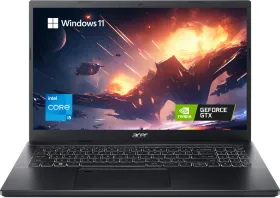
 HP Victus 15-fa1327TX Gaming Laptop (13th Gen Core i5/ 16GB/ 512GB SSD/ Win11 Home/ 6GB RTX3050 Graph) vs Acer Aspire 7 A715-79G UN.34PSI.001 Gaming Laptop (13th Gen Core i5/ 16GB/ 512GB SSD/ Win11 Home/ 6GB Graph)
 HP Victus 15-fa1327TX Gaming Laptop (13th Gen Core i5/ 16GB/ 512GB SSD/ Win11 Home/ 6GB RTX3050 Graph) vs HP Victus 15-fa2700TX Gaming Laptop (13th Gen Core i5/ 16GB/ 512GB SSD/ Win11/ 6GB Graph)
 Lenovo IdeaPad Slim 3 83K100CJIN Laptop (13th Gen Core i7/ 16GB/ 512GB SSD/ Win11) vs Asus TUF Gaming A15 FA506NCG-HN200WS Laptop (AMD Ryzen 7 7445HS/ 16GB / 512GB SSD/ Win11 / 4GB Graph)
 HP Victus 15-fa1327TX Gaming Laptop (13th Gen Core i5/ 16GB/ 512GB SSD/ Win11 Home/ 6GB RTX3050 Graph) vs HP Victus 15-fa2701TX Gaming Laptop (13th Gen Core i5/ 16GB/ 512GB SSD/ Win11 Home/ 6GB RTX 4050)
 HP Victus 15-fa1327TX Gaming Laptop (13th Gen Core i5/ 16GB/ 512GB SSD/ Win11 Home/ 6GB RTX3050 Graph) vs Acer Aspire 7 A715-76G NH.QMFSI.004 Gaming Laptop (12th Gen Core i5/ 16GB/ 512GB SSD/ Win11 Home/ 4GB Graph)