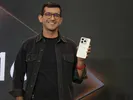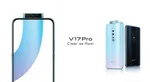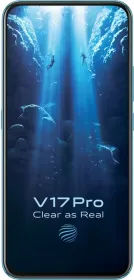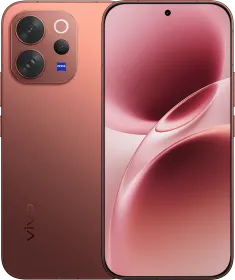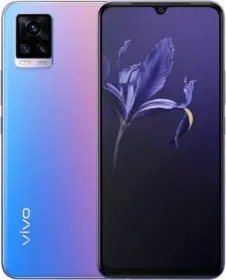
Vivo India continues to have a really eventful 2019. It all started with the V15 series which was launched at the start of the year. As we enter the last leg of 2019, the Chinese smartphone maker has launched another photography centric phone, the Vivo V17 Pro.
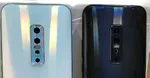
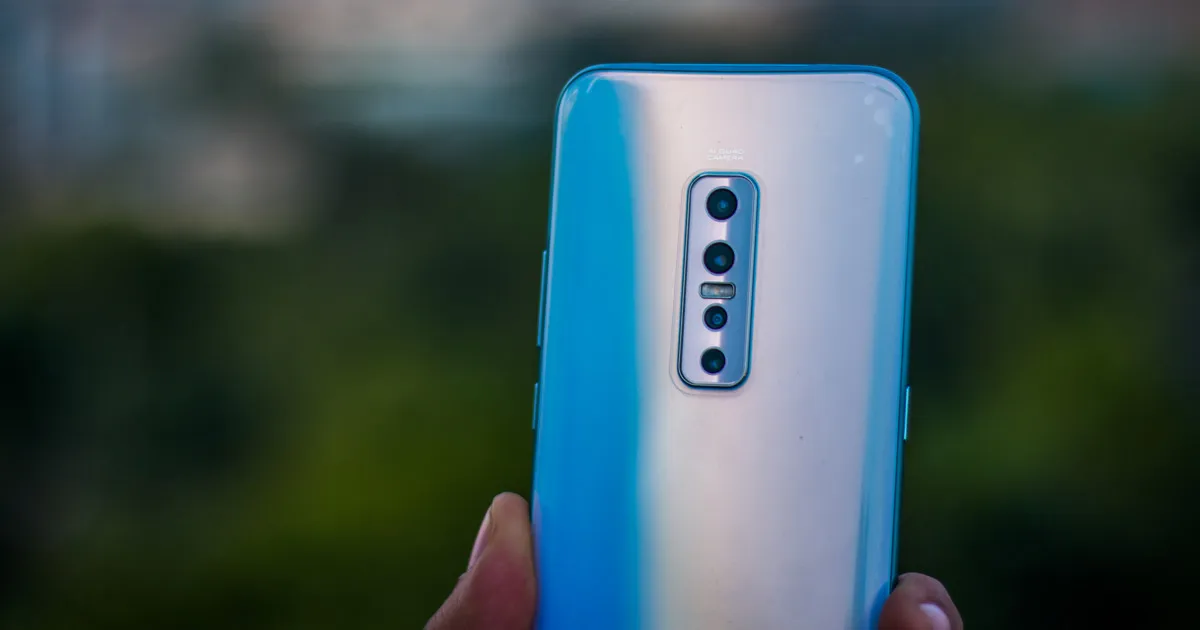
The V17 Pro includes six cameras – four on the back and two up-front in the motorized pop-up module. The quad-rear camera system is lead by a 48-megapixel Sony IMX582 sensor which is paired with an 8-megapixel super wide-angle camera, a 2-megapixel depth camera, and a 13-megapixel sensor with a telephoto lens.
On the front, there’s a 32MP primary sensor for selfies and an 8MP wide-angle shooter for groupies.

The camera quality still remains the most prominent distinguishing factor when it comes to phones. Has Vivo successfully delivered a high-end flagship-grade camera in its mid-range flagship? We will try and answer that as we detail all our camera experience in the Vivo V17 Pro camera review.
Vivo V17 Pro Camera Review: Camera App
If you have used Vivo phone before, you will notice that the camera app has matured. There are numerous shooting modes, but thankfully they are clearly laid out. Only the most frequently used options like Night, Portrait, Photo, and Video are on the roster and other miscellaneous options like 48-megapixel mode, Paronoma, Pro mode, Time-lapse, Live Photo, AR stickers, etc. are clubbed under a ‘More’ label. Of course, you can edit and rearrange the modes according to your preferences.

The camera viewfinder is simple. The left-hand bottom corner has a stub that quickly takes you to the gallery while there is a shutter button in the center, and on the right-hand corner there’s the toggle to switch between front and rear camera systems. There is a slide-out floating menu button that unfurls options for ultra-wide angle, Bokeh and Super Macro.
The App as an option to enable or disable AI and also an option to shoot in RAW+ JPEG. The app allows you to apply Instagram like filters, add portrait lighting effects and to beautify captures.
The V17 Pro camera app is definitely versatile and brings a lot of features. Amateurs will find it easy to use while professionals have ‘Pro’ mode to take full advantage of the camera hardware at their disposal.
Macro Shot
Macro photography isn’t something smartphones are known for. Having said that, in 2019 we have seen a Macro mode in quite a few smartphones and there’s one on Vivo V17 Pro. The image above is shot on Vivo V17 Pro using Macro mode. The phone uses the 8MP ultra-wide-angle sensor to take a micro shot. As you can see in the samples below, the macro shots turned out really good.

This shot had perfect settings. The Sun just started beaming post early morning rain. We used super macro mode with 2X zoom to take this shot. As you can there is a good amount of detail on Grasshopper’s face. Color in this image also turned out very pleasant.

Thi image of clock dial is clicked in an indoor setting and with limited lighting. As you can see, the watch hands are sharp but the overall image looks a little grainy.
It is worth pointing out the Vivo V17 Pro macro feature works really well in video mode. While shooting videos, you may switch to super macro mode after 2X zoom.
Daylight Shot

This shot was taken in broad daylight. The metering seems to be spot on. The 48-megapixel Sony IMX582 sensor uses quad-bayer technology which results in a good dynamic range. The image is sharp especially around architecture which we choose as the primary subject at the time of clicking this image.

This is another shot which is taken in broad daylight. The camera manages to keep the details in the shadows intact.
Ultra Wideangle
As I mentioned above, the V17 Pro has a dedicated ultra-wide lens. As is evident from the images above, the ultra-wide sensor captures a wider view compared to the regular sensor.
There’s slight distortion visible around edges in the wide-angle mode. The image retains most of the structural detail from the foreground and the clouds in the sky turn out nicely.
Low Light and Night Mode


We clicked these images using the Vivo V17 Pro in auto mode without fiddling with any settings. The lighting here isn’t exactly favorable for smartphone photography, hence the overall result isn’t at par with the daylight shots. Having said that, these images show that Vivo V17 Pro manages to capture decent details and colors in auto mode even in not-so-favorable conditions.

Vivo has added a night light mode which takes up to 3-second long exposures. As you can see, the image above was shot at night from a distance, but the camera managed to capture almost all relevant details. The noise also remains very much in control.
Vivo V17 Pro Camera Review: Portrait Mode
The V17 Pro also has portrait mode for both front and rear cameras. The portrait mode can be used to click images with the subject in focus and blurred background.

The above image is taken in portrait mode and the image quality is quite decent. The edge detection here is not as flawless, though. Good thing is that you can adjust the intensity and focus point before and after clicking the image.

once again, the edge detection misread the subject edges which results in blurred shoulder and forearm.

We also tested Vivo V17 Pro portrait mode for selfies. Once again, it had difficulty in detecting edges cleanly. Having said that, this photo is taken with all beautification settings turned off. Good natural light seems to have helped it capture details well. Though, the edges look a little washed out.
Vivo V17 Pro Camera Review: Selfie
Vivo equips the V17 Pro with dual pop-up selfie cameras. The dual setup includes a 32-megapixel sensor coupled with an 8-megapixel secondary super-wide-angle lens. The dual pop-up module also includes a soft LED flash.

As you can see, the V17 Pro managed to take crisp selfies while keeping subjects in focus. The skin tones also look natural. We would like to reiterate that we turned off all beautification filters before taking selfies with V17 Pro. Once again though, we found softness around edges.
In low light, the selfie quality falls sharply. The subject is almost in the dark and is clearly visible, there is still a lot of noise in the images.
Vivo V17 Pro Camera Review Verdict
As far as the cameras go, the Vivo V17 Pro certainly performed better than an average mid-range phone. The improvements aren’t exactly rooted in the versatile camera system or in stacking multiple sensors, but in several discernible improvements in the software.
The new camera app is more intuitive, it’s easy to switch between sensors. Photography enthusiasts and people who know what they are doing will be able to leverage the camera prowess better. Vivo also adds several tools to simplify photo editing and these work really fine.
The camera performance still can’t match what you’d get from Google Pixels (which are now available in the same budget) or high-end Samsung or Apple phones, but we see Vivo making big strides in the right direction.
Disclosure: this writer attended the photo walk season in Amer, Rajasthan on Vivo India’s invitation.