iQOO 13’s Street Photography Mode Explained: Photographers Will Love This

Main Image
  • Like
  • Comment
  • Share

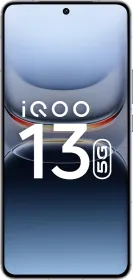
The iQOO 13 recently hit the market, and while its gaming features, like the Monster Halo Light, have been the talk of the town, there’s one feature many might have overlooked, and that is the Street Photography Mode. If you’re into photography or have ever used a dedicated camera, you’ll appreciate this mode. Here’s why:

The Camera-Like Interface

The Street Photography Mode brings a dedicated interface inspired by professional cameras. Plus:

  • You can switch seamlessly between modes like Natural, Vivid, Black & White, and Textured.
  • You also get access to multiple focal lengths: 24 mm, 28 mm, 35 mm, 50 mm, and 100 mm.

Pro-Level Features

This mode is also stacked with tools like shutter speed, ISO, focus, and more. Here’s a quick rundown:

  1. Metering Modes: You can chhoose between Spot and Center-Weighted.
  2. Hyperfocal Distance
  3. Histogram
  4. Modify Exposure, Shutter Speed, Aperture, and White Balance.
Taken using the iQOO 13 Street Photography mode

Customization Options

The Street Photography Mode also allows you to personalize your experience with the following:

Shutter Styles

You have options—completely black, white with a silver ring, and black with a silver ring. You can even add a signature to your shutter in various fonts or choose one of the presets.

Watermarks

For watermarks, you can choose between two styles:

  • Minimalist Style: This has the iQOO 13 branding, the year, and an optional location. In fact, all of them are optional, and you decide what you want on the watermark.
  • Traditional Style: The standard watermark used in the regular mode of your camera app.

You can also place the watermark below the image (rather than on the image) to keep it unobtrusive. There’s a lot to customize here, and I highly recommend exploring it all.

Bokeh Flare Effects

You don’t have as many options as the vivo X series, but there are three that you can choose from: Natural, Rotatory Focus, or Bubbles.

Presets

If you use specific settings often, then you can try the presets. You can create two presets by tapping Basic at the top right. Here’s how:

  • Simply go to Basic mode and make your preset. 
  • Once you are done, tap on Basic at the top.
  • Now, tap on Save next to one of the presets.
  • Tap on Save again.
  • Your preset will now be saved. To use it, simply tap on Apply.

It’s Definitely Worth Trying

The Street Photography Mode is designed for those who value manual controls and creative freedom. Here are some images I captured with the iQOO 13’s Street Photography Mode.

If you own the iQOO 13, give this mode a spin and let me know how it works for you in the comments. 

Mehtab AnsariMehtab Ansari
Mehtab Ansari is the Assistant Editor – Features & Reviews at Smartprix, where he writes about smartphones, laptops, audio gear, and everything in between. A computer science student by degree but a tech nerd by heart, he’s been into consumer tech for years and started reviewing products professionally in February 2024. He’s especially into photography and audio, often spending more time testing a smartphone’s camera than he probably should. For him, tech isn’t just work, it’s what he’s always thinking about.

Expertise 

Smartphones, laptops, tablets, monitors, smartwatches, photography, and audio gear. I’ve reviewed over 60 products across these categories on Smartprix in the past year and a half.

Education - Bachelor of Computer Applications – Nizam College, Hyderabad (2022–2025) | Joined Smartprix -February 2024 | Published Reviews & Stories - 723

Related Articles

Image2027 Hyundai Creta Spied in India: Third-Gen Model With Hybrid Tech And A Completely New Look

The Hyundai Creta has been the benchmark of the mid-size SUV segment in India, and not just for a year or two, but for a decade. Despite two generations and several facelifts, it never had to fight for its position at the top. However, over the last few months, we’ve seen multiple new-age mid-size SUVs …

ImageOriginOS 6 Preview Rolls Out for vivo X200 Pro and iQOO 13

vivo has started its OriginOS 6 preview program, giving owners of the vivo X200 Pro and iQOO 13 the first opportunity to test the new operating system ahead of its official release. The program begins on September 29 (which is today), and selected participants will gain early access to the software, with their feedback helping …

ImageiQOO Z10 & iQOO Z10x launched in India: Pricing starts at Rs. 13,499

Vivo’s sub-brand iQOO has introduced its Z10 series in India, which features two smartphones: the iQOO Z10 5G and the iQOO Z10x 5G. The iQOO Z10 5G stands out as the first smartphone in India to offer an impressive 7300mAh battery, succeeding the iQOO Z9 that debuted in 2024. On the other hand, the iQOO …

ImageOnePlus 13 vs iQOO 13 vs Realme GT7 Pro: Performance Comparison

The flagship smartphone space now has three prominent players: the OnePlus 13, the iQOO 13, and the Realme GT7 Pro. All are powered by the Qualcomm Snapdragon 8 Gen 2 SoC, while mostly staying under the ₹70,000 price point. So, it only makes sense for us to compare them and see which is the best-performing …

ImageiQOO 13 Launch in India Set for December 3

TL; DR After much anticipation, the iQOO 13 has been confirmed to launch in India on December 3. Nipun Marya, the CEO of iQOO India, has shared the release date of the iQOO 13 in a tweet. Earlier, we confirmed the launch date of the iQOO 13 in an exclusive leak, which is now officially …

Discuss

Be the first to leave a comment.

Related Products