How to Get Android Oreo Like Picture-in-Picture Mode on Any Phone

Main Image
  • Like
  • Comment
  • Share

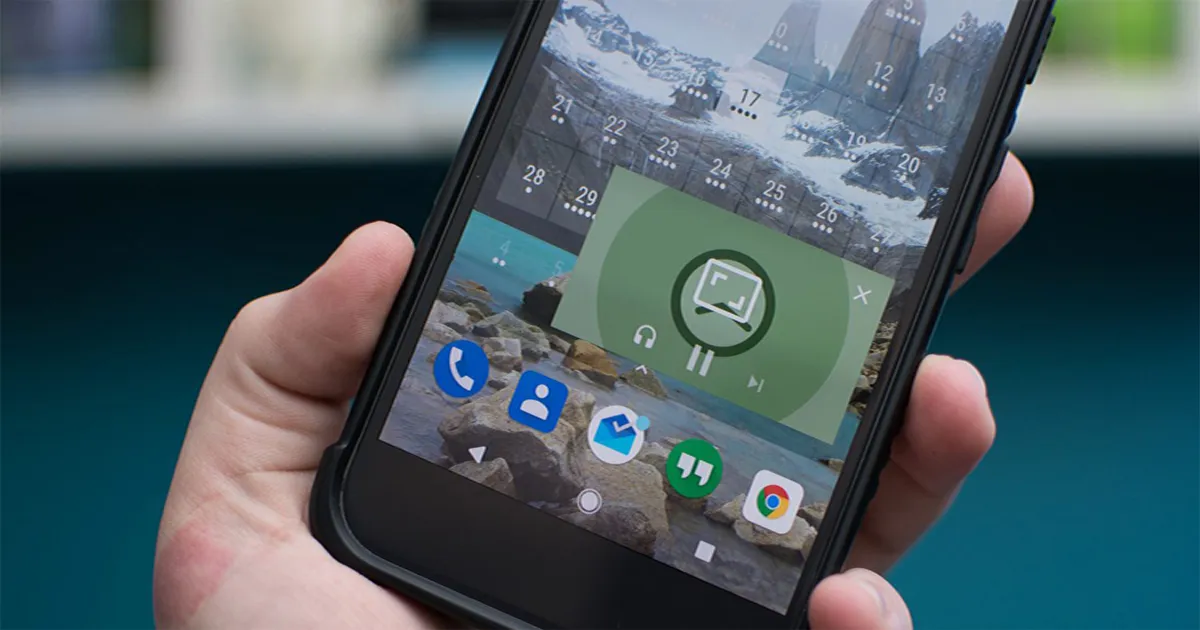
After the split-screen feature, Picture-in-picture has been the most enticing update on Android. The latest Android OS supports the PiP mode, where users can watch a video on a small window while navigating between apps or browsing content on the main screen.

The feature is Android Oreo exclusive so, to access it you either have to have the phone with Android oreo or if you are lucky enough you might get an OTA update sometime in the future

However, if you wish to have the feature on your smartphone now, here’s what you can do.

Presenting how you can run Android Oreo’s Picture-in-Picture mode on any smartphone.

Note: This PiP mode will only work for Youtube videos

Also Read: Paytm Gets UPI Payment Support: Benefits and How to Use

Step 1: Download Telegram

To get PiP mode on your smartphone, all you need is an app. Download and install Telegram, an instant messaging app, from Google play store.

Download: Telegram

Step 2: Youtube Bot

After the installation is complete, tap on the app and register yourself with your mobile number. Once the registration is done, search for available YouTube Bots in the search option. In this case, we are using Youtube Bot.

Step 3: PiP Mode

Youtube Bot will prompt a message with the ‘Start’ option below it. Tap on it and select on ‘Connect my account’ – enter your Gmail credentials, and follow the steps in case you wish to fetch your subscription list.

Now, all you have to do is search for the videos you want to watch with the @YouTube prefix. Enter the videos name and the blot will show you suggestion, tap on the relatable one. You can also adjust setting as per your preference by typing /setting.

Also Read: Get On-Screen Navigational Buttons on Capacitive Button Smartphone

Step 4: Play Video in Multi-window

The final step would be to play your selected video. Tap on it and it will start playing in the lower half of the screen. To make it work in PiP select the button, placed at the bottom part of your screen.

Flipkart’s own Smartphone Billion Capture+ To Go On Sale On November 15

Ashish KumarAshish Kumar
He is Journalism graduate, sports lover, and a passionate reader. Just like others his eyes is also filled with dreams and believes that one day those dreams will come true. Cheers!

Related Articles

ImageGTA 6 is out Thursday: do these 6 things on your PS5 or Xbox first

Grand Theft Auto VI unlocks this Thursday, November 19, and preloading has been open since November 10, so you can get the biggest download out of the way before the rush. I don’t want to spend launch night staring at a progress bar, and I bet you don’t either. It’s time to prep your console. …

ImageChrome to add “self share” for tab sharing and more secure incognito mode for Android

Google Chrome is the most sought-after web browser for desktops and smartphones alike. Google keeps adding tons of new features to ensure that their users get the best browsing experience. The Chrome is reportedly going to get a new interesting feature soon to smoothen the workflow on multiple devices. According to ChromeStory, a new flag …

ImageInnelo 1 Review with Pros and Cons

Chinese smartphone maker iVoomi has launched a new sub-brand Innelo, with the first phone in this series labeled as Innelo 1. The sub-brand was conceptualized mainly to counter other low budget smartphones like Honor 7S, Redmi 6 and Redmi 6A. The entry-level division has a fairly large market share in India, and this launch could …

ImageSamsung’s One UI 9.5 Could Get A Redesigned Phone App, A Rambler-Like Voice Typing Feature, & A New Memory App

Samsung’s Phone app is among the apps users open dozens of times a day, yet they rarely think about it until a small change makes them realize how awkward or unnatural the old way was. A peek at One UI 9.5 made me realize exactly that, and it involves a corner of the screen my …

ImageSix Months With OPPO’s ColorOS 16: How It Became My Favorite Android Experience

Month 1: Making ColorOS 16 Feel Like My Phone The first month was all about getting comfortable with the software and setting things up the way I like them. ColorOS has always been generous with customization, and Flux Home Screen gave me plenty to play with. I could resize app icons, change folder shapes, and …

Discuss

Be the first to leave a comment.