



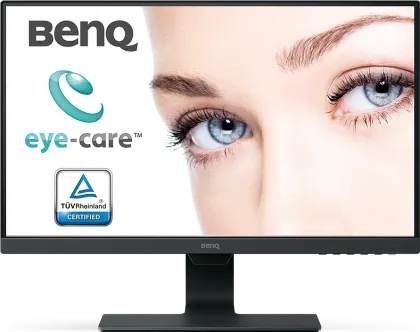
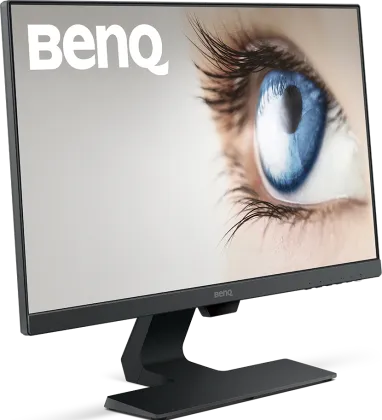
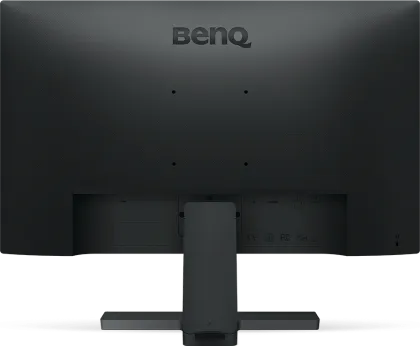
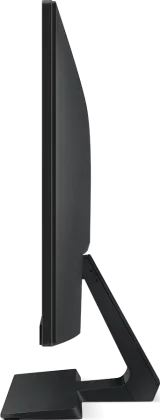


BenQ GW2480L 23.8 inch Full HD Monitor
BenQ GW2480L 23.8 inch Full HD Monitor is a 23.8 in IPS LED Monitor. It has a 1920 x 1080 pixels (Full HD) resolution and a 60 Hz refresh rate. It has a 5 ms response time. Notable features include 1 x HDMI v1.4, 1 x DisplayPort v1.2, Anti-Glare, Built-in Speakers and Headphone Jack.
- Compare
- Like
- Comment
- Share
Set an Alert to know when it comes back in stock.

Features
- 23.8 in Display
- 1920 x 1080 pixels (Full HD)
- 16.7 M Colors
- Flat Monitor
- 1000:1 Contrast Ratio
- 1 x Display Port v1.2
- 1 x HDMI v1.4
- Anti Glare
BenQ GW2480L 23.8 inch Full HD Monitor Specs
- LED Monitor
- Form Factor: Flat
- Thickness: 50 mmAverage
- 3 kgAverage
- 3 Year Warranty
- IPS Panel
- 23.8 inchesAverage
- 1920 x 1080 pixels (Full HD)Best
- ~ 93 PPIAverage
- 5 ms Response Time
- 60 Hz Refresh Rate
- 16:9 Aspect Ratio
- Anti Glare
- 1 x HDMI v1.4, 1 x Display Port v1.2, VGA, Audio In
- Speaker Inbuilt
BenQ GW2480L 23.8 inch Full HD Monitor Prices


User Reviews

Discuss
Related News
 BenQ MOBIUZ EX271QZ Launched in India: 27-inch QHD QD-OLED Gaming Monitor at ₹84,998
BenQ India has launched a gaming monitor: the MOBIUZ EX271QZ. It’s a 27-inch QHD monitor built on a QD-OLED panel that offers 500Hz of refresh rate. Priced at ₹84,998, the display is primarily aimed at compet…
 BenQ Launches RD270Q Programming Monitor In India At ₹29,989 With Dedicated Coding Modes
Most monitors are designed for general computing and then marketed toward every use case and every type of user under the sun. BenQ is taking the opposite approach with the RD270Q. It is a monitor built from …
 BenQ MOBIUZ EX321UZ Launched in India: 4K 240Hz Tandem QD-OLED Gaming Monitor at ₹1,28,998
Expanding its MOBIUZ gaming monitor lineup in India, BenQ has launched the EX321UZ, the world’s first Game Art Monitor. At ₹1,28,998, the monitor caters to the expert and professional class that can’t comprom…
 Oppo Is Teaming Up With K-pop Group Baby Monster For A Special Edition Reno 16 In India
It isn’t even a month since Oppo released the standard Reno 16 series in India, and the company has confirmed a fresh collaboration. This time, it’s with South Korean K-pop group Baby Monster, for a special e…
 Jaguar Type 01 Revealed With 1,016 bhp And 720 km Range, With An India Launch Expected In 2027
Jaguar has finally shown the production car it has been teasing since the 2024 Type 00 concept: the Type 01. To me, it looks nothing like a Jaguar I remember, and looks like something straight out of a scienc…
Related Monitors
Related Searches
Compared With

 Lenovo LOQ 27Q-10 27 inch QHD Gaming Monitor vs AOC Q27G10E 27 inch Quad HD Monitor
 Samsung Odyssey G5 LS27FG530EWXXL 27 inch Quad HD Gaming Monitor vs Acer SH242Y P1 24 inch FUll HD LED Monitor
 LG Ultragear 32GS60QC 32 inch Quad HD Curved Monitor vs Acer Nitro ED340CUR X0 34 inch UWQHD Curved Monitor
 Lenovo L27-4C 27 inch Full HD Monitor vs Dell SE2726D 27 inch QHD IPS Monitor
 Lenovo Legion 27Q-10 27 inch Quad HD Gaming Monitor vs BenQ EW270Q 27 inch Quad HD Gaming Monitor
 BenQ EW270Q 27 inch Quad HD Gaming Monitor vs Dell P2725HE 27 inch Full HD Monitor
BenQ GW2480L 23.8 inch Full HD Monitor Full Specs
| Model | GW2480L |
| Dimensions | 540 x 340 x 50 mm |
| Depth with Stand | 175 mm |
| Height with Stand | 420 mm |
| Weight | 3 kg |
| Weight with Stand | 4.23 kg |
| Panel Type | IPS |
| Form Factor | Flat |
| Warranty | 3 years Warranty |
| Size | 23.8 inches |
| PPI | ~ 93 PPI |
| Aspect Ratio | 16:9 |
| Anti Glare Screen | Yes |
| Features | Low Blue Light Plus, Flicker-Free Technology, Color Weakness Mode, Brightness Intelligence Technology |
| Display Type | LED |
| Resolution | 1920 x 1080 pixels (Full HD) |
| Max Refresh Rate | 60 Hz |
| Contrast Ratio | 1000:1 |
| Response Time | 5 ms |
| Brightness | 250 cd/m² |
| Backlight | W-LED |
| Number of Colors | 16.7 M |
| Color Gamut | 72% NTSC (1953) |
| Horizontal Viewing Angle | 178 ° |
| Vertical Viewing Angle | 178 ° |
| USB Ports | No USB Port |
| VGA | Yes |
| Headphone Jack | Yes |
| Display Port | 1 x Display Port v1.2 |
| HDMI | 1 x HDMI v1.4 Port |
| Audio In | Yes |
| Speakers | 2 x 1W |
| Sales Package | Monitor, HDMI Cable, QSG, Warranty Card |
| Stand Tilt | -5°~20° |
| Wall Mounting | 100 x 100 mm |
| HDCP Support | Yes |
Good for everyday usage
The BenQ GW2480L is a 24-inch monitor that's good for everyday use. It has a clear and vibrant display with a resolution of 1920 x 1080, which is perfect for a screen this size. The IPS technology ensures that you get nice colors and wide viewing angles. In terms of looks, it's designed to be sleek and modern, likely with slim borders around the screen. It might have adjustable tilt settings for a more comfortable viewing experience. For connecting to devices, it should have HDMI, DisplayPort, and VGA ports, giving you options for different devices like computers, gaming consoles, or even older devices. To take care of your eyes, BenQ often includes features like Flicker-Free and Low Blue Light to reduce eye strain during long periods of use. While the BenQ GW2480L is generally a well-regarded monitor, like any product, it may have some drawbacks. Keep in mind that specific cons can vary based on personal preferences and usage needs. Here are some potential drawbacks to consider: Limited Resolution: The Full HD (1920 x 1080) resolution might be considered a limitation for users who require higher resolutions for tasks such as detailed graphic design or professional photo editing. Refresh Rate for Gaming: If you're a gamer, the monitor's refresh rate might be a bit standard. Monitors with higher refresh rates are generally preferred by gamers for smoother motion, especially in fast-paced games. Basic Audio Quality: If you're expecting excellent sound, built-in speakers on monitors tend to be basic. For better audio quality, you might need to invest in external speakers or headphones. No Height Adjustment: Some users prefer monitors with height-adjustable stands for ergonomic customization. If the BenQ GW2480L lacks this feature, it could be a con for those who value such adjustments. Glossy Screen (If Applicable): If the monitor has a glossy screen, it may be prone to reflections and glare in brightly lit environments. Matte screens are often preferred in such cases. Limited Gaming Features: If gaming is a primary use, the monitor might lack advanced gaming features such as adaptive sync technology (e.g., FreeSync or G-Sync), which can enhance the gaming experience.
Read More on Flipkart →