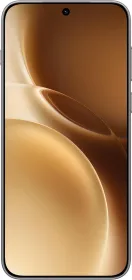
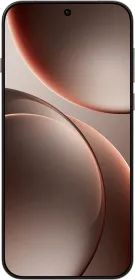
The vivo X300 Pro feels like a camera-centric flagship that still behaves like a normal daily phone, and the intent shows the moment you start using it. It brings a large 1.4-inch class telephoto sensor, a bright 6.78-inch LTPO AMOLED, a 6,510 mAh battery, the Dimensity 9500, and the new OriginOS 6. After spending several days with it, the strengths in areas like the cameras, display, and performance become very clear, although a few small annoyances do show up here and there.
vivo has pushed harder this year by launching the 2.35X ZEISS Extender Kit for the telephoto, which gives you a true 200 mm optical zoom. Let’s take a deep dive into the vivo X300 Pro and see how the cameras work in everyday use, how the Extender Kit performs in the real world, and whether it actually makes sense to buy it.
vivo X300 Pro Price & Availability
The vivo X300 Pro is priced at ₹1,09,999 for the sole 16GB RAM + 512GB storage variant. There are two color options to choose from: Dune Gold and Elite Black. It’s available through vivo online store, Flipkart, Amazon, authorized retail partners and major offline stores including vivo’s own experience stores.
The Telephoto Extender Kit is available for ₹18,999, with ₹4,000 off when you bundle it with the device during the pre-booking period from December 2 to 9. A 10% instant discount on the device is also part of the pre-booking offer.
Pros
- Excellent camera capabilities
- Very bright, accurate LTPO display
- 90W FlashCharge
- Good stereo speakers and haptics
- OriginOS 6 delivers a good software experience
- IP68 and IP69 water and dust resistance
- 5 OS updates + 7 years of security updates
- The optional ZEISS Extender Kit delivers exceptional zoom capabilities
- 4K 120 FPS video in LOG and Dolby Vision
Cons
- Some images show aggressive AI sharpening and occasional magenta tint in portraits
- A few preinstalled apps cannot be disabled and show installation popups and notifications
vivo X300 Pro Specifications
- Display: 6.78-inch AMOLED, 2,800 × 1,260 (1.5K), 1 to 120 Hz LTPO, 452 PPI, HDR10+, Dolby Vision, 2160 Hz PWM dimming, 130 Hz normal touch sampling, 300 Hz while gaming, SGS low blue light certification
- SoC: MediaTek Dimensity 9500, CPU 1x C1-Ultra 4.21 GHz + 3x C1-Premium 3.5 GHz + 4x C1-Pro 2.7 GHz, Arm G1-Ultra GPU
- RAM: 16 GB LPDDR5X
- Storage: 512 GB UFS 4.1
- Cameras:
- Main: 50 MP Sony LYT-828, 1/1.28-inch, f/1.57, OIS, 24 mm, AF, 15cm MFD, 4K120/60/30, 8K30
- Ultra-wide: 50 MP Samsung JN1, 1/2.76-inch, f/2.0, 15 mm, AF, 3.5cm MFD, 4K60/30
- Telephoto: 200 MP Samsung HPB, 1/1.4-inch, f/2.67, 3.5X optical, 85 mm, OIS, AF, 15cm MFD, 4K120/60/30
- Front: 50 MP JN1 1/2.76-inch, 20 mm, f/2.0, AF, 4K60/30
- Audio: Stereo speakers, multi-mic setup, LHDC/LDAC
- Battery and Charging: 6,510 mAh, 90W FlashCharge wired, 40W Wireless FlashCharge, PD3.0 PPS support
- Build: Front glass, Fiberglass back (polycarbonate), aluminium middle frame.
- Weight and Thickness: 226 grams, 7.99 mm
- IP rating: IP68 + IP69
- Connectivity: Wi-Fi 6 GHz support, Bluetooth 5.4, NFC, USB 3.2 Gen 1 Type-C, dual nano SIM + eSIM support
- OS: OriginOS 6 on Android 16, 5 + 7 updates
- In the box: Type-C cable, 90W charger, SIM ejector, protective case and pre-applied film
vivo X300 Pro Review: Design and Build

vivo has kept the X300 Pro visually restrained. The phone uses a flat 6.78-inch front and a camera island that reads large but is integrated into the frosted back. The Dune Gold finish on my unit is subtle rather than flashy: the glass fibre back has a fine texture that resists fingerprints and gives a slightly tactile grip. However, it’s not real glass. The Elite Black option uses a similar finish.
The X300 Pro measures 161.98 × 75.48 × 7.99 mm and weighs 226 grams. On paper, the dimensions are ideal for a 6.78-inch phone, but the weight is noticeable. The balance is toward the top because of the huge camera hardware.

You feel that when holding the phone for long photo sessions or during one-handed use. But I’m happy to report that you get used to it. vivo’s machining is clean: the aluminium frame gives solid button feedback and there is no chassis flex under normal pressure.

vivo rates the X300 Pro as IP68 and IP69 for water and dust resistance. That covers immersion and high-pressure water jets too. vivo also includes guidance that resistance can degrade over time but that’s standard for all IP-rated phones. For a photography device likely to be used outdoors, the high IP rating is a welcome inclusion.
The volume rocker and power button are placed on the right, and they’re placed at an ideal height. The USB Type-C port at the bottom supports USB 3.2 Gen 1 for faster transfers. It even has a dual nano-SIM tray with eSIM support.


The X300 Pro also includes an IR blaster for appliance control and a new multi purpose quick button on the top left. This button supports both long press and double press actions. I set the long press to switch between Ring, Silent, and Mute, and the double press to open the Camera app.

vivo bundles a 90W charger (USB-A) and a color-matched protective case in the box. The Telephoto Extender Kit is sold separately and snaps into the camera housing for longer reach. More on this later in the camera section.
vivo X300 Pro Review: Display
The X300 Pro uses a 6.78-inch AMOLED with a 1.5K (2,800 × 1,260) resolution, an LTPO backplane and a 1 to 120 Hz adaptive refresh rate. vivo’s display tuning is accurate and content looks pleasing to the eyes. The default refresh rate tuning runs some apps at 90 Hz or 60 Hz, but you can force-switch to 120 Hz for a smoother experience.

The panel is specified with a contrast ratio of 8,000,000:1 and 10-bit color support for broad gamut reproduction. It is certified for HDR10+, Dolby Vision and TUV Rheinland flicker free. Both YouTube and Netflix support HDR playback as well.
The panel includes vivo’s adaptive high-brightness engine and supports 4500 Nits local peak brightness. We don’t know the HBM numbers but in real-world use, the screen stays readable under harsh sunlight and the auto-brightness works reliably.
The display unit has SGS low blue light certification and a 1 nit minimum for comfortable night reading. vivo also exposes a Custom Brightness option that tailors auto brightness to individual contrast sensitivity.

The display also looks beautiful from the front, thanks to the 1.2mm thin bezels. The punch hole size is ideal and the flat display prevents any accidental touches. Screen protectors are also easier to install thanks to the flat display.
Touch sampling is 130 Hz in normal mode and up to 300 Hz while gaming. The panel includes reduced motion blur circuitry and refined touch algorithms to avoid unintended taps. Wet finger control is noticeably better than many phones in this segment. During gaming the responsiveness is excellent and the phone tracks fast swipes reliably.

vivo implements full range luminance PWM dimming and DC-like dimming, with 2160 Hz PWM listed in parts of the briefing. Night Eye Protection and Anti-Fatigue adjustments help reduce eye strain in low light. Overall the display is a strong suit for this phone and a good foundation for both photography and content consumption.
vivo X300 Pro Review: Speakers and Haptics

The vivo X300 Pro continues the brand’s focus on multimedia, and the speaker setup shows clear progress over the X200 Pro. You get dedicated stereo speakers that deliver loud sound. The top and bottom channels are well balanced. However, the tuning could’ve been slightly better. The earpiece volume is loud enough for noisy outdoor environments.
Haptics are improved from previous vivo flagships. The vibration motor is strong and tightly controlled. Feedback feels precise in typing, navigation, and throughout the UI. However, the implementation could’ve been better across the system.
It’s currently missing haptic implementation in the following key areas: volume and brightness slider, “Clear” button for notifications, opening/closing the sidebar, expanding stacked notifications, or when switching lenses/ tapping zoom levels in the camera app.
vivo X300 Pro Review: Software

The vivo X300 Pro runs OriginOS 6 on Android 16. This is a major step forward in software design and stability, compared to Funtouch OS. The system feels smoother, the animations are more structured, and the consistency across UI elements is noticeably improved compared to Funtouch OS.

The update policy is also among the best in the segment. vivo promises 5 years of OS updates and 7 years of security updates, which puts the X300 Pro in almost the same league as the longest-supported Android flagships. Updates on the X series tend to be regular and on time, so there is nothing to worry about on that front.
The control center has been redesigned with two new layouts to choose from (Together and Separate), and the overall look is more modern compared to Funtouch OS. The lock screen customisation is especially strong. You get depth effects, ton of clock customization, Flip Cards, and support for video wallpapers as well.

The always-on display is full-screen and transitions smoothly from the lock screen. New home screen widgets have also been introduced, in addition to the new vivo Sans font, which is a major upgrade over Roboto. It makes the entire UI look cleaner and more modern.
Split screen, floating windows, and small window multitasking work smoothly. In fact, OriginOS lets you stack multiple windows of apps simultaneously, similar to the Stage Manager on Apple devices. You also get the Origin Island for live activities like timer, order transit updates, media player, and more.

The vAppStore and Browser app cannot be disabled. Both apps send notifications unless manually restricted. There is also an installation pop-up with ads whenever you install apps through the Play Store. In my opinion, these disrupt the premium software experience and vivo should at least allow us to disable these services.
Animations are good overall, but there are moments where the system introduces micro jitter, especially when switching quickly between apps or using the keyboard. These drops are minor but visible. vivo can polish this further through updates.
Office Kit allows you to open PDFs, documents, and presentations with doc-level AI tools for summarising, rewriting, and extracting important points. You can also share files easily with iPhone users thanks to EasyShare. Mac and Windows connectivity is also possible.
Notes also supports the AI Creation suite. Multitasking performance is stable and apps hold memory well on the 16 GB RAM variant.
AI Features
AI is a major part of the X300 Pro’s user experience, and vivo has distributed these features across system apps instead of placing them behind a single AI hub.
Inside the Albums app you get AI Erase, AI UHD for upscaling, AI Image Expander for extending your photos, and AI Color Adjustment. These tools work well and the processing speeds are reasonable. The corrections look natural in most scenes.
Inside the AI Erase, you get a reflection eraser that removes unwanted reflections, and you can also remove people from the frame with one tap. The erasing animation also looks pleasing.
There is a new AI Storyboard option as well. It works inside both the camera app and the photo app. The photo needs to be at least 3 MB, and then the system creates a story from a single shot. You can choose from different layouts, and the tool cuts the photo into a collage style output that you can post on social media.


Beyond the camera, there is AI in the Notes app and AI in vivo DocMaster for various tasks. The Recorder app uses AI to transcribe and summarize audio.
AI Visual is used inside the camera app. It includes seasonal filters such as spring, summer, autumn, and winter. It also includes sunrise, nightfall, snowy town, desert, island, cyber, oil blend, fireworks, and other themes. These are cloud-processed effects, so they take a few seconds to generate.
The results can shift the mood of an image without manually editing it later. Also, once you’ve used a specific style, you could go back and change it to something else later. There’s also an option to automatically select the perfect style for your photo.
Overall, OriginOS 6 feels modern and mostly well designed. The system is not as smooth or feature-rich as ColorOS, but it is a very good software experience and is a huge upgrade over the previous Funtouch OS.
vivo X300 Pro Review: Biometrics
The vivo X300 Pro uses an ultrasonic in-display fingerprint scanner, and it is excellent. Registration is almost instant. Rest your finger, rotate slightly, and the setup completes in about one second. Unlocking is fast, works well with slightly damp fingers, and remains reliable.
Face unlock is available and works quickly, but it is a standard 2D implementation. It is convenient for casual use, though fingerprint unlock remains the better option for payments and security.
vivo X300 Pro Review: Performance

The vivo X300 Pro runs on MediaTek’s new Dimensity 9500, a 3 nm flagship chipset with a unique tri-cluster CPU layout: 1x C1-Ultra at 4.21 GHz, 3x C1-Premium at 3.5 GHz, and 4x C1-Pro at 2.7 GHz. It is paired with the Arm G1-Ultra GPU, 16 GB LPDDR5X RAM, and 512 GB UFS 4.1 storage, and the combination shows its strength the moment you start using the device.
The phone feels extremely responsive in regular use. App launches, heavy app switching, and animations stay consistently smooth. Even in long sessions of multitasking with apps like Lightroom, Chrome with 30 tabs, Telegram, social apps, and background camera processing, the phone rarely reloads applications, thanks to the memory management and the faster LPDDR5X RAM. Even video rendering is very fast, even faster than the 8 Elite Gen 5.
Benchmarks
Here are the benchmark results, against the OPPO Find X9 Pro with the same chipset.
| Benchmark Test | vivo X300 Pro (Dimensity 9500) | OPPO Find X9 Pro (Dimensity 9500) |
| AnTuTu v11.0.4 | 3,164,914 | 3,435,464 |
| AnTuTu Storage Test | 127,733 | 142,205; Sequential Read: 3737 MB/s; Sequential Write: 3293 MB/s |
| Geekbench 6 (CPU) | Single-Core: 3085; Multi-Core: 8021 | Single-Core: 3270; Multi-Core: 9644 |
| Geekbench 6 (GPU – OpenCL) | 24,699 | 22,057 |
| Geekbench 6 (GPU – Vulkan) | 25,111 | 28,559 |
| 3DMark Wild Life Extreme Test | Score: 6585; Average FPS: 39.43 | Score: 6529; Average FPS: 39.10 |
| 3DMark Wild Life Extreme Stress Test | Best Loop: 6350; Lowest Loop: 2900; Stability: 45.7% | Best Loop: 6603; Lowest Loop: 4555; Stability: 69% |


Gaming
Gaming is one of the strongest areas of the vivo X300 Pro, not only because of its chipset but also because of the software optimizations and the upgraded cooling system. The 4,000 mm² vapor chamber and graphite structure are to keep heat under control during extended gaming.
BGMI runs at 120 FPS with steady gameplay, and the device stays around 42 to 43°C after longer sessions. It gets a little warmer than usual, although it never crosses into uncomfortable territory. Genshin Impact holds 60 FPS on high settings with good stability and reaches about 44°C, which is still manageable for everyday use. CODM runs smoothly at a consistent 120 FPS and stays close to 40°C, so there is no noticeable heat buildup during matches.
Wuthering Waves is the only title that pushes the device harder. It settles between 45 and 50 FPS and the temperature rises to around 46 to 47°C, so you will feel the heat after a while. Even then, it stays within safe limits and does not affect normal performance.
This overall behaviour makes the device suitable for casual gaming, and it handles most titles with respectable stability. If you want the absolute best gaming performance, iQOO 15 or OnePlus 15 with the Snapdragon 8 Elite Gen 5 will be a better fit. The overall performance of the vivo X300 Pro remains dependable for day to day use though some work is needed to optimize the thermals.
vivo X300 Pro Review: Cameras

The vivo X300 Pro carries forward the company’s imaging philosophy from the X200 Pro but refines the hardware in certain meaningful ways. The sensor sizes on the rear stay the same, yet each module receives upgrades that affect real world output. The biggest change is the front camera, and addition of new software features that impact the overall camera experience.
(Note: We are still updating the review with camera samples. Please check back later.)
Main Camera
The main camera uses a new 50 MP LYT-828 sensor at 1/1.28 inch with an f/1.57 aperture and a 24 mm lens. HDR performance is strong and trigger timing is reliable, with accurate highlights and good color control when using the Textured or ZEISS Natural profiles.


The Vivid profile oversaturates and adds extra sharpening, so switching to -50 sharpness and slight contrast correction helps balance the results. You can find this in the effects section.
Raw Lighting reduces AI processing, sharpening, HDR and night mode, giving a more natural output when HDR is not required, though it can be inconsistent and is inconvenient to enable while shooting due to the toggle placement.


Low light results from the default processing are better than RAW Lighting, and overall the main camera delivers strong performance with reliable details and balanced dynamic range in the Textured profile.
The default mode outputs 12 MP photos, and switching to 50 MP or 200 MP requires going into the high-resolution menu, which takes noticeably longer than the Find X9 Pro which shoots 50 MP photos by default. Detail levels are decent, highlight control is good, and low light noise reduction is strong.
The processing time for the default 12 MP photos is also quite high, usually taking between 3 and 10 seconds, depending on whether you are in Photo mode or Portrait mode and how many shots you capture in succession. Raw Lighting does not have this issue and photos are instantly processed in the Albums app.
Ultrawide
The 50 MP JN1 ultra-wide has a 1/2.76 inch sensor with an f/2.0 aperture and produces solid daylight images with consistent colors relative to the main camera. The overall quality is fine in daylight but low light could have been better.


200MP ZEISS APO Telephoto
The 3.5X periscope uses a 1/1.4 inch Samsung HPB sensor with an f/2.67 aperture, still the largest periscope sensor on any smartphone in India. Image quality is excellent when lighting is good and AI is not overly heavy, with strong compression, realistic separation and impressive low light performance.


Quick zoom jumps include 1.5X, 2X, 3.5X, 5.6X, 7X, 10X, 20X and 30X, and results remain good up to around 10X. Above that, processing relies heavily on AI even when enhancements are toggled off. The 200 MP mode on the 3.5X lens produces very detailed shots in bright light but the processing time is high.
Portraits
Portrait mode supports 24, 35, 50, 85 and 135 mm ZEISS focal lengths with ZEISS styles like Biotar, B-Speed, Sonnar, Planar, Distagon, Cineflare and Cinematic. Edge detection is excellent and background rendering is natural.


Beauty effects remain active even when turned off, and exposure can be inconsistent at times. I have also noticed a magenta tint in some portrait shots.


Live Photo is supported, and portrait shots can also be captured at 50 MP or 200 MP. AI Visual in portraits allows object removal, recomposition, and stylized looks like Morning Clear Sky, Winter, Autumn, Island, Fireworks, Cyber, or other effects.
Selfies
The 50 MP JN1 front camera uses a 1/2.76 inch sensor with a 20 mm f/2.0 lens, and it performs extremely well in both daylight and low light. It offers one of the widest fields of view among Android flagships.


Low light selfies use on the on-screen flash and look clean, though sometimes eyebrows are redrawn. Live Photo support is present, and portrait mode activates by default when switching to the front camera. It is a major upgrade over the X200 Pro’s selfie camera.
Macro Mode
Macro performance is excellent thanks to the 15 cm focusing distance on the 3.5X periscope. You can zoom from 1X to 20X in macro, and the periscope maintains good sharpness even when handheld, though OIS can appear slightly shaky. Using the photo mode at 3.5X instead of the dedicated macro mode often gives more natural results.
Bird, Flower and Nature Mode
The phone includes an automatic bird and flower mode that detects subjects (10X and beyond) and applies a portrait-style background blur. It works surprisingly well and delivers great shots at 10X and 20X. You can choose between the Natural look and the ZEISS Mirotar donut-bokeh style. There is no option to activate this mode manually, but hopefully it gets added soon.


Video

Video recording supports up to 8K 30 FPS on the main lens, 4K 120 FPS Dolby Vision on the main and telephoto, and 4K 60 FPS Dolby Vision on the front and ultra-wide. Stabilization is limited to 2.8K 60 FPS, and 4K 120 FPS or any kind of LOG video recording locks you to the lens you started recording with.
LOG video recording includes live LUT preview and LUT application directly in the gallery. Front camera switching is available only in 4K 30 FPS. The Stage mode enables dual-video at up to 4K 30 FPS with independent lens selection and separate file saving options.
The actual video quality on the X300 Pro is excellent. You get great daylight and low light videos as well. The depth and the separation at 3.5X is just incredible. There are some issues with highlight mangement in videos, especially when using the ultra-wide, but hopefully those can fixed with future updates.
Panoramas, perspective correction, long-exposure (up to 2 minutes 37 seconds), floating water, fireworks, star trails, graffiti, mysterious haze and other creative modes are available. Snapshot mode is also available which speeds up the shutter timing to freeze pets or fast moving subjects from 1X to 20X.
Telephoto Extender Kit

The optional telephoto extender attaches via a dedicated case. It works across almost every mode except portrait video and dual video. It supports 200 mm, 400 mm, 800 mm, 1600 mm and up to 5400 mm (225X digital) zoom.


Image quality is good at 200 mm and 400 mm, and AI becomes more noticeable beyond 800 mm. Raw Lighting works with the extender too, and 4K 120 FPS Dolby Vision is supported, unlike the Find X9 Pro’s teleconveter which is limited to 4K 60 FPS.


Overall, the vivo X300 Pro delivers one of the best and the most complete camera experiences that you can find on the market today.
vivo X300 Pro Review: Battery Life and Charging

The vivo X300 Pro is equipped with a 6,510 mAh battery, and real-world endurance varies between 6 to 8 hours of screen-on time depending on usage. On lighter days, the battery comfortably lasts until the evening, while heavier camera sessions or extended gaming push it toward the lower end of that range.

Charging is fast. The phone supports 90W wired charging, and in my testing, moving from 5% to 95% took around 48 minutes. A full charge should take about an hour. Wireless charging is supported at 40W, but vivo does not sell a compatible wireless charger in India, so you will need a standard Qi charger at a slower speed.
Review Verdict: Should You Buy the vivo X300 Pro?
The vivo X300 Pro is a camera focused flagship that still feels like a reliable everyday phone. The combination of the upgraded LYT 828 main sensor, the massive 1.4-inch class 200 MP telephoto, ZEISS color science, and the new software features delivers one of the most complete imaging packages you can buy today. The optional ZEISS Extender Kit pushes it even further by giving true 200 mm optical zoom.
Beyond the camera, the X300 Pro offers a bright and accurate LTPO display, strong performance from the Dimensity 9500, a 6,510 mAh battery, and fast 90W charging. OriginOS 6 feels more refined than earlier vivo software and the long-term update commitment of 5 + 7 years adds to the confidence.
There are a few annoyances like aggressive AI in certain photos, the top-heavy camera module, thermals, and preinstalled apps you cannot remove. These don’t overshadow the overall experience though.
For users focused on mobile photography, the X300 Pro is an excellent choice. If you are looking for alternatives, the OPPO Find X9 Pro is a good choice, plus it offers a smoother software experience and a larger battery. However, phones like the Pixel 10 Pro XL or Samsung S25 Ultra cannot match the imaging capability or the versatility here.
If you want a true flagship smartphone that treats photography as its core identity while staying dependable as a daily phone, the vivo X300 Pro is an excellent choice.

Smartprix ⭐ Rating: 8.8/10
- Design and Build: 8.8/10
- Display: 9/10
- Speakers: 8.5/10
- Software: 8.7/10
- Haptics: 8.5/10
- Biometrics: 9/10
- Performance: 8/10
- Cameras: 9.1/10
- Battery Life & Charging: 8.8/10
First reviewed in December 2025.